

Why Aren't My Changes Live?
What's happening
When you edit a published card, your changes save to the draft — not the live card. That's why the card shows Unsaved changes and visitors still see the old version.
How to fix it
Click Update public card (on the dashboard or in the editor). Your latest draft becomes the live version.
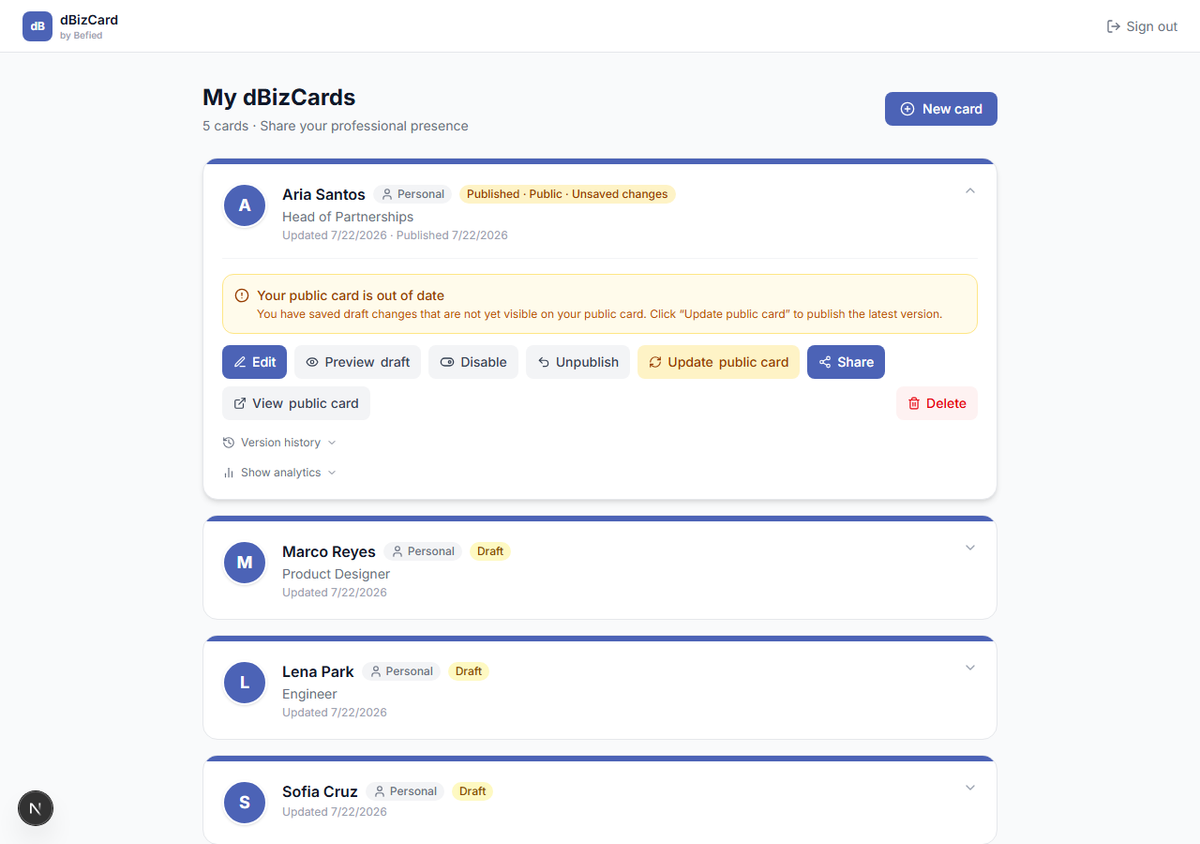
Note: If Update public card reports a missing field, restore that field (e.g. email) first — dBizCard won't push an incomplete card live.
Result: Visitors now see your latest changes.
Was this helpful?