

Adding & Managing Social Links
Step 1: Add a social link
In the Social links section, click Add social link, choose the platform (Facebook, Instagram, X, LinkedIn, TikTok, YouTube, GitHub), and paste your profile URL. You can add up to 7.
Note: The URL must match the platform's format (e.g. https://linkedin.com/in/yourname), or you'll be prompted to fix it.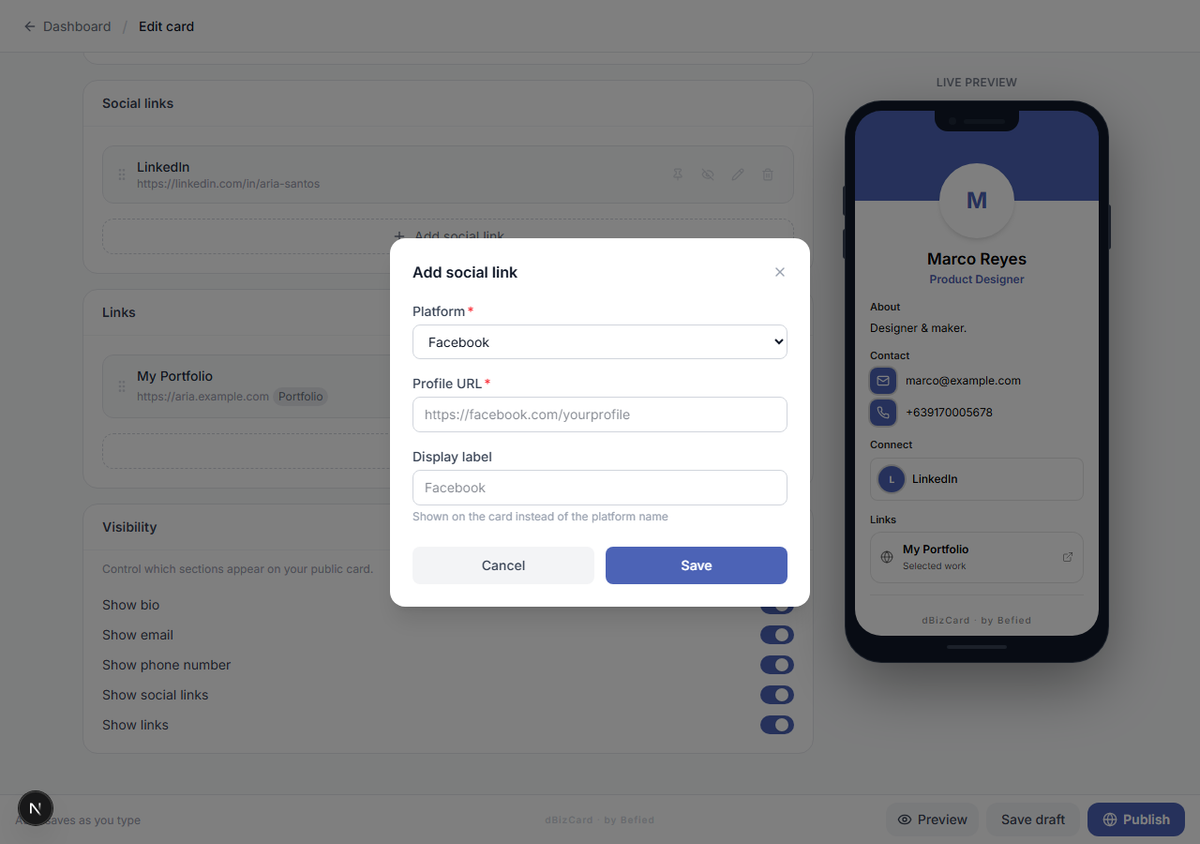
Step 2: Reorder, pin, hide, or remove
For each link use the row controls:
- Drag the handle to reorder.
- Pin to keep it at the top.
- Hide (eye icon) to keep it but not show it.
- Delete (trash icon) to remove it.
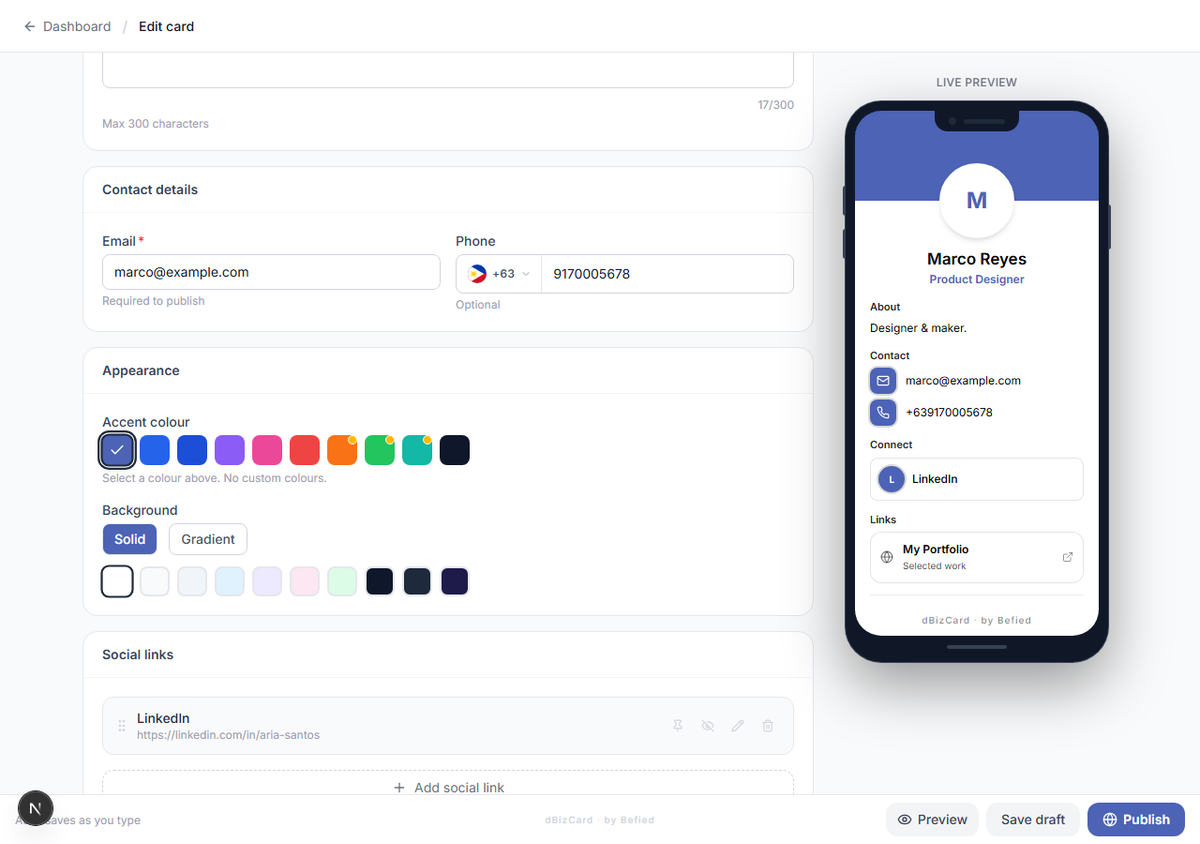
Result: Your social links are set and ordered the way you want.
Was this helpful?