

Customizing Appearance
Step 1: Choose an accent colour
In the Appearance section, pick an accent colour from the palette. A warning dot appears on colours that would be hard to read against your background.
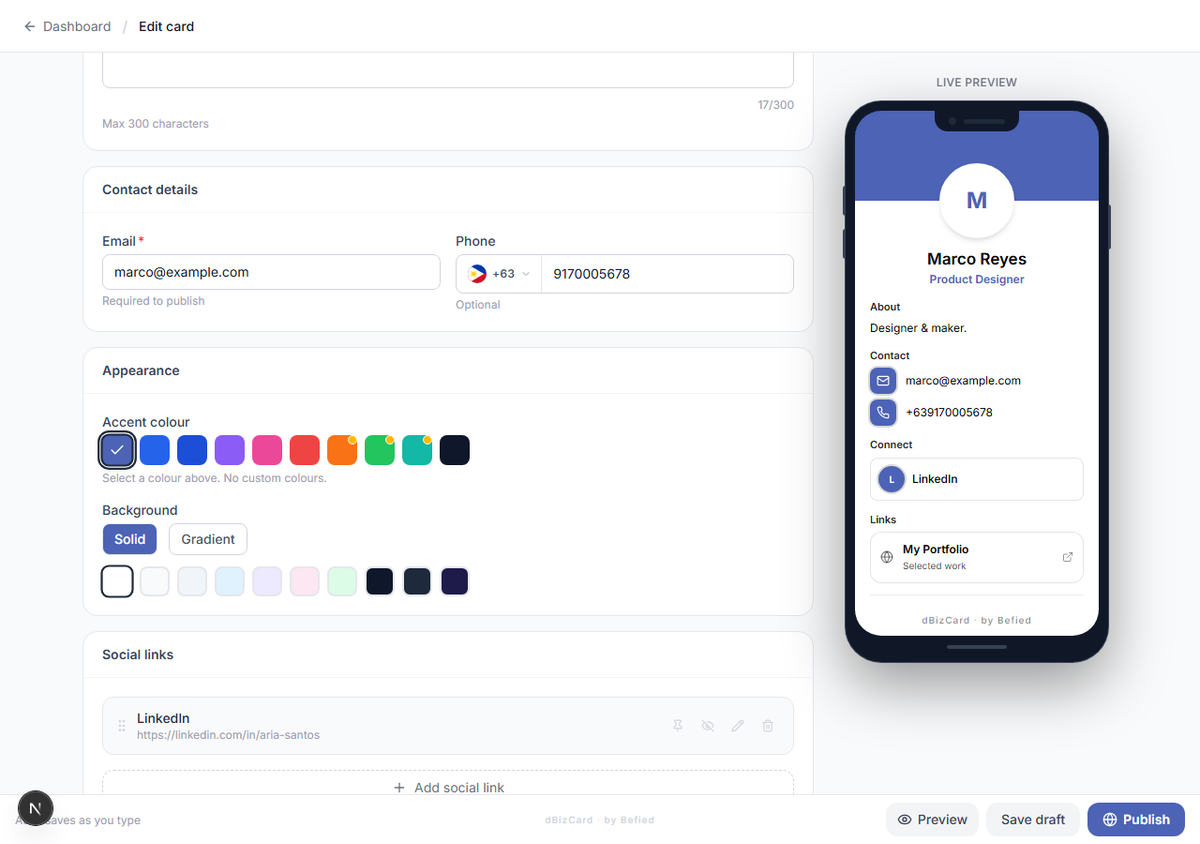
Step 2: Choose a background
Choose Solid or Gradient:
- Solid — pick one background colour.
- Gradient — pick a start colour, an end colour, and a direction.
Tip: If your accent and background are too similar, dBizCard auto-adjusts the accent in the card so text stays readable.
Result: Your card uses your chosen colours, shown live in the preview.
Was this helpful?