

Understanding Your Analytics
On this page
Step 1: Open analytics
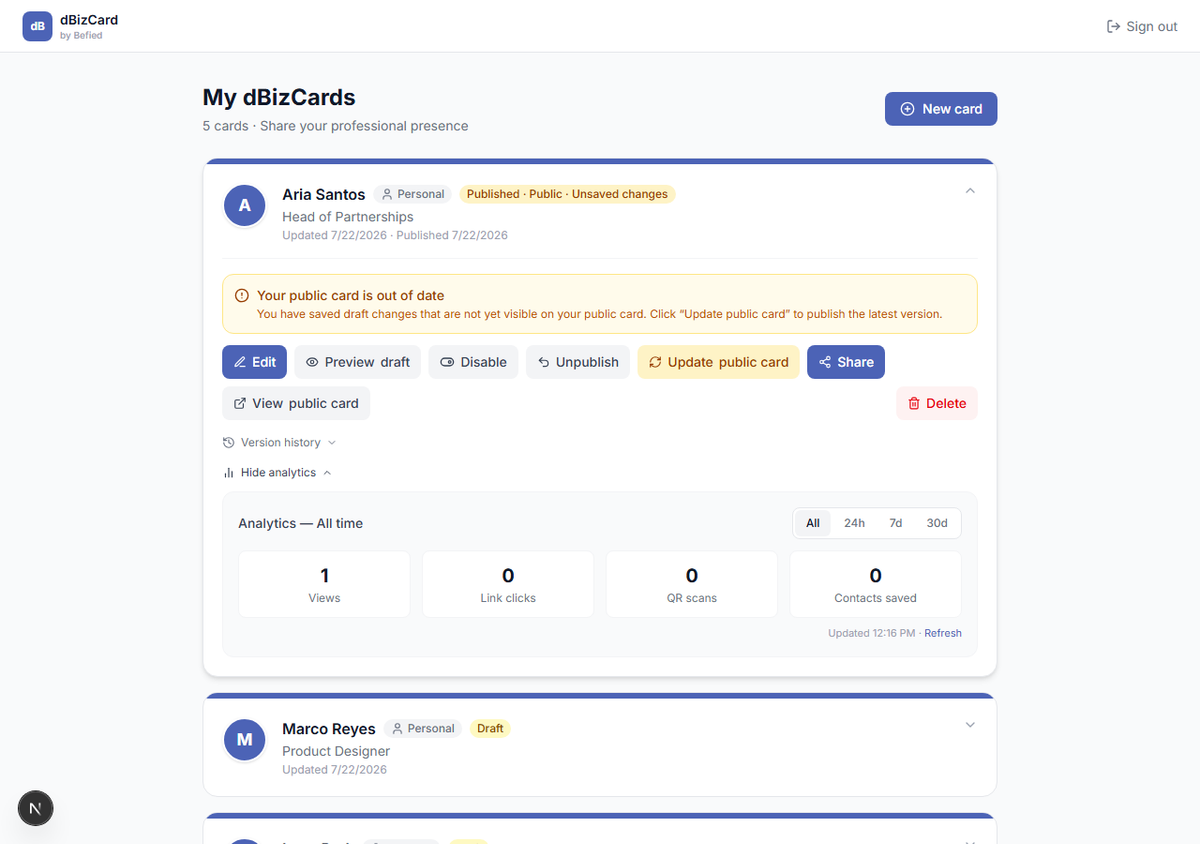
On the dashboard, expand a card and click Show analytics.
Step 2: Read the metrics
You'll see four numbers:
- Views — times your public card was opened.
- Link clicks — clicks on your links.
- QR scans — opens from a scanned QR code.
- Contacts saved — times someone saved your contact.
Step 3: Filter by date
Use All / 24h / 7d / 30d to change the range, and Refresh to update. The panel shows when it was last updated.
Result: You can track how your card is performing over time.
Was this helpful?