

Managing Multiple Cards
Step 1: Create additional cards
Click New card on your dashboard to add another card. Each card is independent — its own details, link, QR code, and analytics. Give each a clear card name in the editor so you can tell them apart.
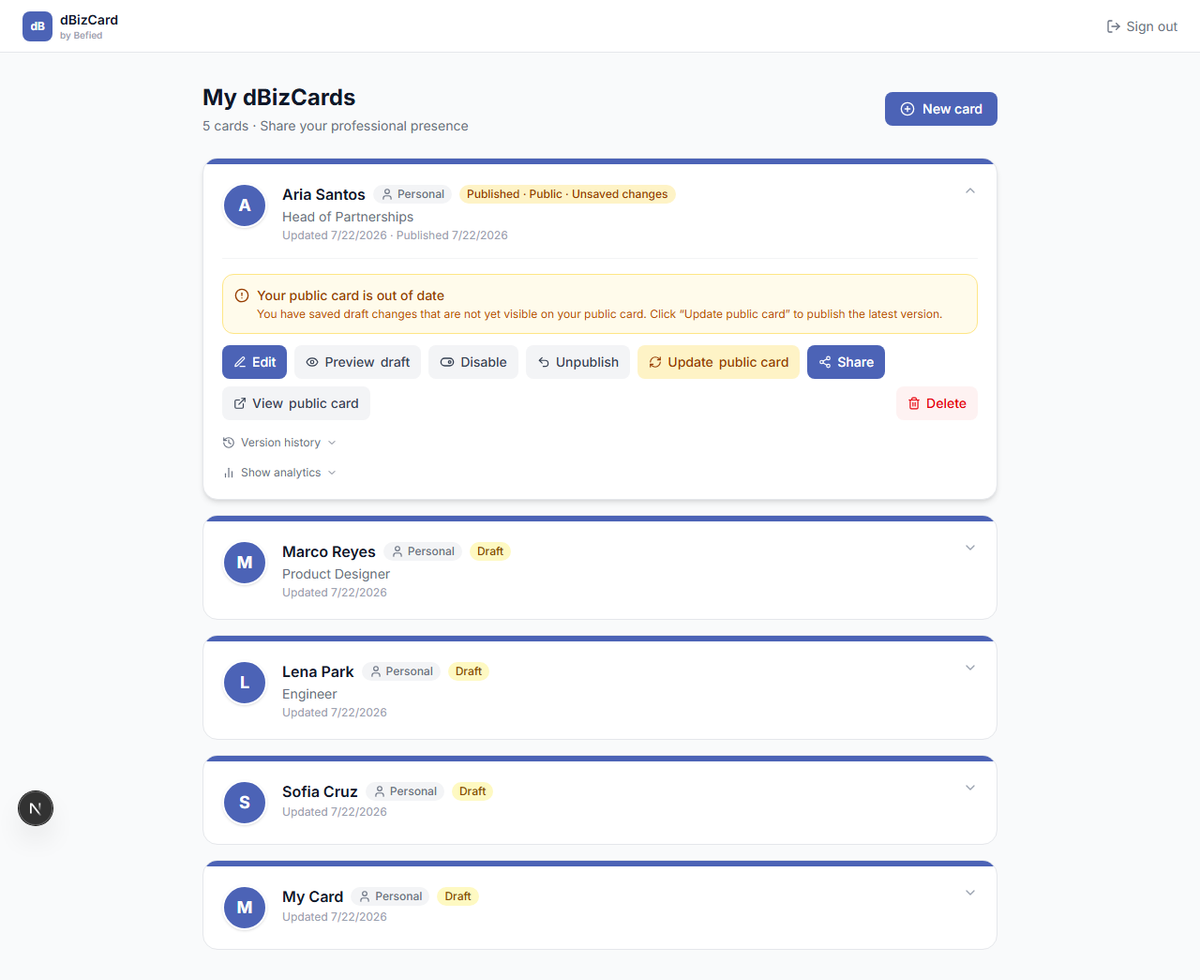
Step 2: Work with a specific card
Click a card to expand it, then use its actions (Edit, Preview, Publish, Share, Analytics…). Actions only affect that card.
Tip: Use different cards for different contexts — e.g. one for work, one for events.
Result: You can maintain several distinct cards from one account.
Was this helpful?