

How to Create a New dBizCard
Step 1: Start a new card
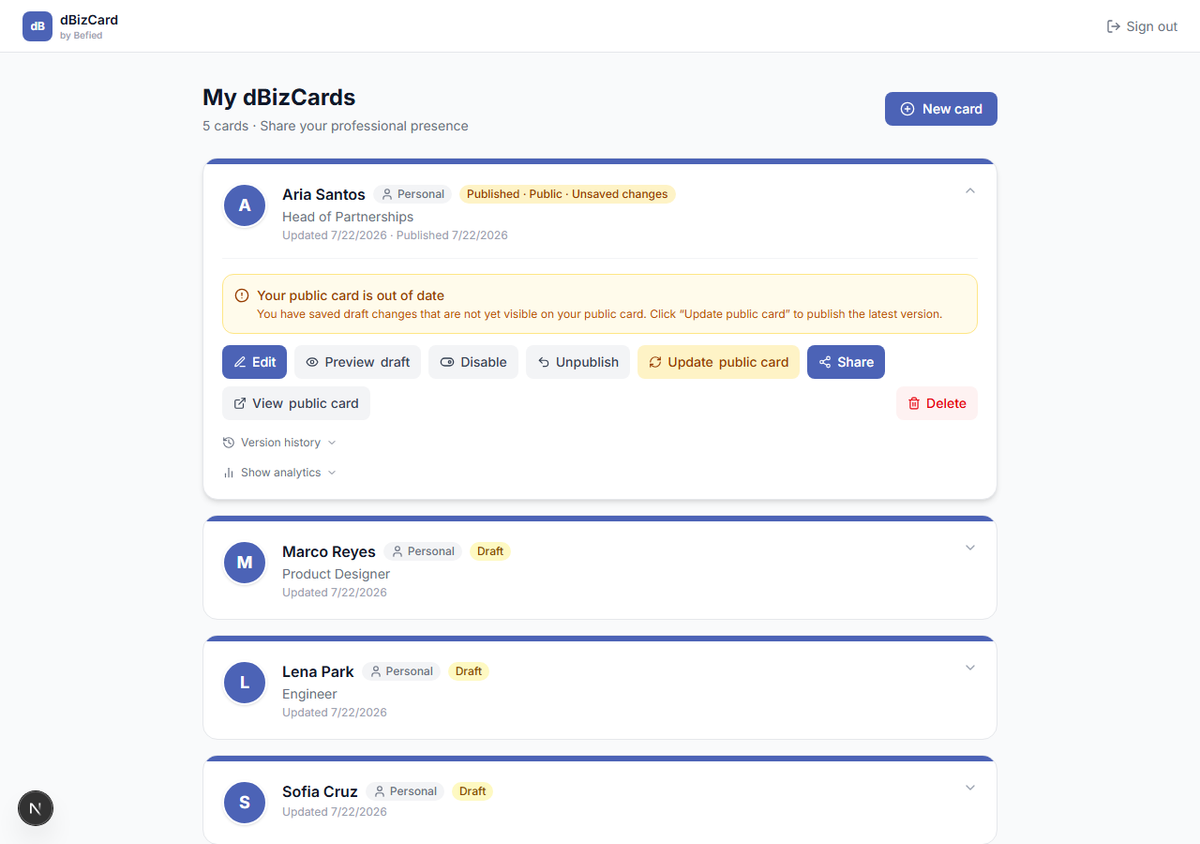
On your dashboard, click New card (top right). If you don't have any cards yet, click Create my card in the empty state.
Step 2: Open the editor
A new draft card is created and opens in the editor, ready for your details. It's listed on your dashboard as a Draft until you publish it.
Note: New cards start with a placeholder name ("My Card"). Change it in Basic information.
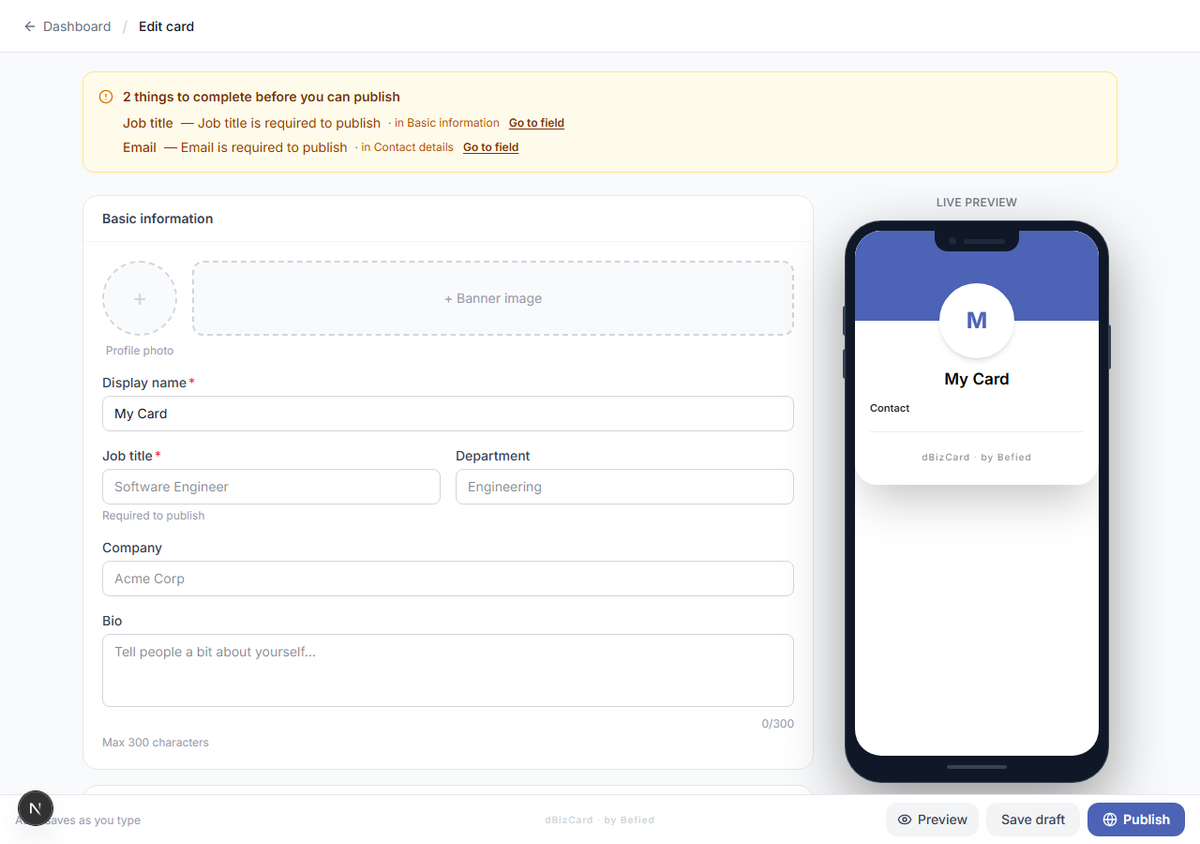
Result: You have a new draft card open in the editor.
Was this helpful?