

How to Publish Your Card
Prerequisites: Display name, job title, and email must be filled in.
Step 1: Check required fields
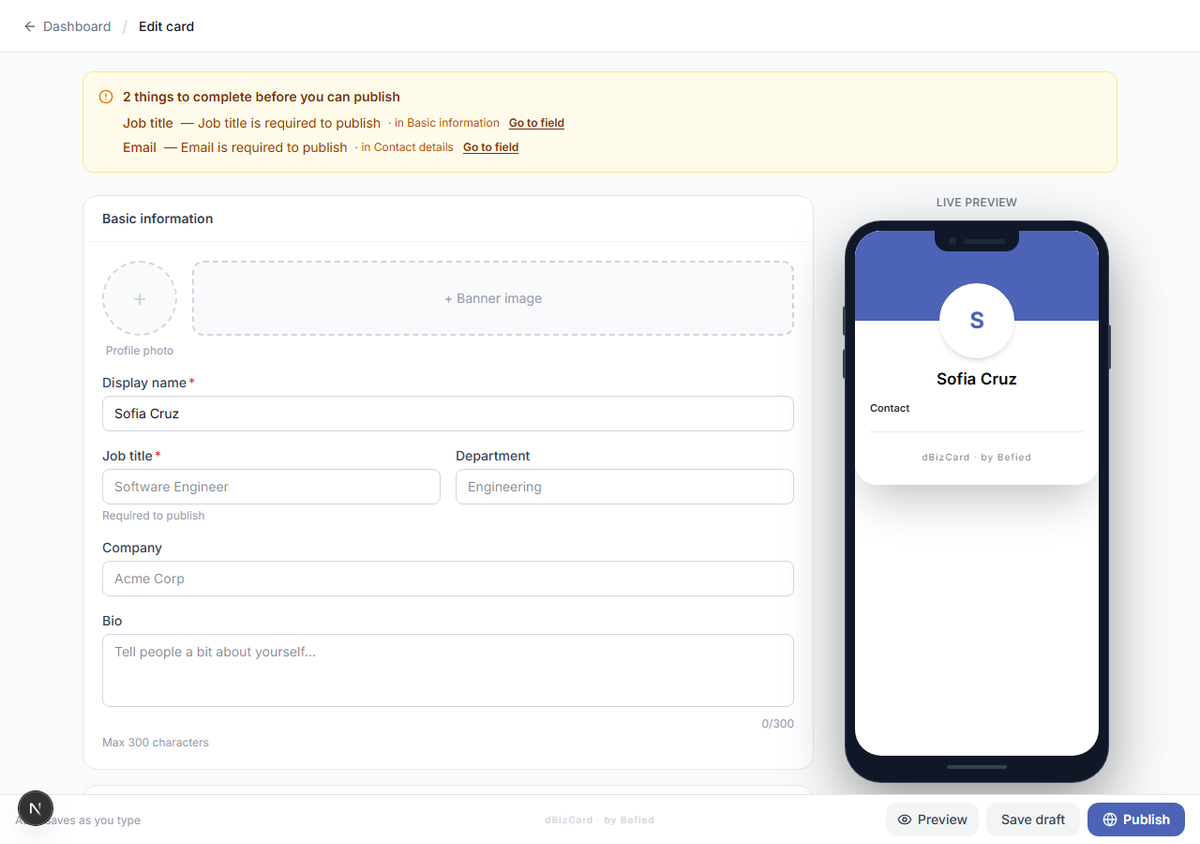
Open your card. If anything required is missing, the editor's top banner (or a message on the dashboard) tells you exactly which field — fill it in first.
Step 2: Publish & go live
Click Publish & Go Live (dashboard) or Publish (editor). Your card is published, enabled, and reachable at its public link.
Note: If a required field is missing, publishing is blocked and the message names the exact field (for example, "Email is required to publish").
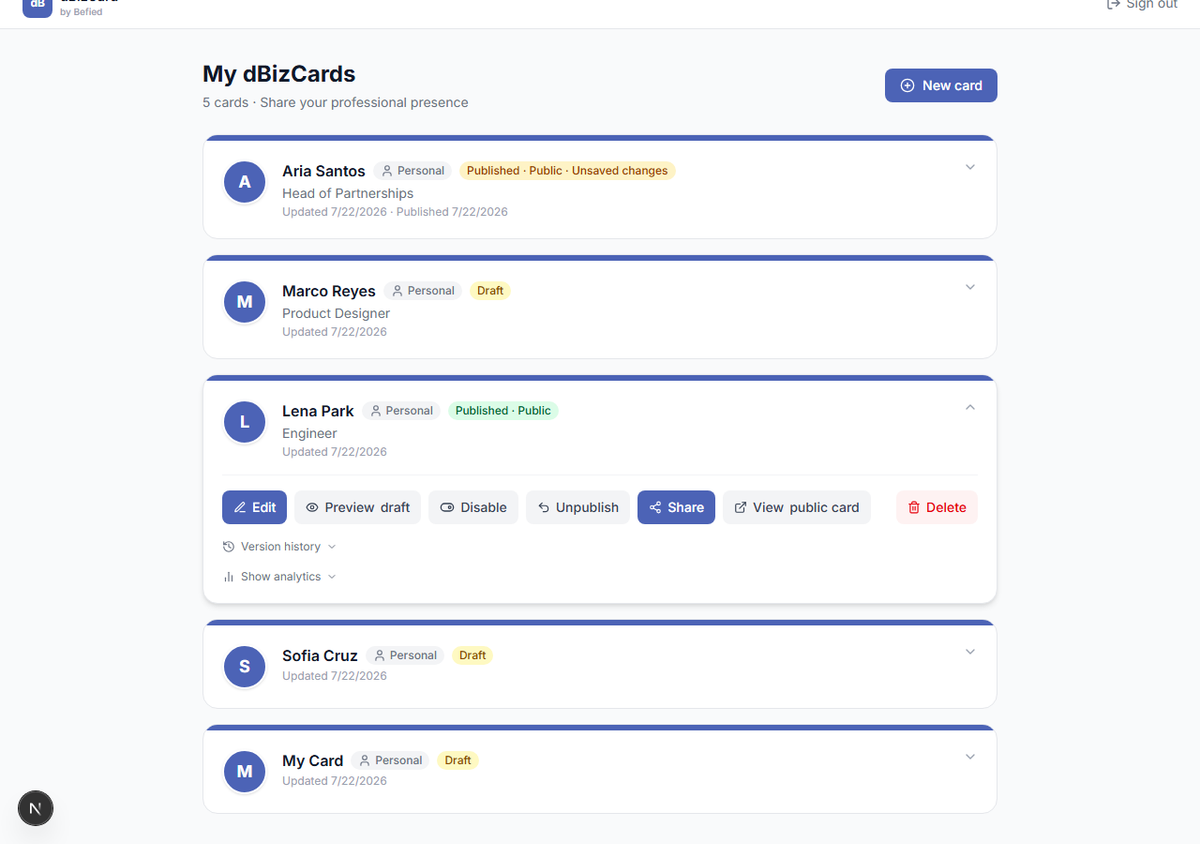
Result: Your card is live and ready to share.
Was this helpful?