

How Do I Rename a Copied Template?
After copying a template, the duplicated version keeps the same name as the original. To avoid confusion, you can rename the copied template.
❗ Renaming is only allowed when the template is in Draft status
Steps to Rename a Copied Template:
- Go to the Templates Dashboard
- Find the copied template (marked as Draft)
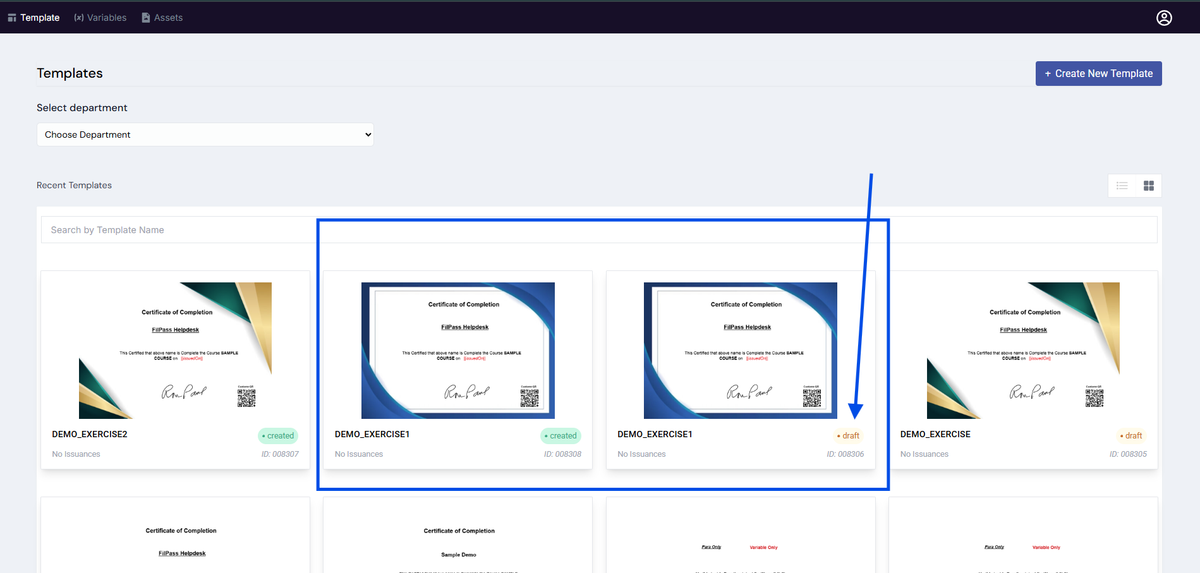
3. Click the template to open the preview modal
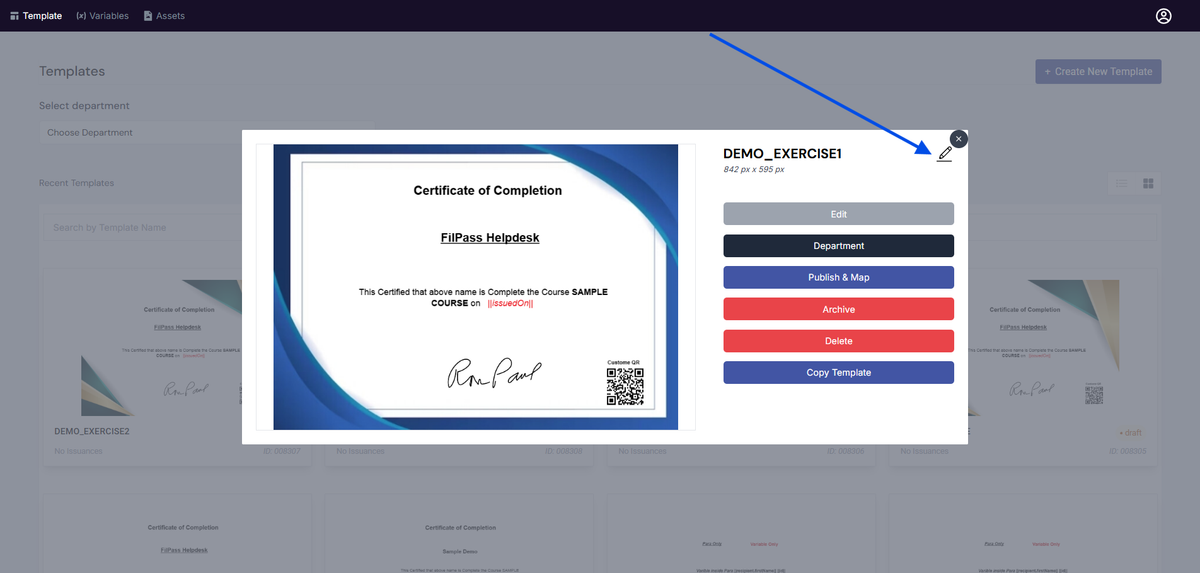
4. In the top-right section of the modal, click the Edit (✏️) icon beside the template name
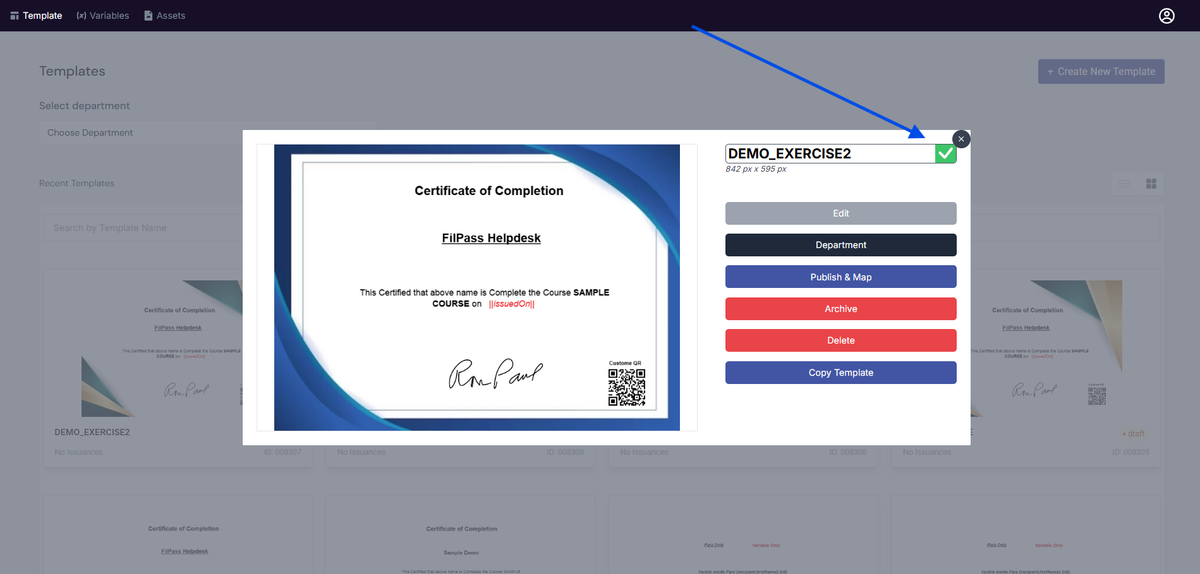
5. Enter your desired template name
6. Confirm or apply the changes
✅ The template name will be updated immediately
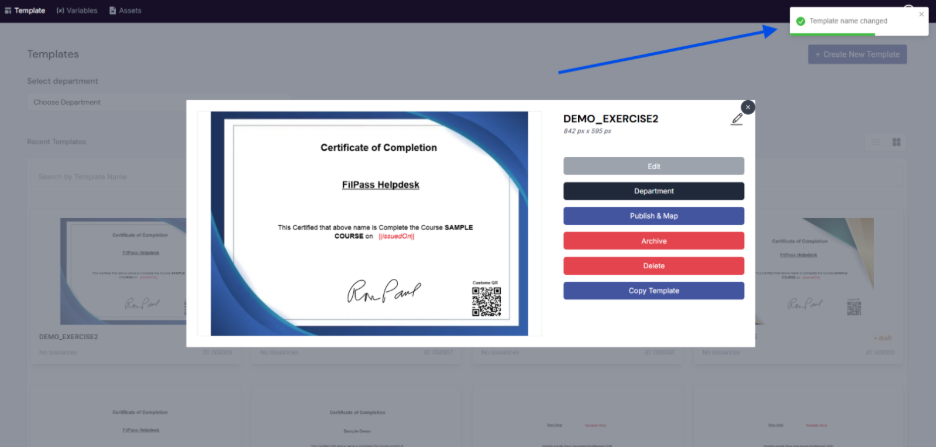
Result
- Template is successfully renamed
- Changes reflect in the Templates Dashboard
- Template remains in Draft status
Important Notes
- ❗ Only Draft templates can be renamed
- ❗ Templates that are Published or In Use cannot be renamed
- ✔ Copied templates are automatically set to Draft
Best Practice 💡
Rename templates right after copying to avoid confusion:
Examples:
- Completion_Certificate_Blue_v2
- DEMO_EXERCISE1_Copy
- Finance_Certificate_2026
Common Issue:
Q: Why can’t I rename my template?
A: The template is likely already Published or In Use. Only Draft templates can be renamed.
Was this helpful?