

How Do I Change Text Color in Template Design?
You can modify the text color of paragraphs and variables directly within the Template Design canvas using the formatting toolbar.
- In the Template Design canvas, locate the paragraph or variable you want to modify.
- Highlight or select the specific text or variable.
- From the toolbar above the canvas, click the color picker.
- Choose your desired color.
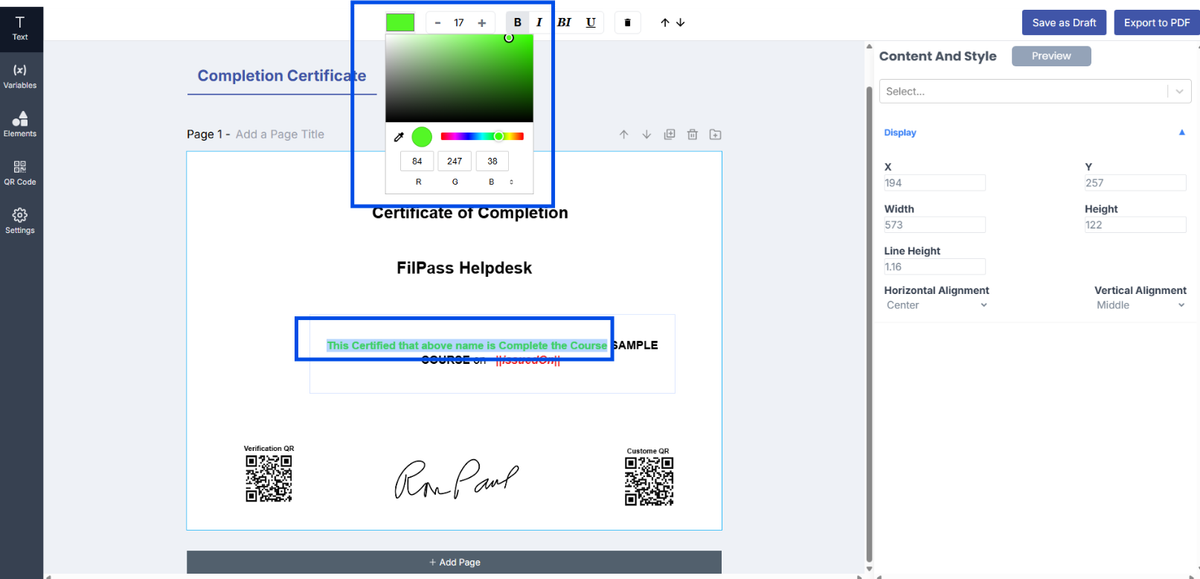
5. The selected color will automatically apply to the highlighted text or variable.
6. To preview your template, click Preview in the right panel.
- Note: To preview variable values, ensure the variable is placed inside a paragraph.
- Variables not inside a paragraph will not display in preview.
7. Review the changes. If satisfied, click Save as Draft.
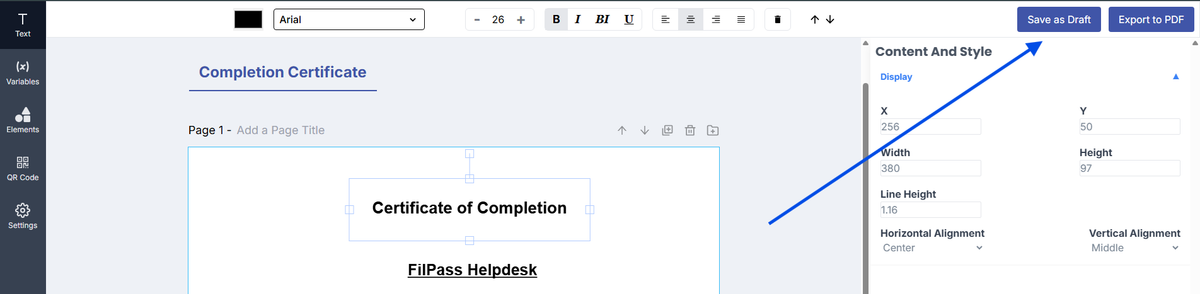
8. Once saved, your template is ready to be mapped for issuance.
Important Reminder:
- Color changes will only apply to the selected or highlighted text or variable
- If nothing is selected, the color will not change
Notes:
- Color formatting applies to both static text and variables
- Use readable color combinations to ensure clarity in the final document
- Always preview before saving to confirm the output
Was this helpful?