

Where to see the Proof of Payment?
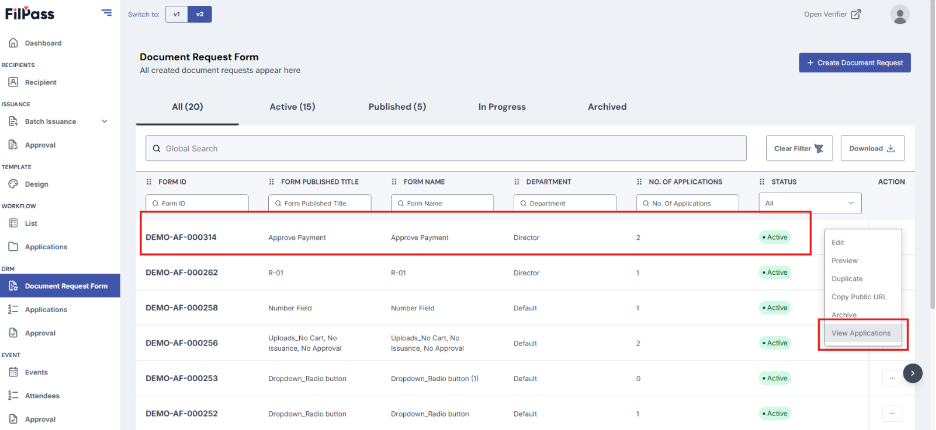
1. From the Document Request Form page, click View Applications on the form you want to check.
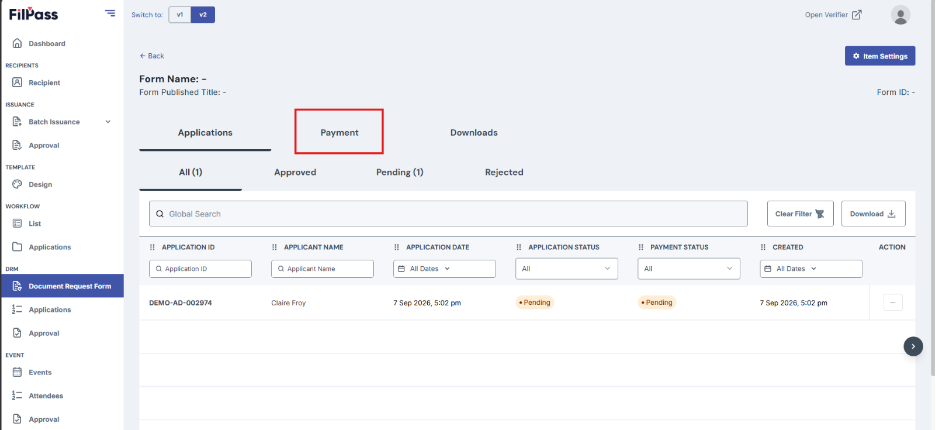
2. Click on the Payment tab to view all payment transactions.
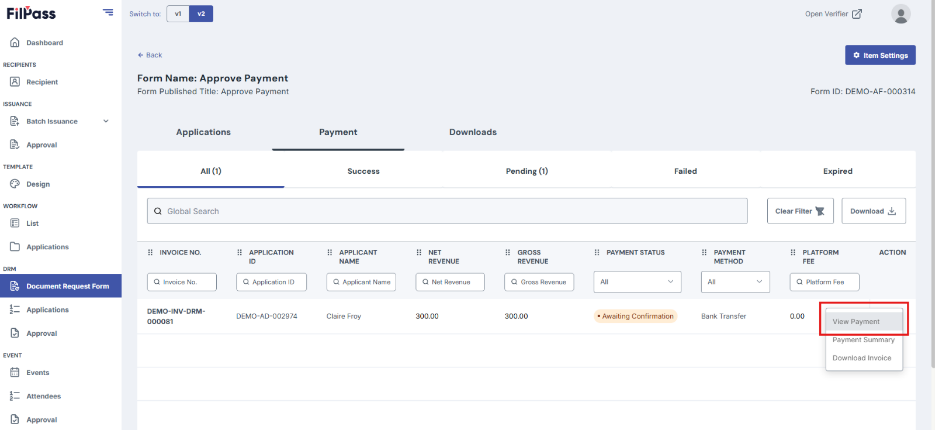
3. Click the three dots (Actions) button next to the application you want to review. And select View Payment.
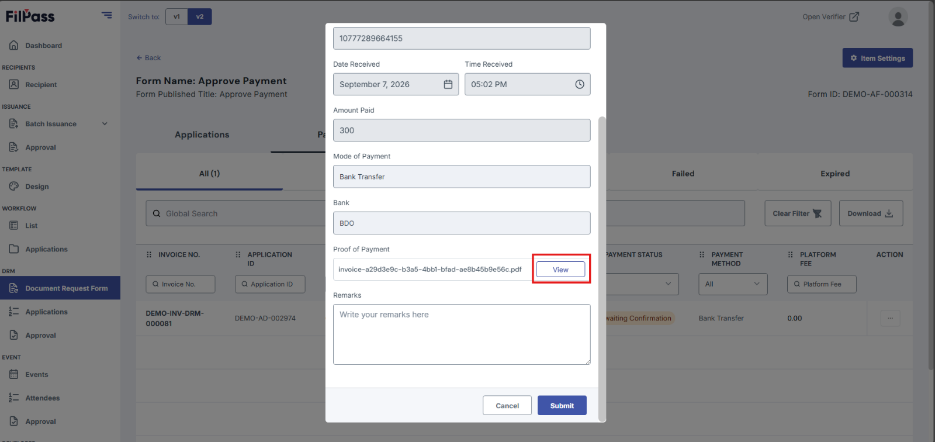
4. A modal will appear containing the Payment information, review it.
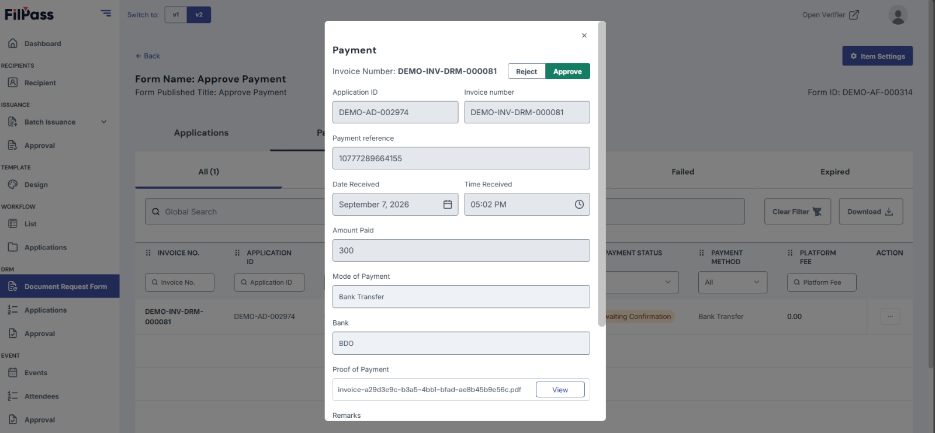
5. You can view the Proof of Payment by clicking the View button on the modal.
Was this helpful?