

What is Recipient Request Document Supporting Document
This section explains what the recipient request supporting document that the recipient can found in specific document request
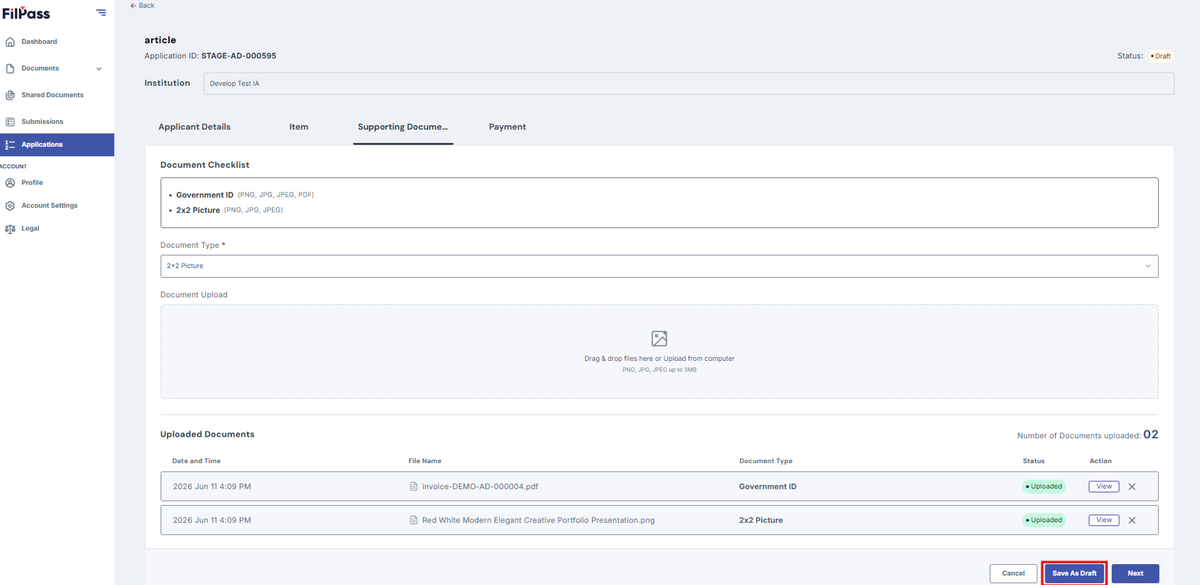
- After clicking next on the item tab, you will be redirected to the Supporting Documents tab. This will only exist if the payment is enabled.
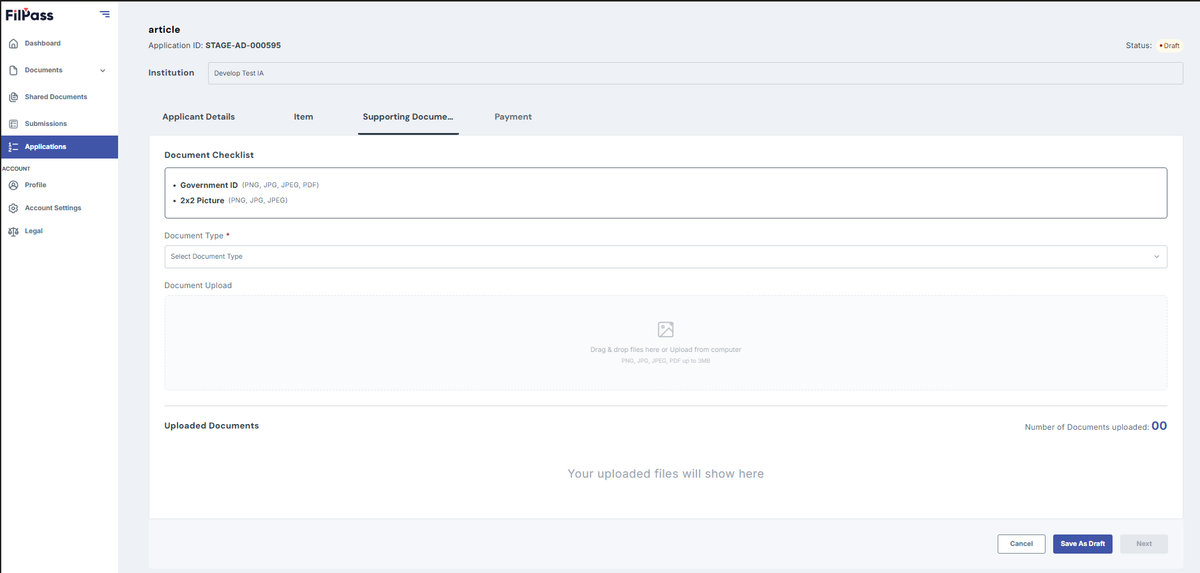
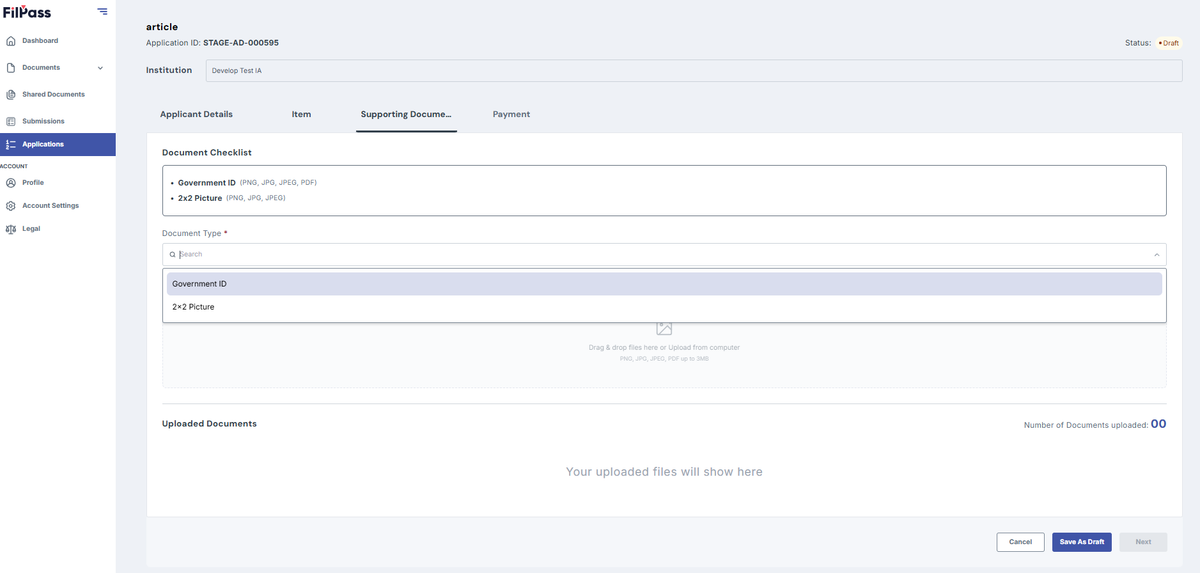
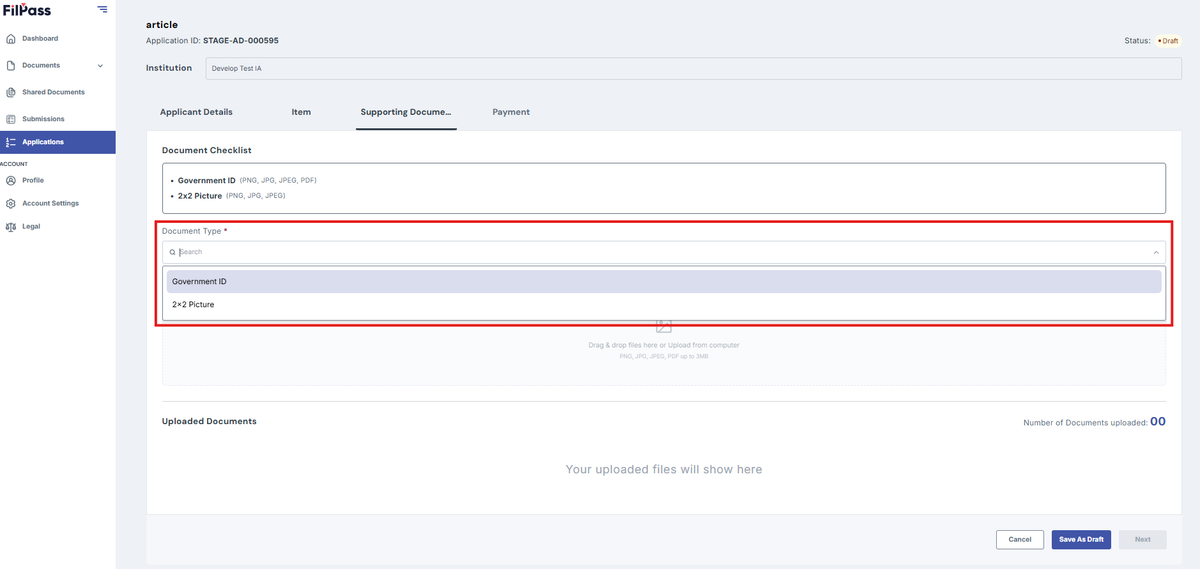
2. Select the Document Type (e.g., 2x2 picture, Government ID, etc.)
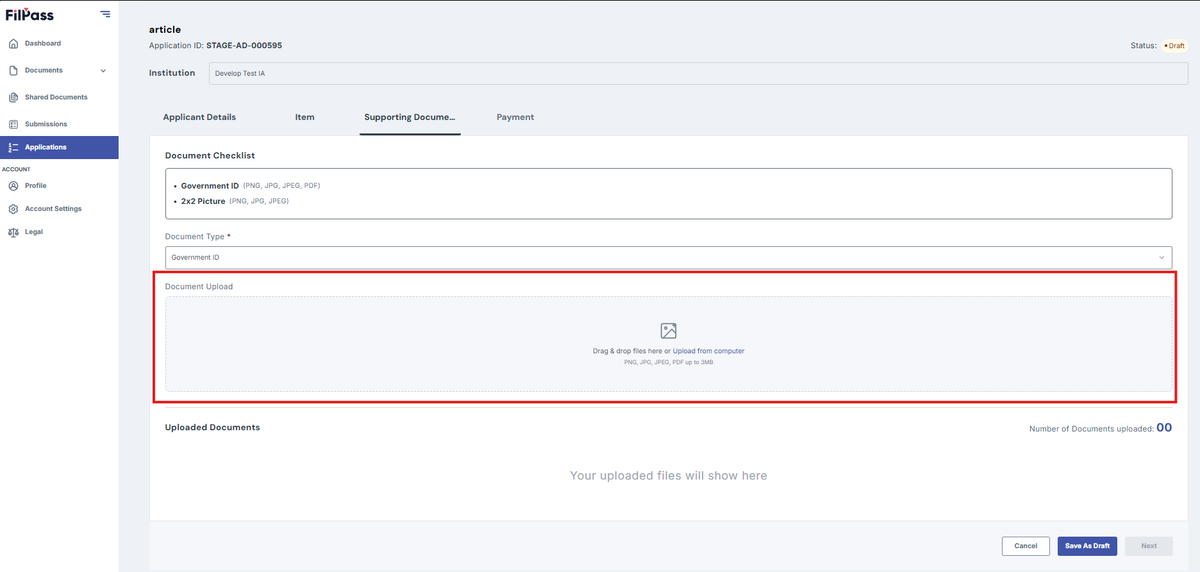
3. Upload the document file based on the given file format (pdf, doc, png, jpg, jpeg)
Note: Check the file format before uploading
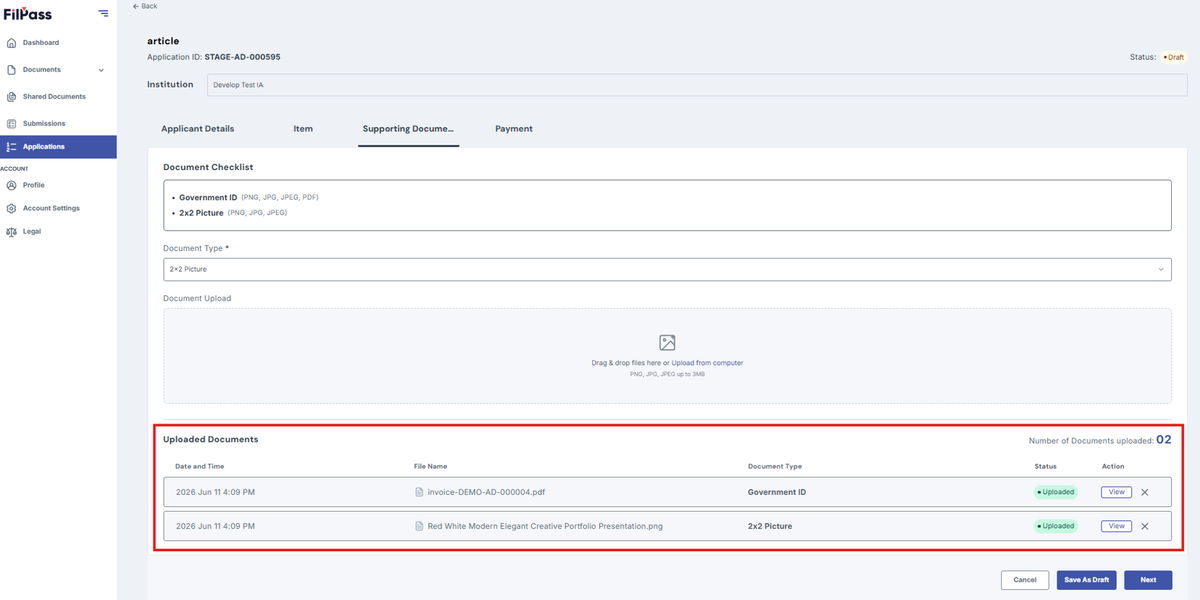
4. In the Uploaded documents you can see the list of your document
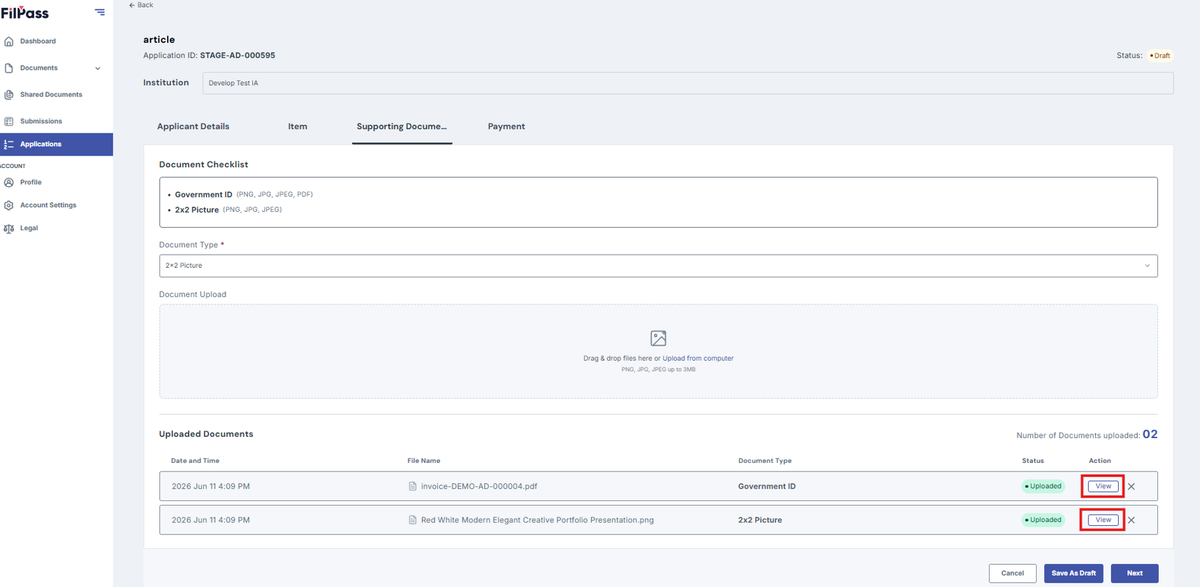
5. Click View to view your document
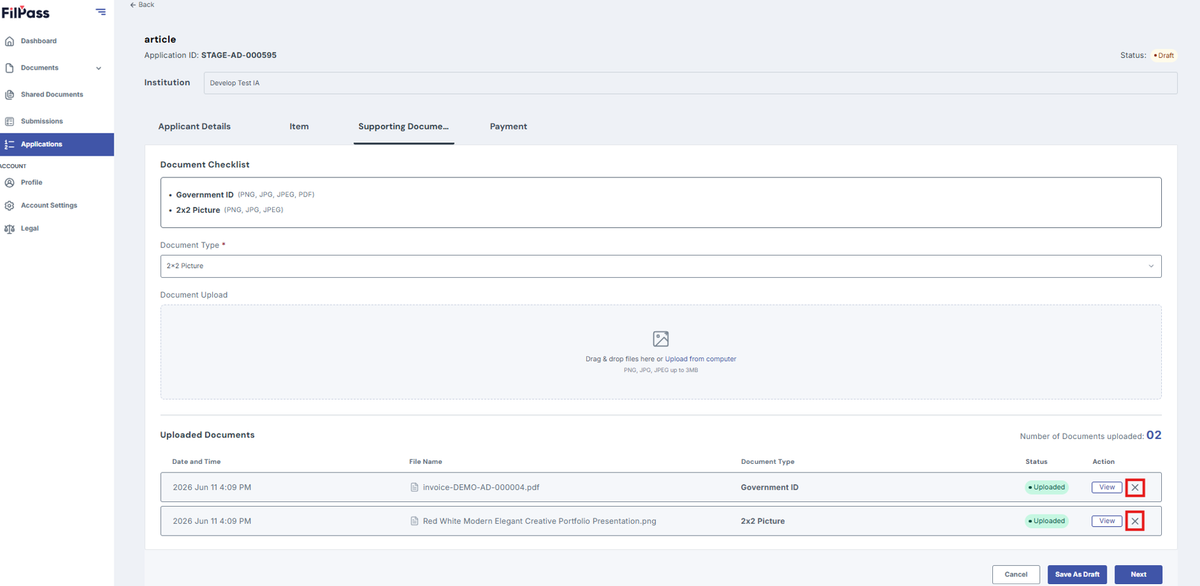
6. Click x if you want to remove a specific document and change the file
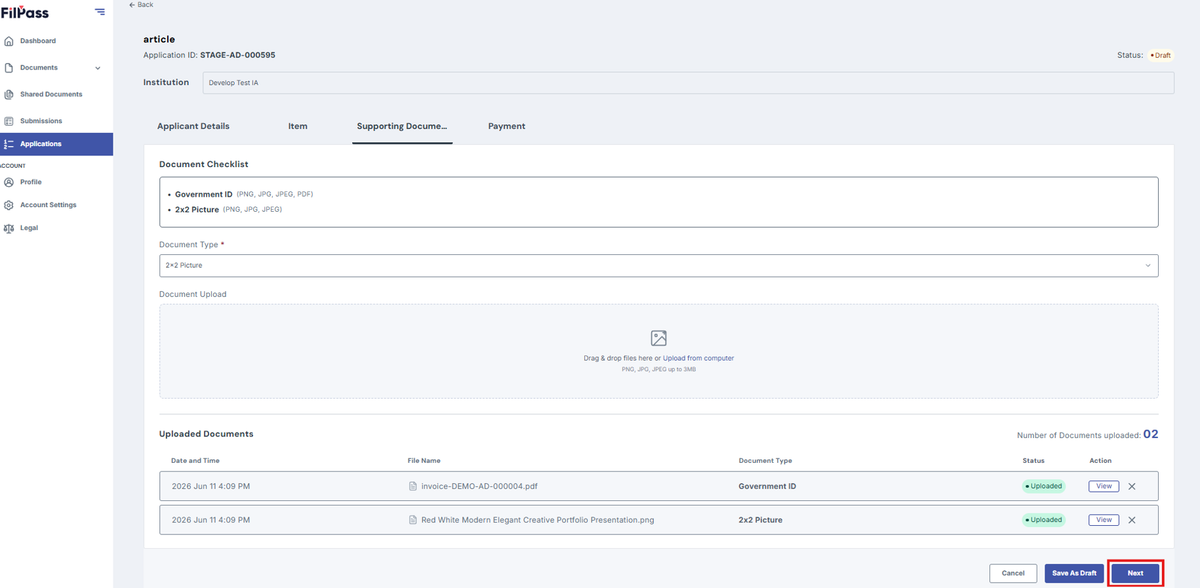
7. Click Next to proceed to the next tab
8. Click Save Draft to saved your progress and continue it later
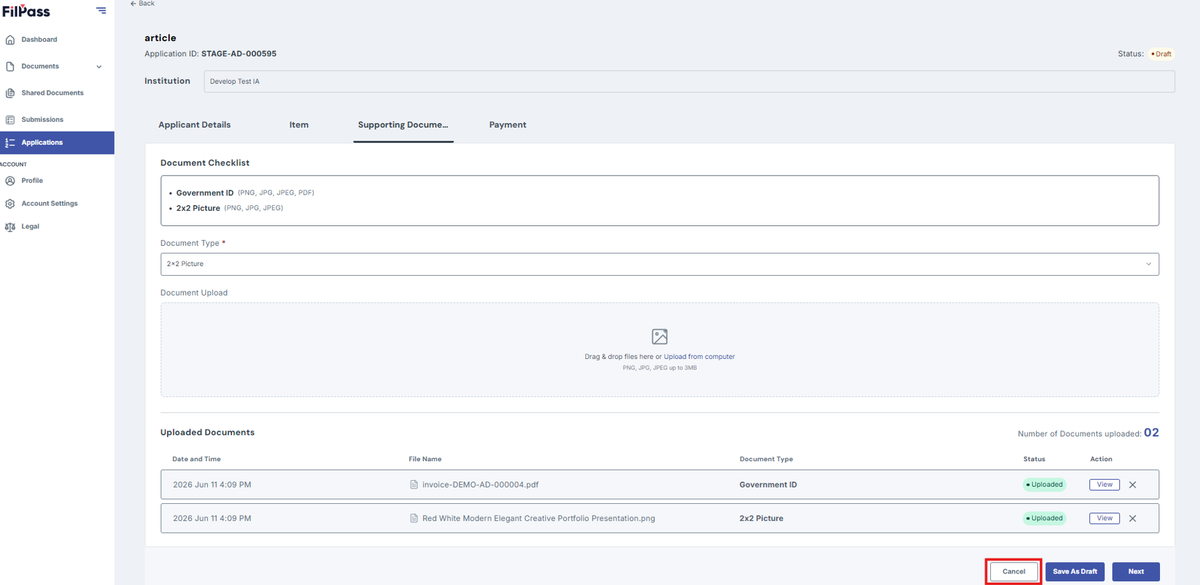
9. Click Cancel if you don’t want to proceed on uploading a document
Was this helpful?