
How Recipient Request Document

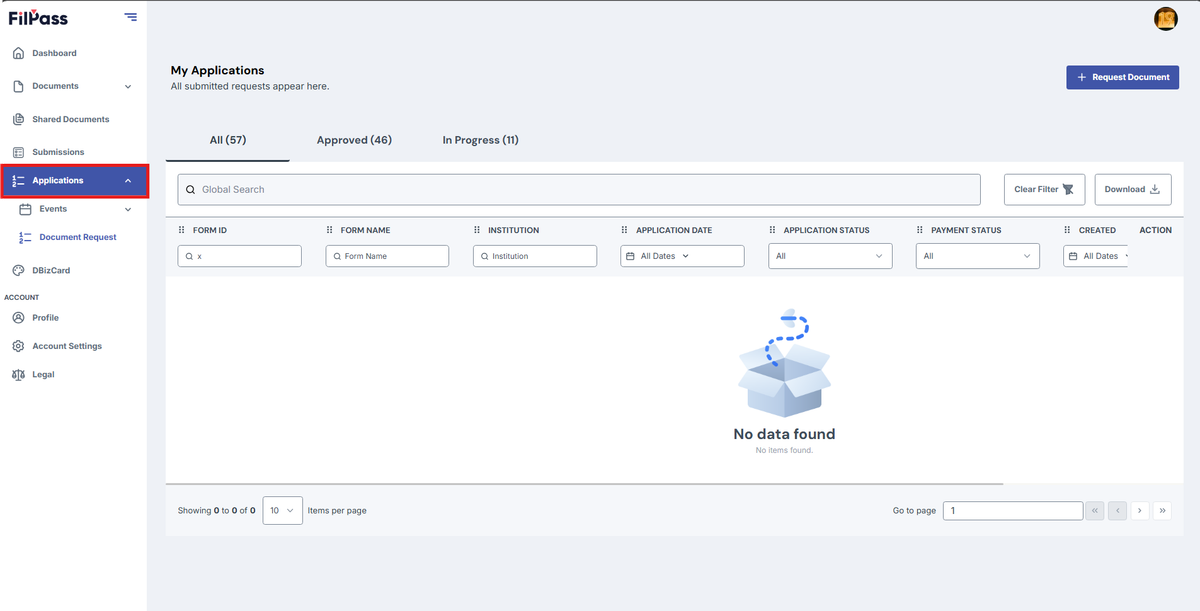
This section explains how the recipient can request document on the applications.

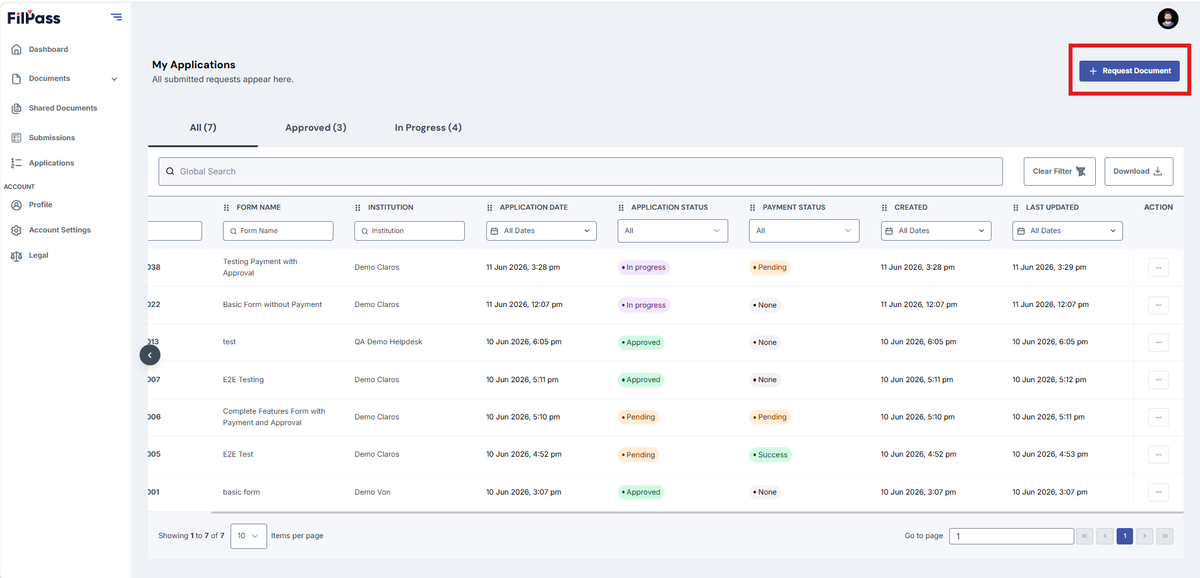
  • Click Request Document
Pasted image - update alt text
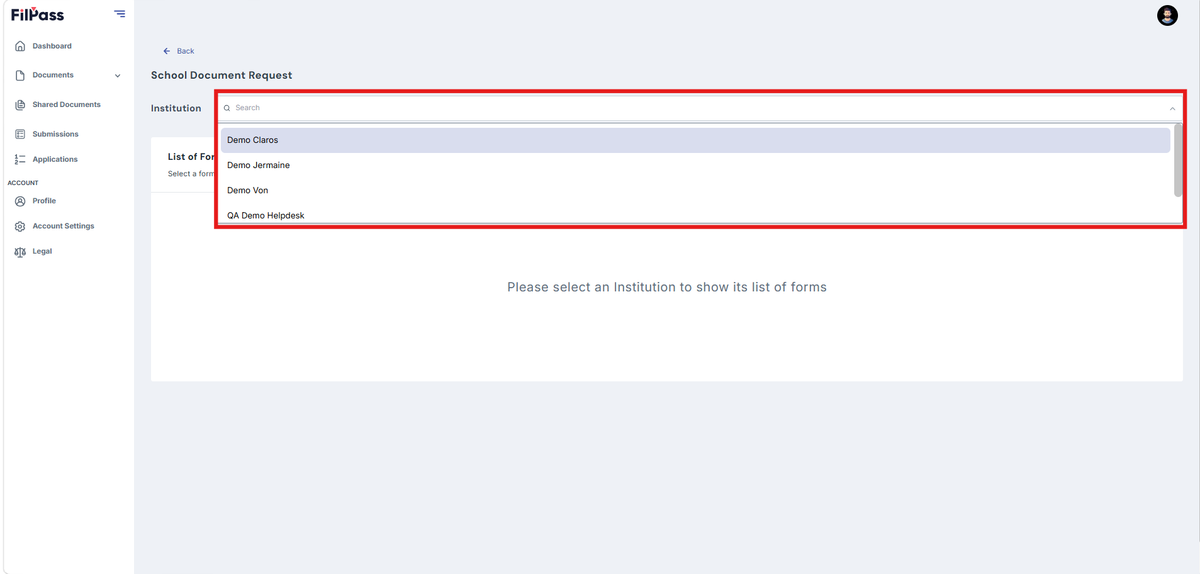
  • You can select or search an Institution you want to request a document
Pasted image - update alt text
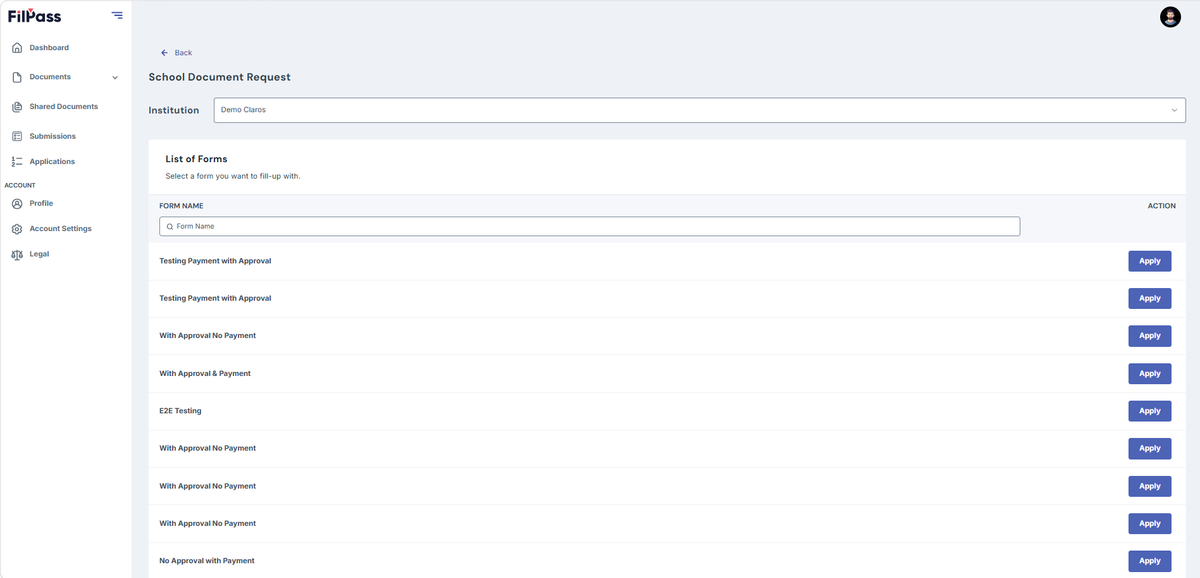
  • After selecting an institution, the forms will load for that specific institution
Pasted image - update alt text
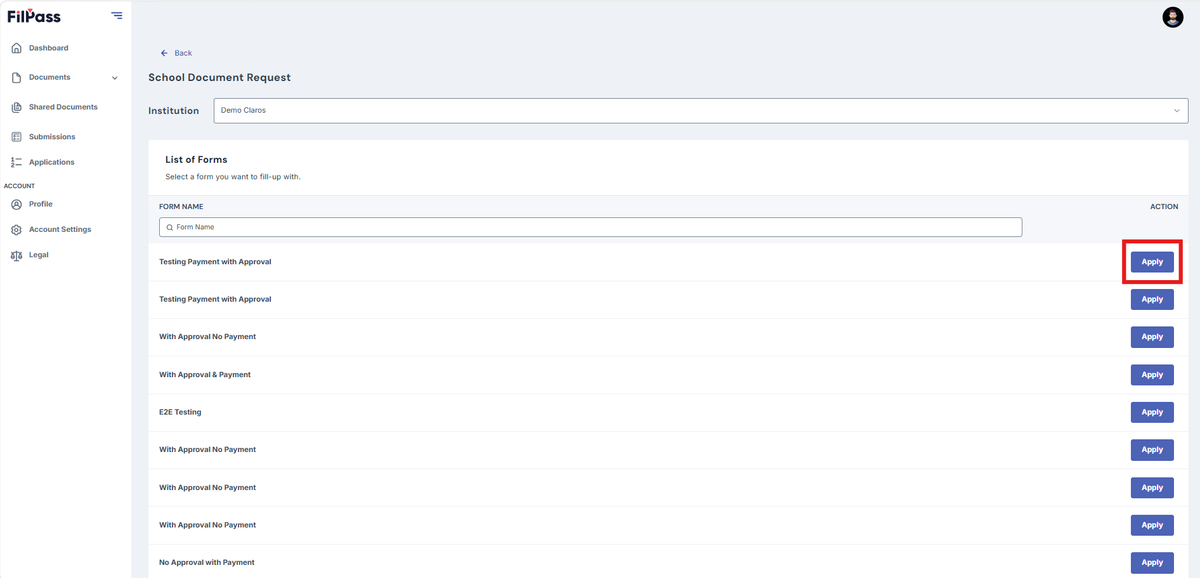
  • Click Apply to the form you want
Pasted image - update alt text
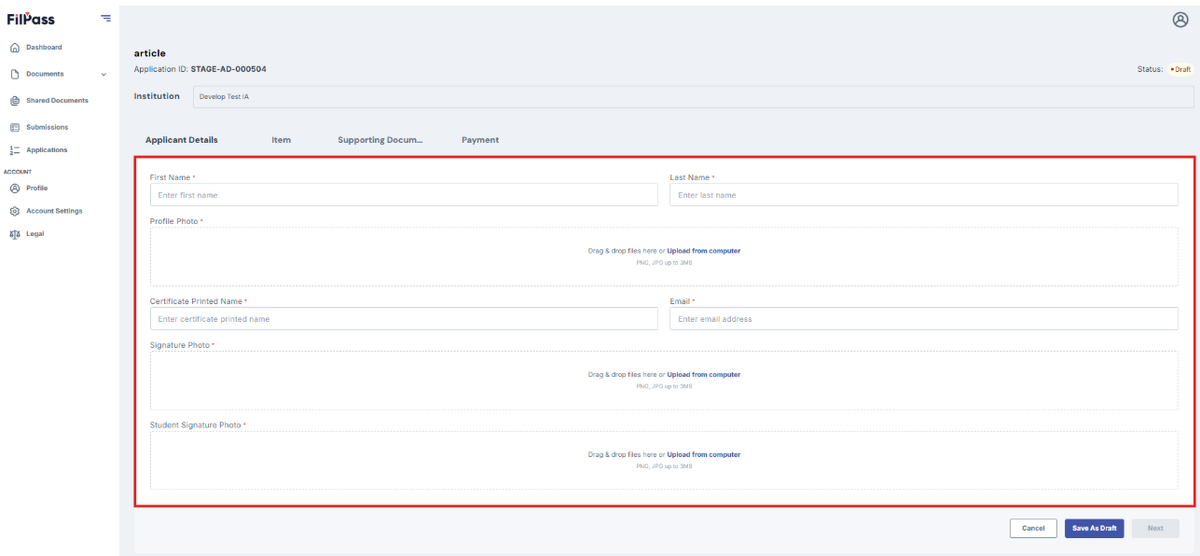
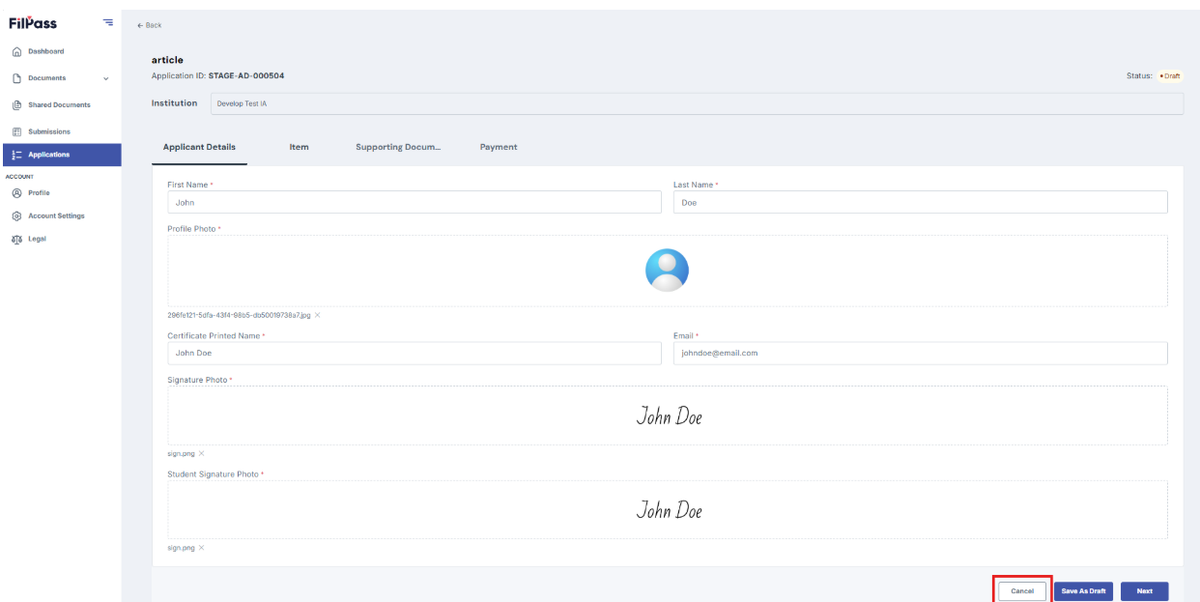
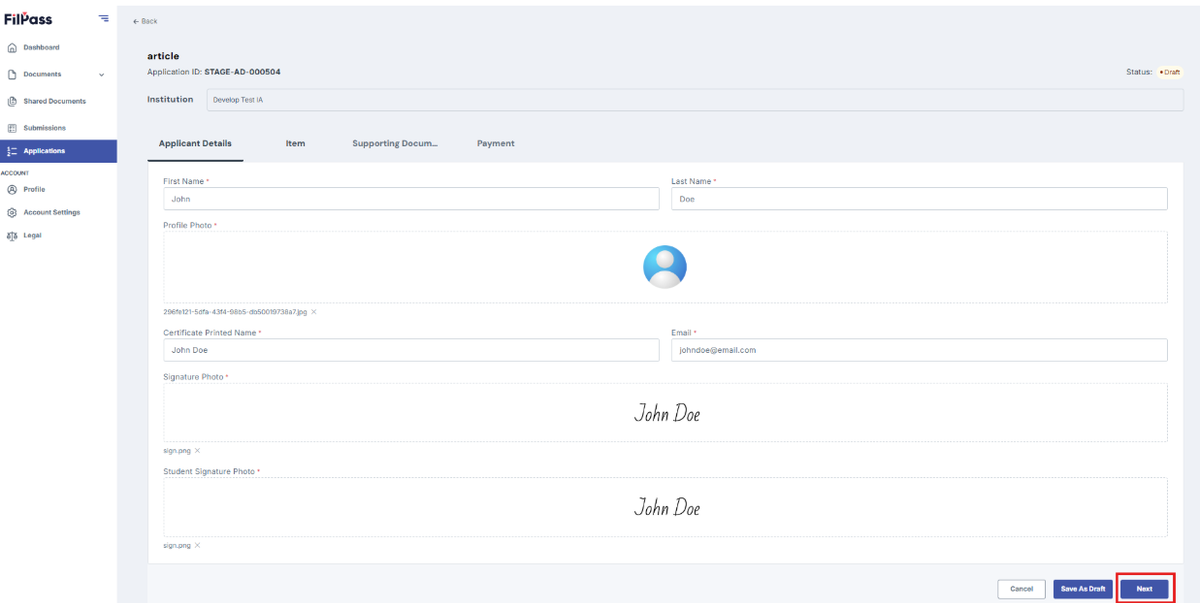
  • Fill up all the required fields
Pasted image - update alt text
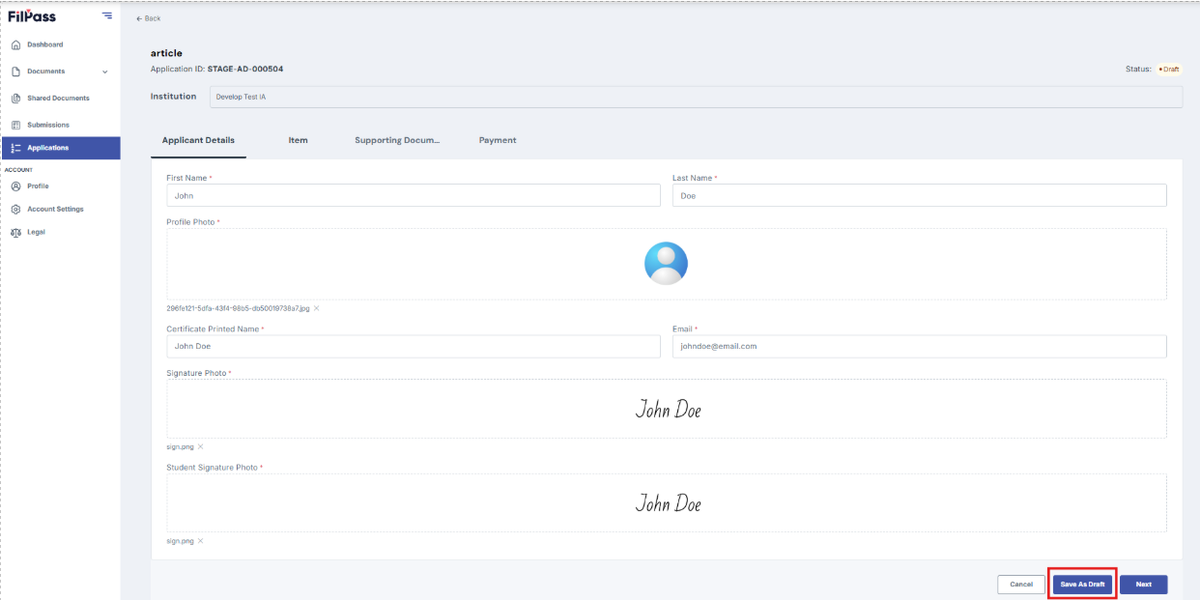
  • Click Save Draft to saved your progress and continue it later
Pasted image - update alt text
  • Click Next to proceed to the next form
a
  • Click Cancel to discard the request
a

Related Articles

RecipientAccount

How to Change Password?

This section allows users to reset or change their password if they have forgotten it, to ensuring continued secure access to their account.

how-to
18 Feb 202641 views
RecipientGetting Started

How to Create a Recipient Account?

This section provides a step-by-step guide on creating a FilPass Recipient Account.

how-tocreate
11 Jun 2026191 views
RecipientDocuments

How to Download Documents

This section shows how you can download your digital ID or documents from FilPass.

how-to
18 Feb 202689 views