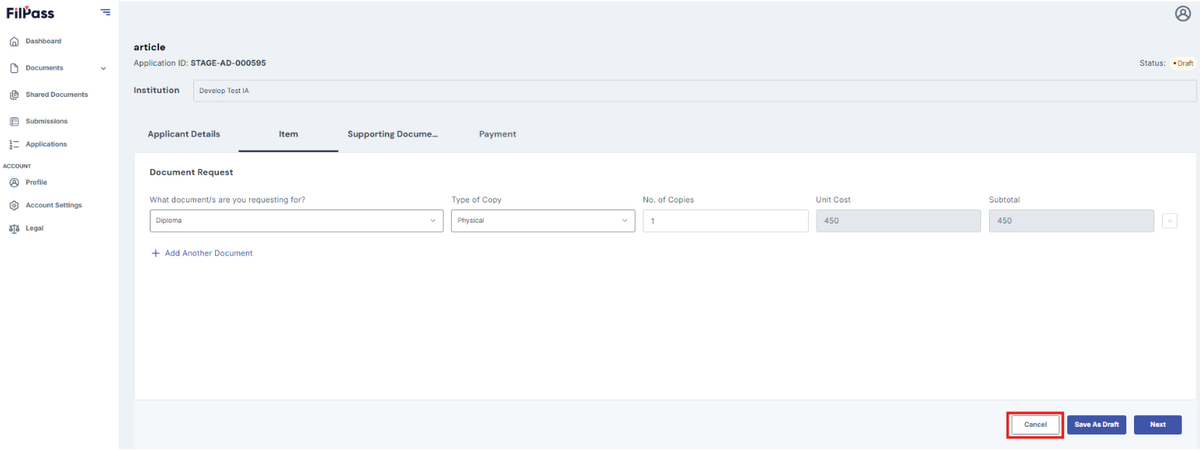
What is Recipient Request Document Item
This section explains what is the recipient document item that the recipient can found in specific document request.
- After clicking next on the applicant's details, you will be redirected to the Item tab. This will only exist if the payment is enabled.
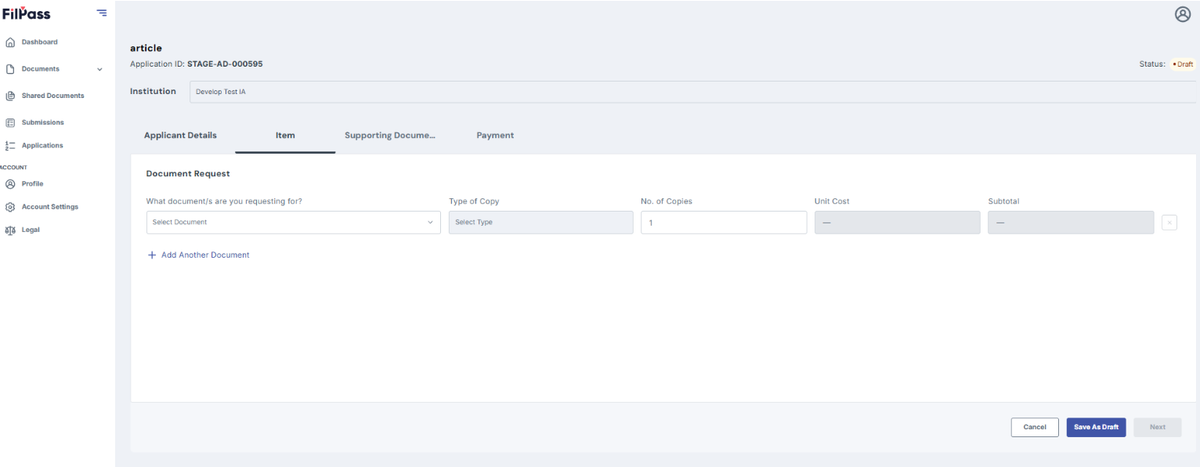
2. You need to select and filled up all the required fields
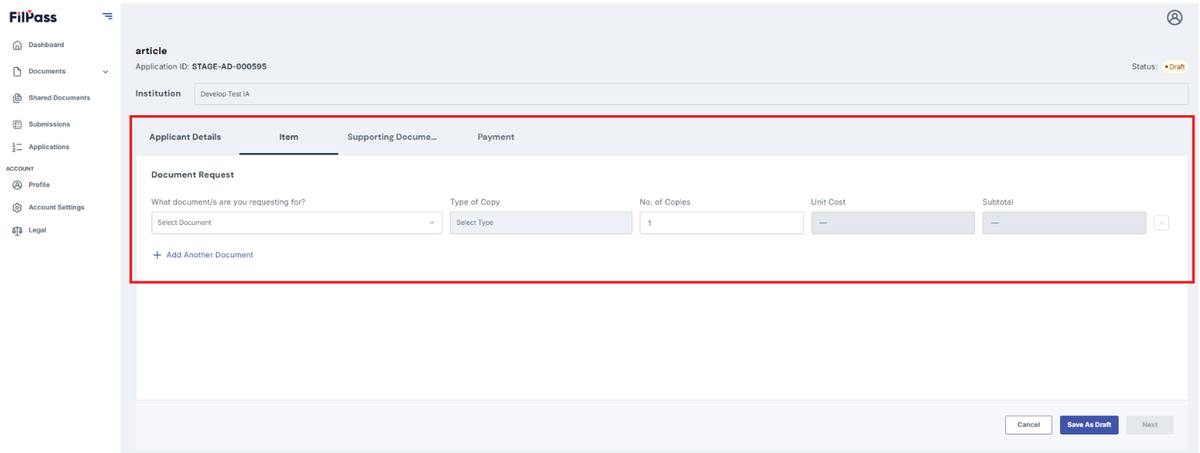
3. Select what document you are request for
Note: The documents will depend on your Issuing Authority on what they made available
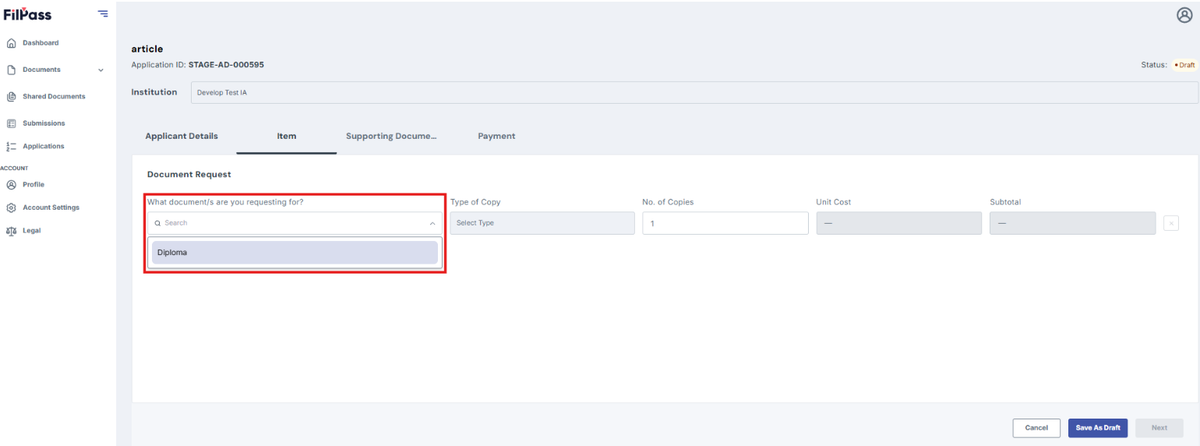
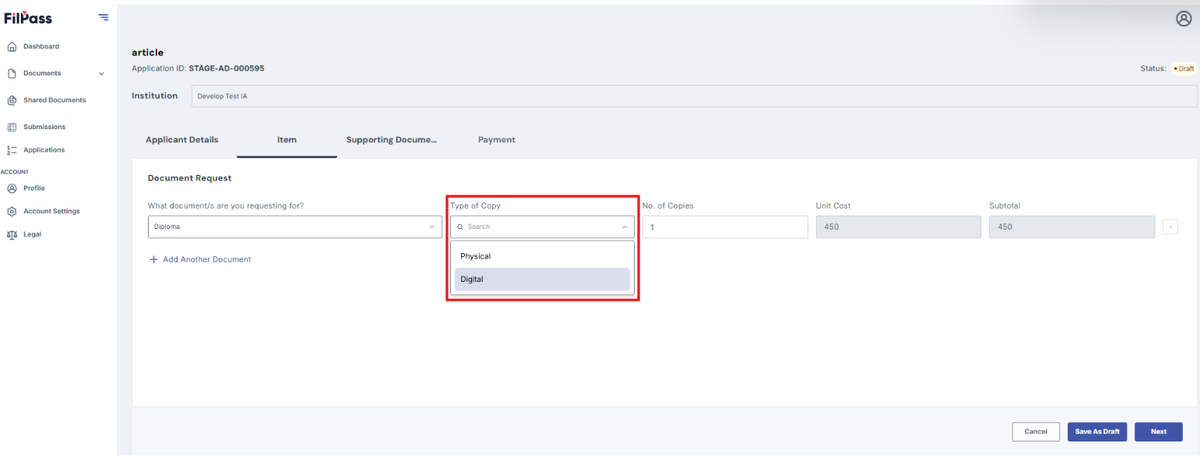
4. Select the type of copy (Physical & Digital)
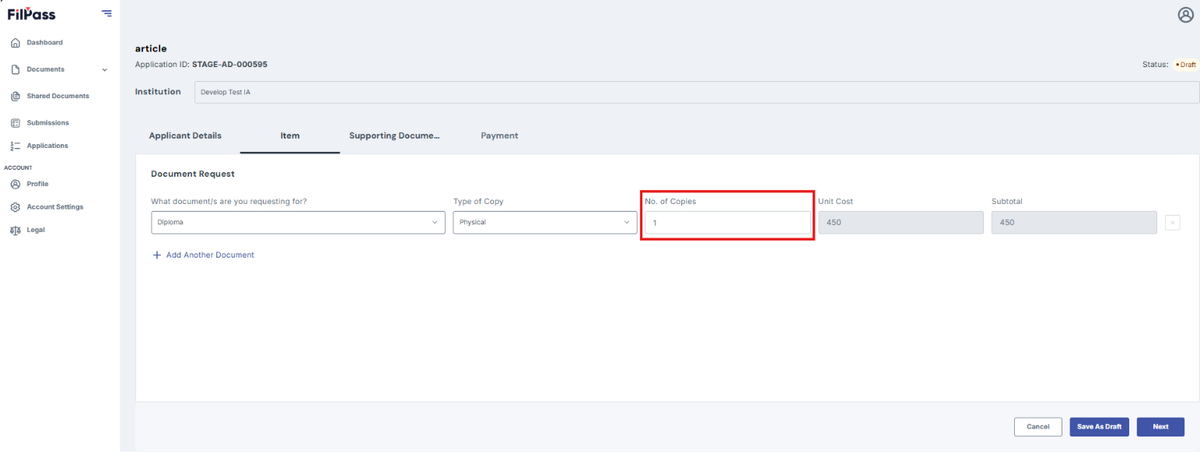
5. Enter Number of Copies
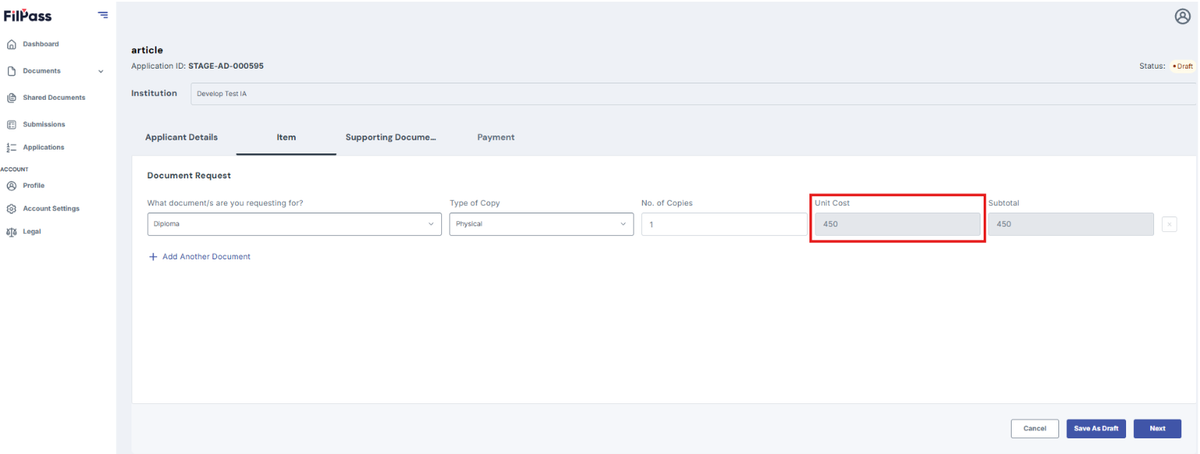
6. Unit Cost is set to default value that has been set by your Issuing Authority
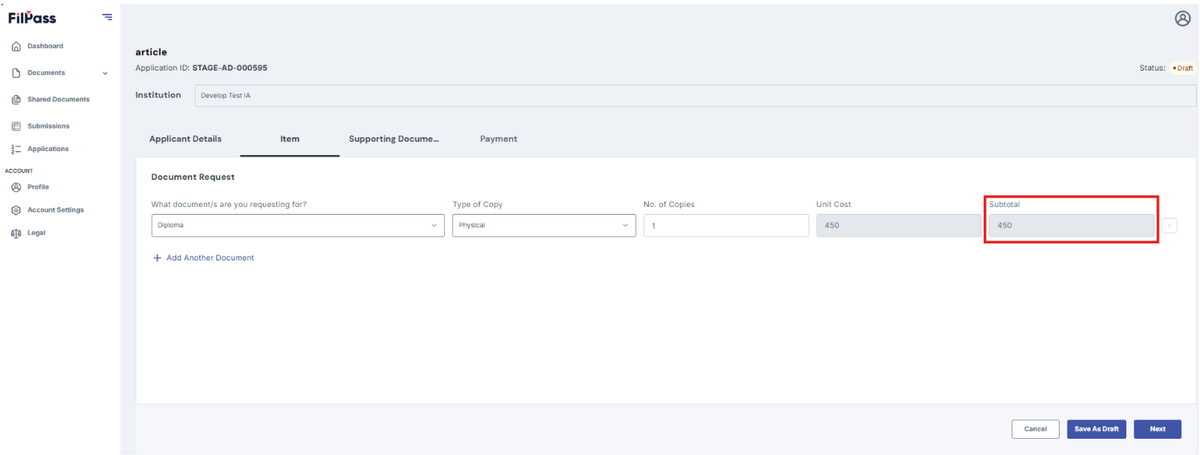
7. Subtotal is set to default value based on the Unit Cost
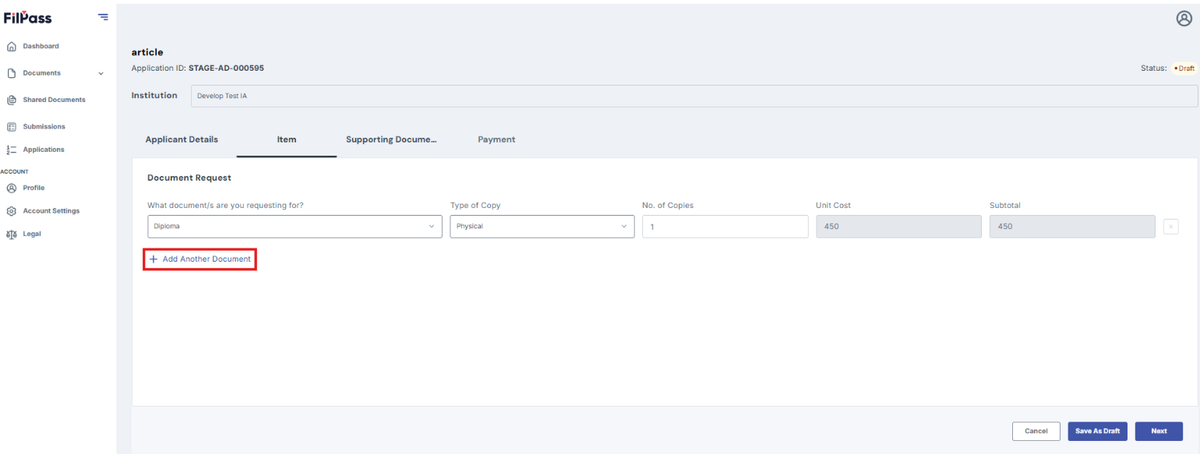
8. Click Add Another Document if you want to request/add a different document
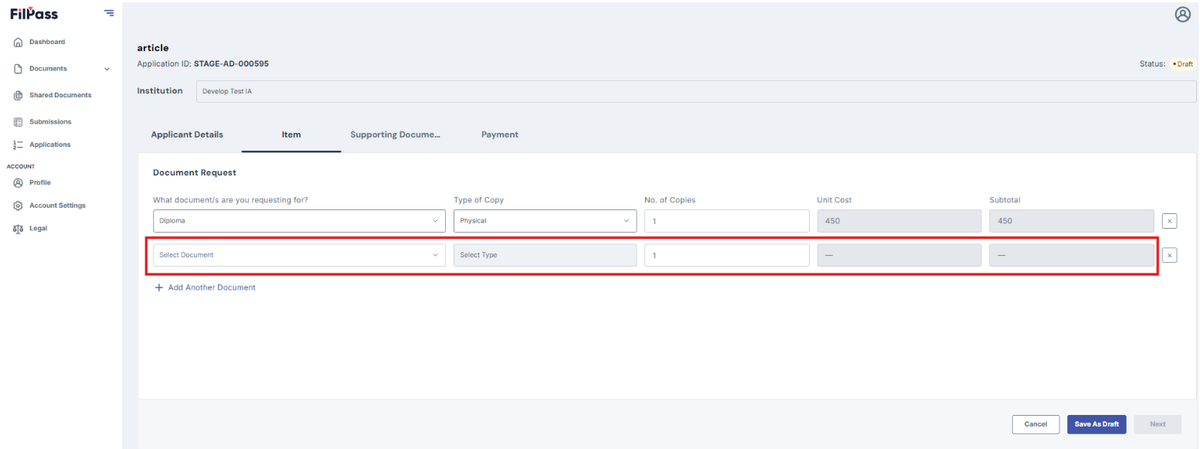
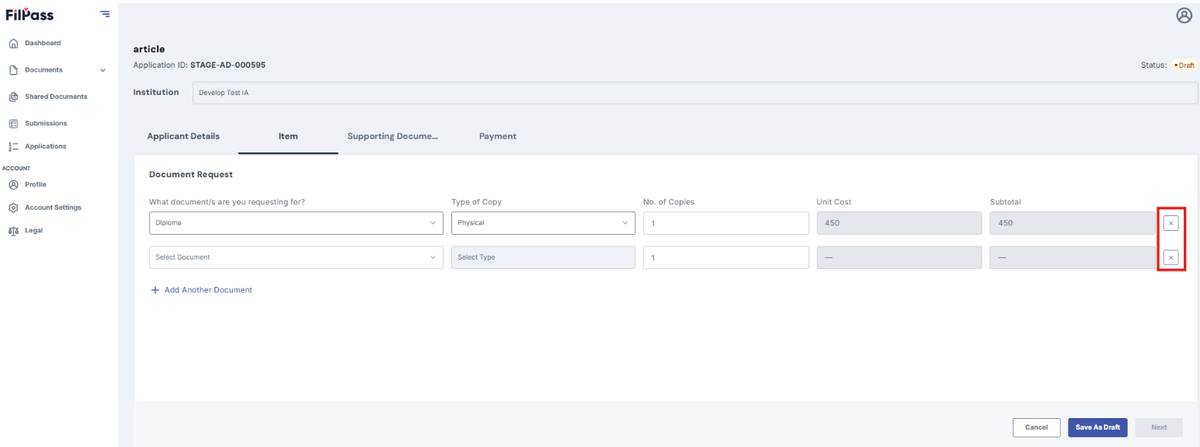
9. Click the “x button” if you want to remove a specific document
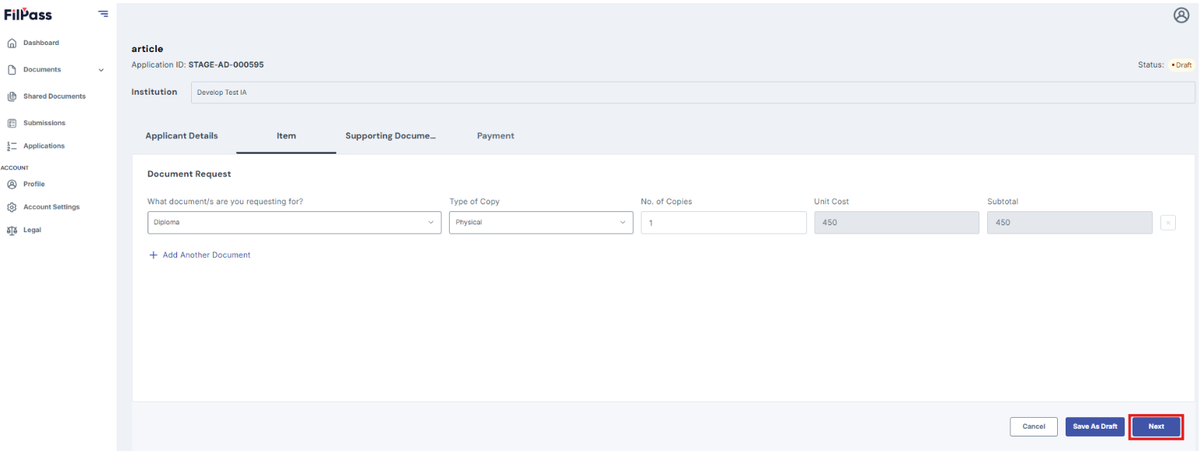
10. Click Next to proceed to the next tab
11. Click Save Draft to saved your progress and continue it later
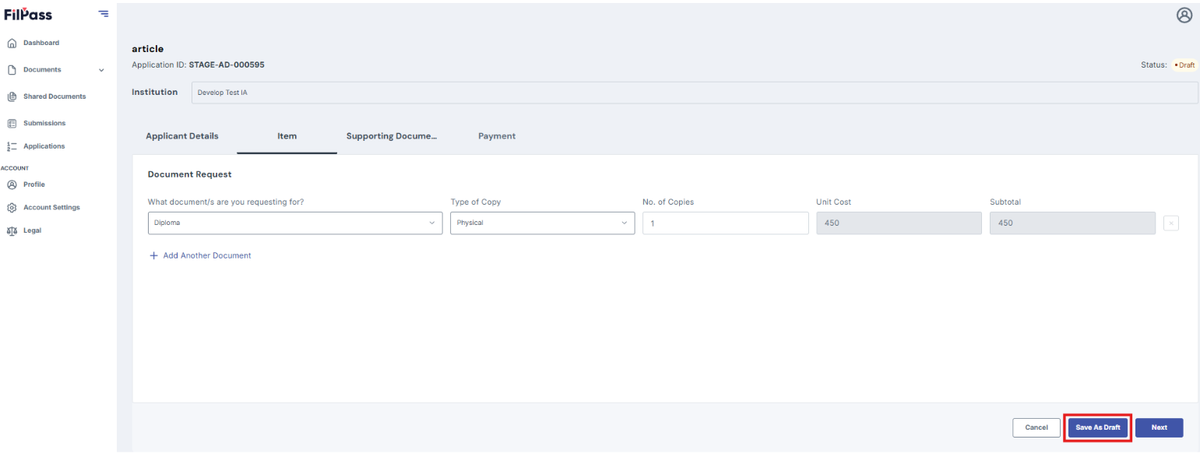
12. Click Cancel if you don’t want to proceed on requesting a document