

Using Version History
On this page
Prerequisites: Version history is available for published cards. Each time you publish or update, a version is saved.
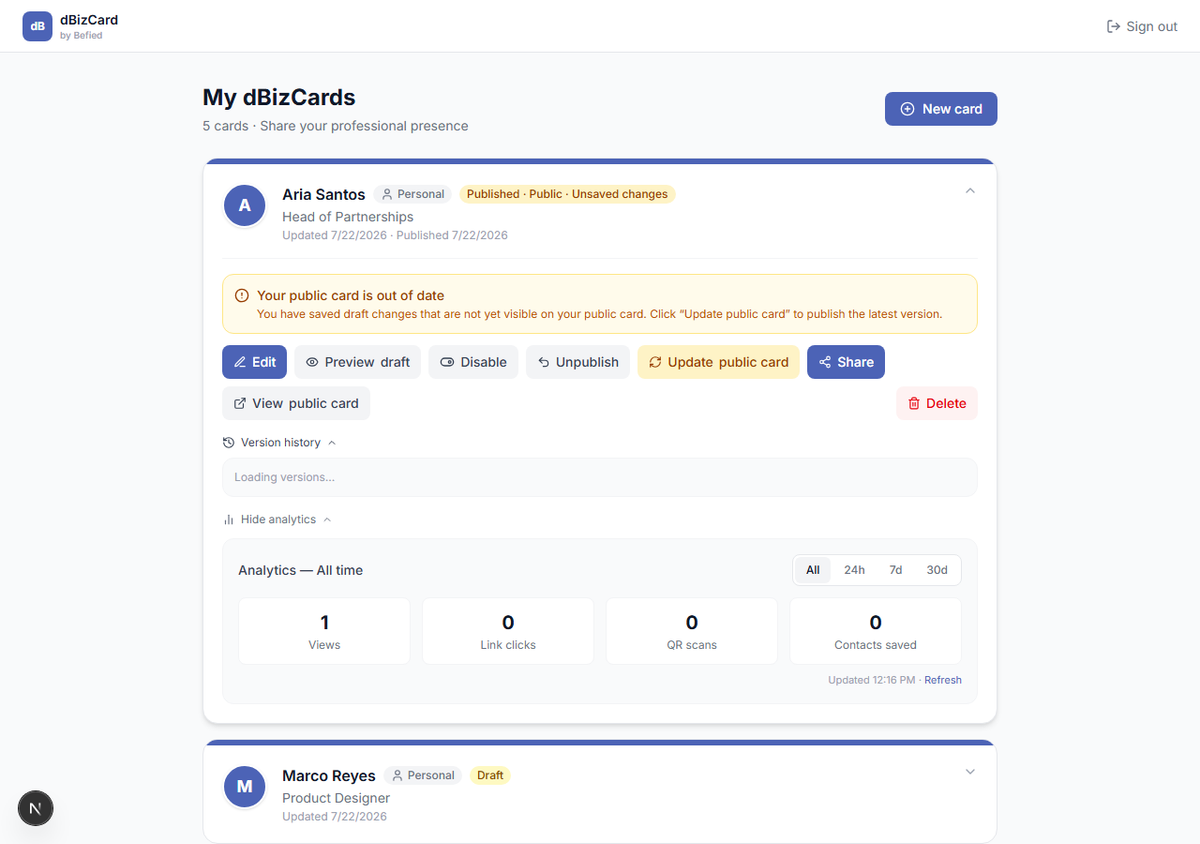
Step 1: Open version history
Expand a published card and click Version history.
Step 2: Restore a version
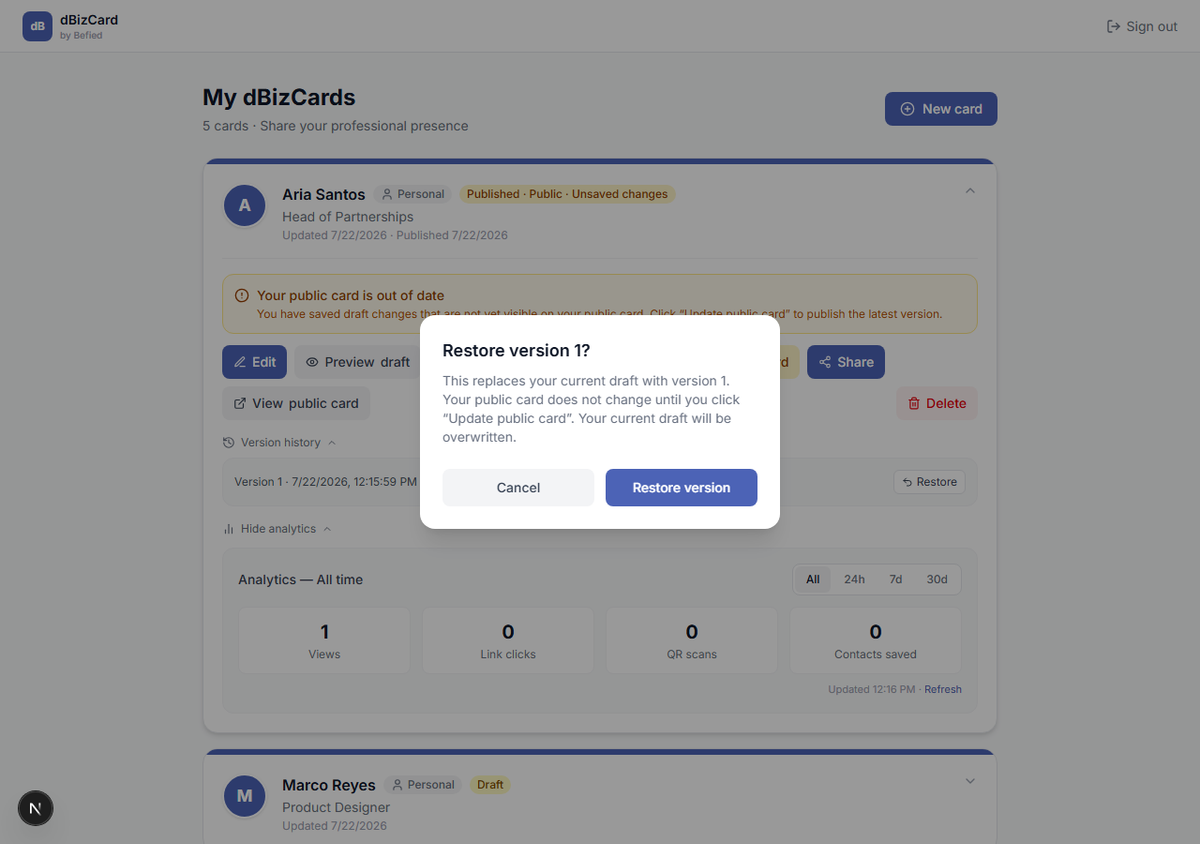
Click Restore next to the version you want and confirm. That version replaces your current draft.
Warning: Restoring overwrites your current draft. Your live public card doesn't change yet.
Step 3: Make it live
Review the restored draft, then click Update public card to publish it.
Result: You've rolled your card back to an earlier version.
Was this helpful?