

Navigating Your Dashboard
On this page
The dashboard ("My dBizCards") is your home base — every card you own, its status, and everything you can do with it.
Your cards
Each card appears as a row showing its name, type, photo, and when it was last updated. Click a card to expand its actions and analytics.
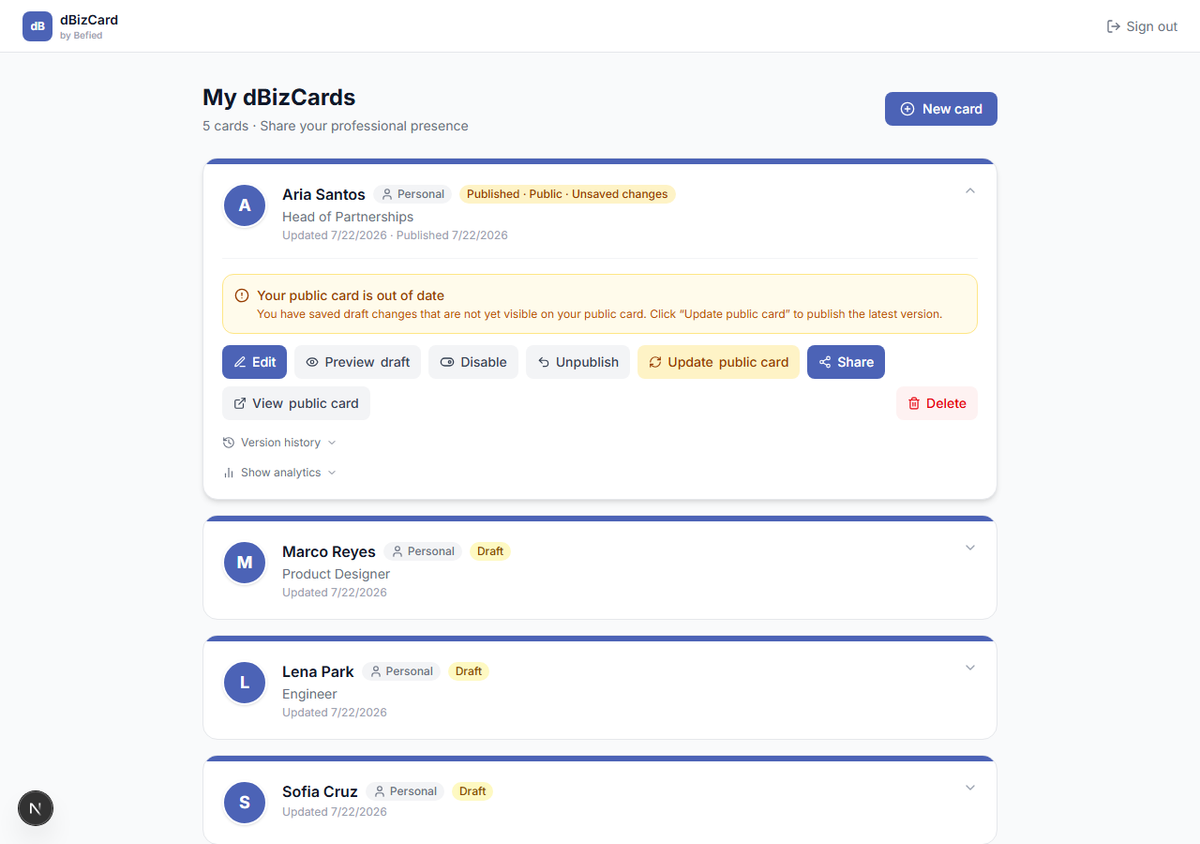
Card status badges
A badge shows each card's state:
- Draft — not yet published.
- Published · Public — live and reachable.
- Published · Hidden — published but currently not reachable.
- Unsaved changes — your draft differs from the live version.
Card actions
From an expanded card you can Edit, Preview, Publish, Share, View public card, see Analytics and Version history, and Delete.
Result: You can find any card and reach the action you need.
Was this helpful?