

How to Verify Issued Document
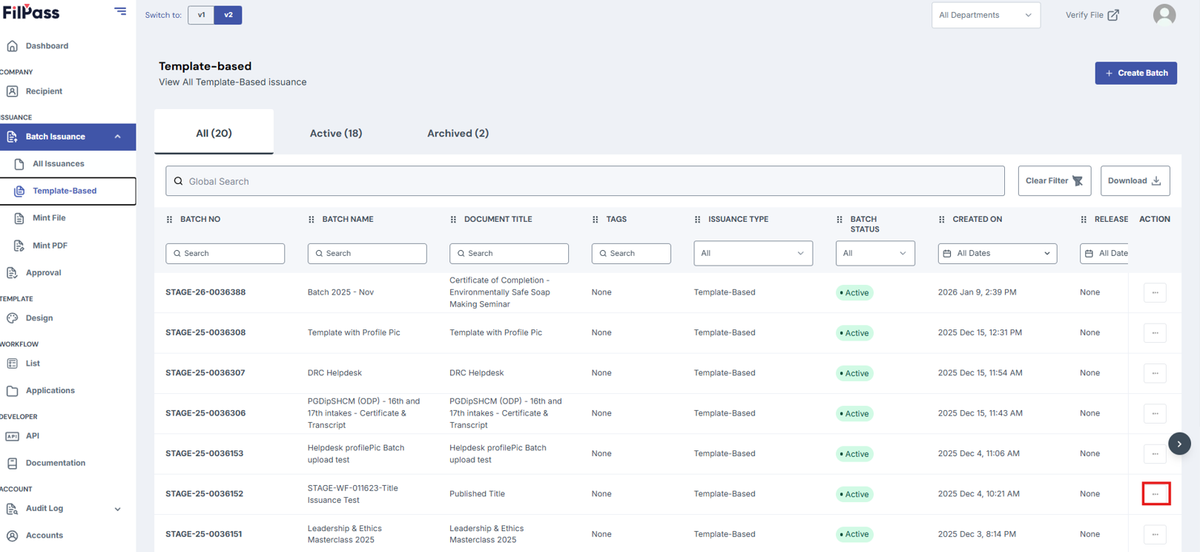
1. Go to your preferred batch to download your document by clicking on the “Action” button
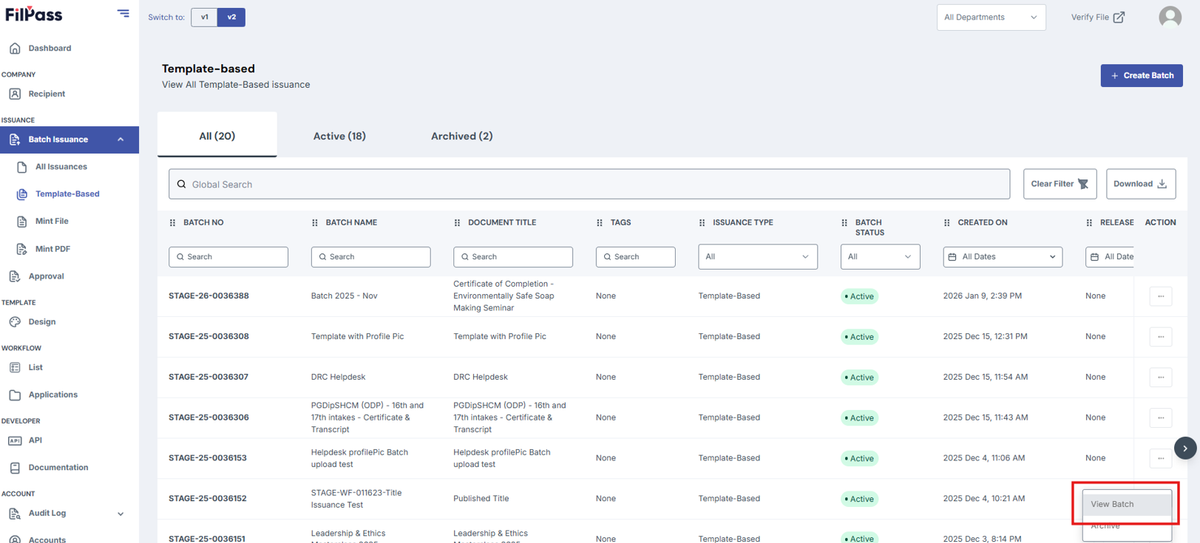
2. Click on View batch.
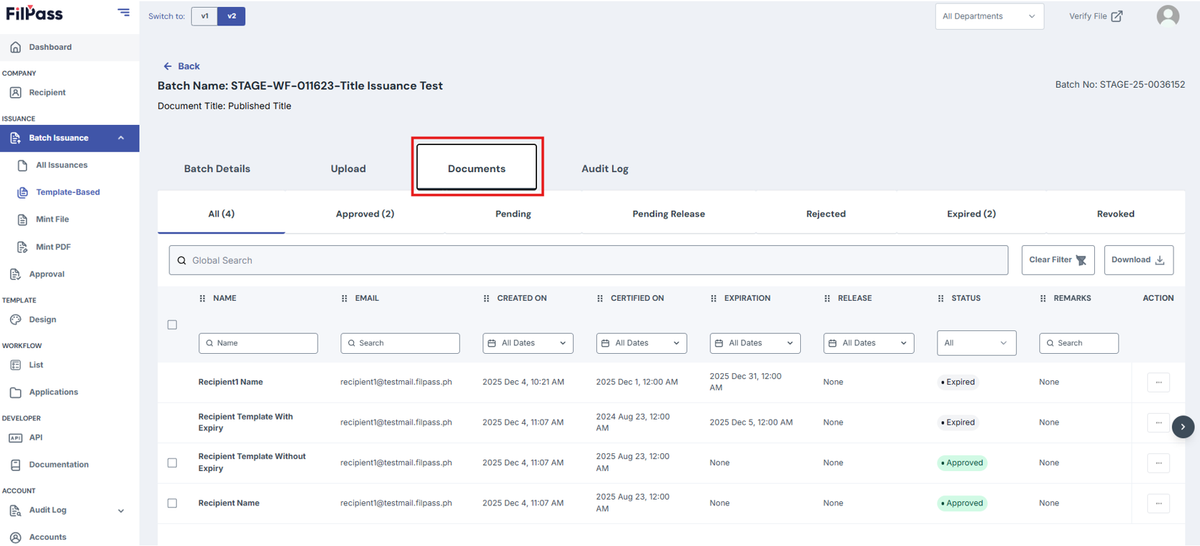
3. Go to Documents tab
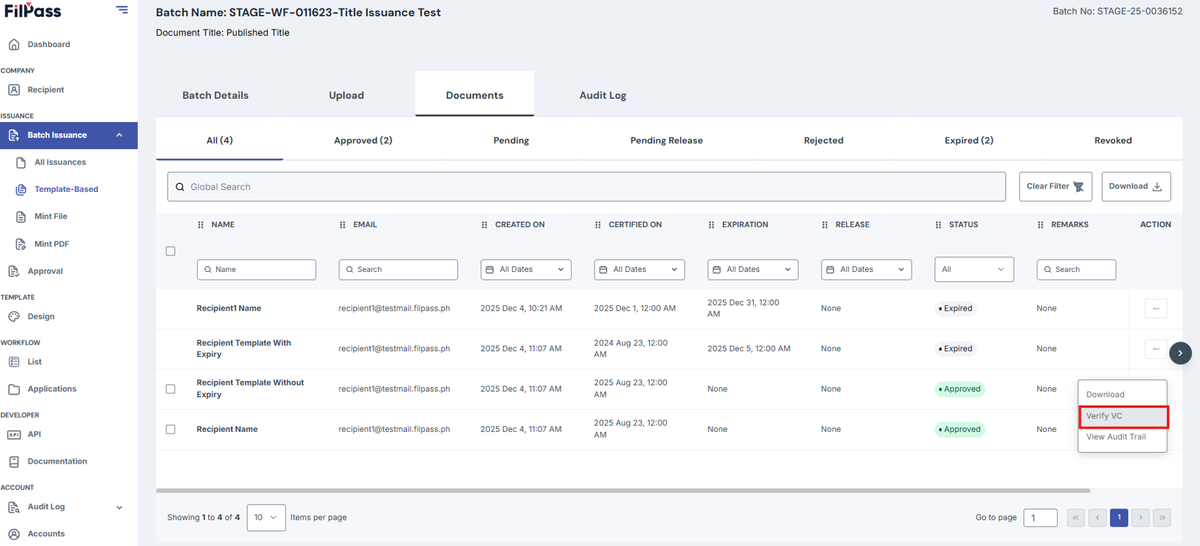
4. Click on the Action button on the issued document that the user wants to verify.
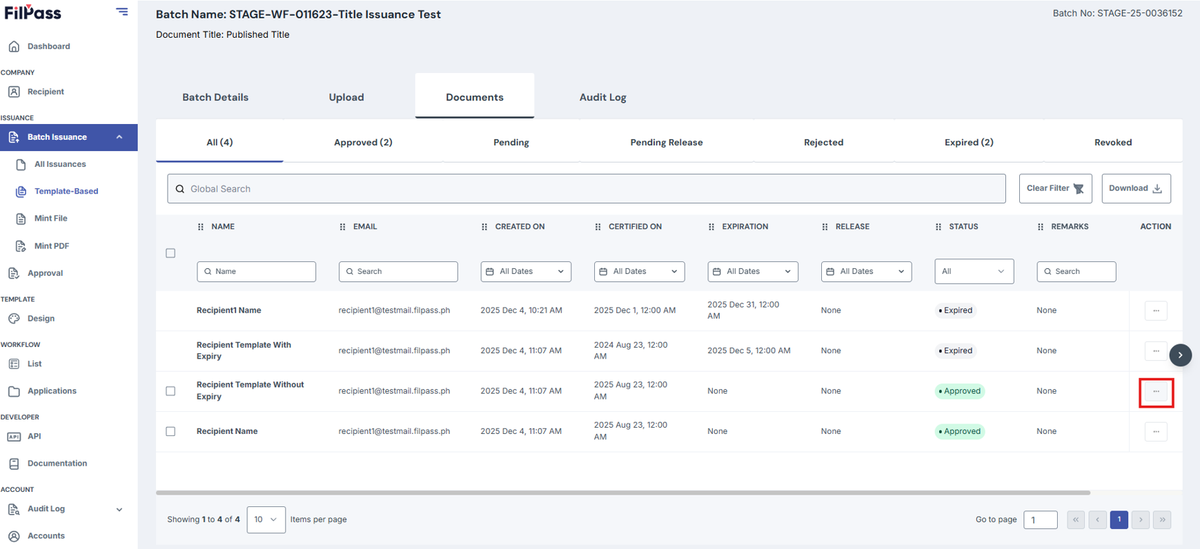
5. Click on Verify VC. This will redirect the user to their Template’s verifier.
Was this helpful?