

How to Revoke a Document?
This section explains how to revoke a document from the recipient.
1. Go to your preferred batch with a Document Release Controller to download your document by clicking on the “Action” button
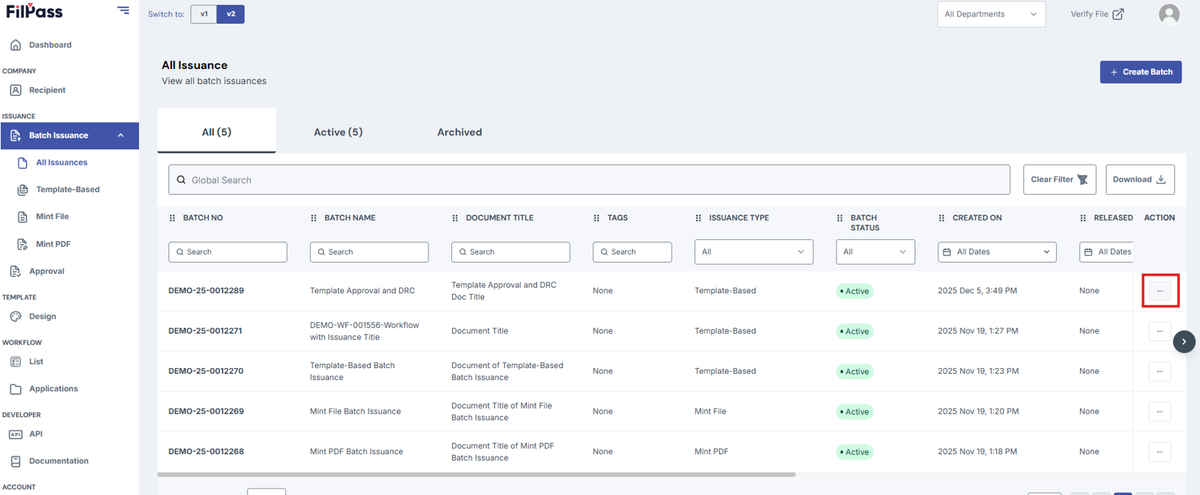
2. Click on View batch.
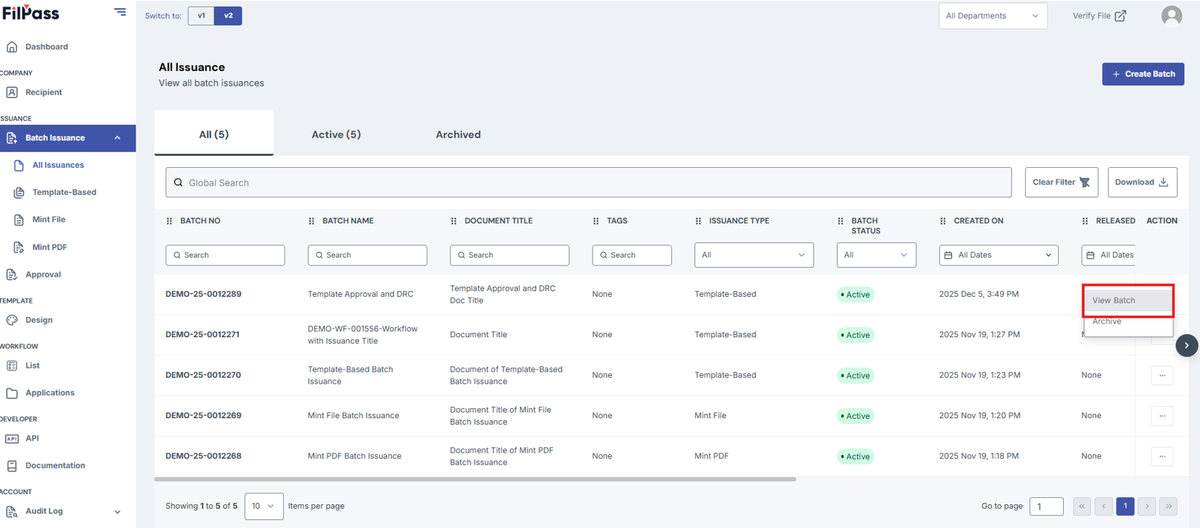
3. Go to Documents tab
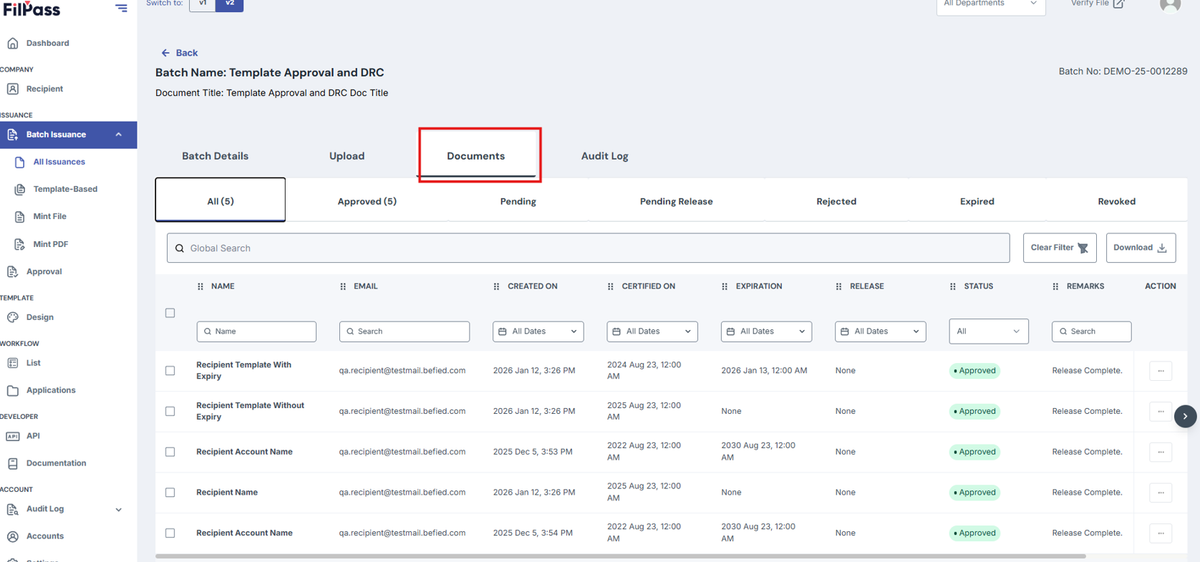
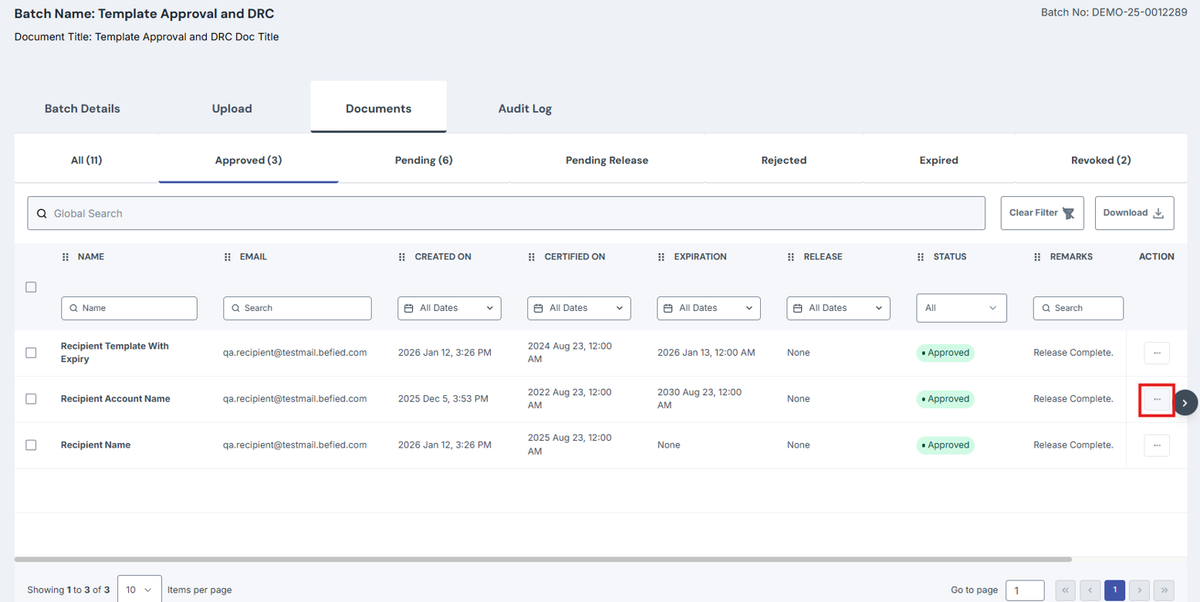
4. Click on Approved tab
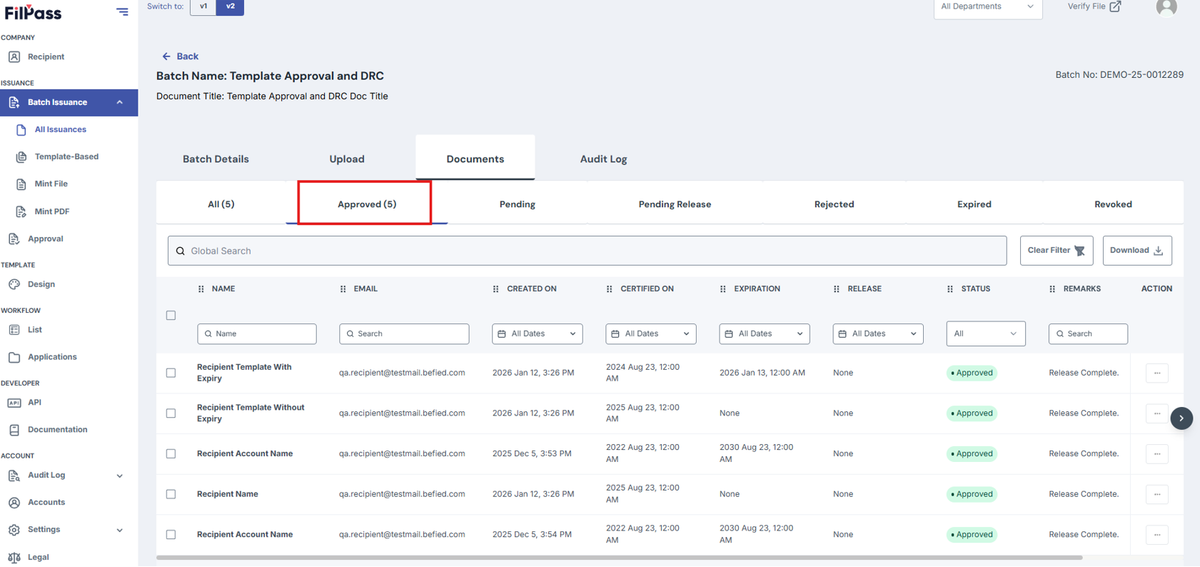
5. Choose a Document to Revoke and click on the Action button
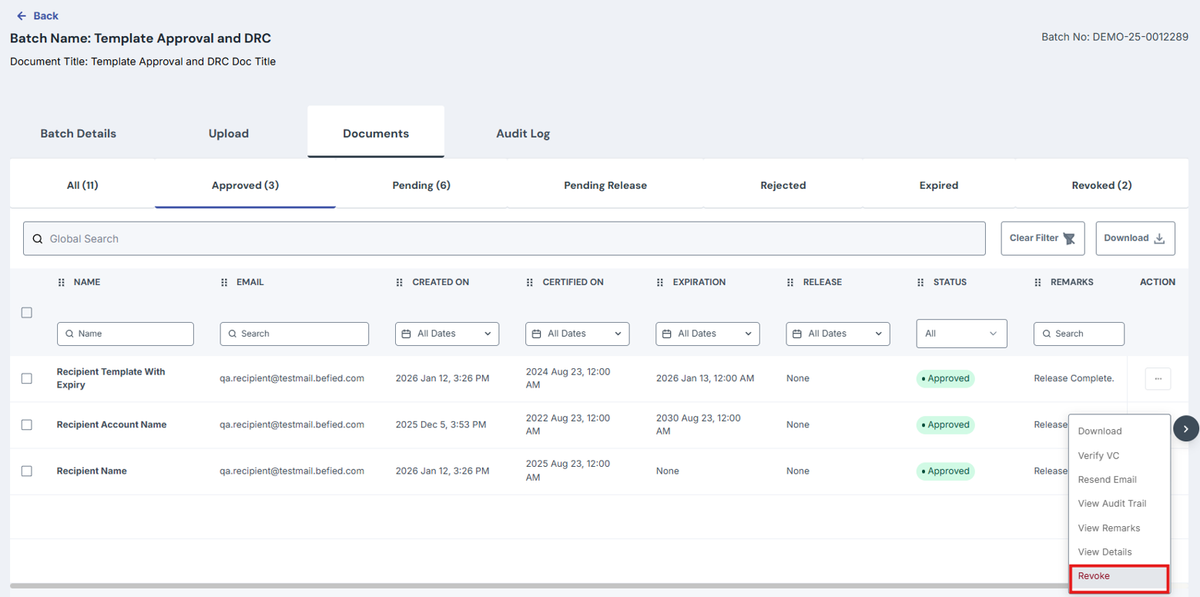
6. Click on Revoke
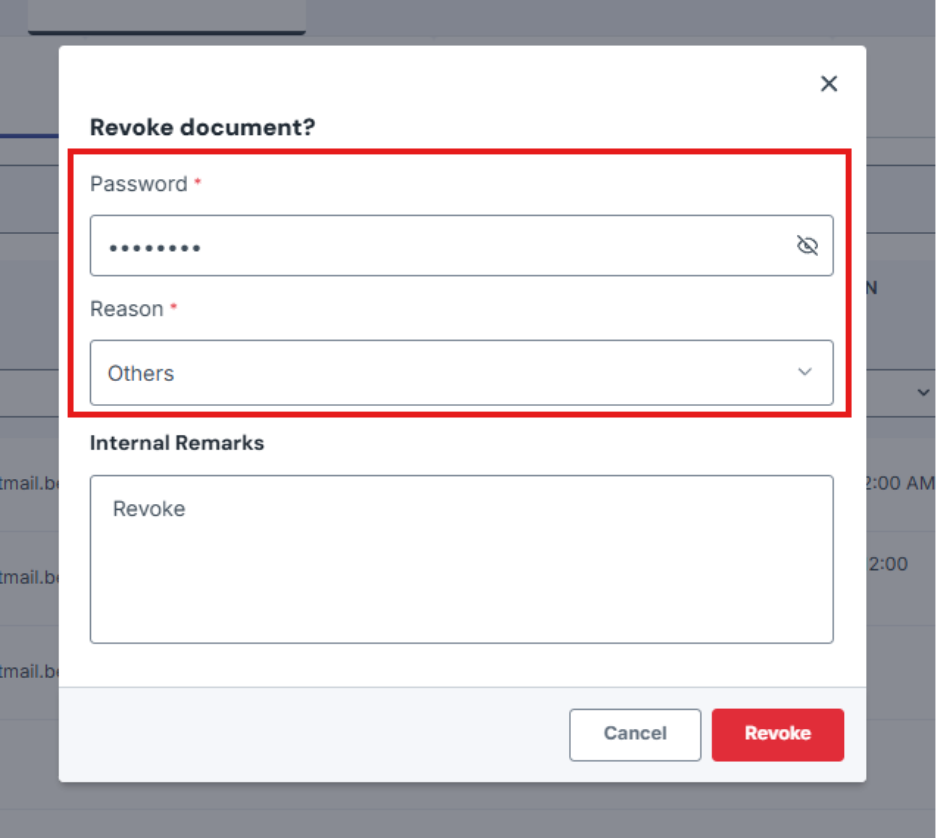
7. On the confirmation modal, Enter Password and Reason. Internal Remarks can be filled in needed by the user.
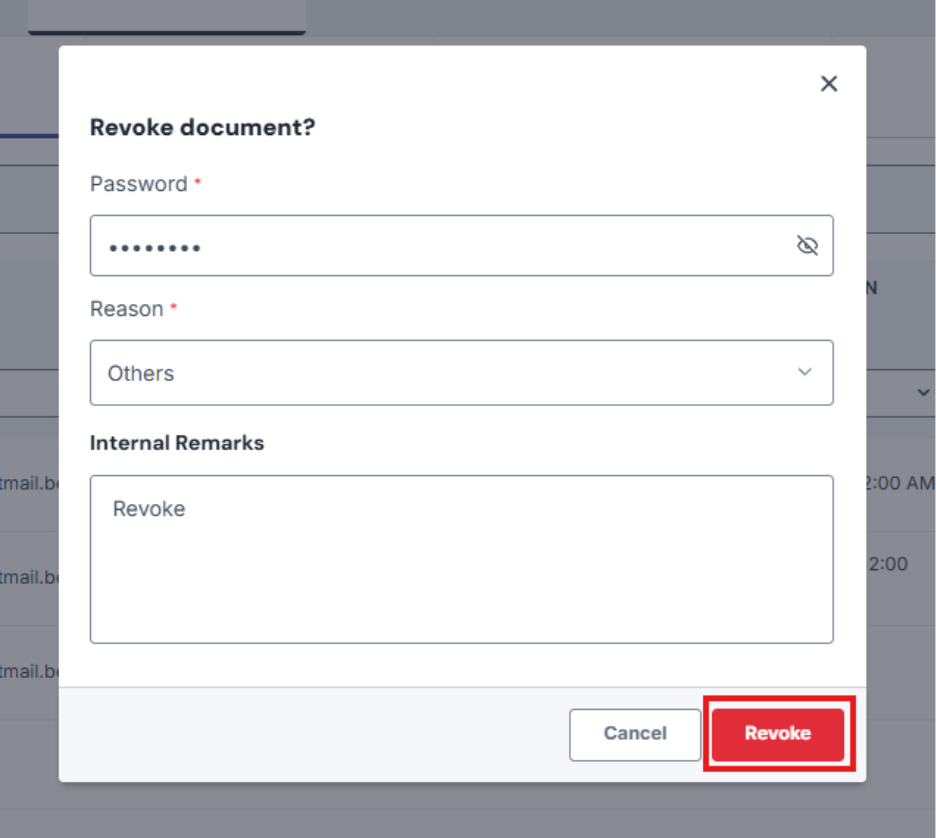
8. Click on Revoke.
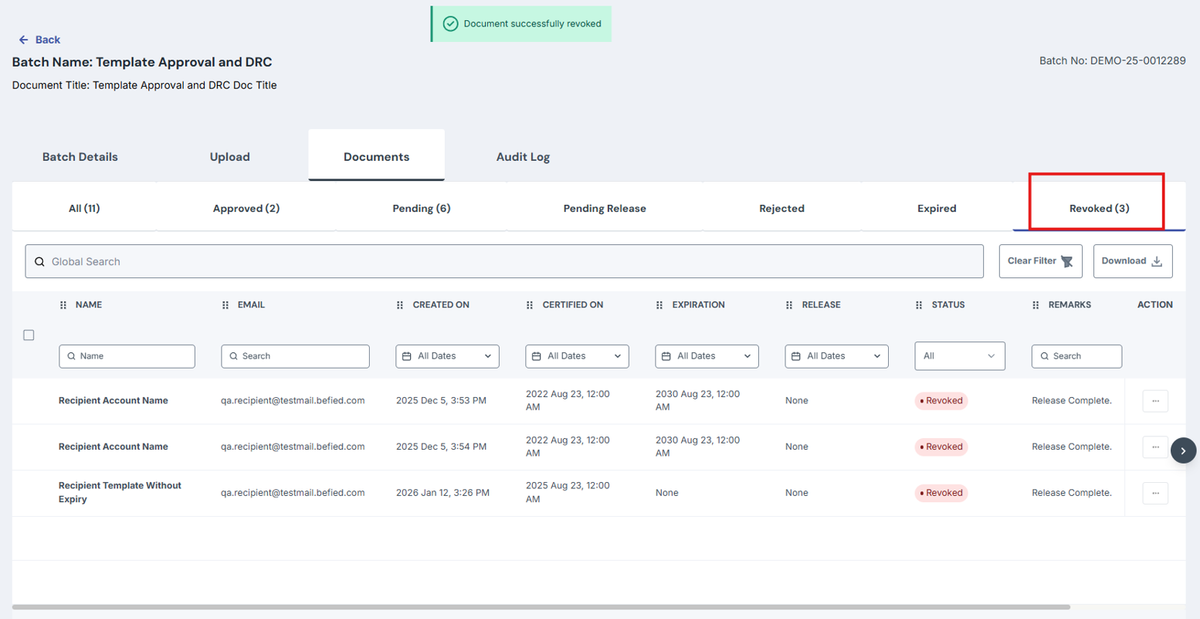
9. Go to Revoke tab to check Revoked Documents.
Was this helpful?