How to Approve Issued Documents?
There are two ways for an Issuing Authority to approve documents.
- Through the Documents tab of a Batch Issuance
- Through the Approval tab in the Navbar
Documents Tab of a Batch Issuance
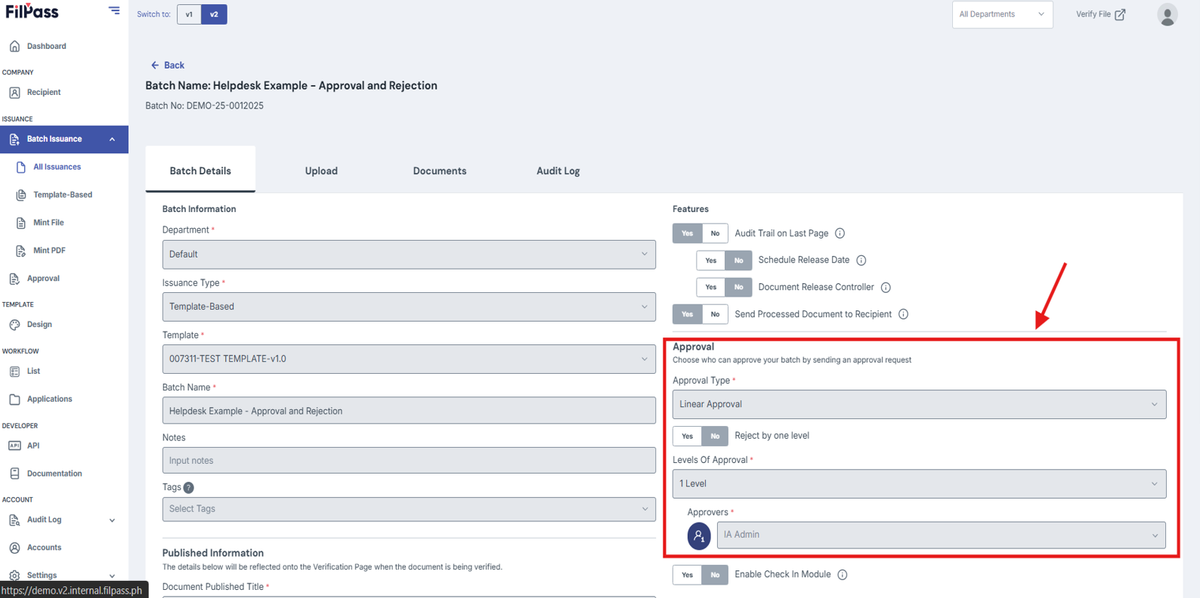
1. Create and upload a Batch Issuance which either has a Linear or Parallel Approval Type like this:
- This can also work for already active Batch Issuances so long as it has either a Linear or Parallel Approval Type.
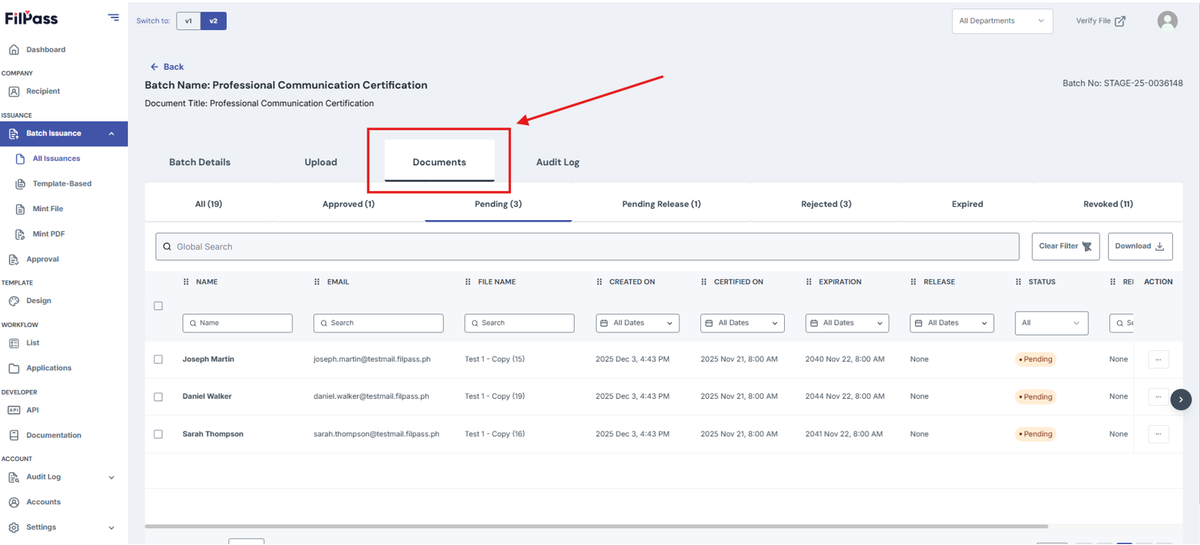
2. Go to the Documents tab.
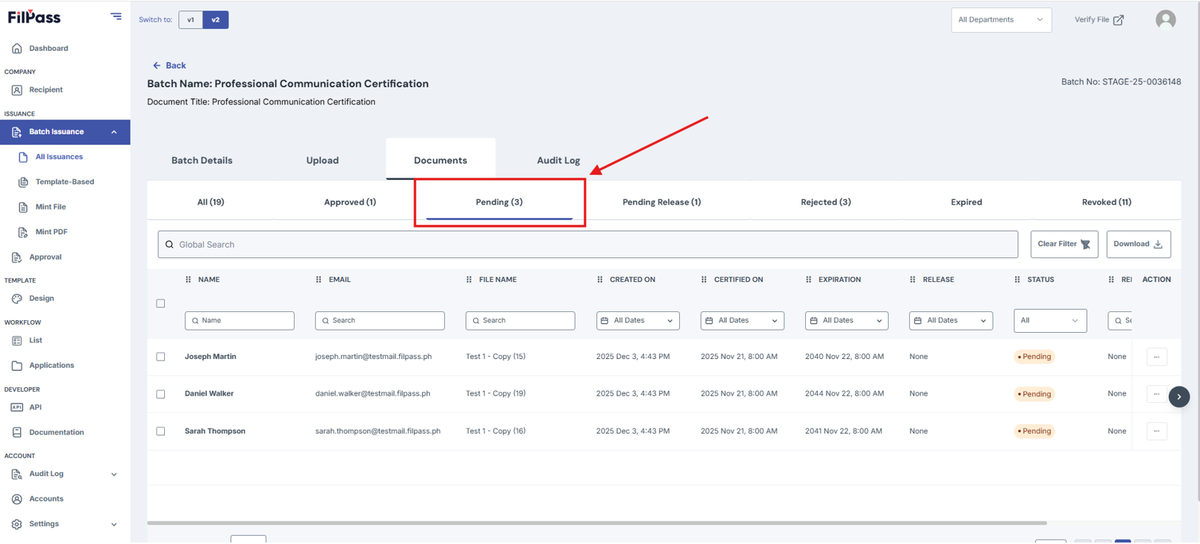
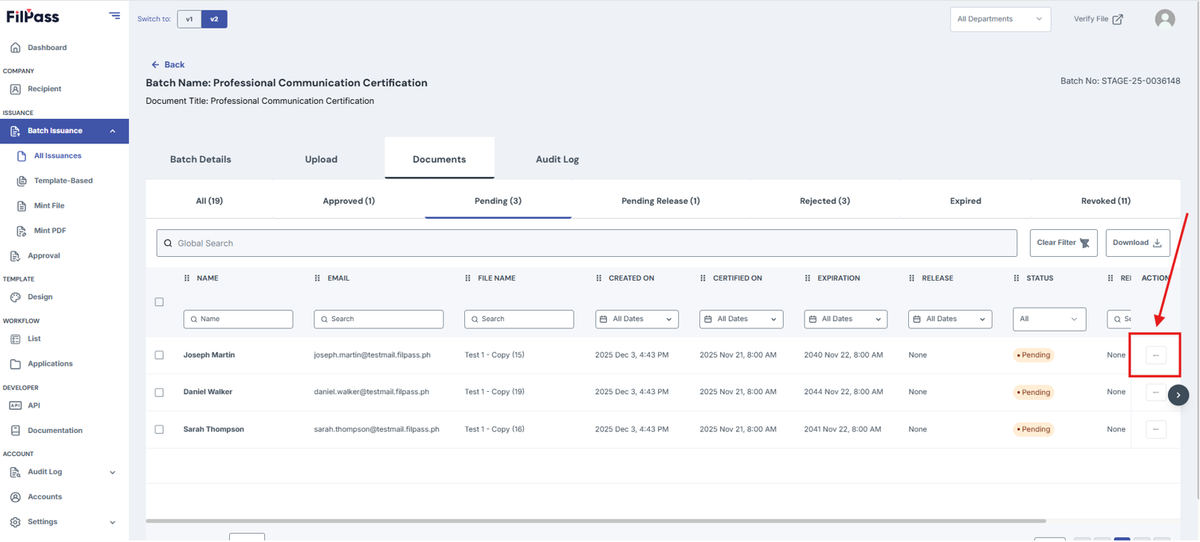
3. Go to Pending
4. Click the action button of your desired document.
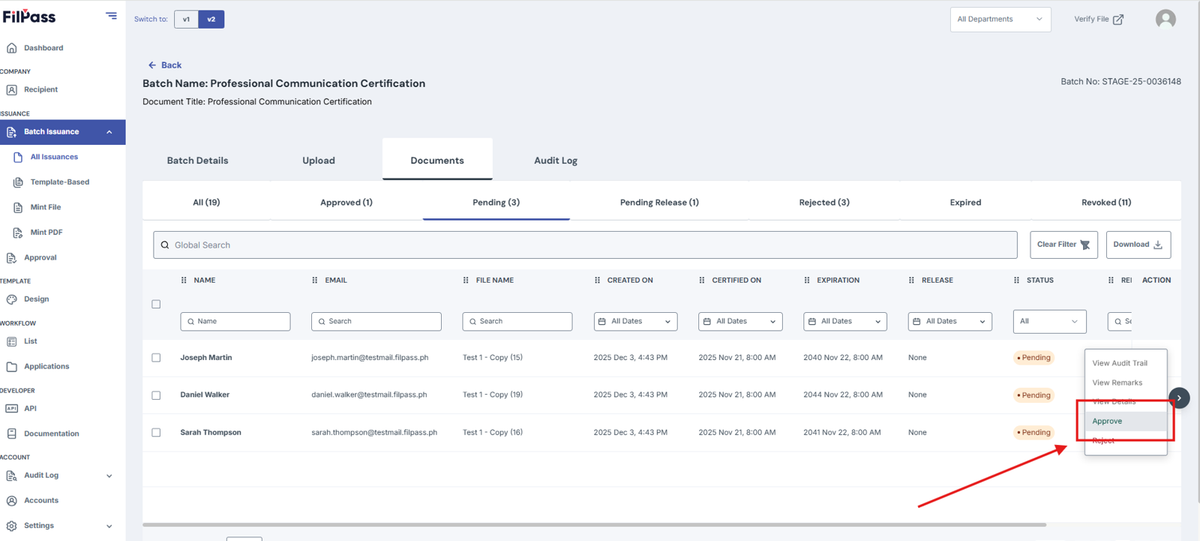
5. Click Approve.
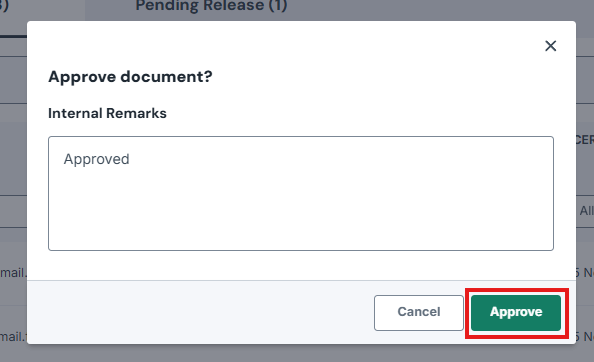
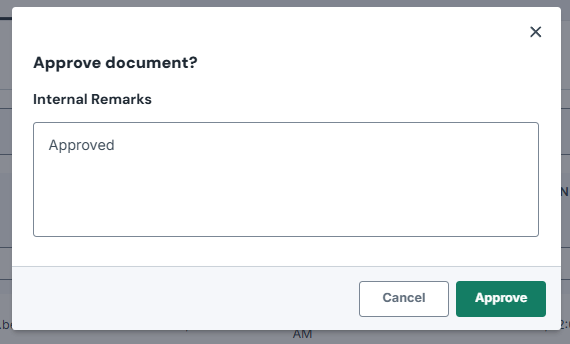
6. On the confirmation modal, click on Approve button to approve the document. Internal Remarks are optional.
Approval Tab in the Navbar
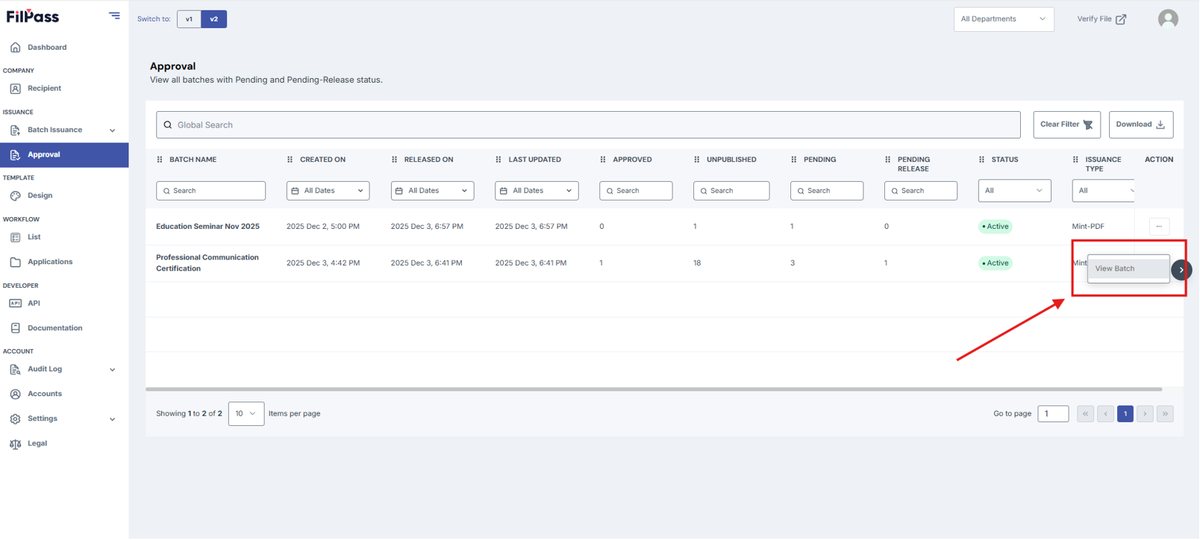
1. Determine what Batch Issuance with a document you want to approve or reject
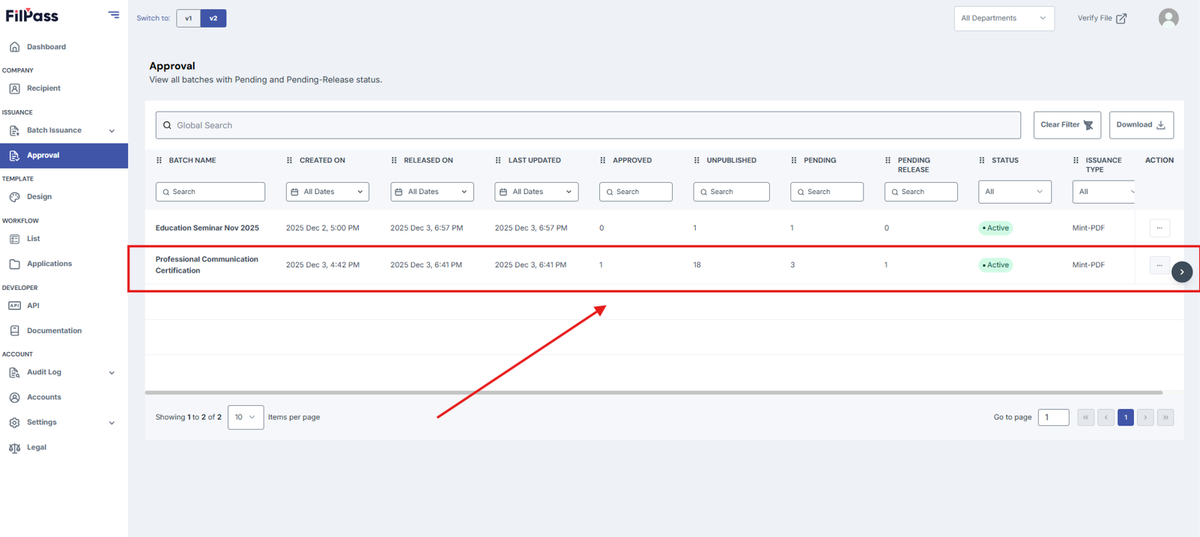
2. Click the action button then click View Batch.
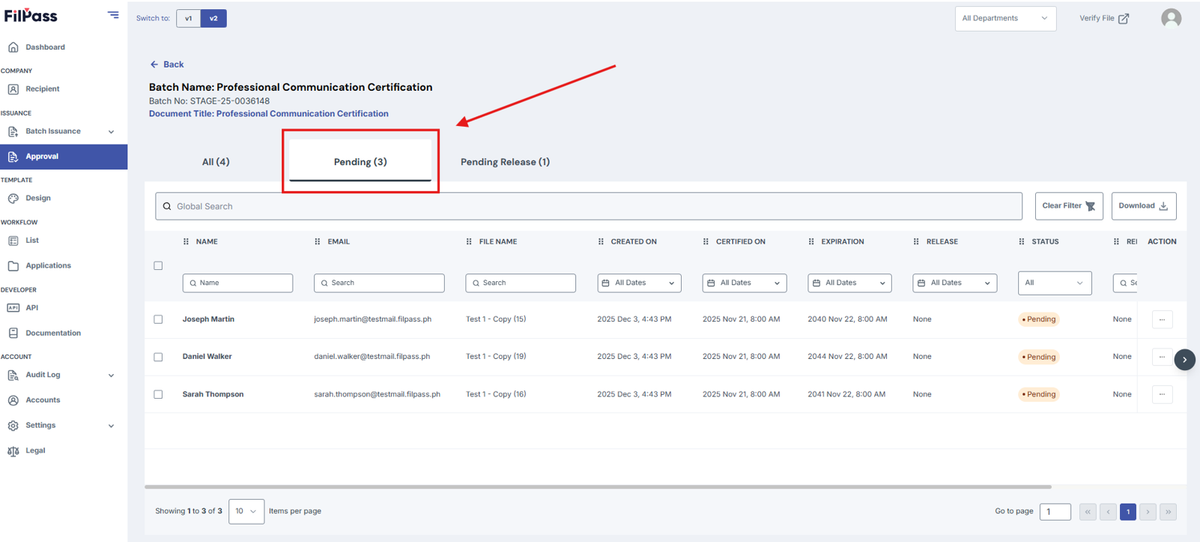
3. Move to Pending.
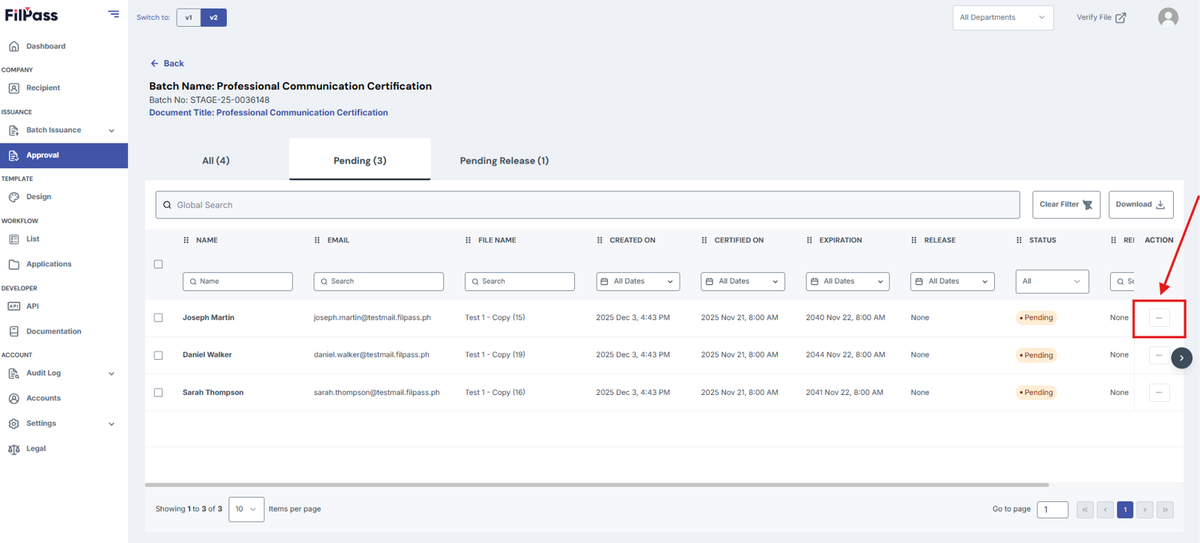
4. Click the action button of your desired document.
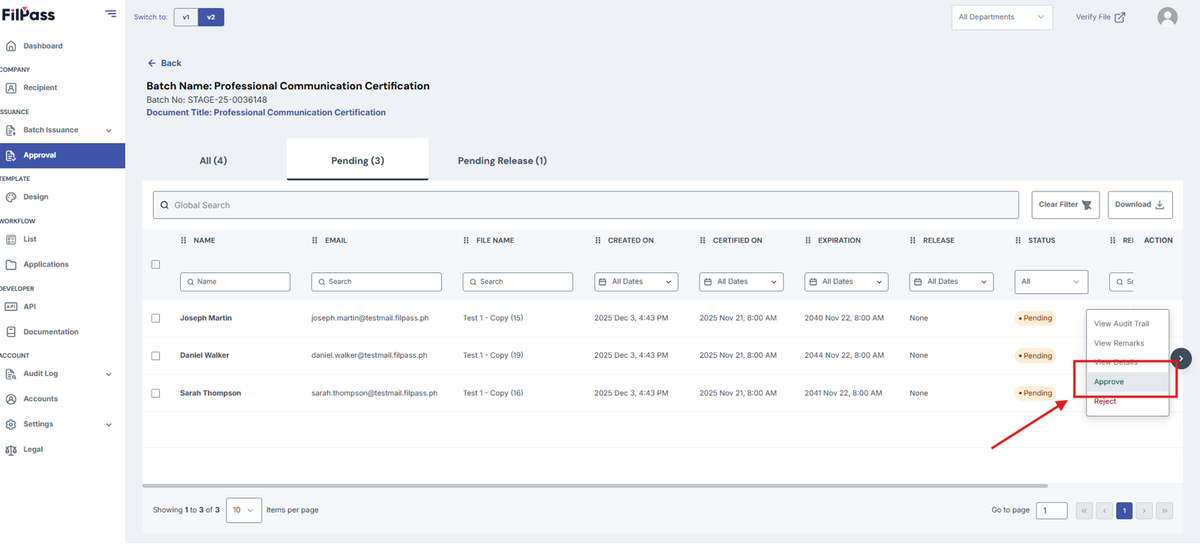
5. Click Approve.
6. On the confirmation modal, click on Approve button to approve the document. Internal Remarks are optional.