

How to Download Issued Documents
This section explains how to download the issued document.
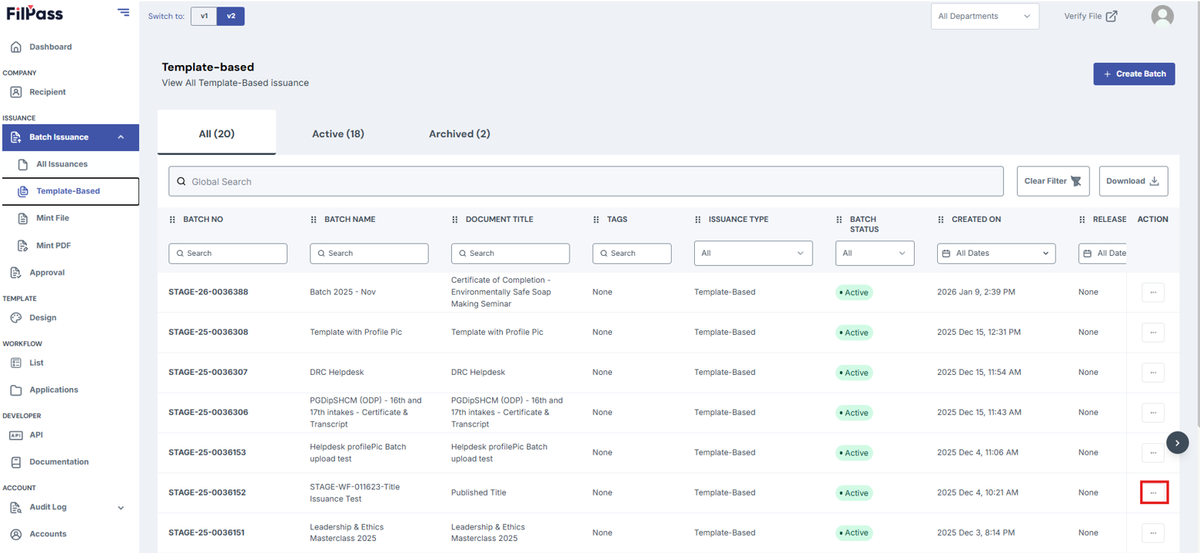
1. Go to your preferred batch to download your document by clicking on the “Action” button
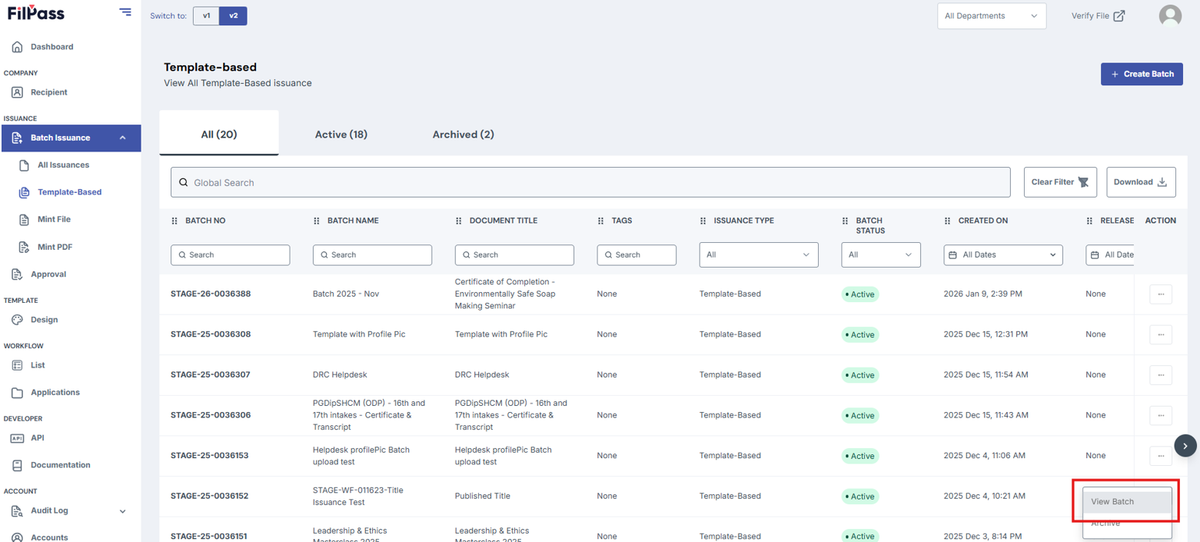
2. Click on View batch.
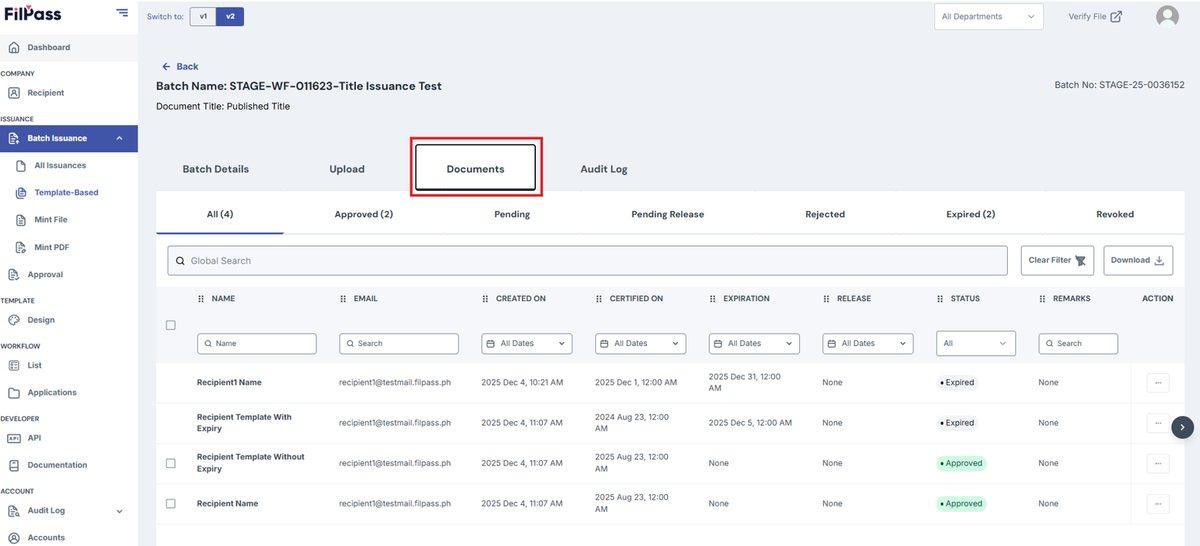
3. Go to Documents tab
4. If user wants to download multiple documents, click on the checkbox next to the row that you want to download the Documents for.
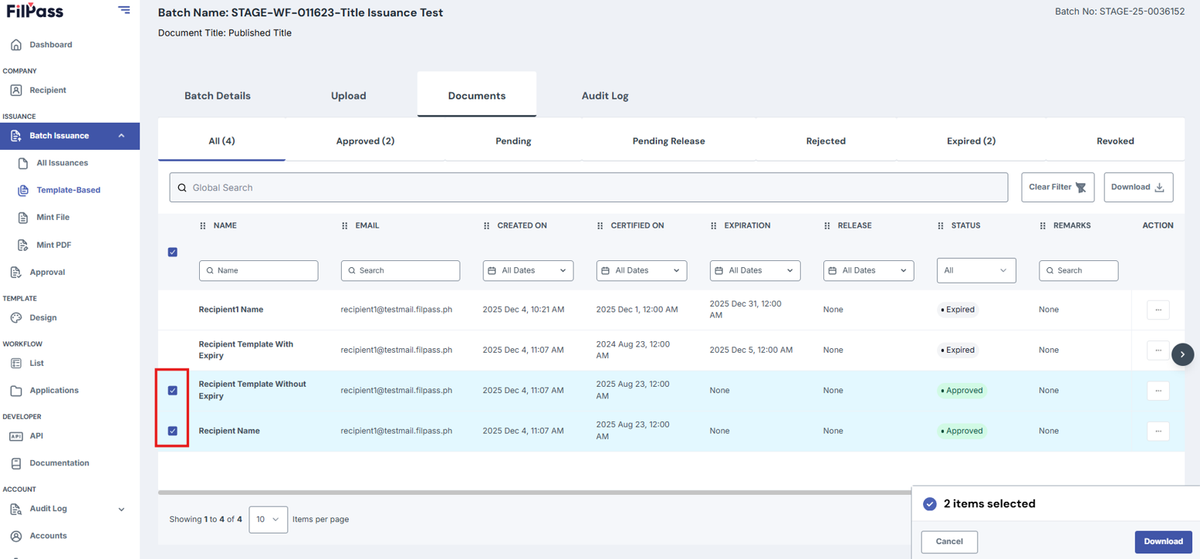
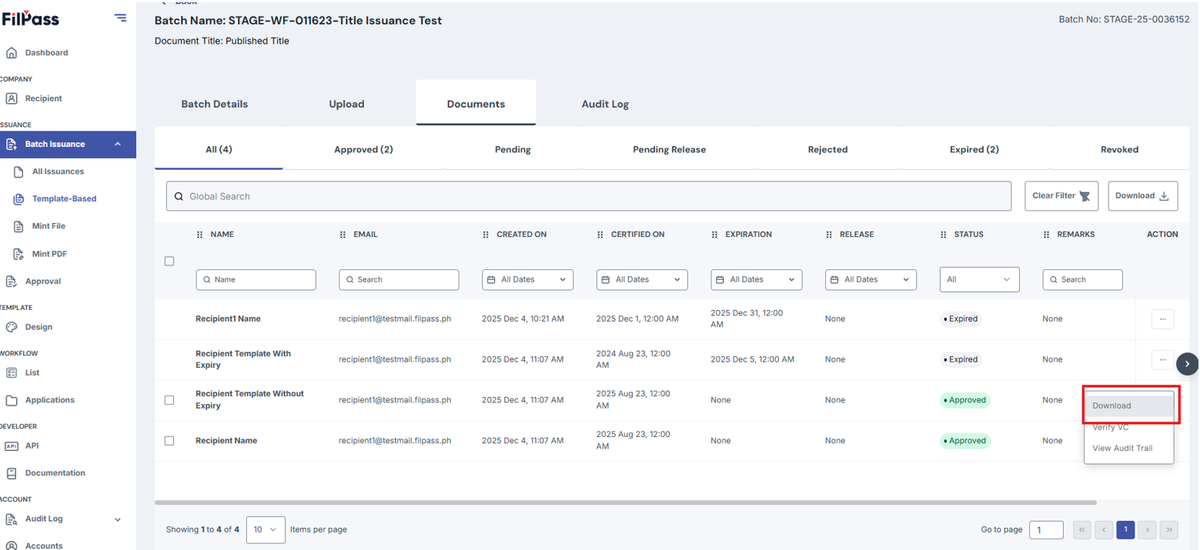
If the User only wants to download one document, click on the action button on the row that the user wants to download.
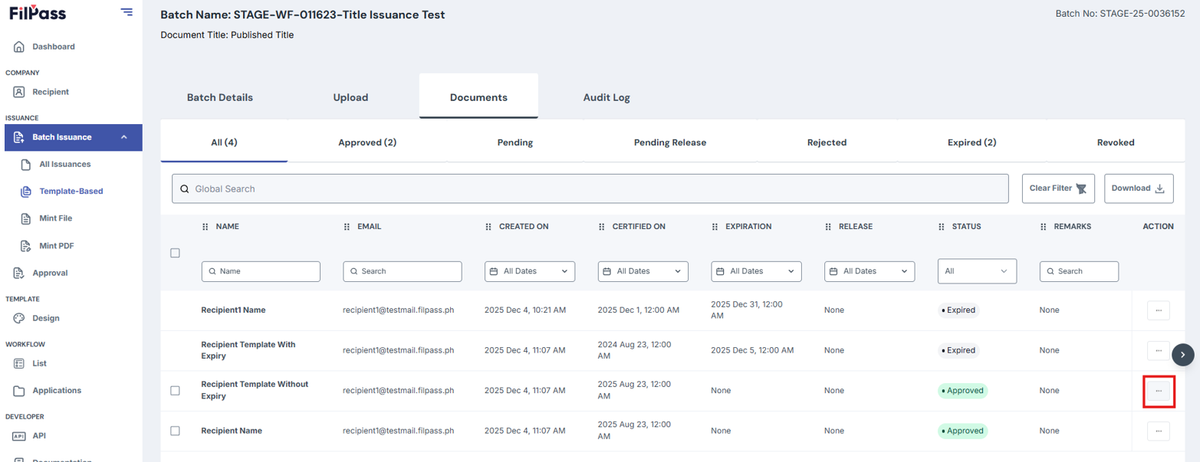
5. Click on the Download Button
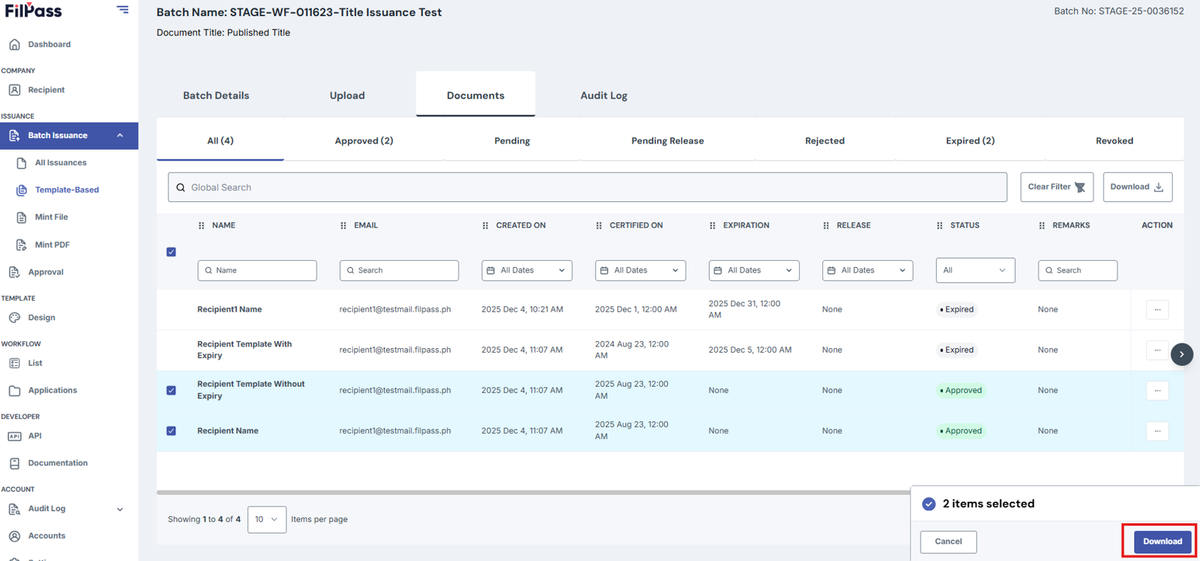
Image version for only one document to be downloaded:
Was this helpful?