

How to Revoke Shared Status?
This section explains how to revoke the shared status of your shared documents.
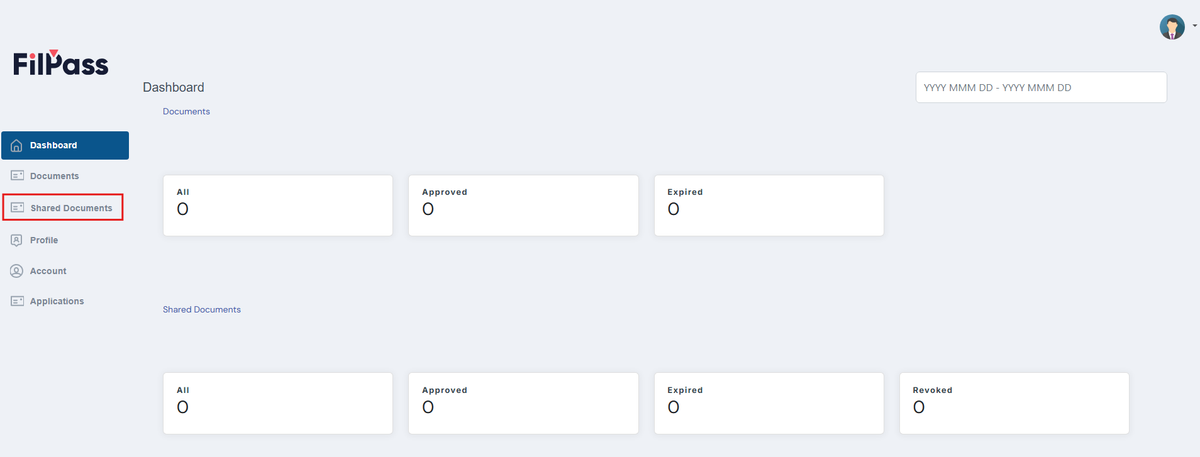
1. Click the Shared Documents tab on your dashboard. This will display the digital documents and certificates you have shared.
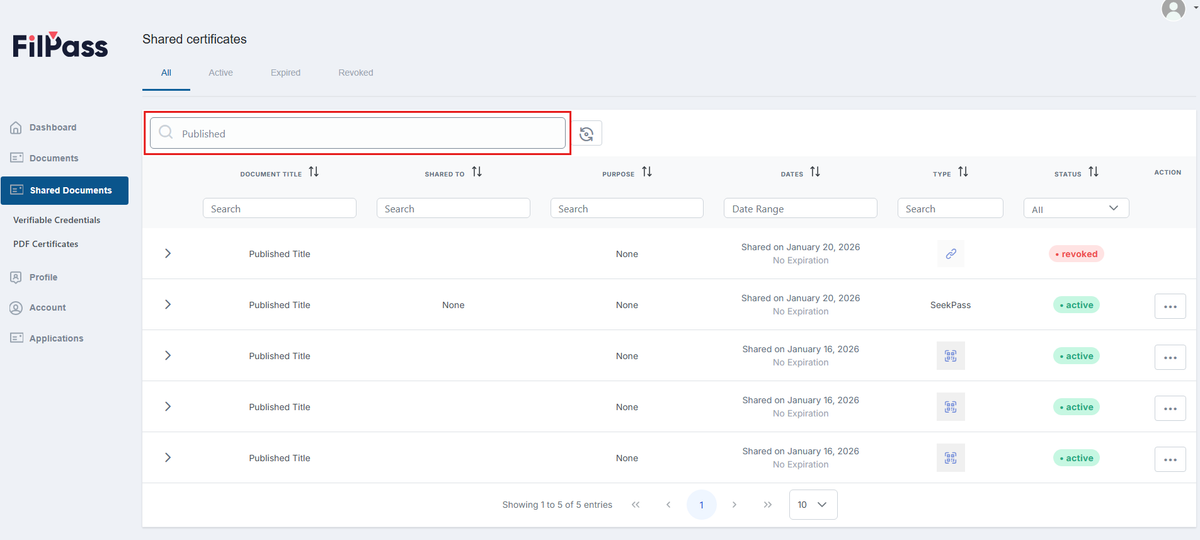
2. Use Global Search to find the document whose shared status you want to revoke.
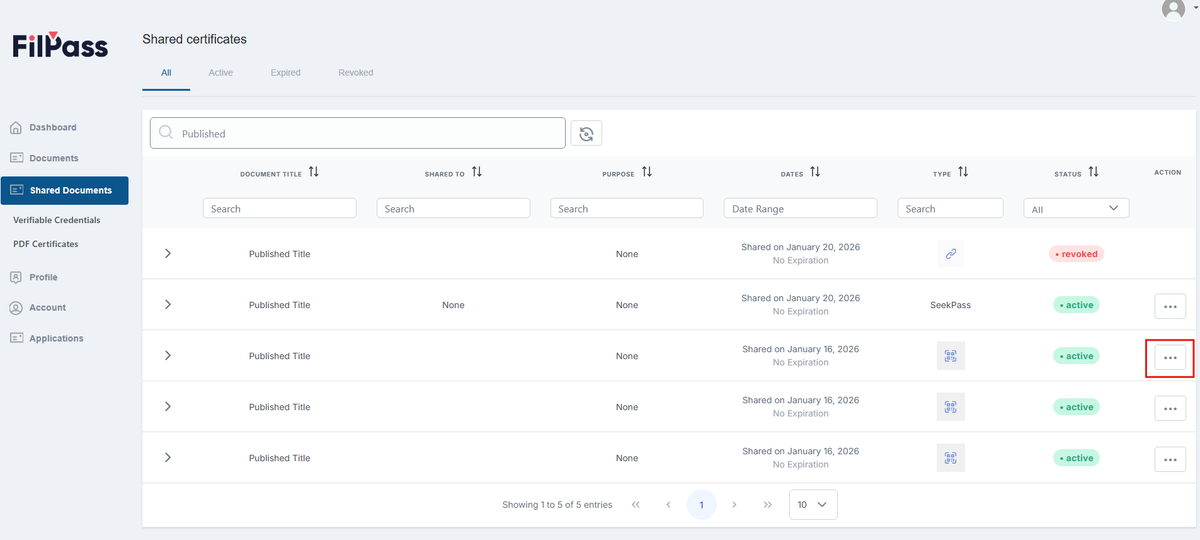
3. Click on the Action button of the Document you want to Revoke.
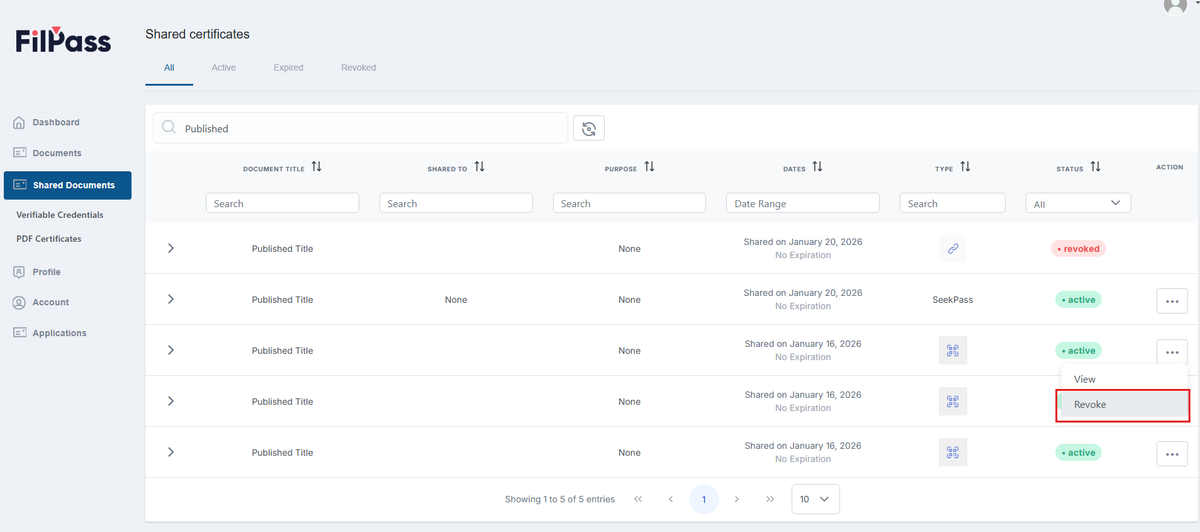
4. Click on the Revoke button.
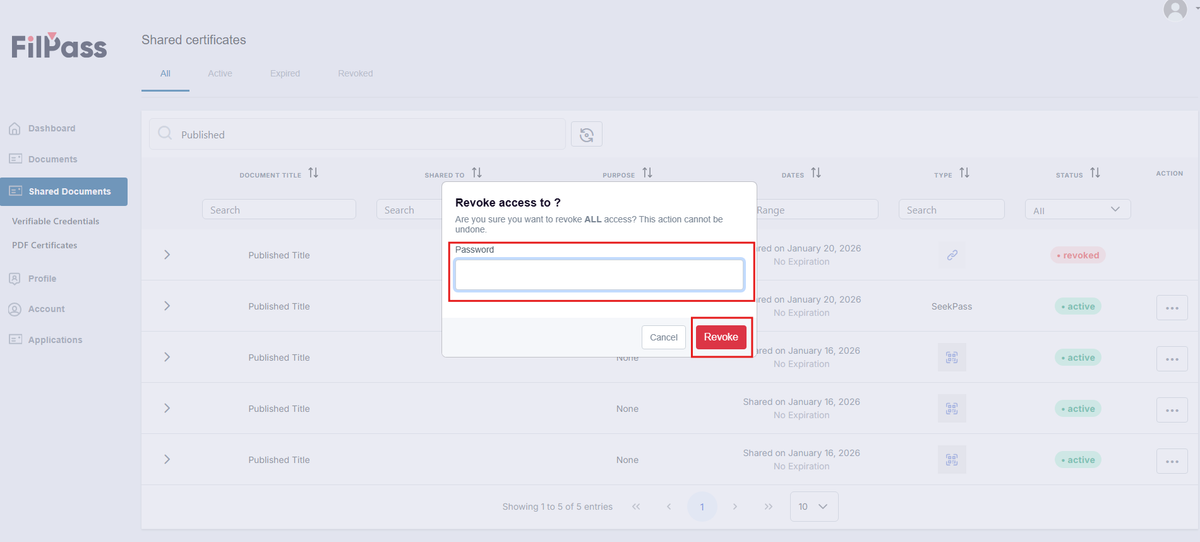
5. Enter your password to confirm the Revoke action and click on Revoke button.
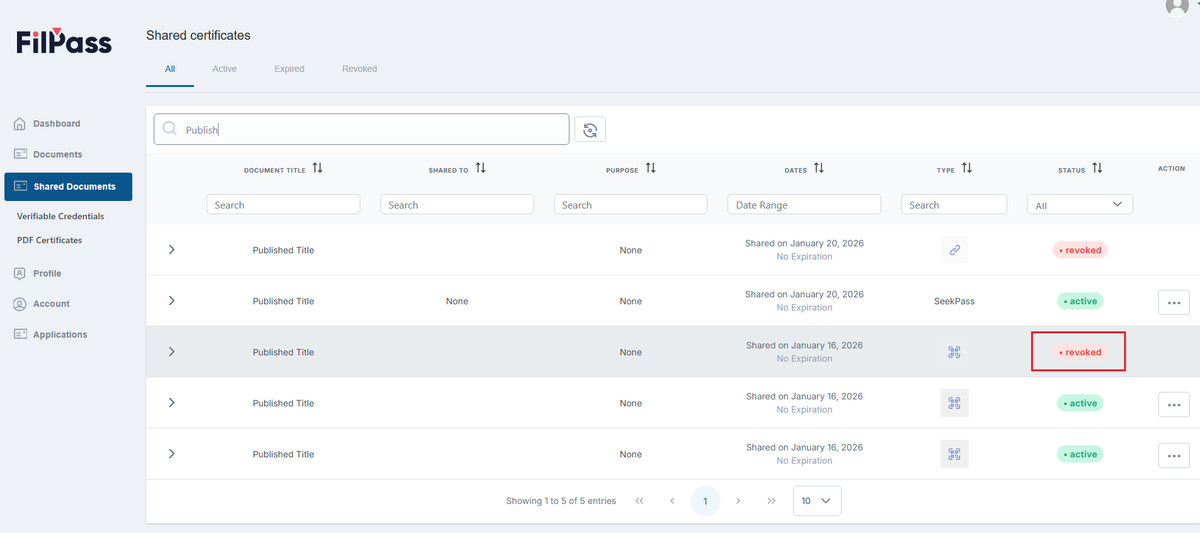
6. The document is now revoked, and others can no longer access it.
Was this helpful?