

How to Enable or Disable (Hide) Your Card
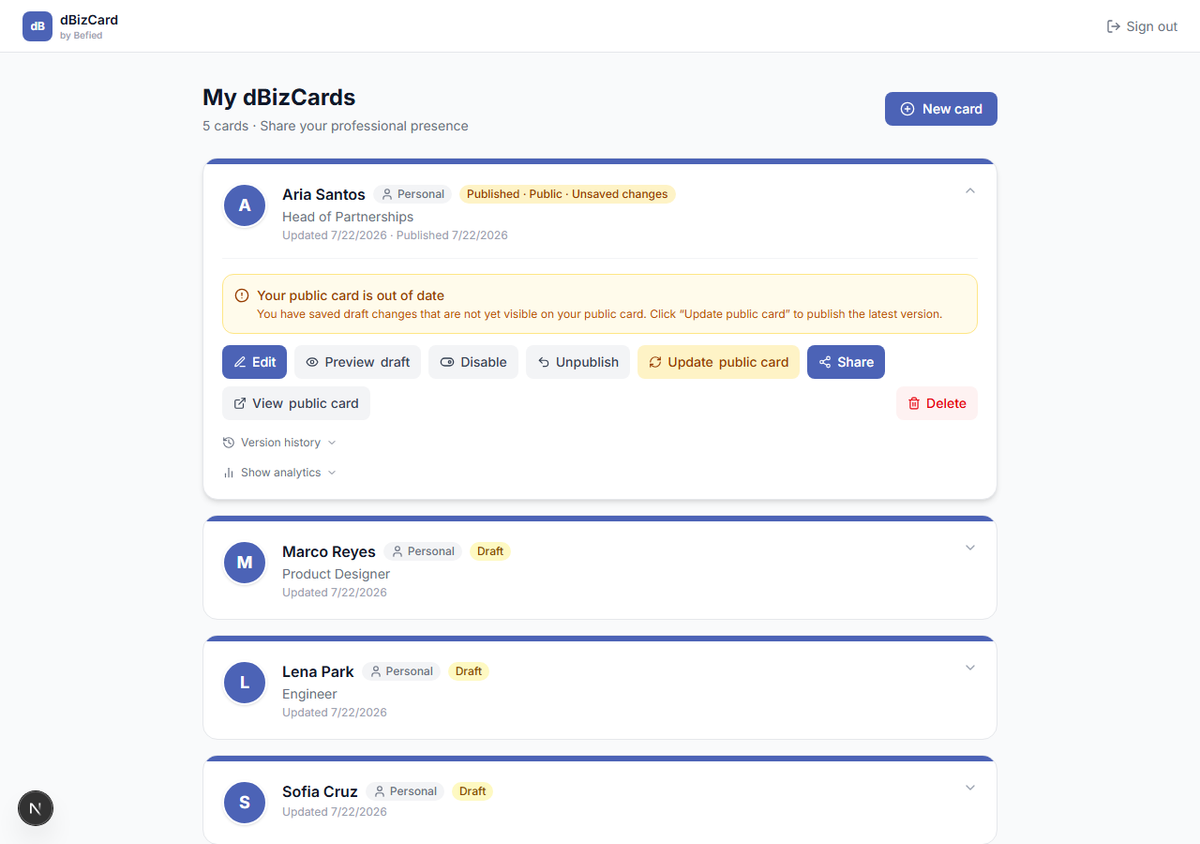
Step 1: Disable (hide)
On a published card, click Disable. The public link stops working and visitors see a "card currently unavailable" message. Your content is kept.
Step 2: Re-enable
Click Re-enable to make the card reachable again at the same link.
Note: Disabling keeps the card published — it's just hidden. To fully revert to a draft, use Unpublish instead.
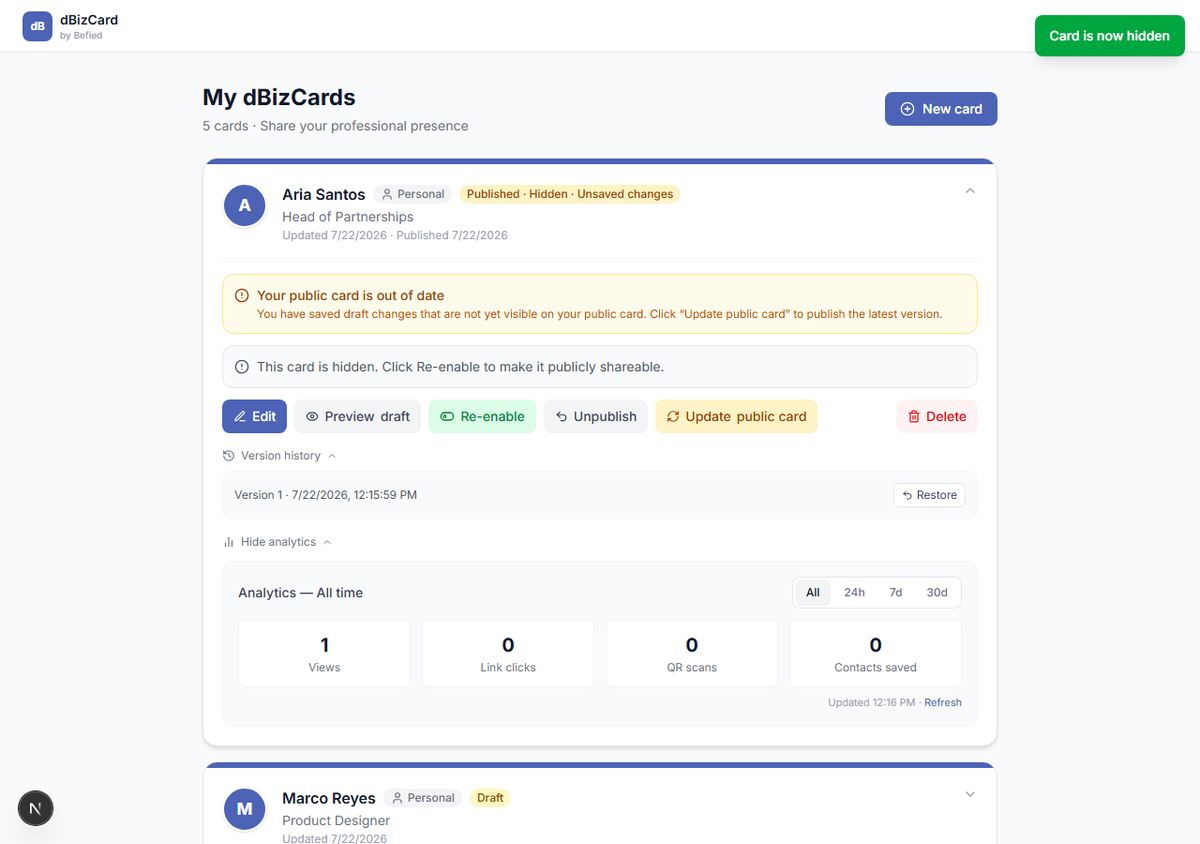
Result: You control whether your published card is reachable, without losing anything.
Was this helpful?