

How to Delete a Batch?
A Batch Issuance can only be deleted if it is in the Published State (No uploaded Issuances / Documents)
Otherwise, a Batch Issuance can only be archived and unarchived.
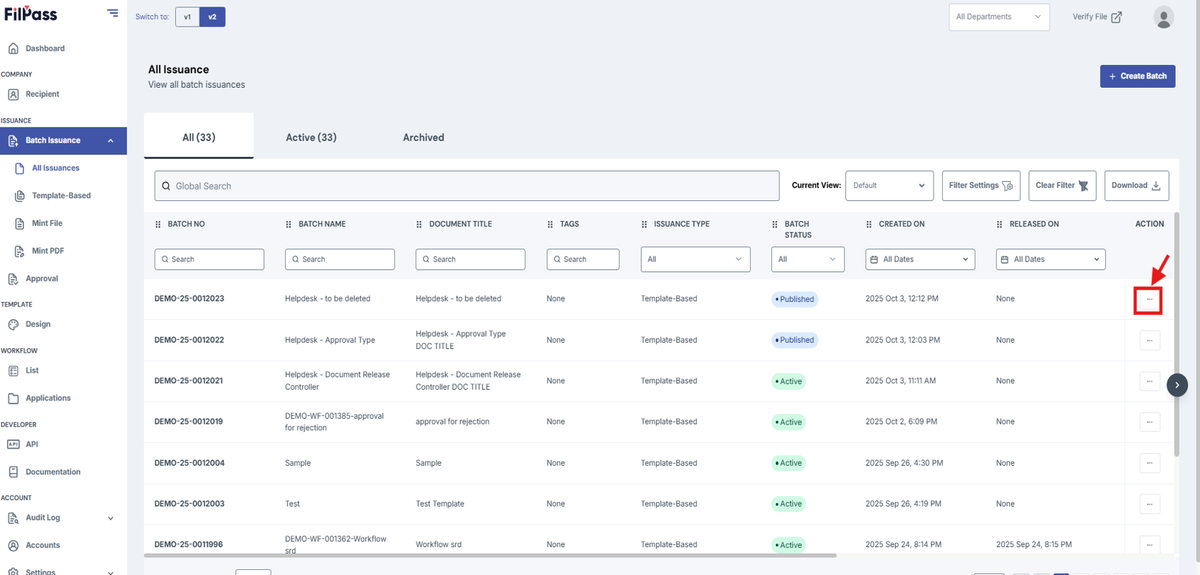
1. Go to the action button of your desired batch that you wish to delete.
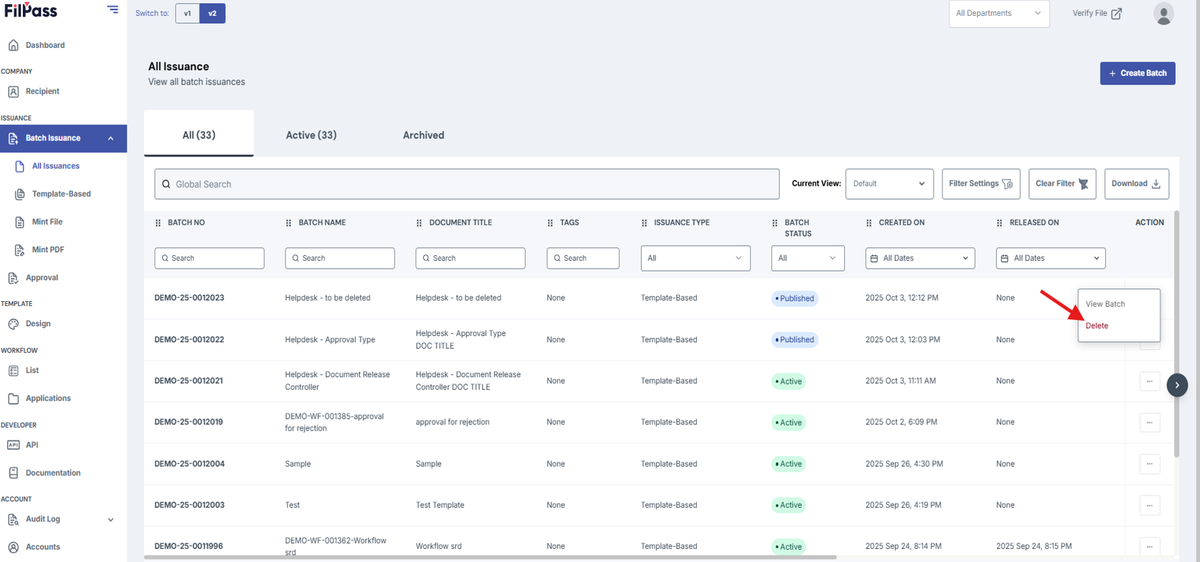
2. Press the action button then click Delete.
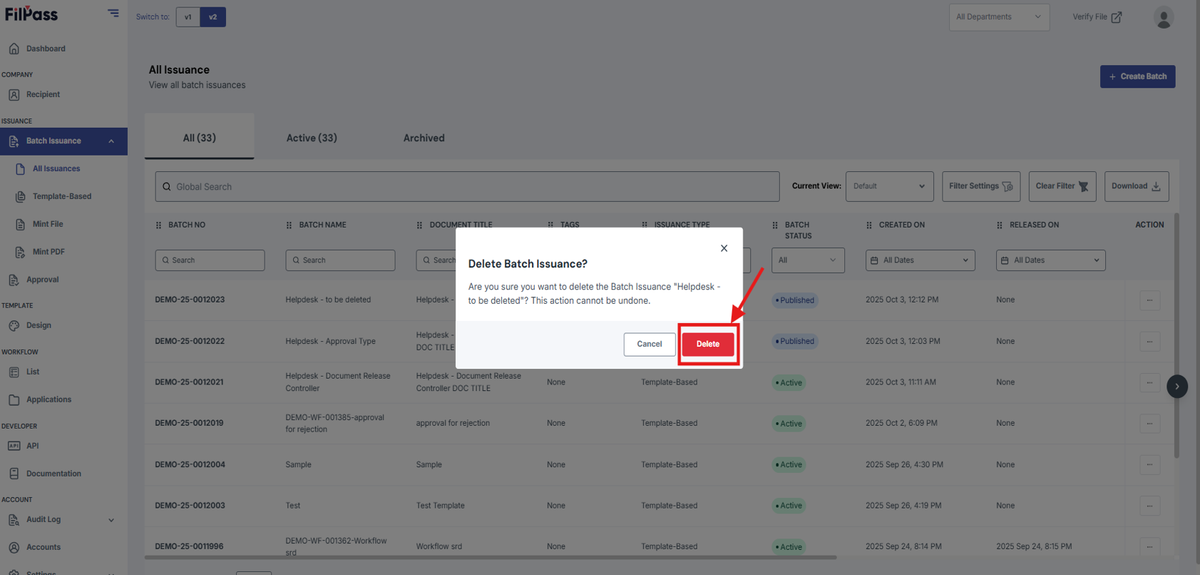
3. Press Delete again on the confirmation modal.
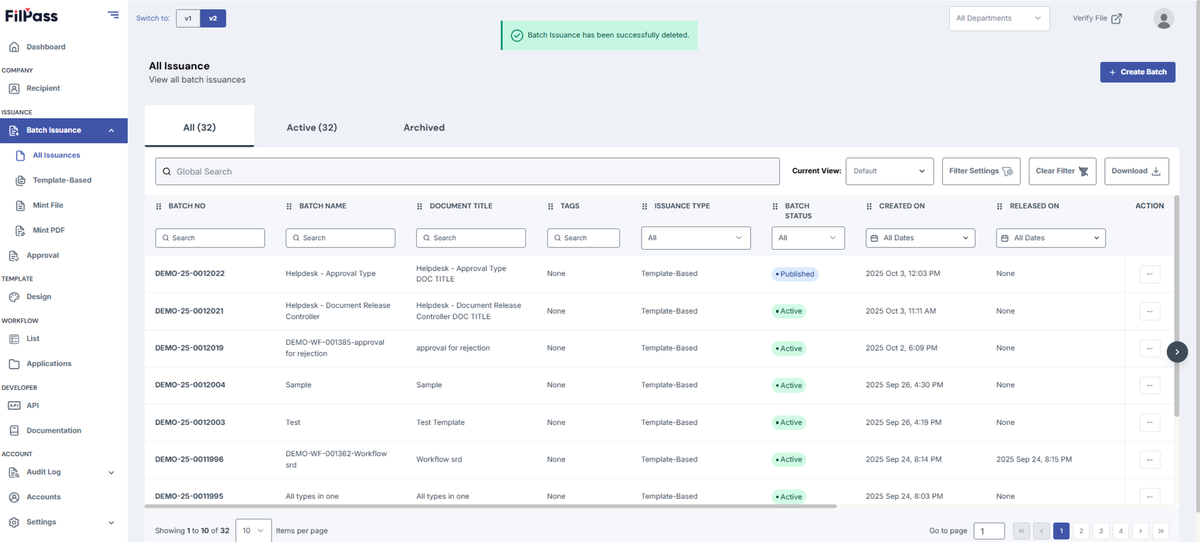
4. The Batch has been successfully deleted.
Was this helpful?