

How to Bulk upload Mint PDF or Mint File?
This section explains how to bulk upload Mint PDF or Mint Files.
1. Go to Batch Issuance > All Issuances.
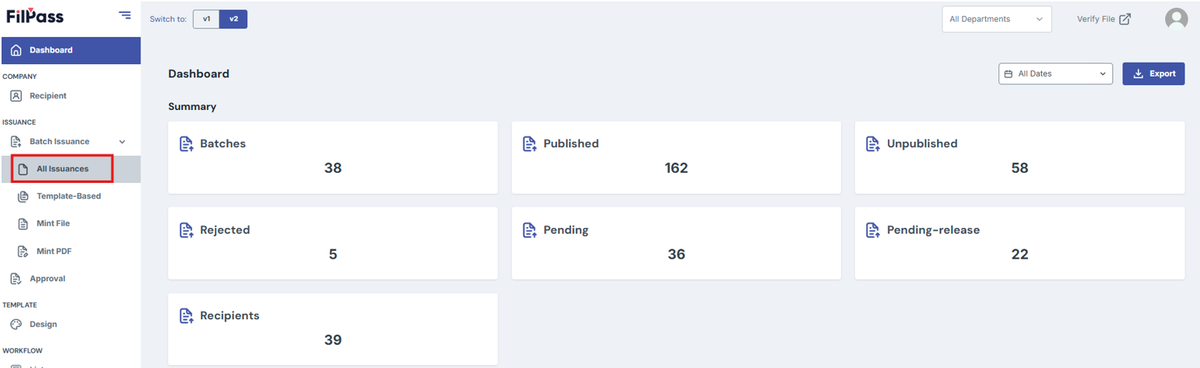
2. Click the "Create Batch" button.
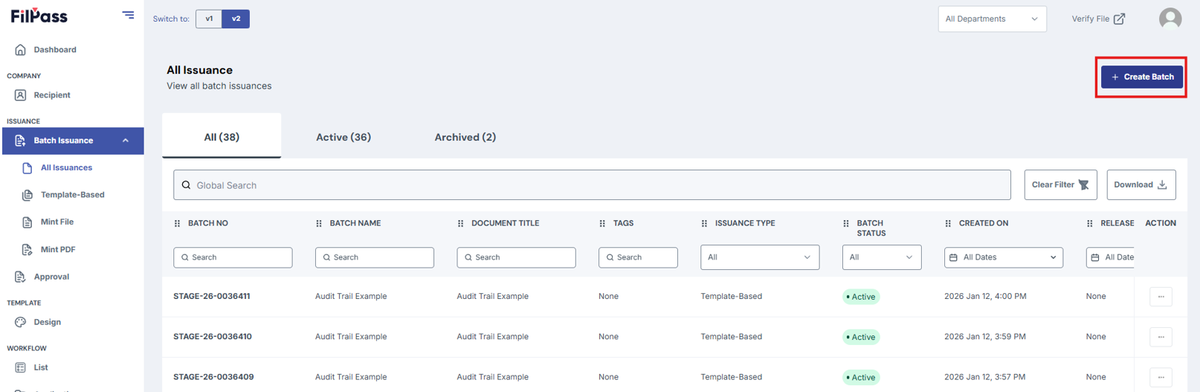
3. Select Issuance Type
- Choose either “Mint PDF” or “Mint File” from the issuance type options.
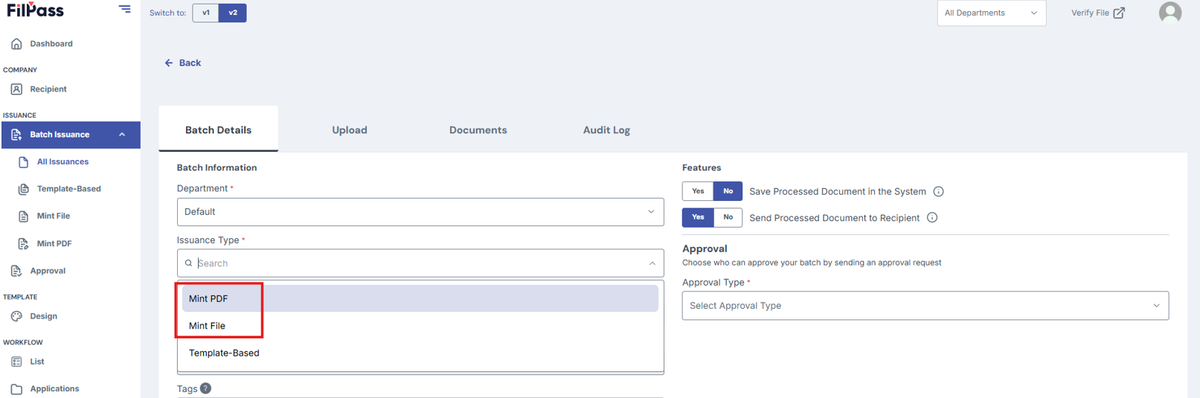
4. Fill in the required details.
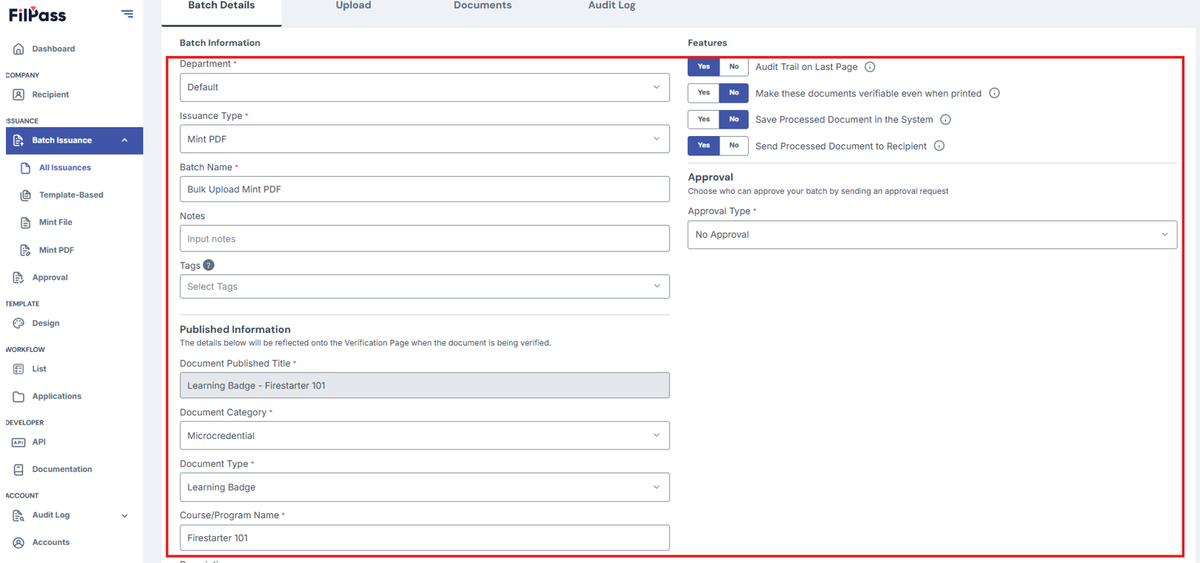
5. Click on Create.
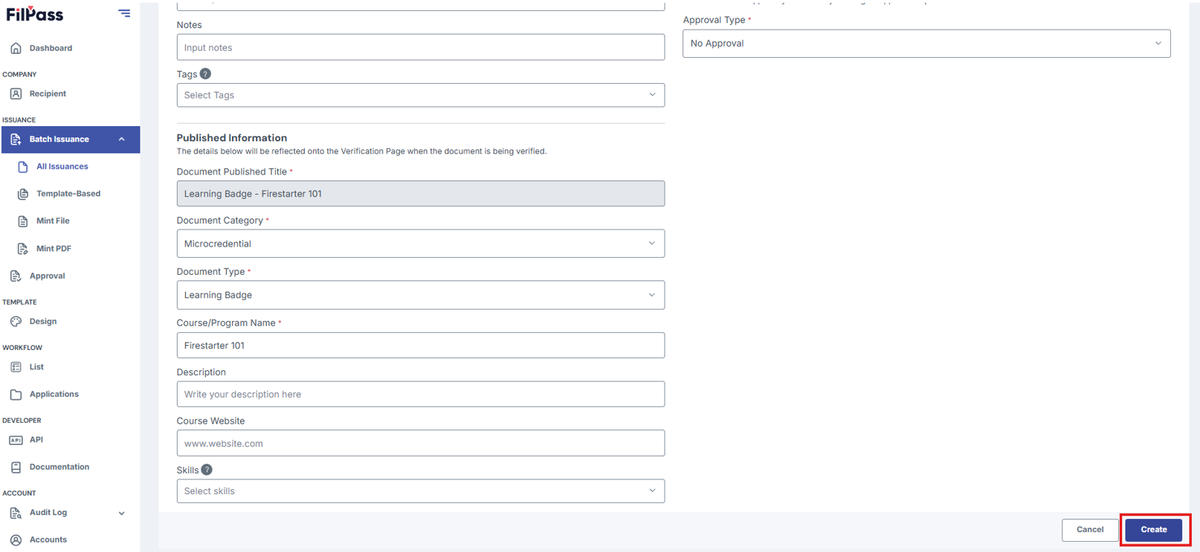
6. Click “Download Template”.
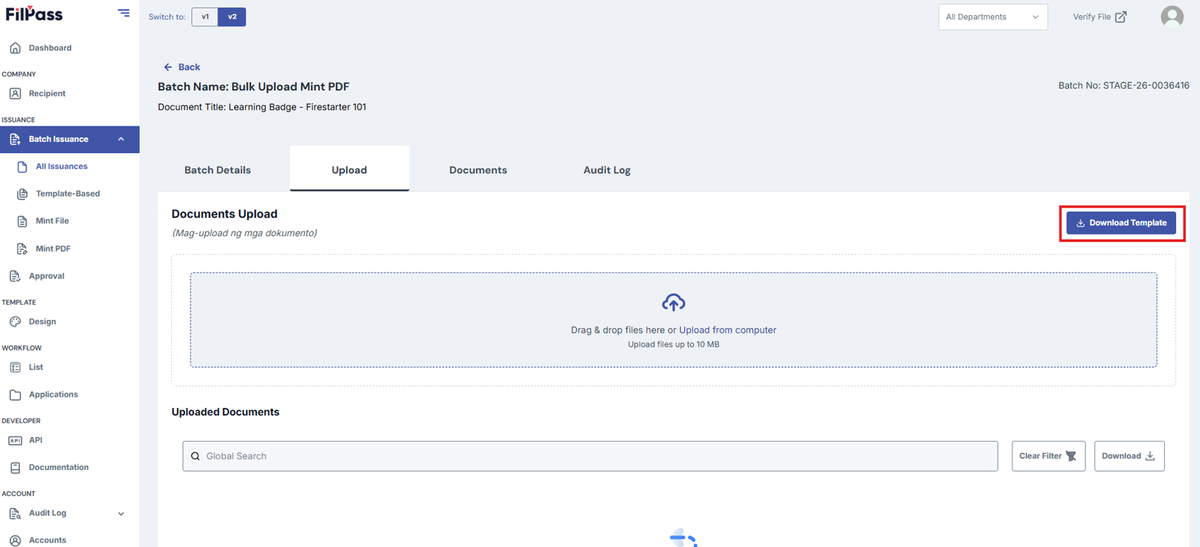
7. Fill in the Template
- Open the downloaded Excel file and enter the recipient details.

- In the “Upload PDF” column (upper-right of the sheet), type the exact file names of the PDFs you want to upload.
- Ensure:
- No duplicate file names.
- File names include the correct extension (e.g., .pdf)

Example:
- John Doe → TOR_and_Diploma_JohnDoe.pdf
- Juan Dela Cruz → TOR_JuanDelaCruz.pdf
- Jane Doe → Diploma_JaneDoe.pdf
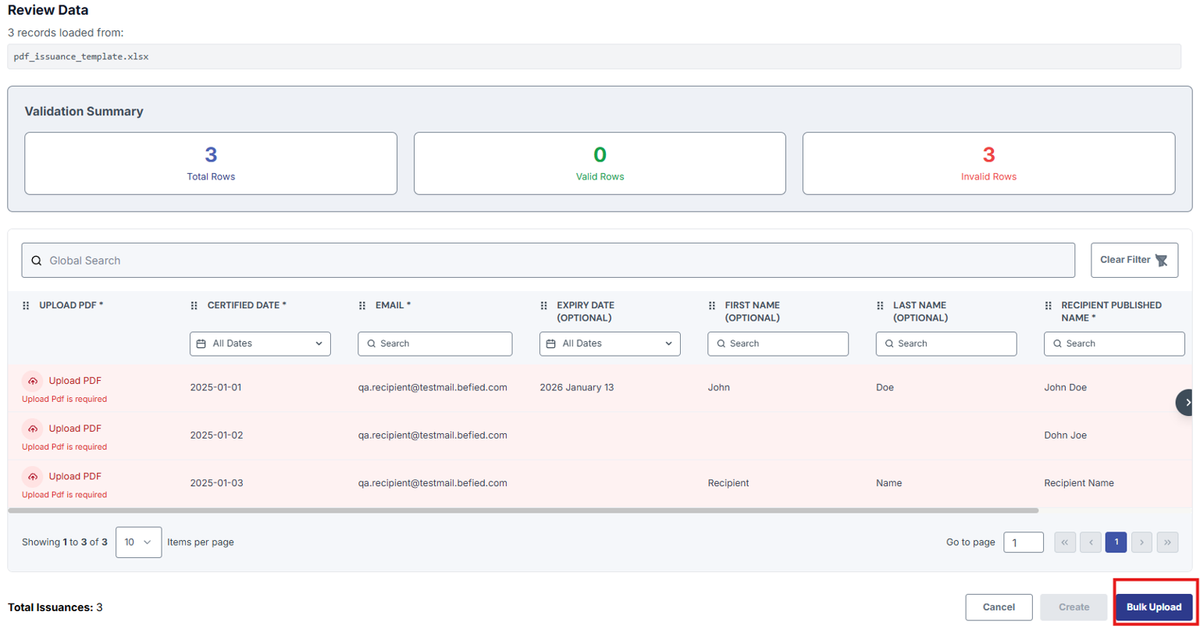
8. Upload the Excel File. Drag and drop the completed Excel file into the designated upload area.
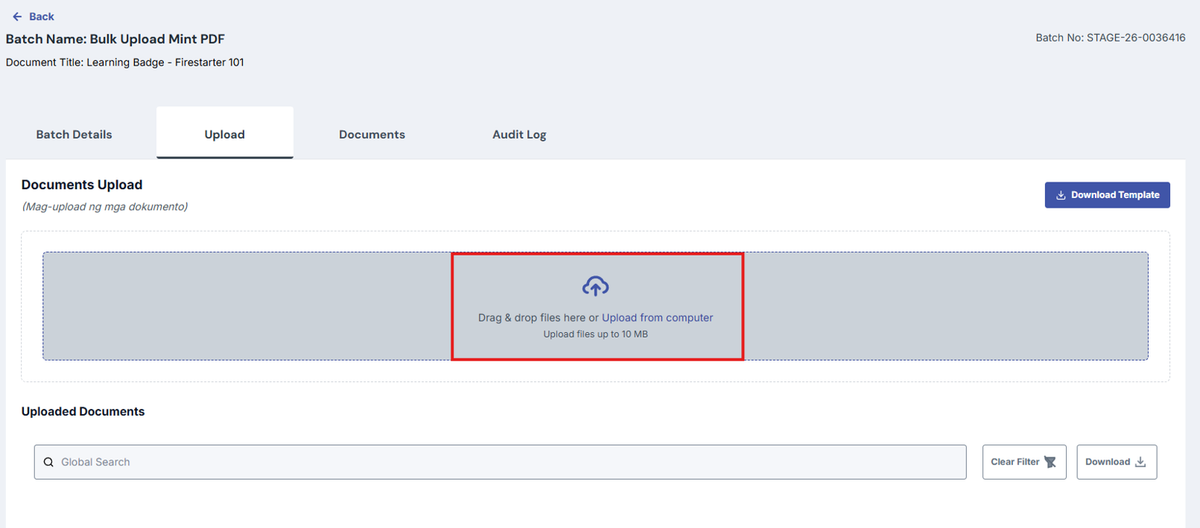
9. Bulk Upload the PDFs. Click the “Bulk Upload” option.
10. Select files from your computer or drag and drop them.
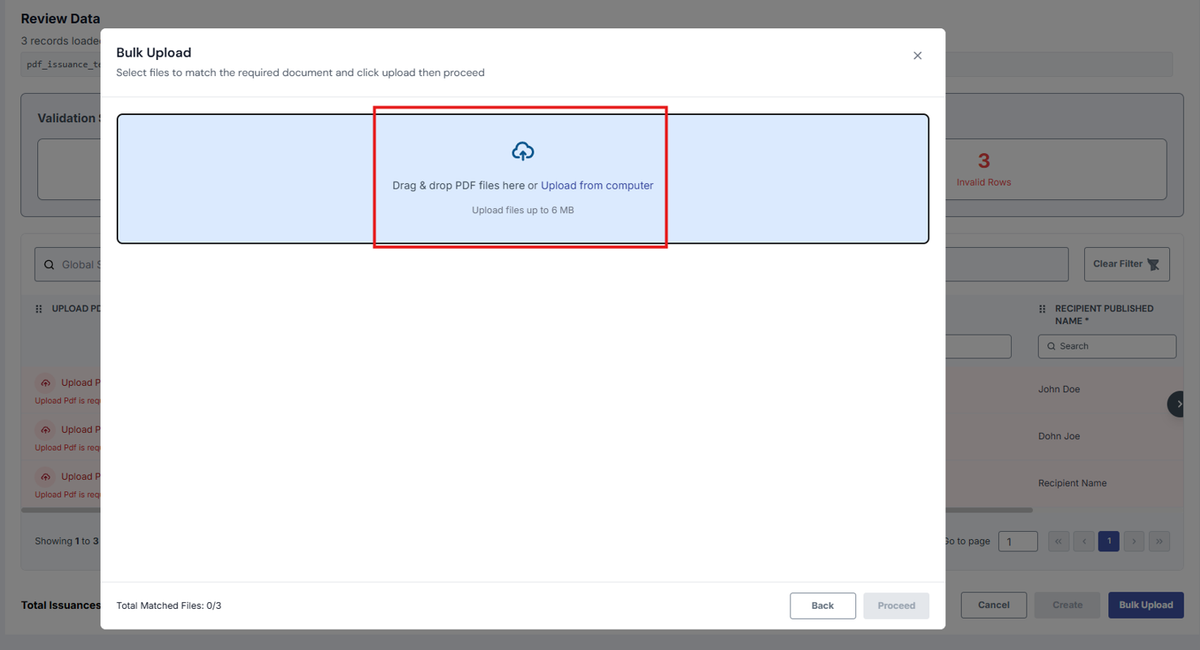
- The system will notify you if:
- The number of uploaded files is incorrect.
- A file has already been uploaded.
- The file name doesn’t match the template.
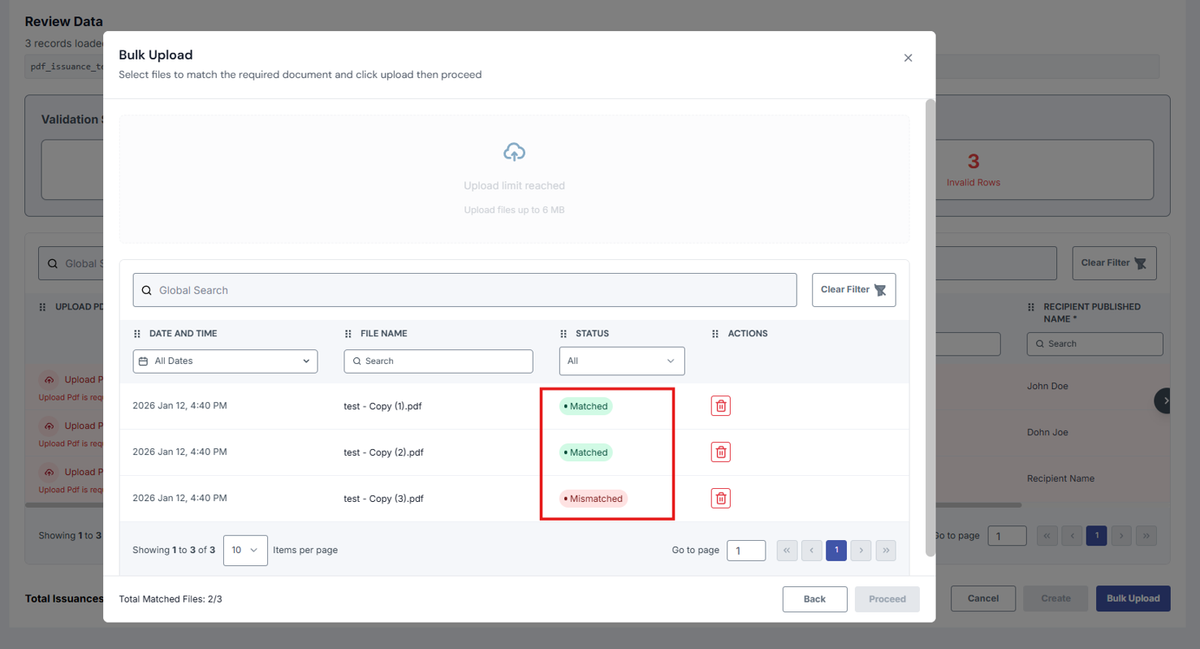
- You must upload the exact required files before proceeding.
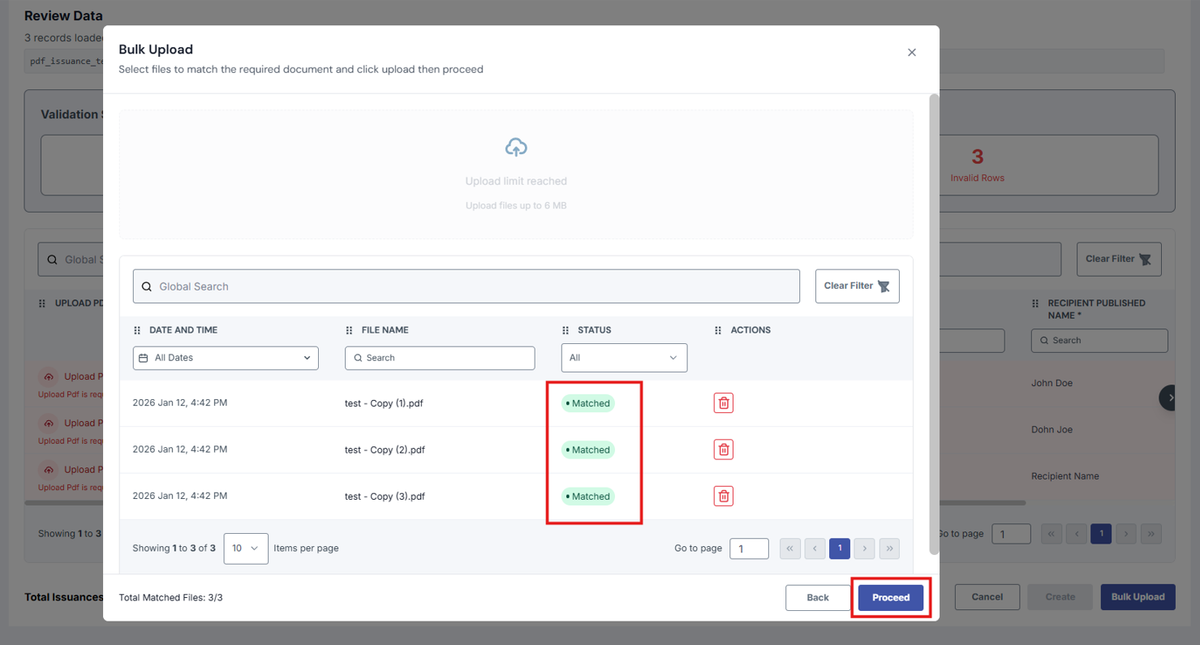
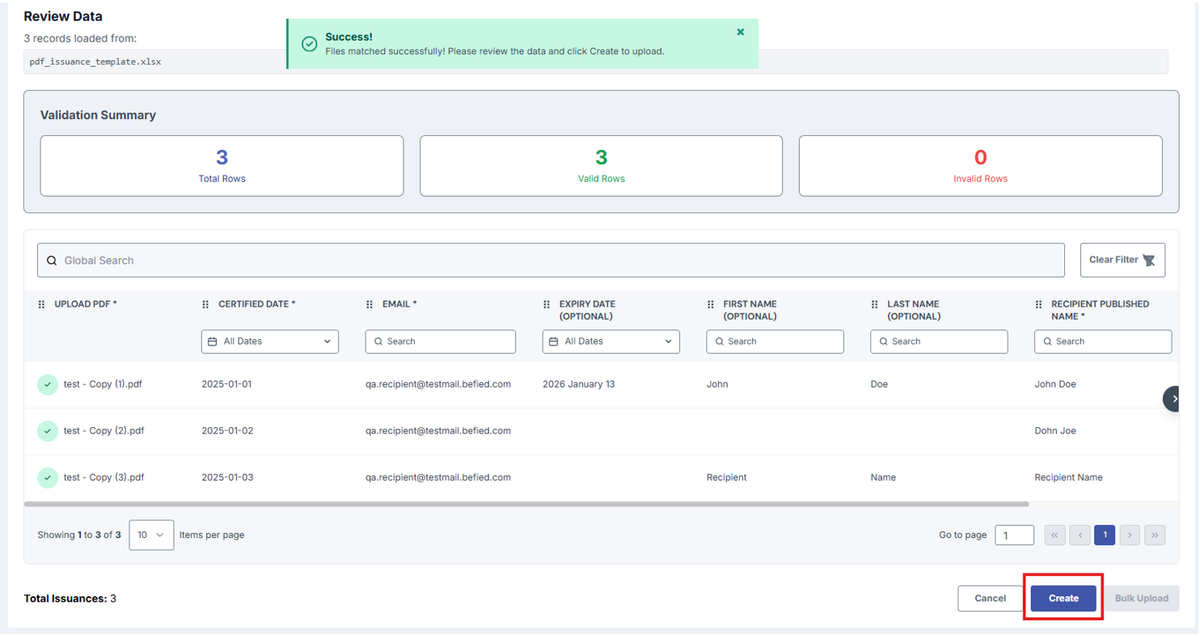
11. Once all files are correctly uploaded, click “Create Batch” to finish the process.
Was this helpful?