

How to Add Supporting Documents
- Supporting Documents
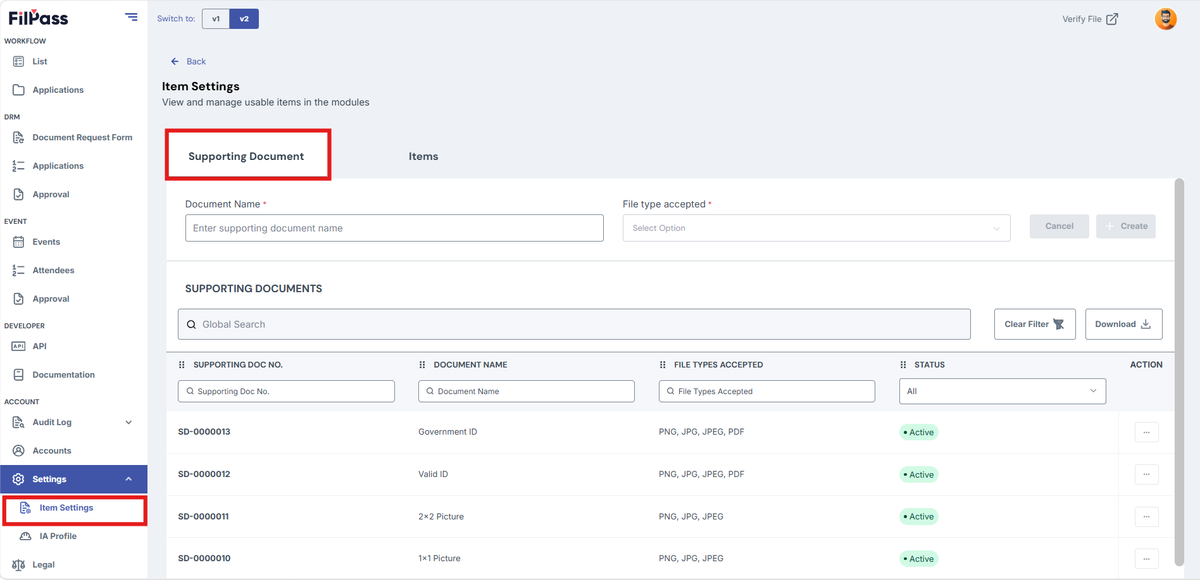
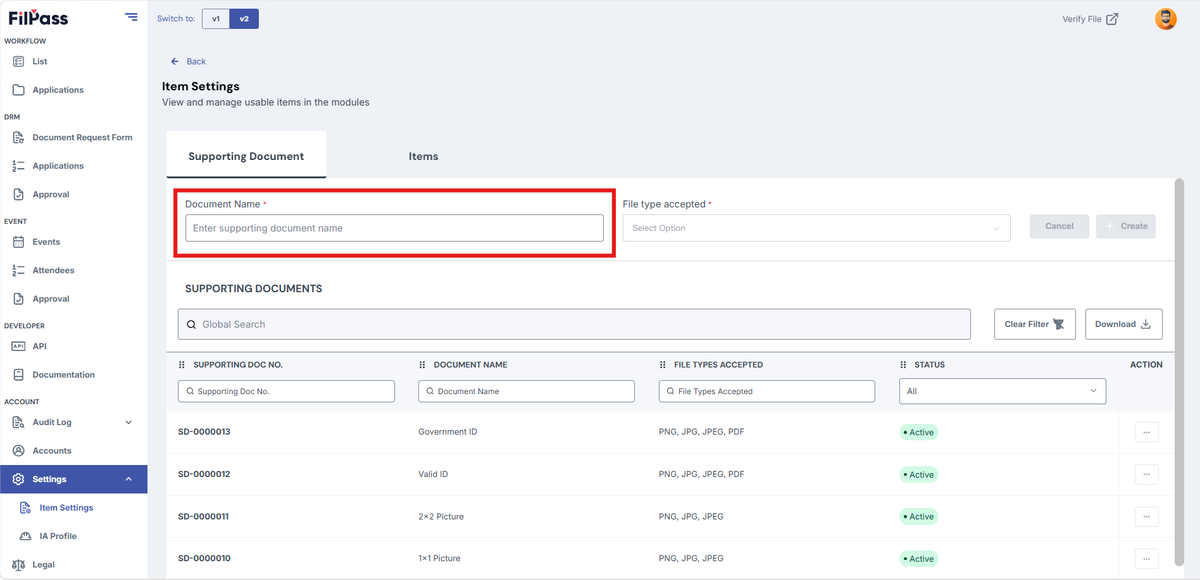
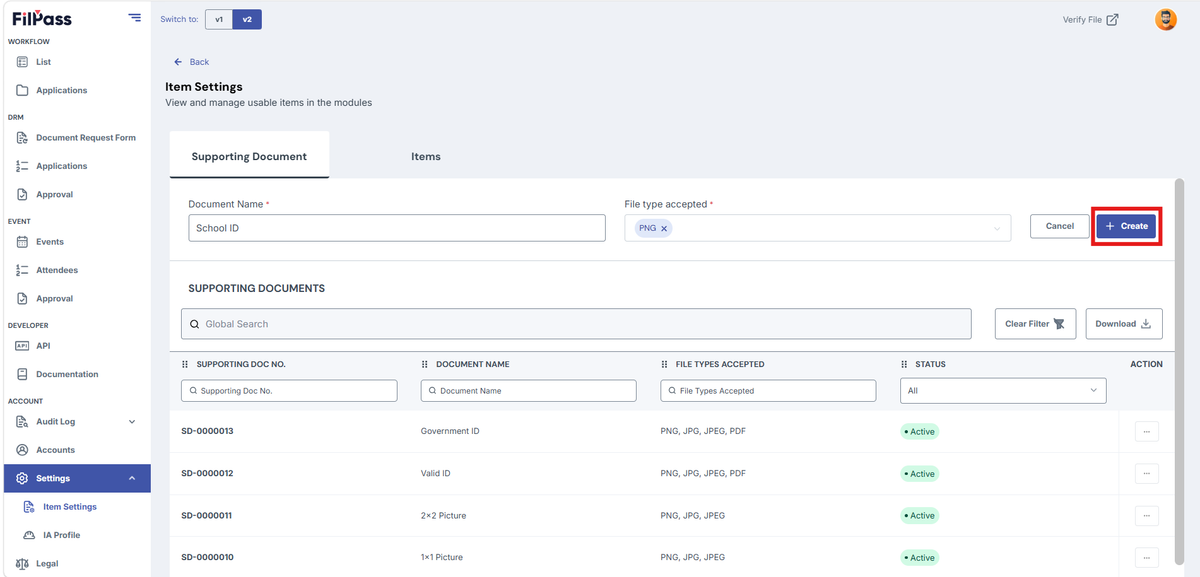
2. Enter the Supporting Document Name
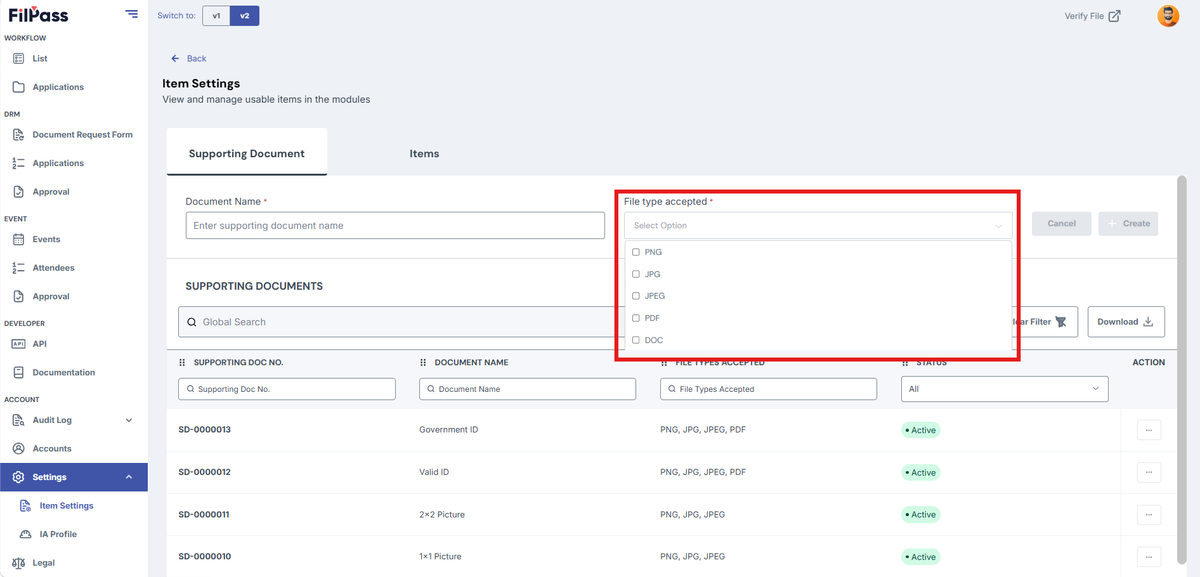
3. Select the file type (PNG, JPG, JPEG, PDF, DOC)
4. Click Cancel if you don’t want to proceed creating the Supporting Documents
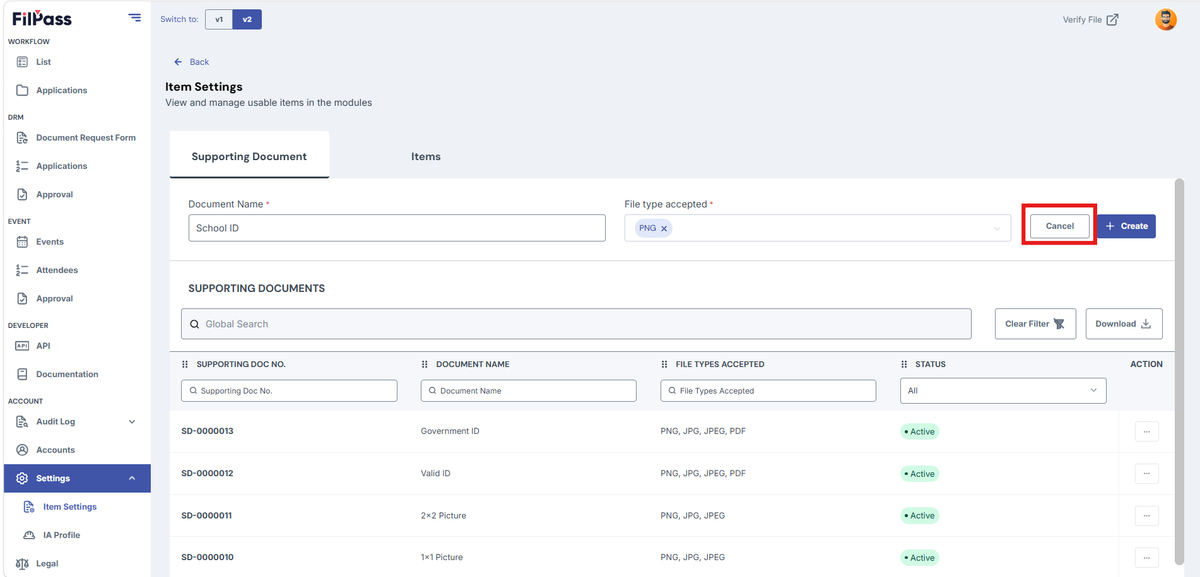
5. Click Create if you are done filling up with the required fields
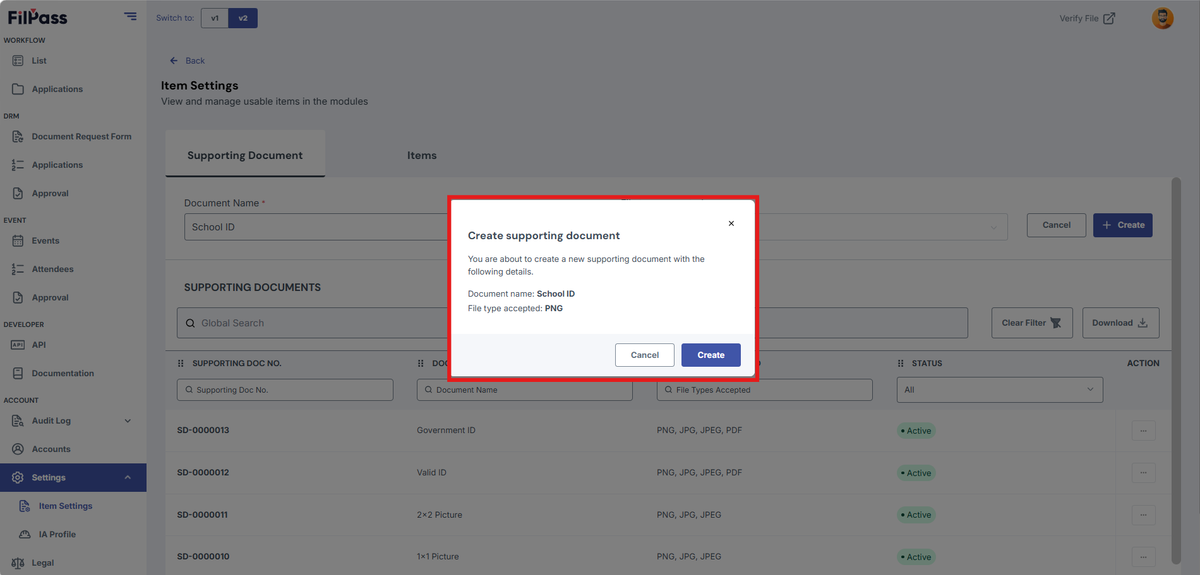
6. After clicking create, a confirmation modal will appea
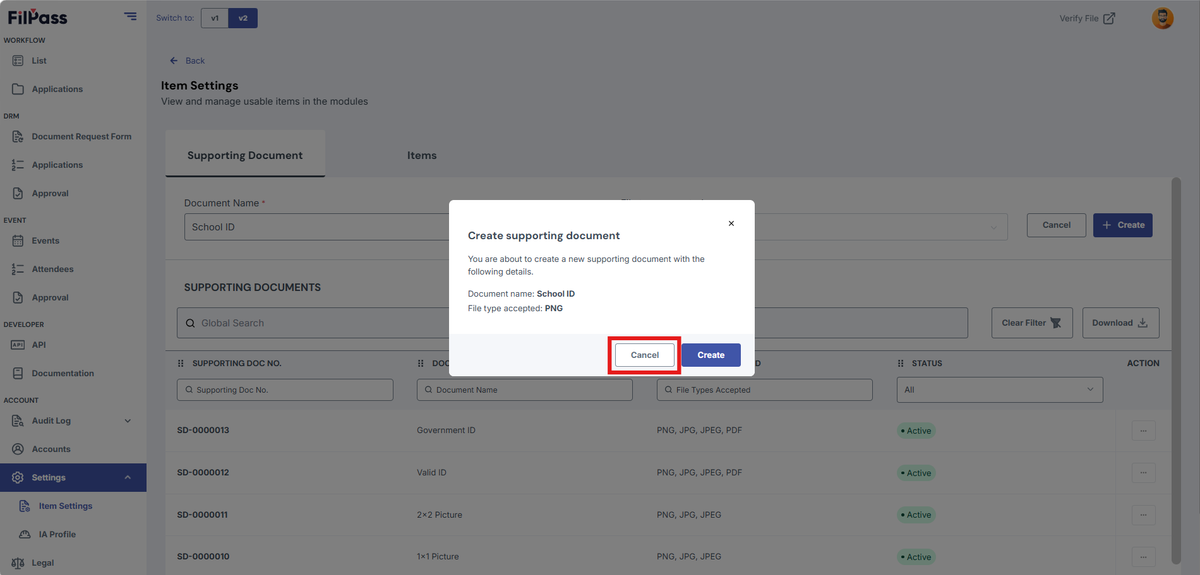
7. Click Cancel if you don’t want to save and need to change some information
8. Click Create to save the created supporting document
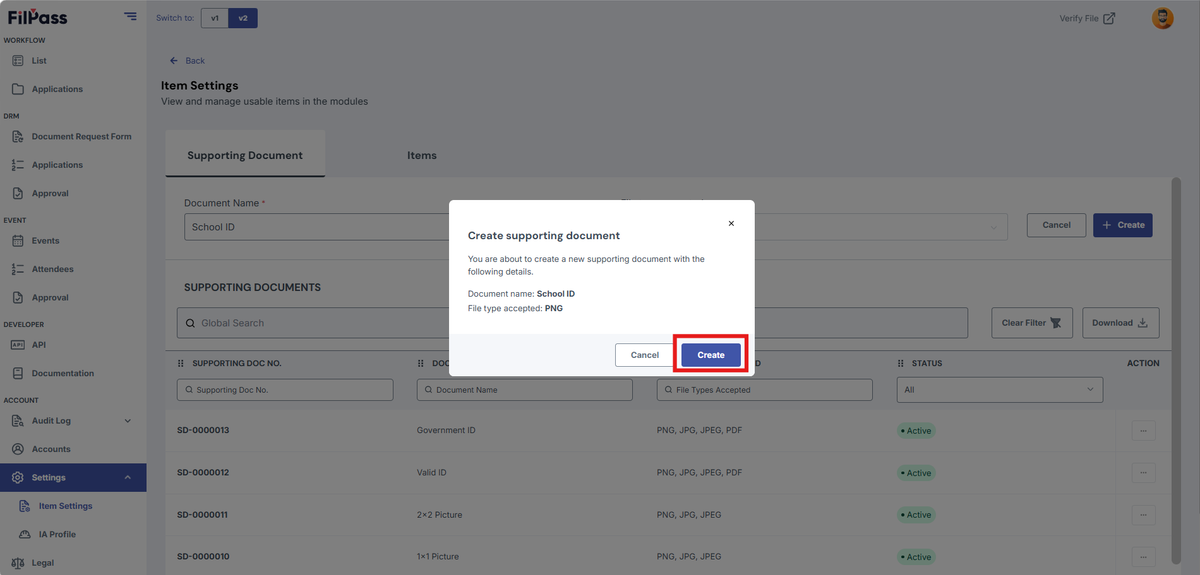
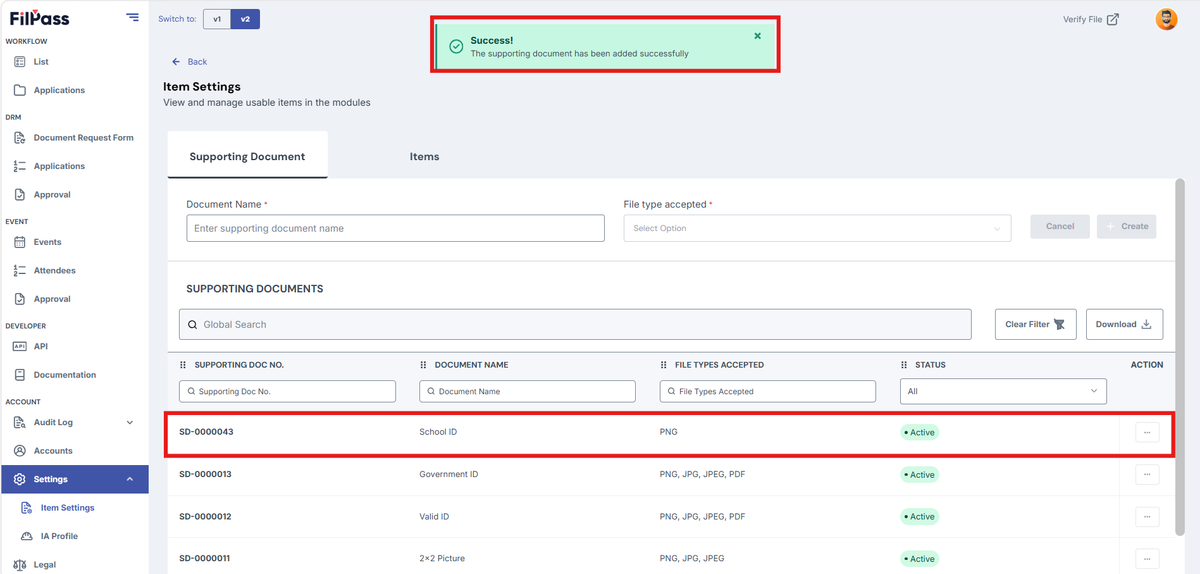
9. A success message will appear after clicking create
Was this helpful?