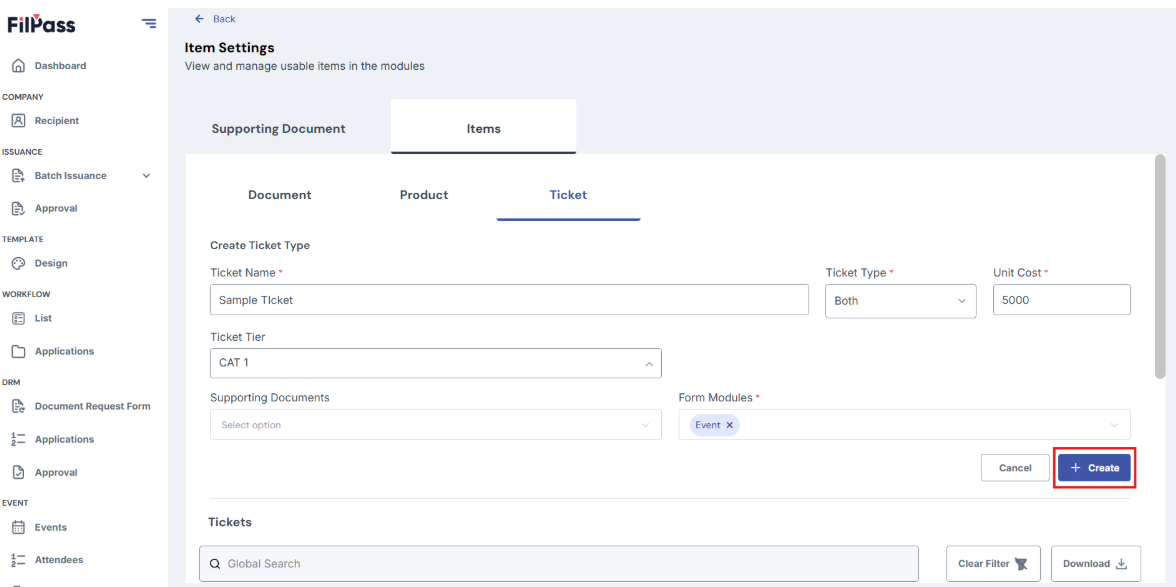
How to Add Items
- Go to Item Settings, click on Items tab
- There are three items you can create
- Document
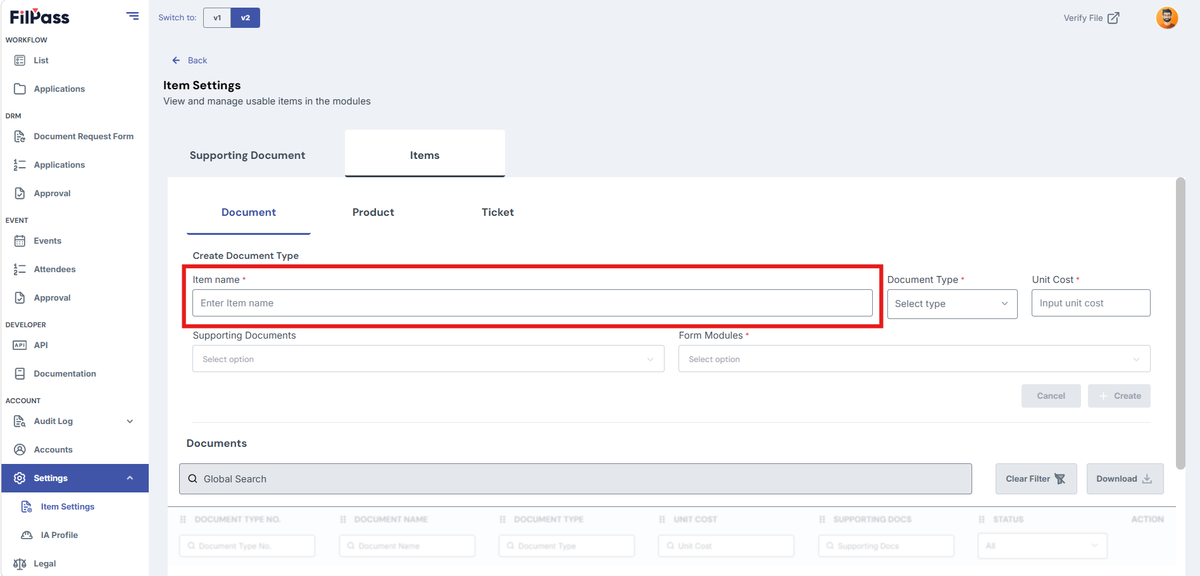
To create a document, enter item name
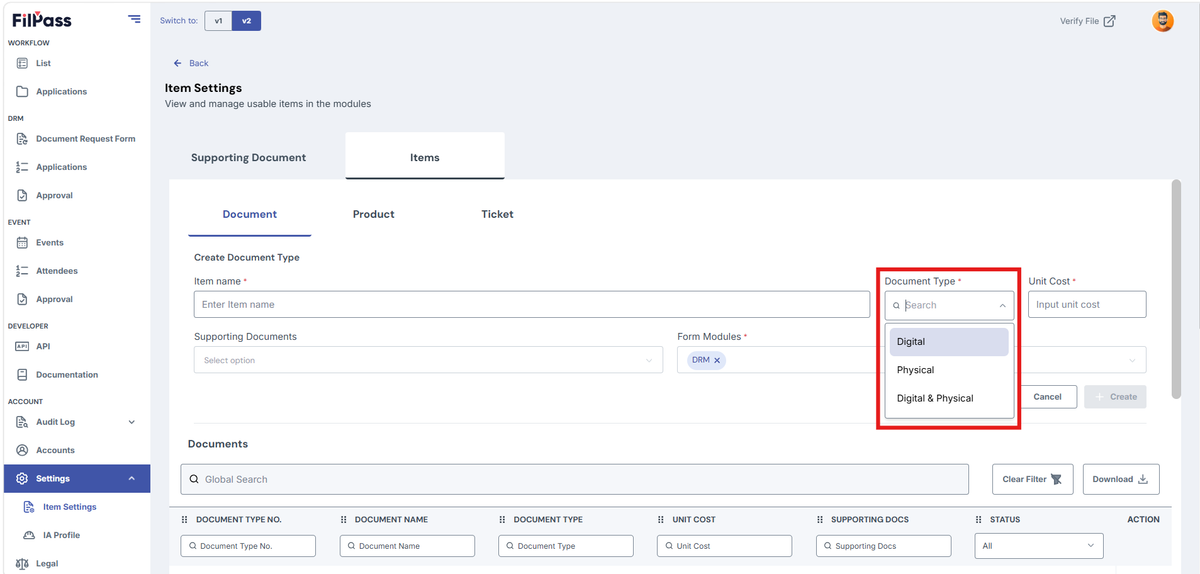
Select Document Type
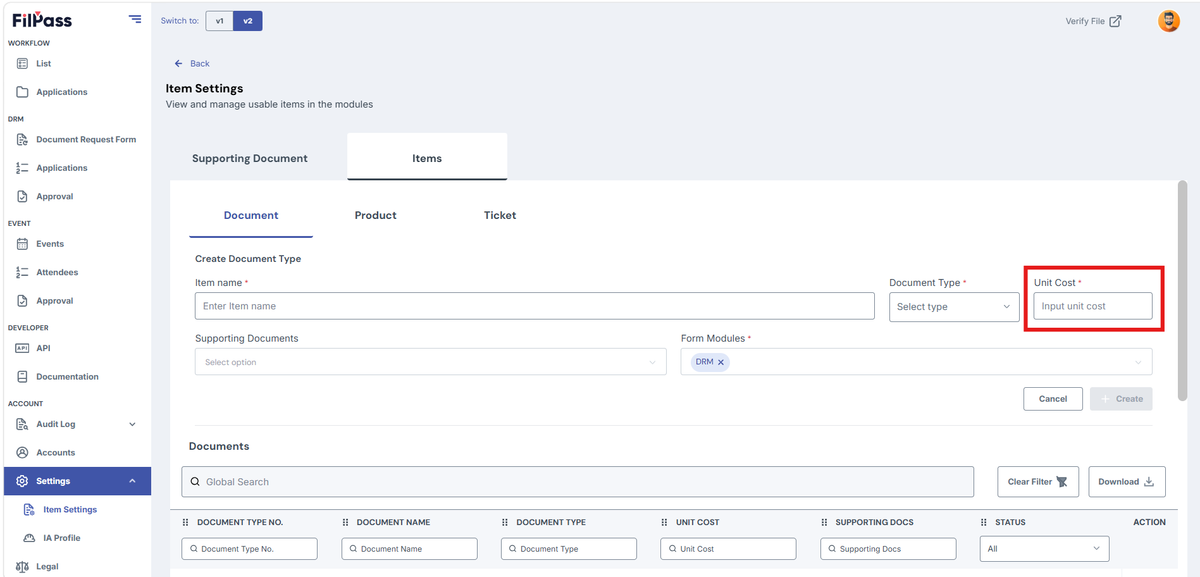
Enter Unit Cost
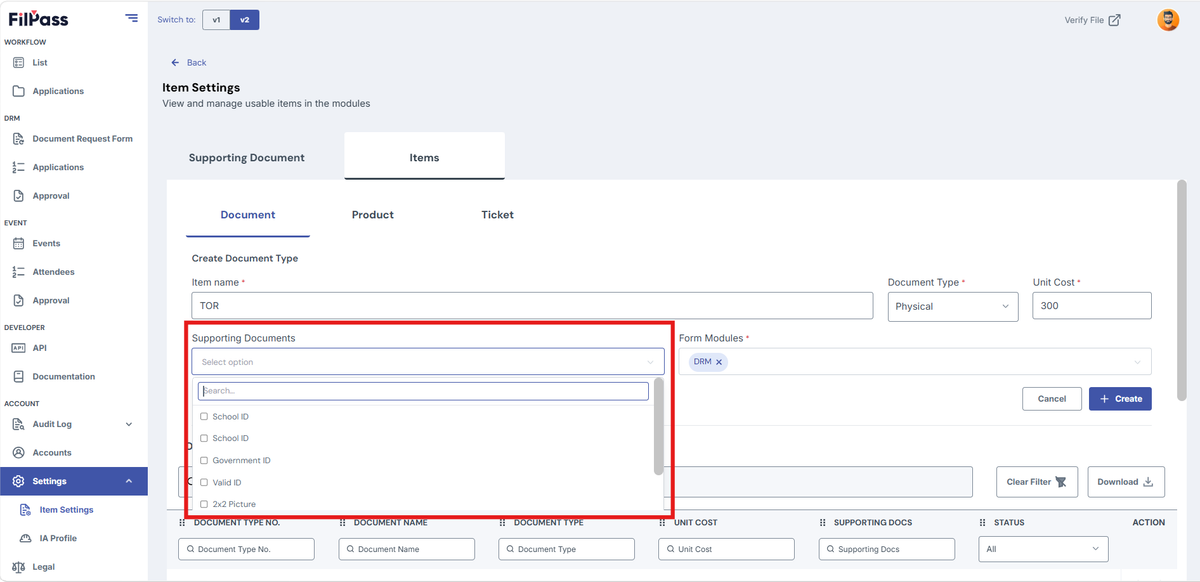
You may add Supporting Documents for this item
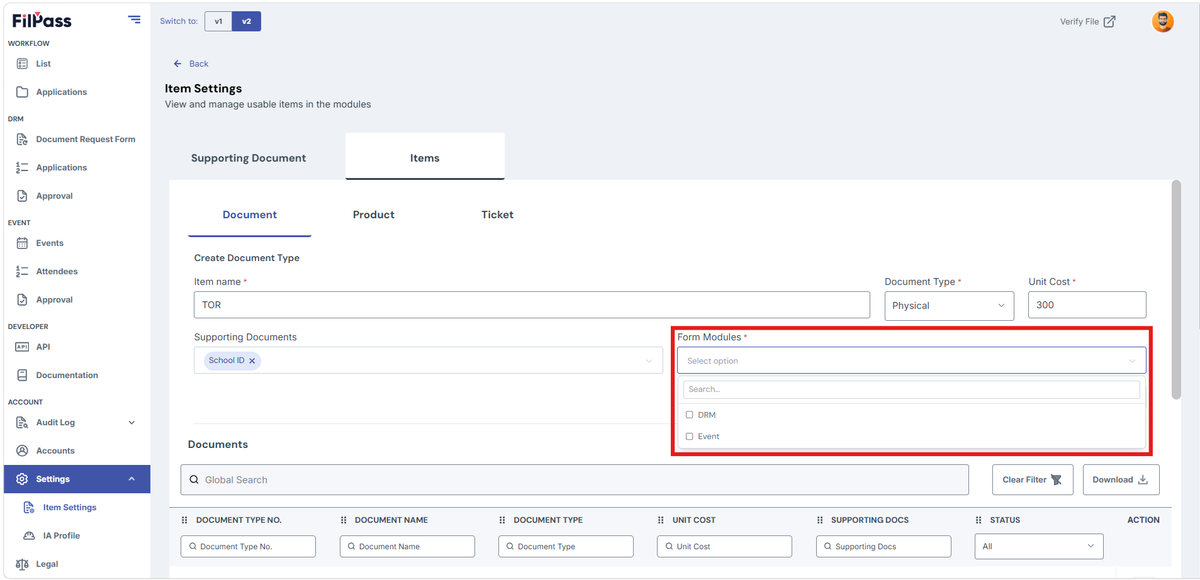
Pick the module where this item will be available
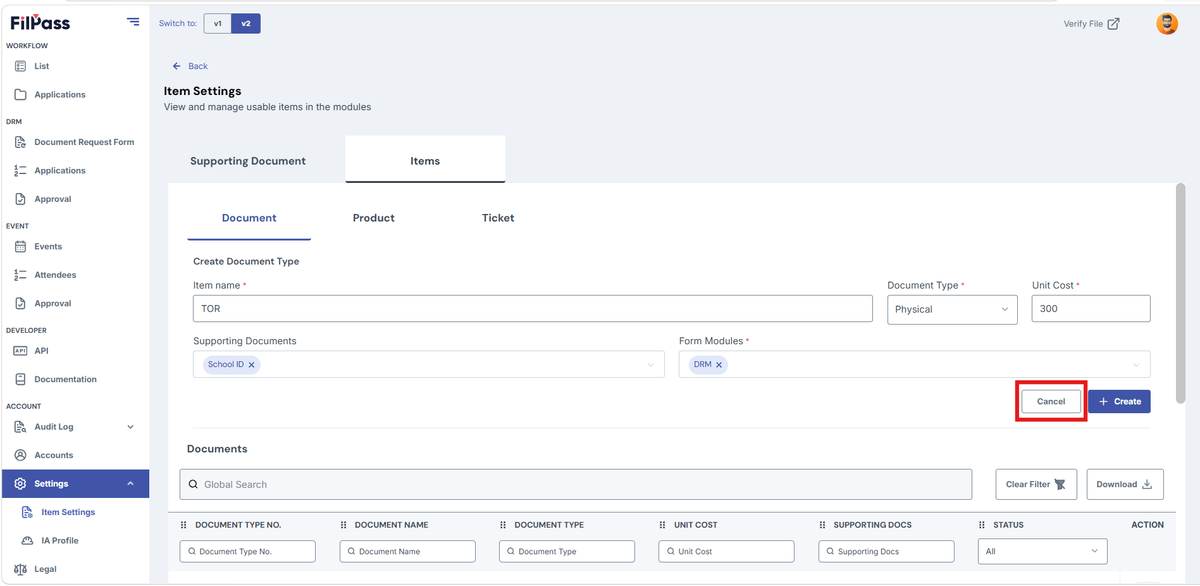
Click Cancel if you don’t want to proceed creating the item
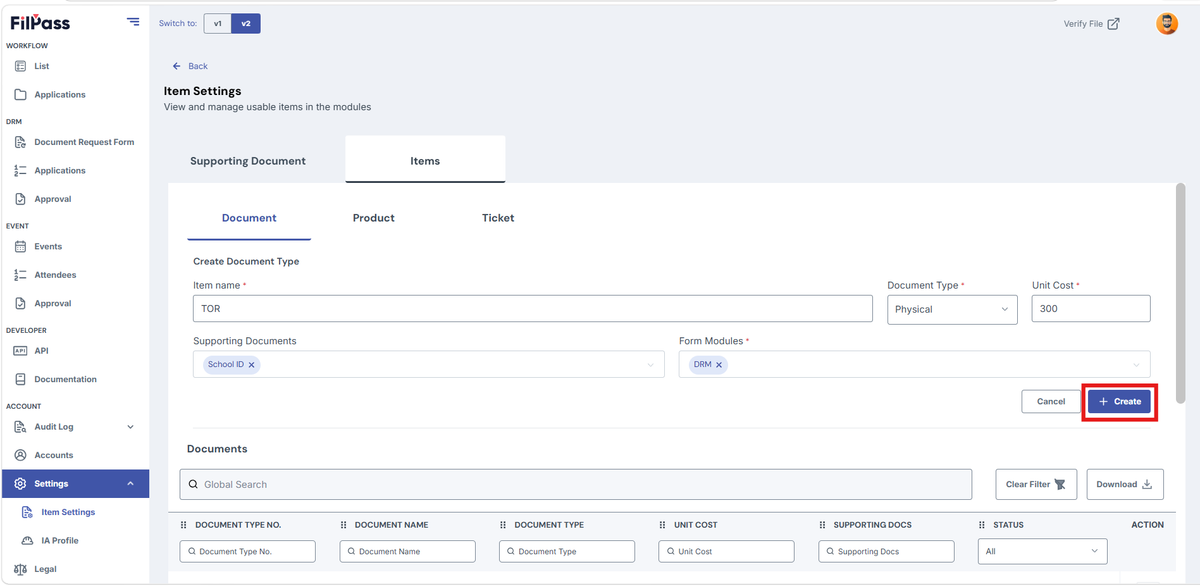
Click Create to proceed creating the item
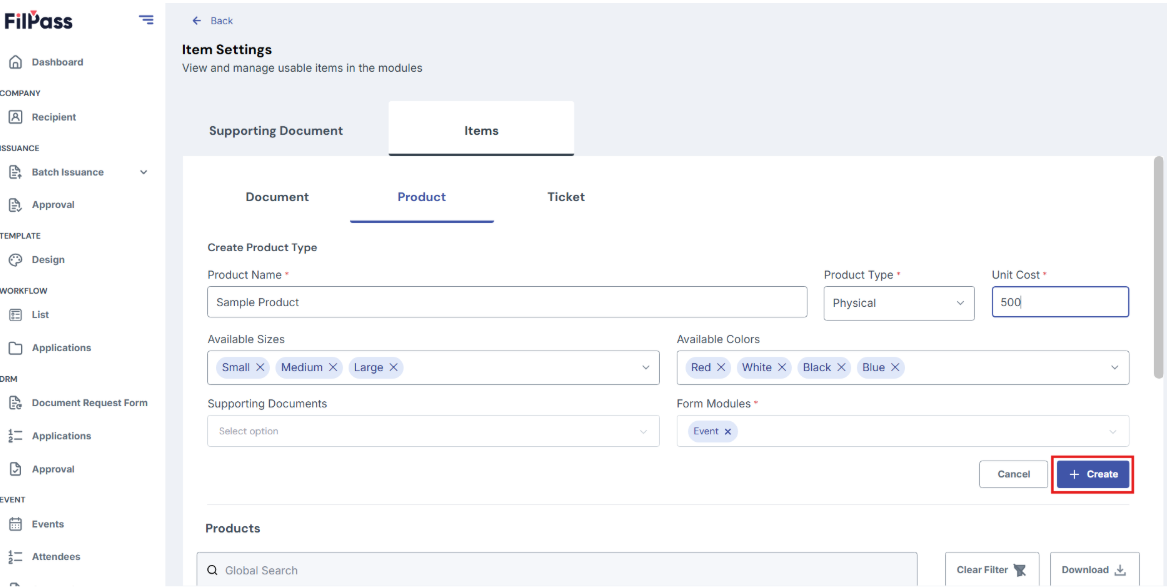
- Product
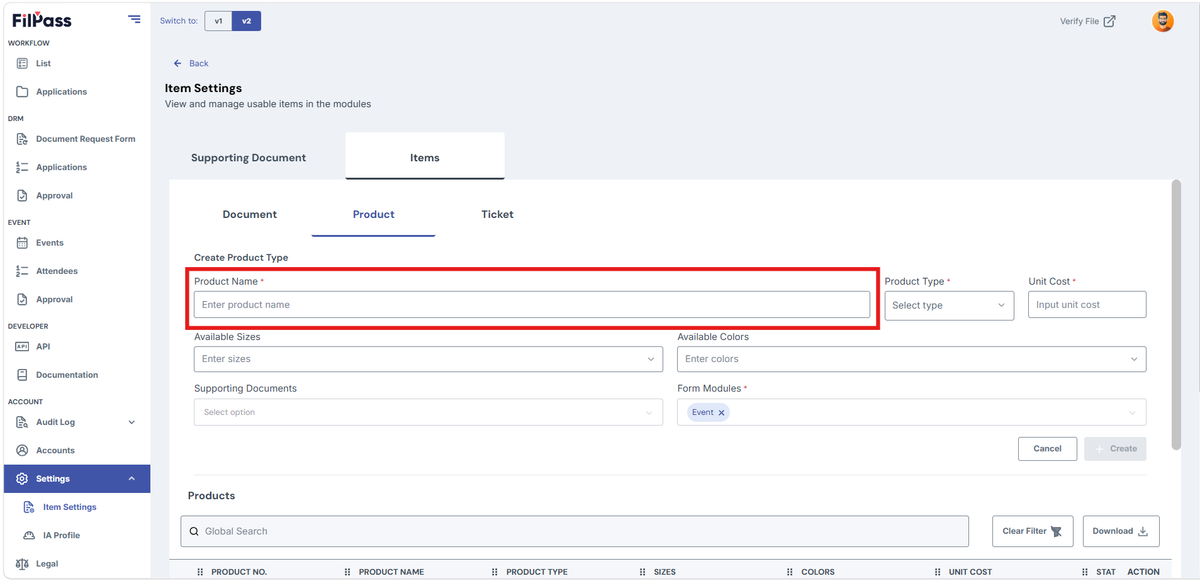
To create product, enter product name
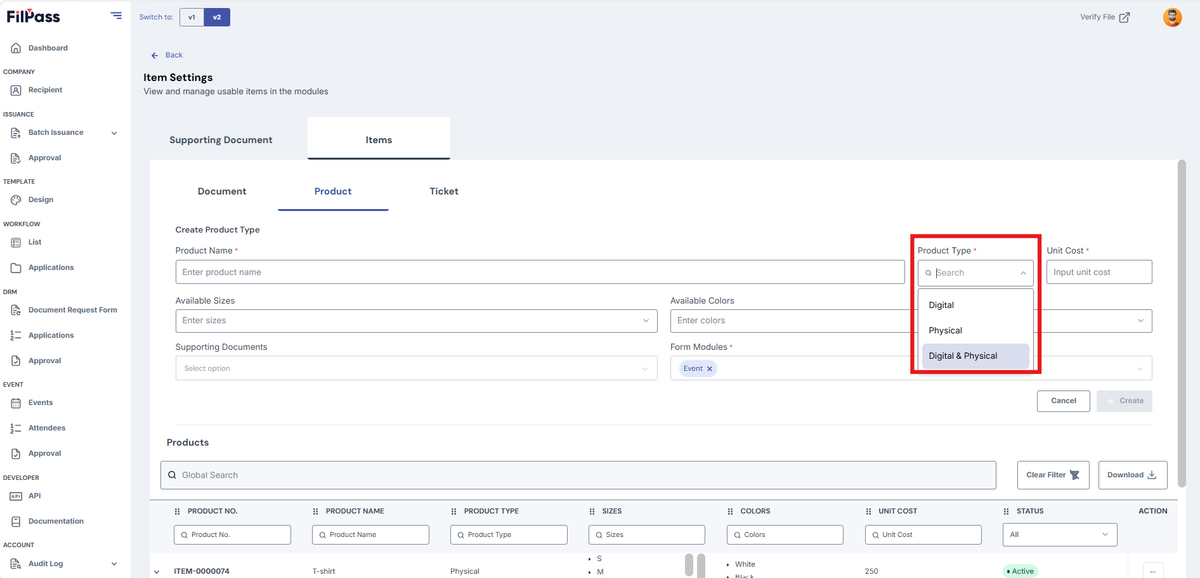
Select Product Type
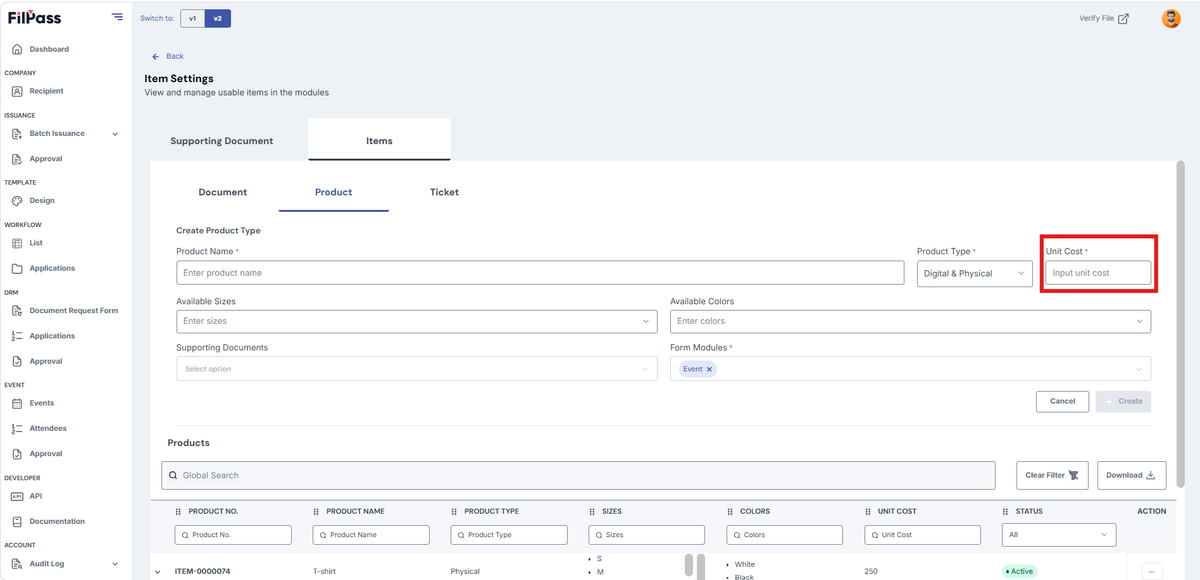
Enter Unit Cost
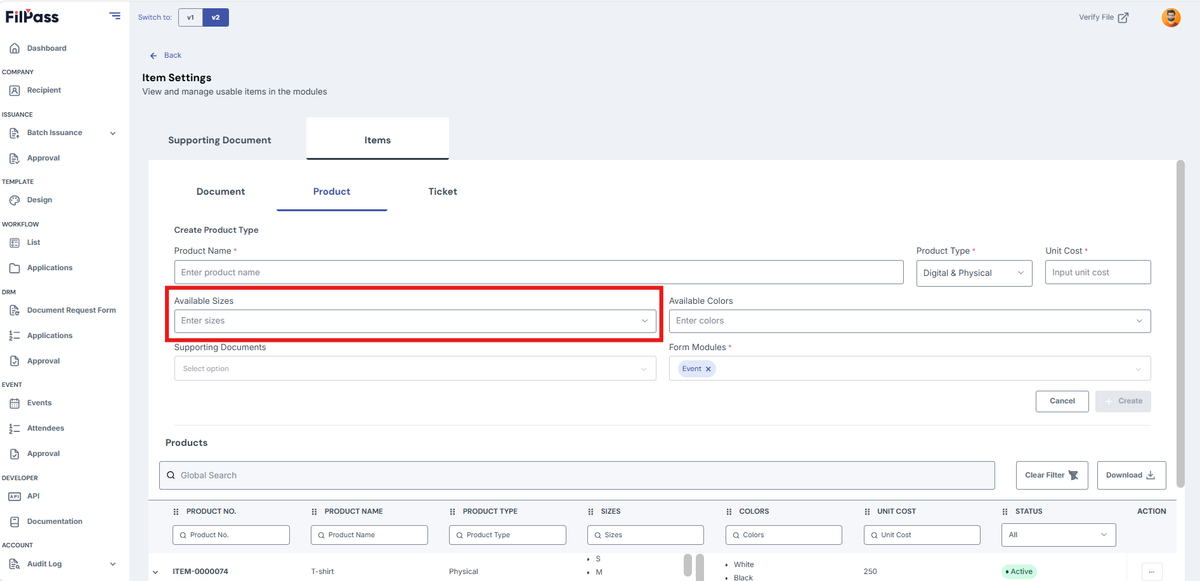
Enter Available Sizes
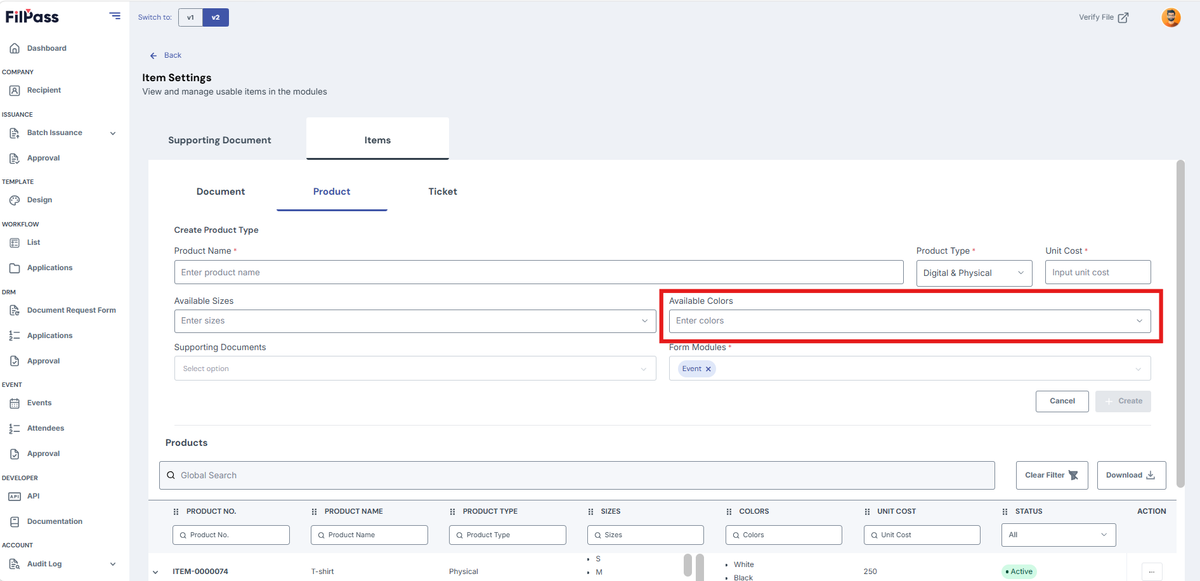
Enter Available Colors
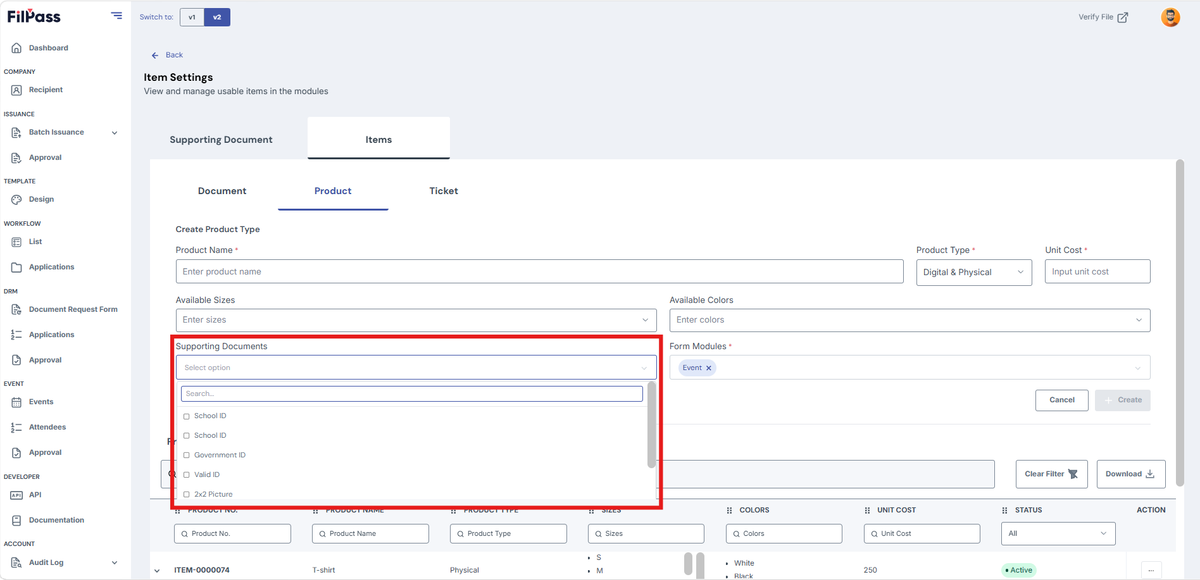
You may add Supporting Documents for this item
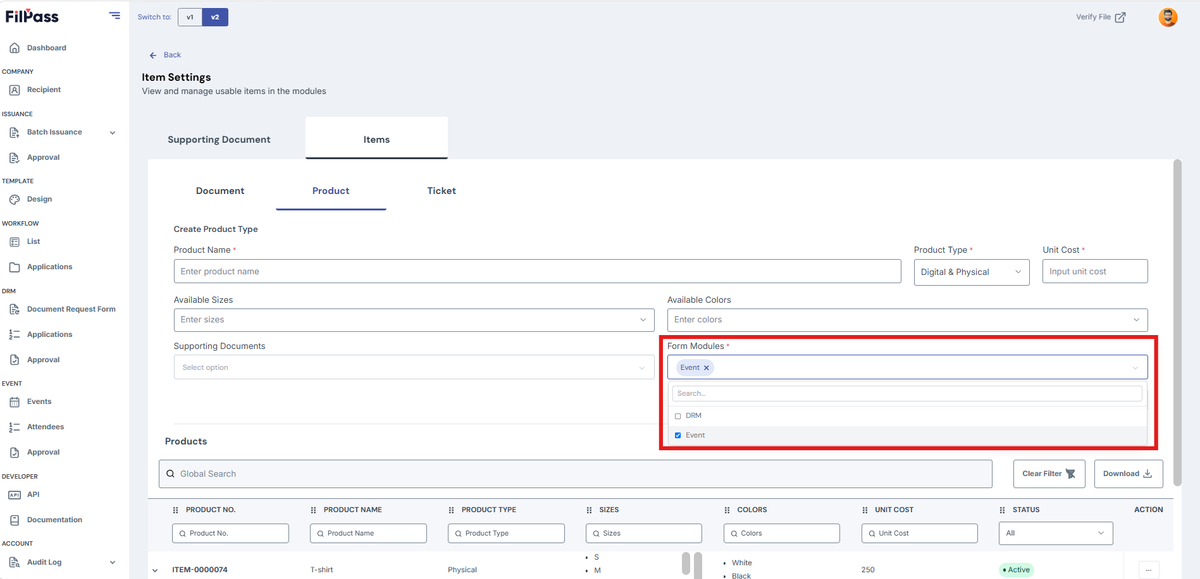
Pick the module where this item will be available
Click Cancel if you don’t want to proceed creating the item
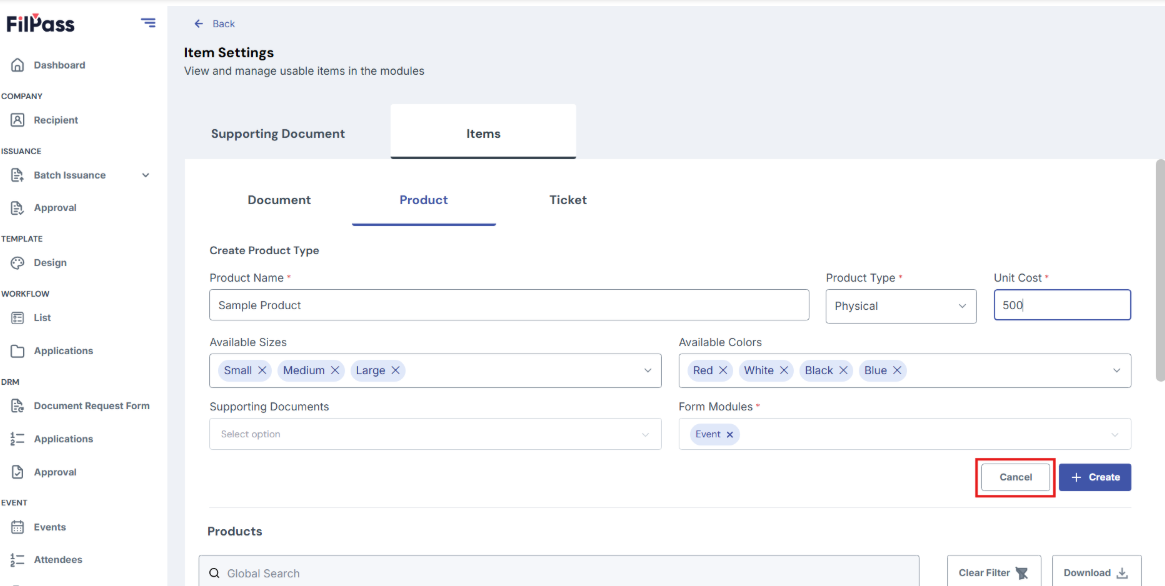
Click Create to proceed creating the item
- Ticket
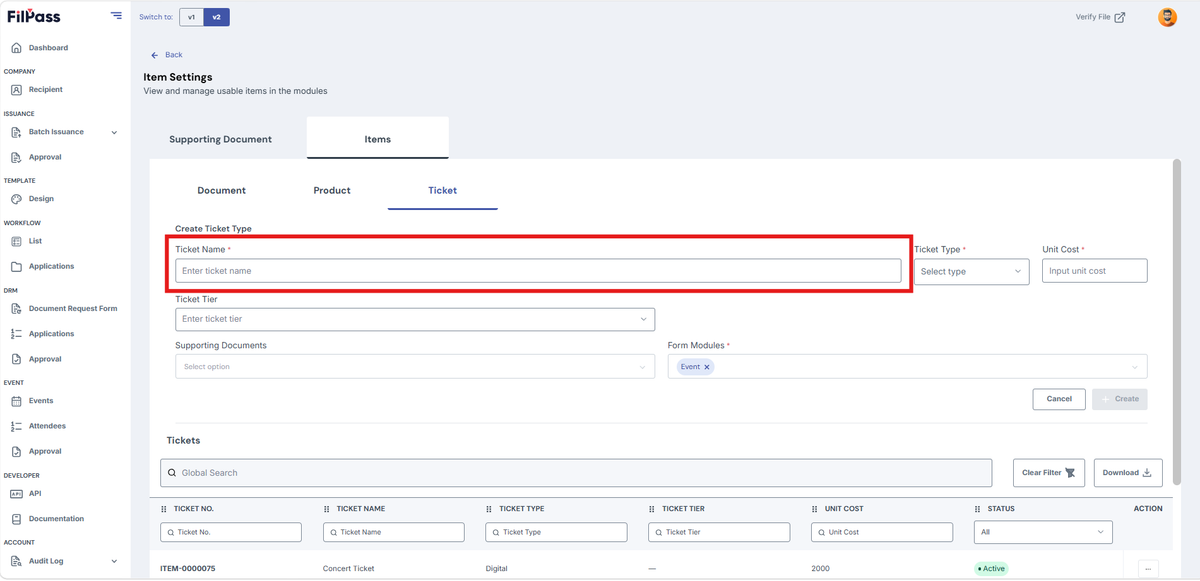
To create a ticket, enter Ticket Name
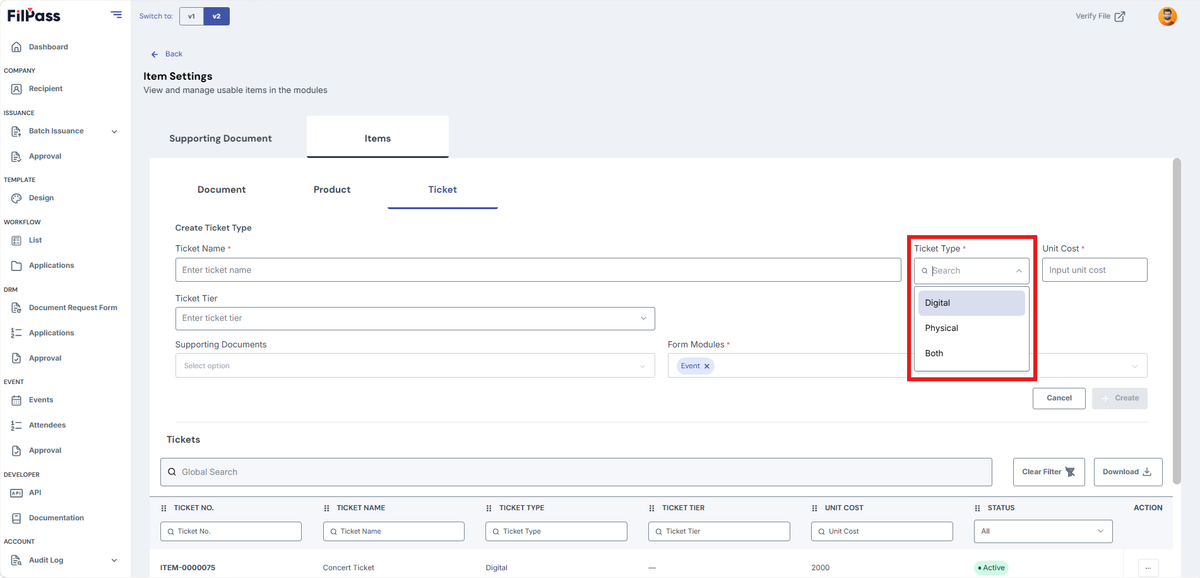
Select Ticket Type
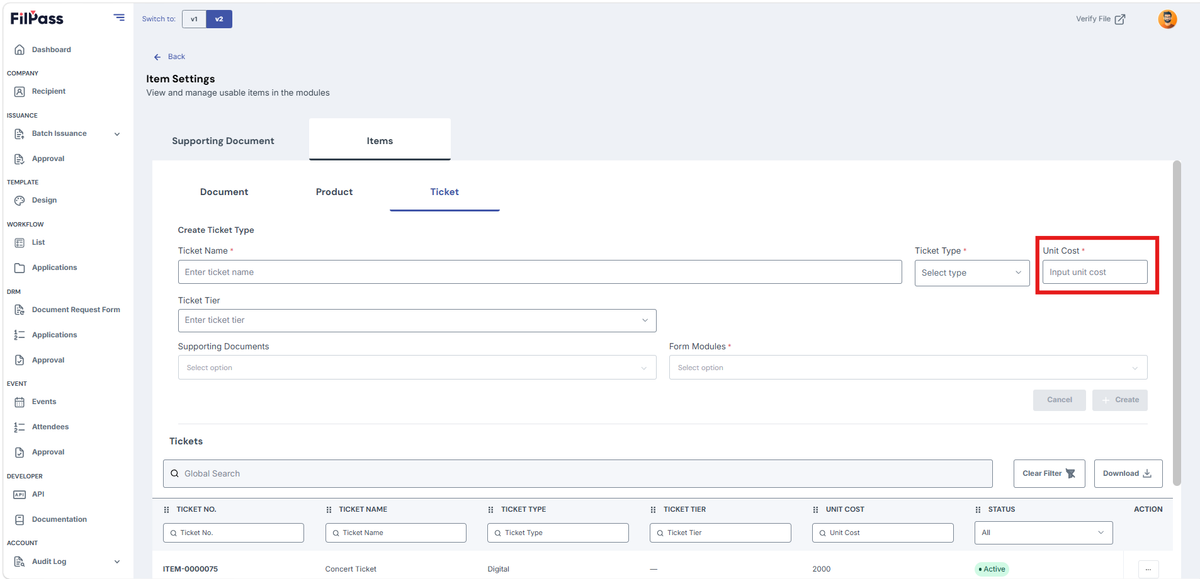
Enter Unit Cost
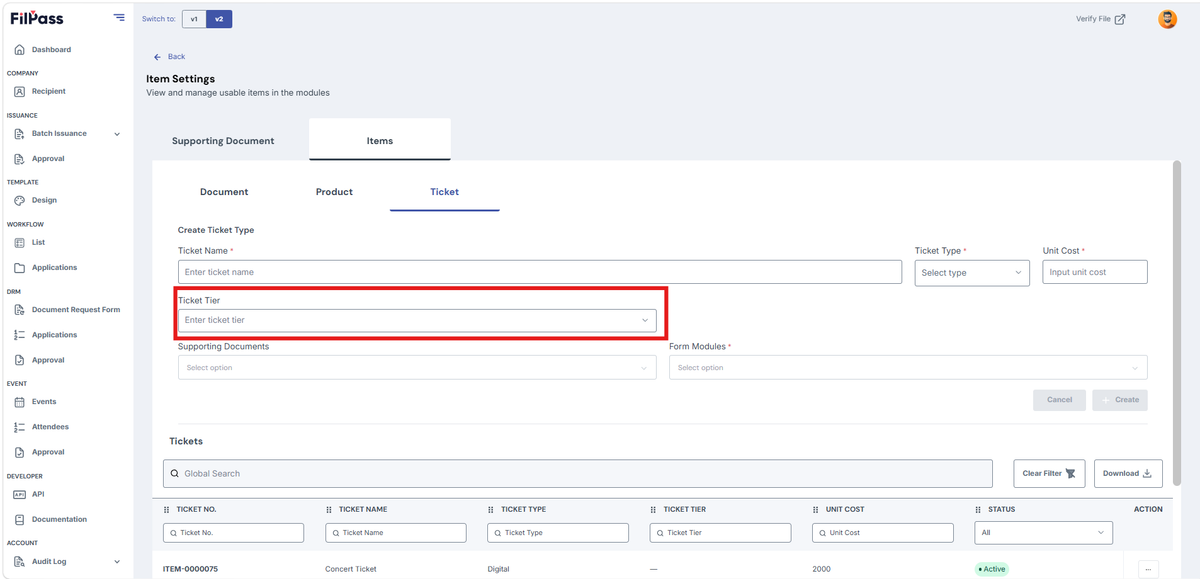
Enter Ticket Tier
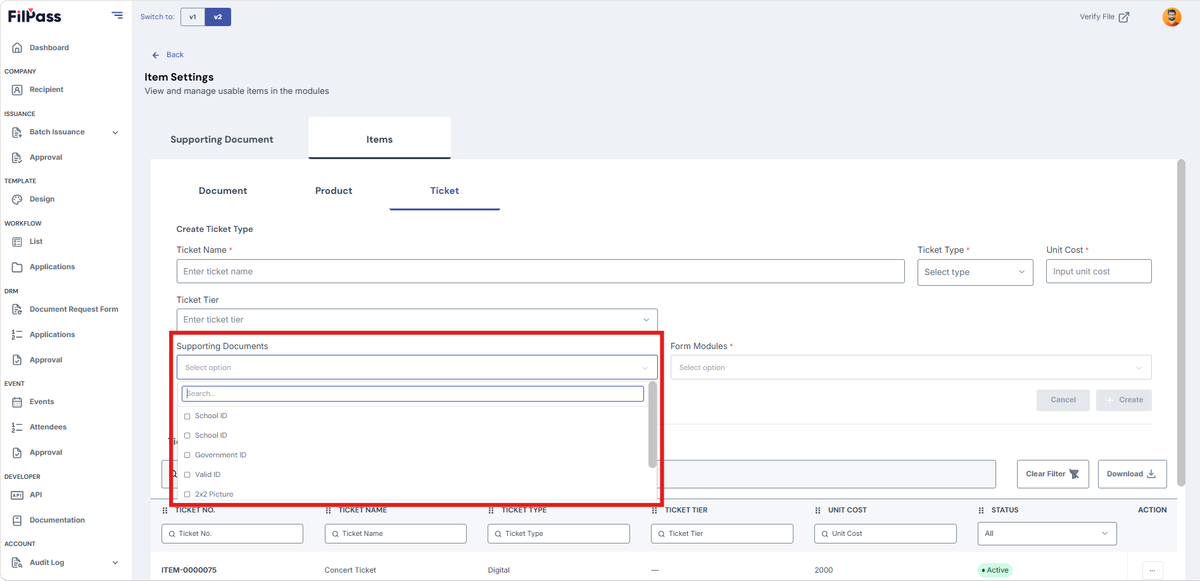
You may add Supporting Documents for this item
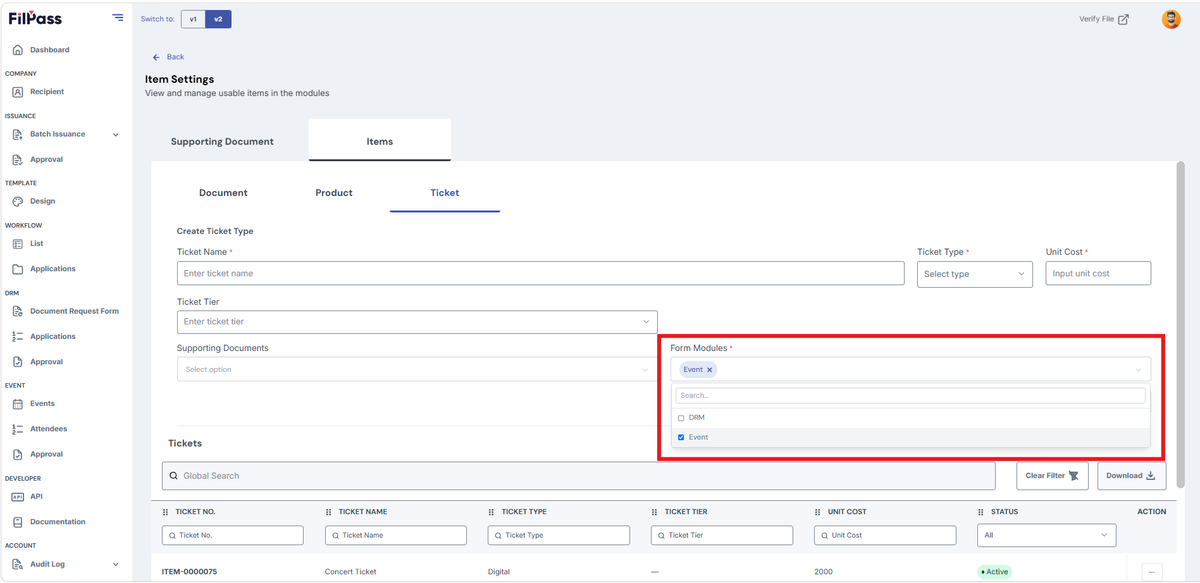
Pick the module where this item will be available
Click Cancel if you don’t want to proceed creating the item
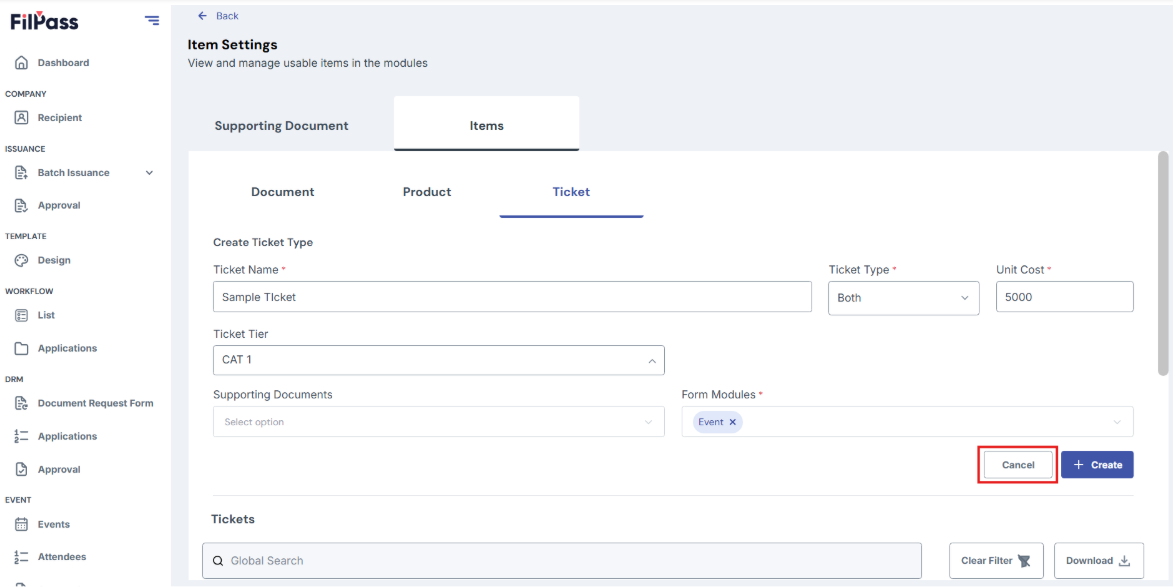
Click Create to proceed creating the item