

Event Approval Actions
This section explains the Actions you can do within the Events Approval Tab.
Actions in Event Approval:
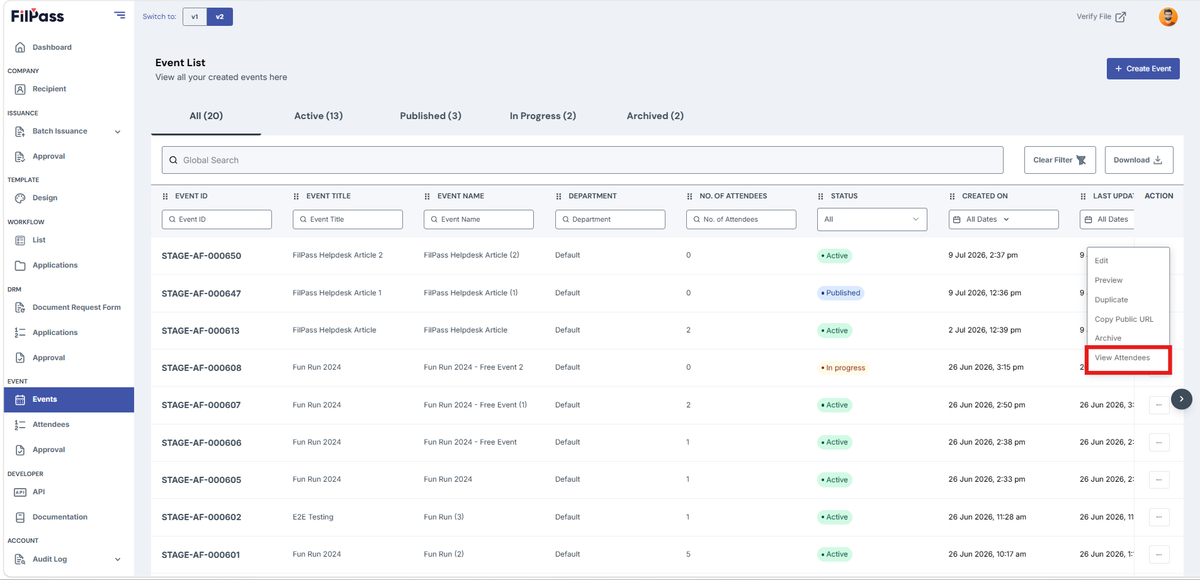
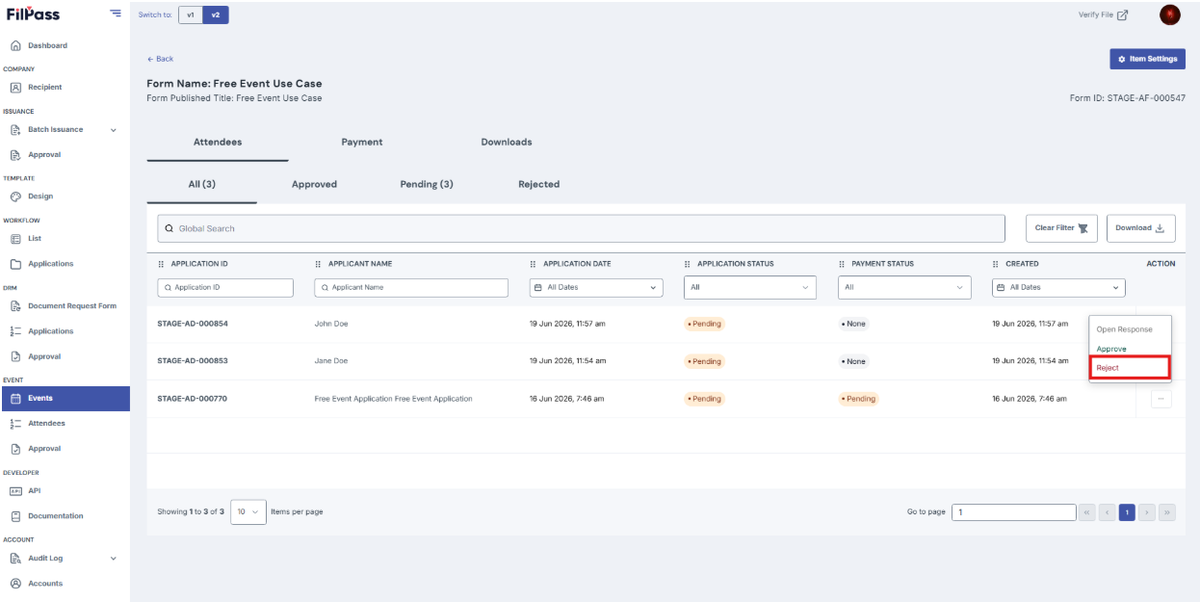
- View Attendees: Opens a page to show all applications to that specific event
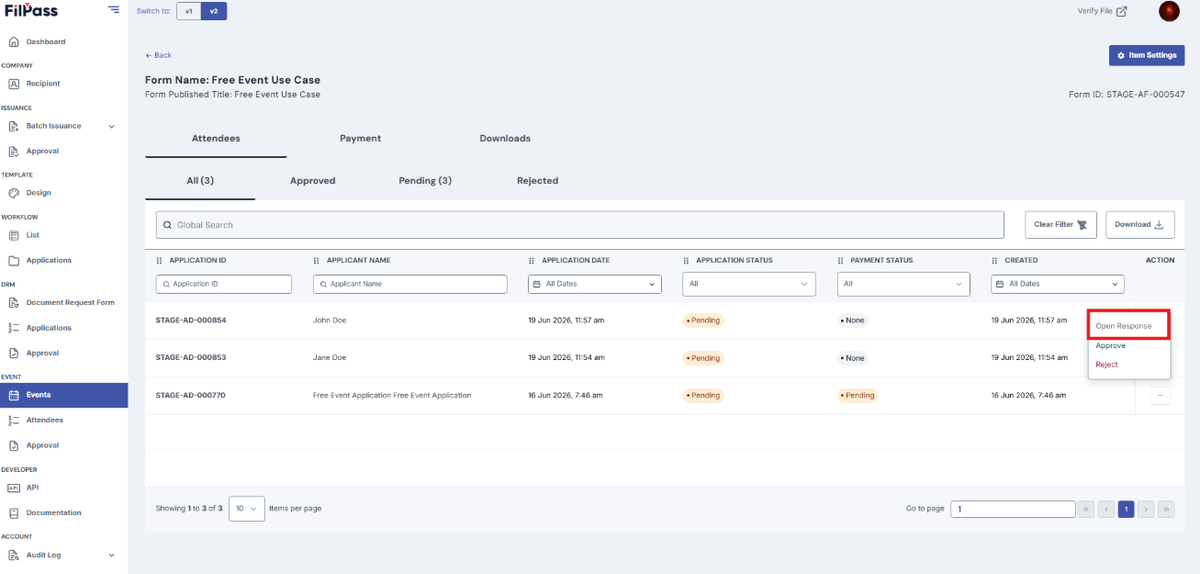
- Open Response: to view the response of the specific attendee.
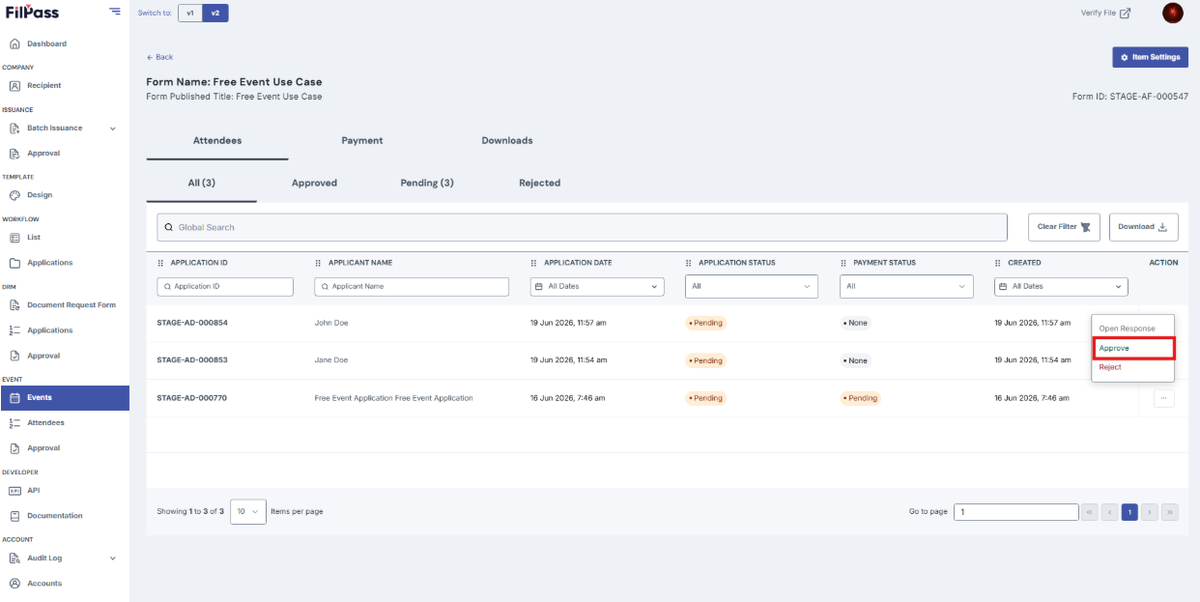
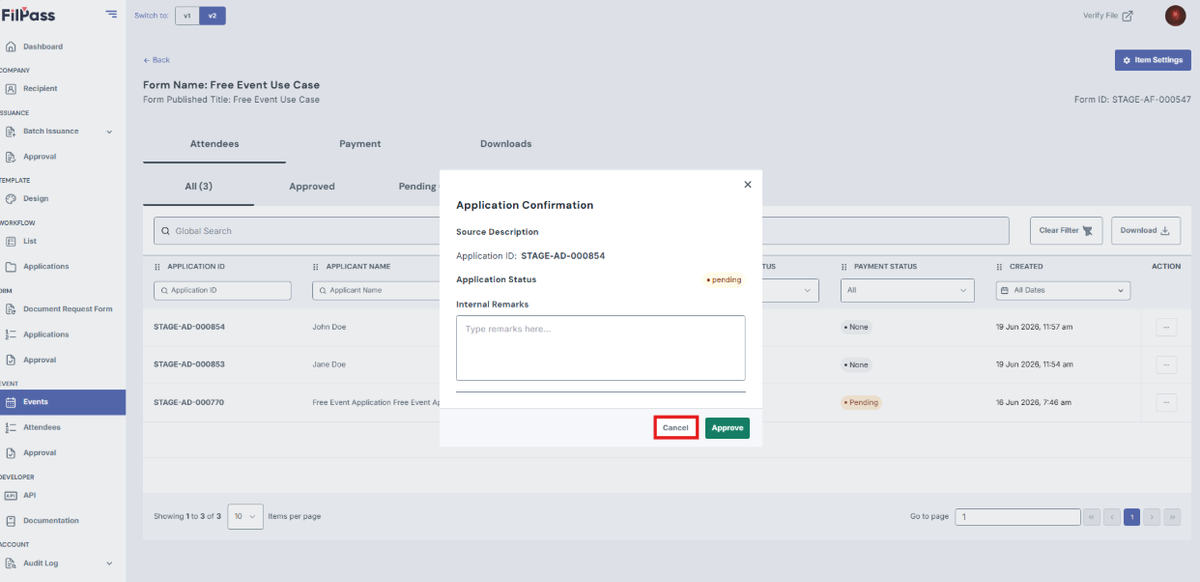
- Approve: approving the specific attendee for the event.
Enter remarks and click “approve” to proceed.
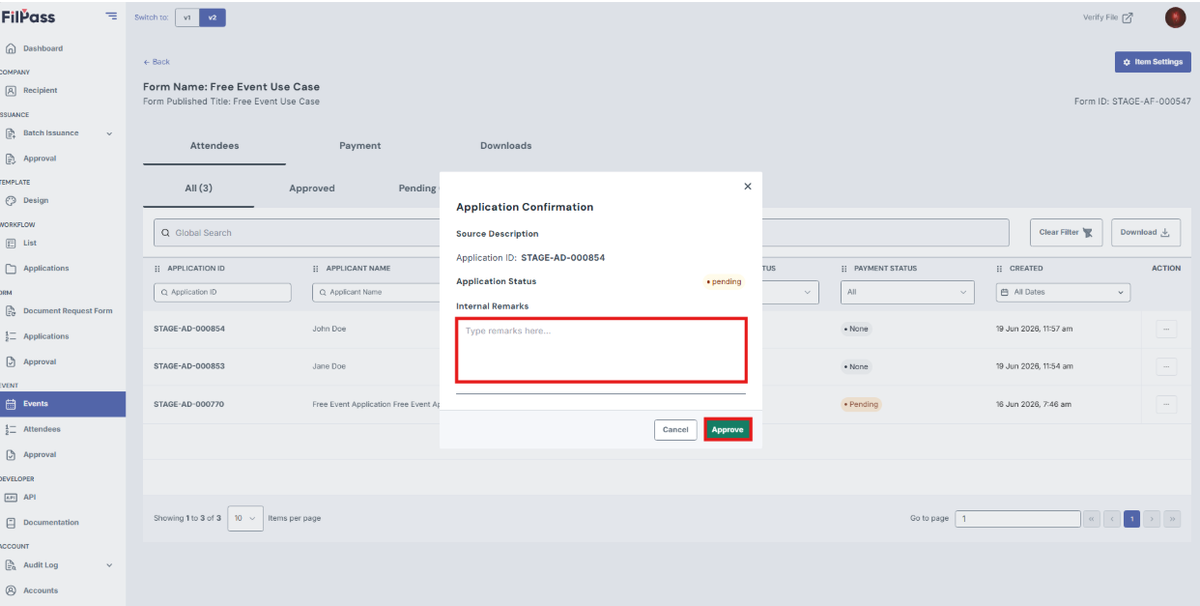
Click “cancel” to go back.
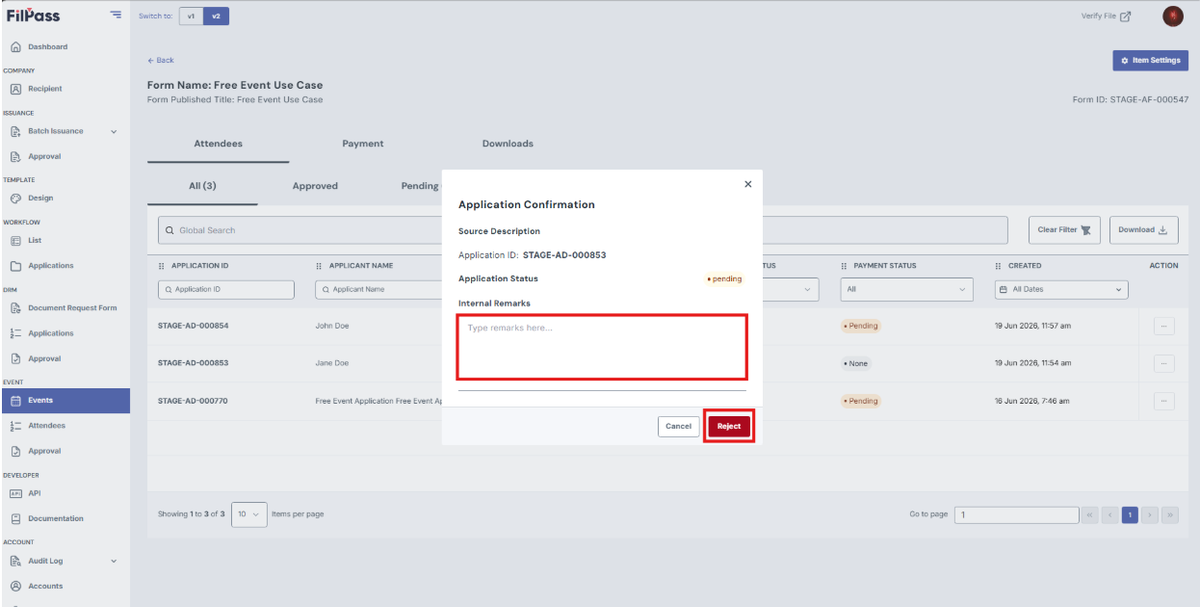
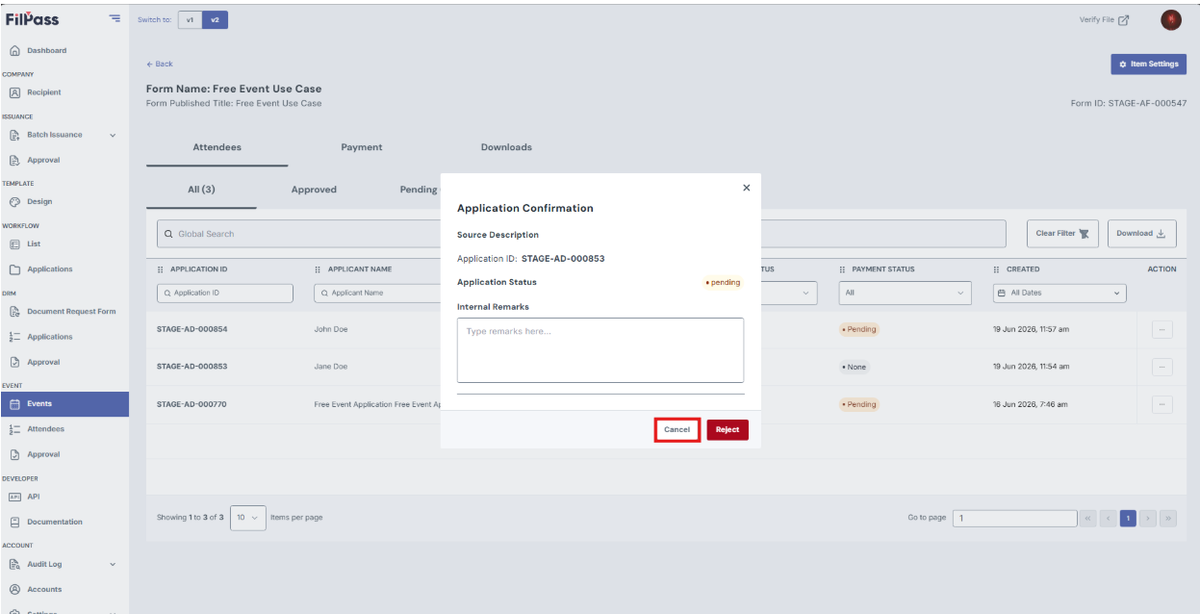
- Reject: rejecting the specific attendee for the event.
Enter remarks and click “reject” to proceed.
Click “cancel” to go back.
Was this helpful?