

How do Employers and Universities Access and Verify Electronic Documents on OpenCerts?
On this page
Step 1: Obtain the OpenCerts file from the applicant.

Step 2: Verify the certificate by performing one of the following actions:
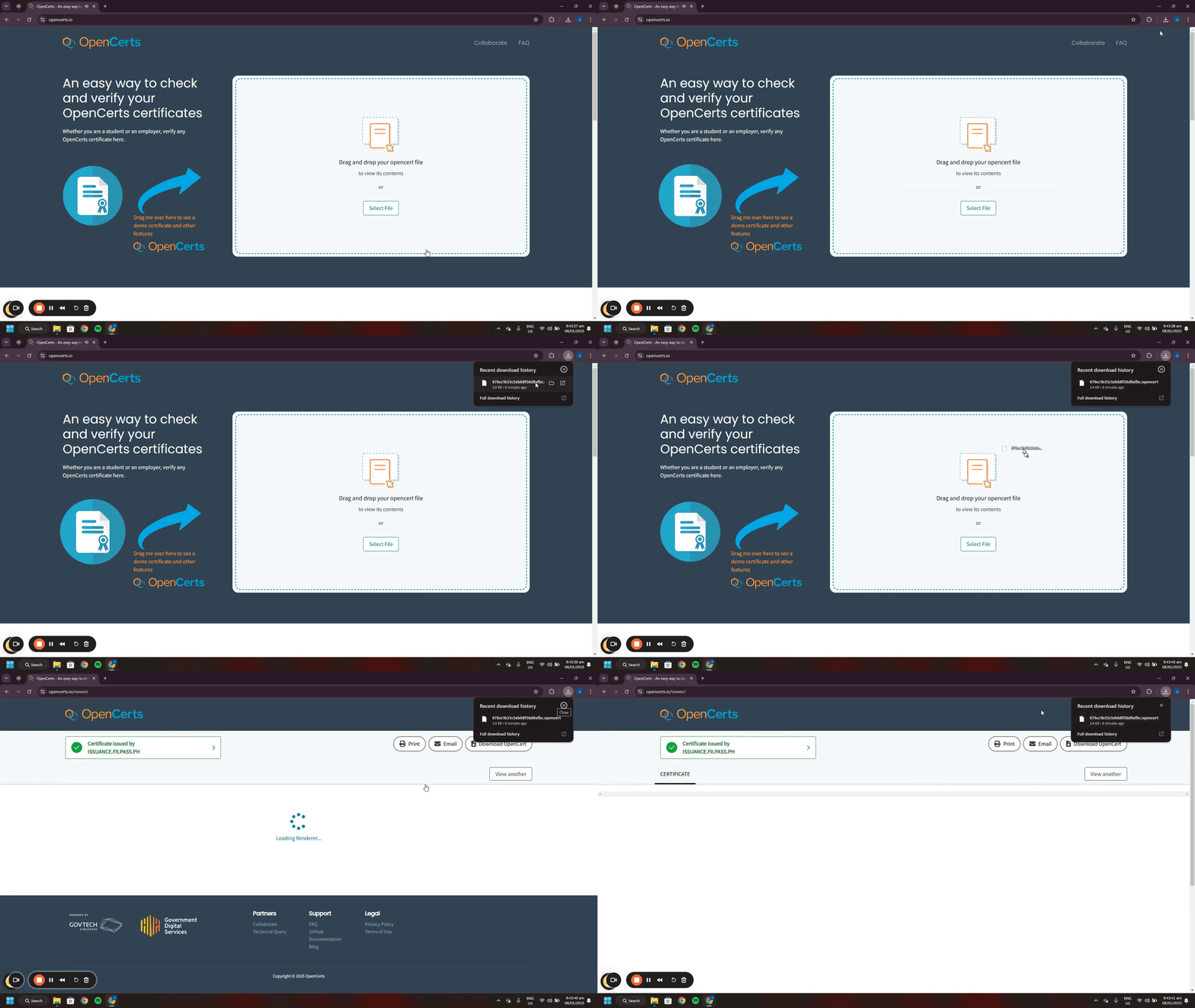
- Option A: Drag and drop the OpenCerts file onto the OpenCerts website.
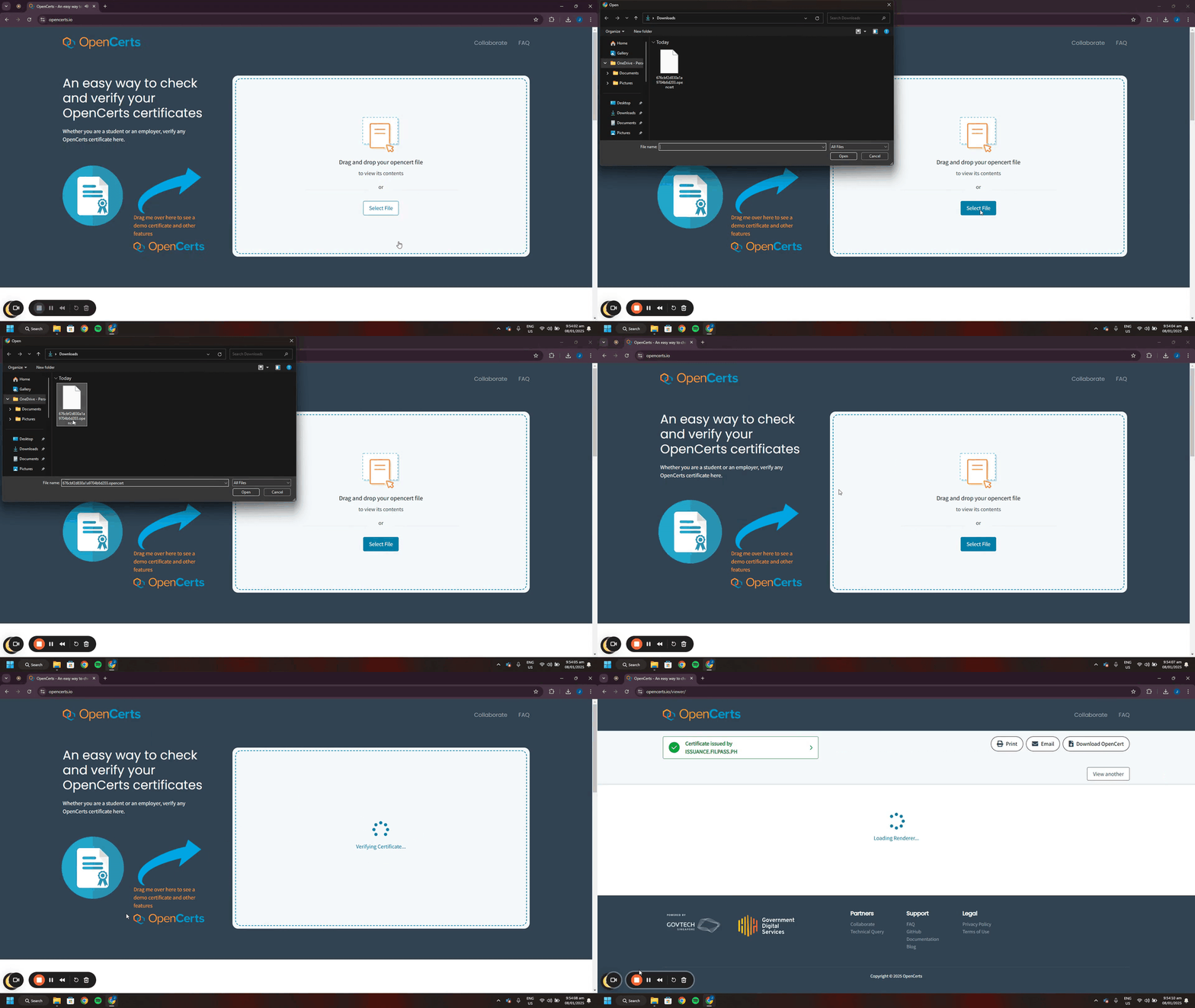
- Option B: Select the file directly from the website and upload the OpenCerts file.
Verification Result Interpretation
Valid Result
A “Valid” result confirms that:
- The certificate was issued by a recognized Issuing Authority.
- The document has not been altered.
- The digital signature is authentic and intact.
Tampered or Invalid Result
If the document has been modified or corrupted:
- The verification will fail.
- The system will indicate that the certificate is invalid or tampered.
- The document should not be accepted as authentic.
Privacy Assurance
Uploaded OpenCerts files are verified through the OpenCerts verification system. The verification process does not permanently store the uploaded file after validation.
Was this helpful?