

Editing Basic Information
On this page
Step 1: Open Basic information
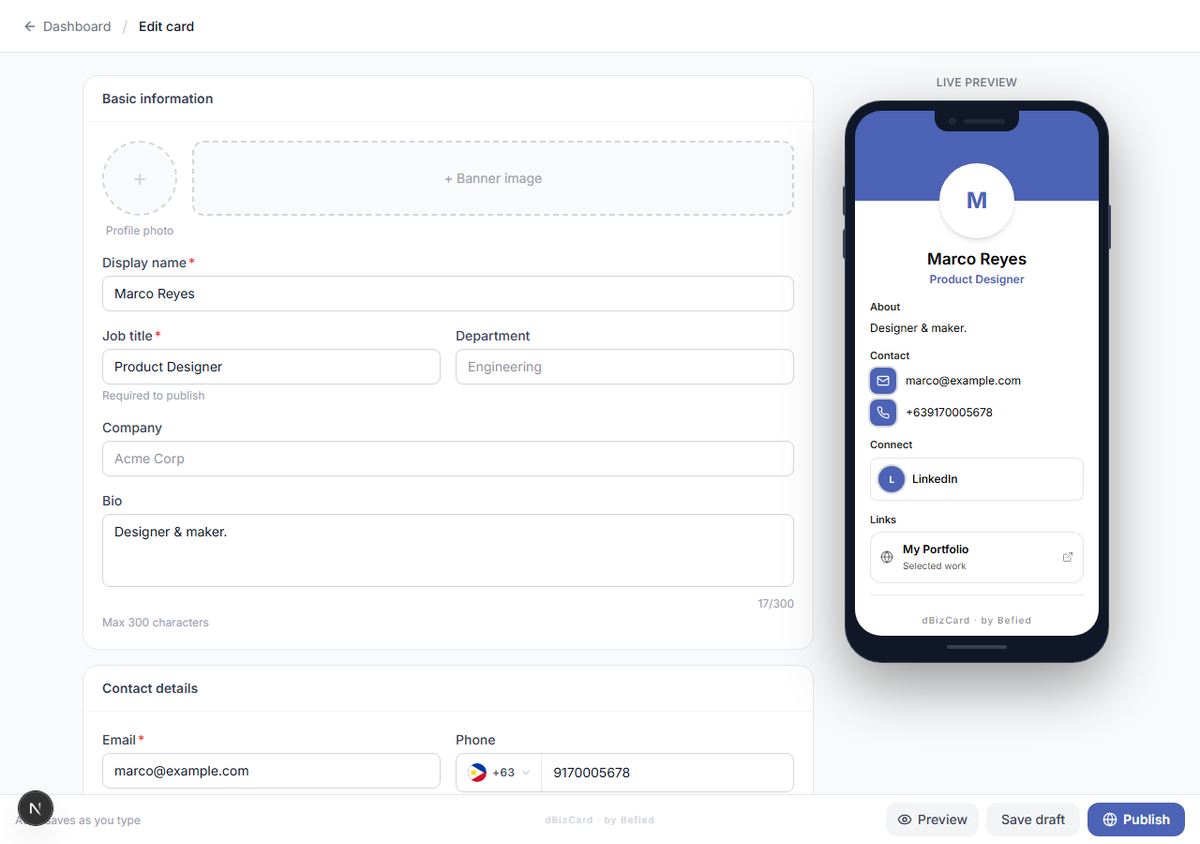
In the editor, find the Basic information section at the top.
Step 2: Fill in your details
- Display name (required)
- Job title (required to publish)
- Department and Company (optional)
- Bio (optional, up to 300 characters)
Step 3: Watch the live preview
Your changes appear instantly in the phone preview on the right and save automatically as a draft.
Result: Your basic details are saved to your draft.
Was this helpful?