Supporting Documents
How to Upload a Supporting Document?
1. Login to your Account

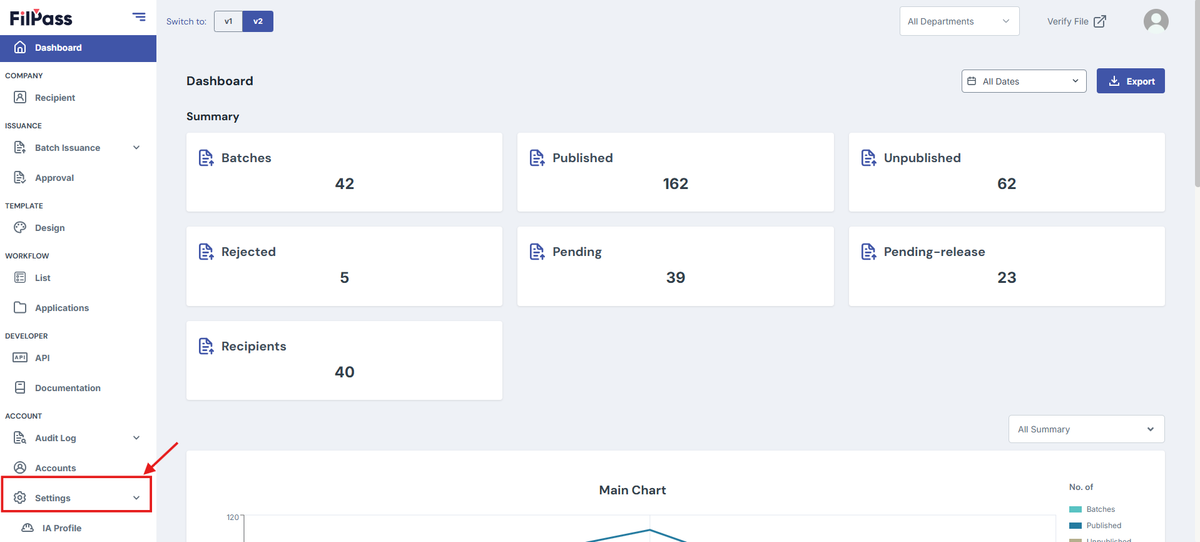
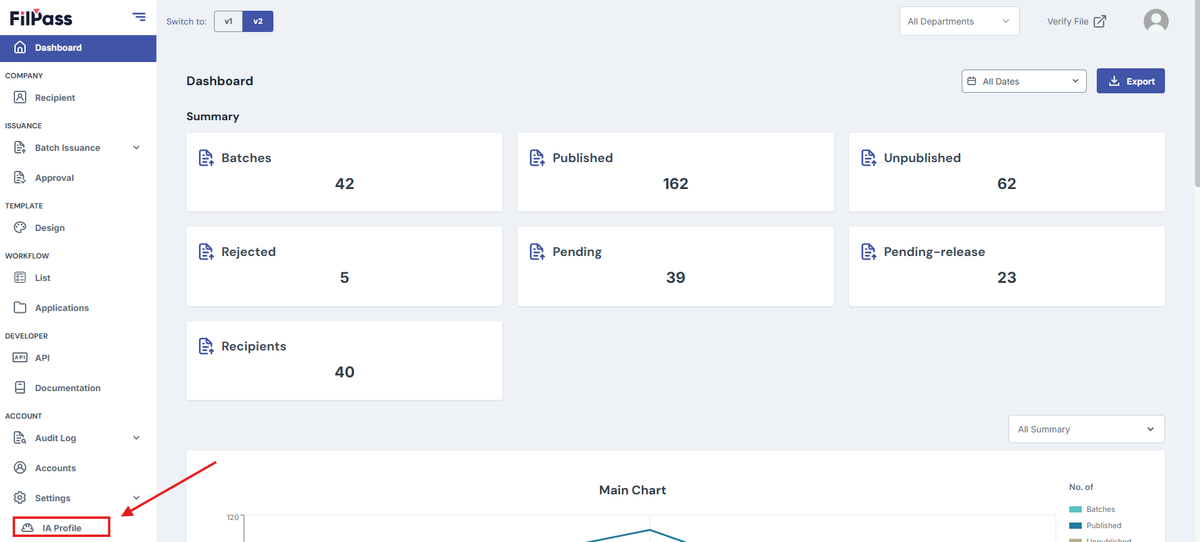
2. Go to the Navigation tab then press the Settings tab.
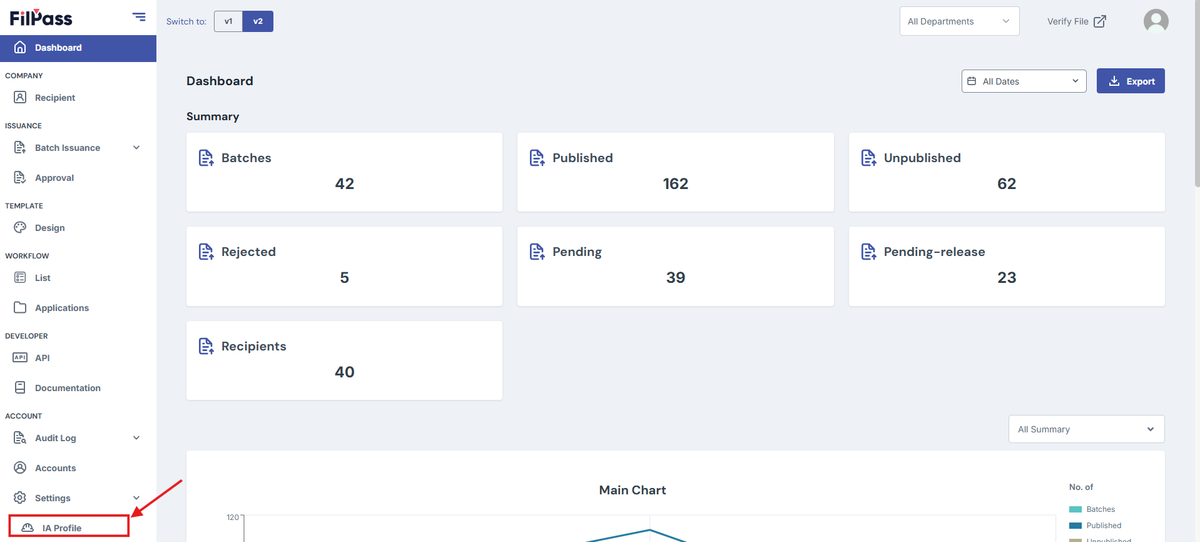
3. Press the IA Profile once it appears.
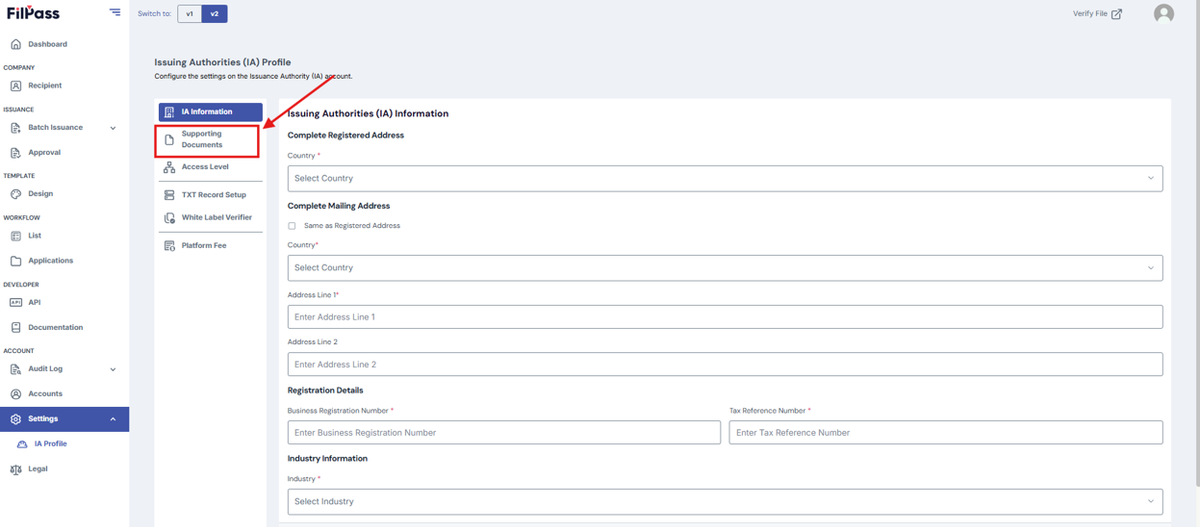
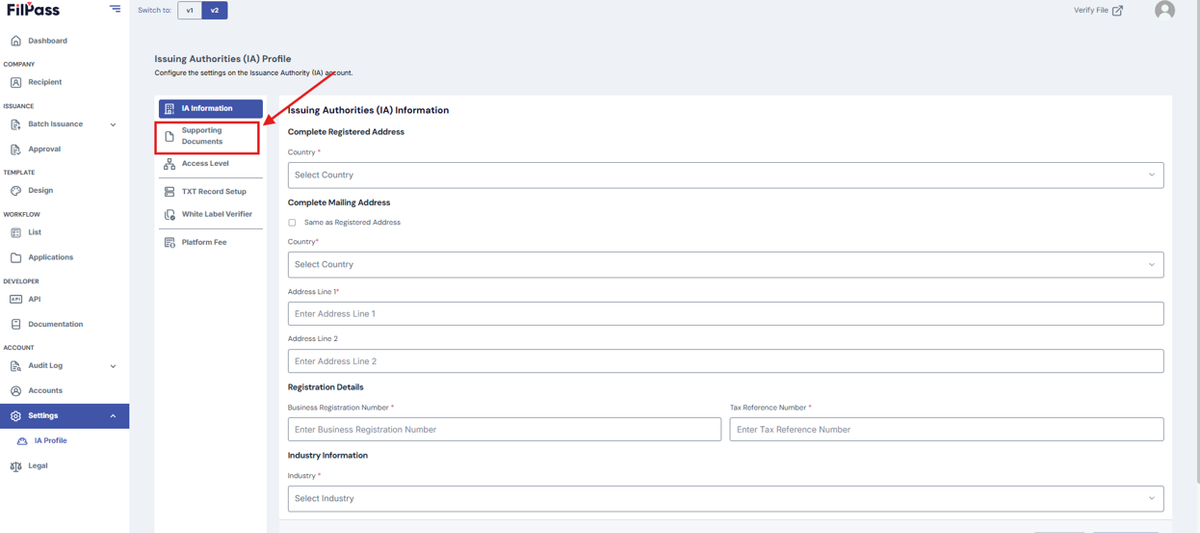
4. Click “Supporting Documents”
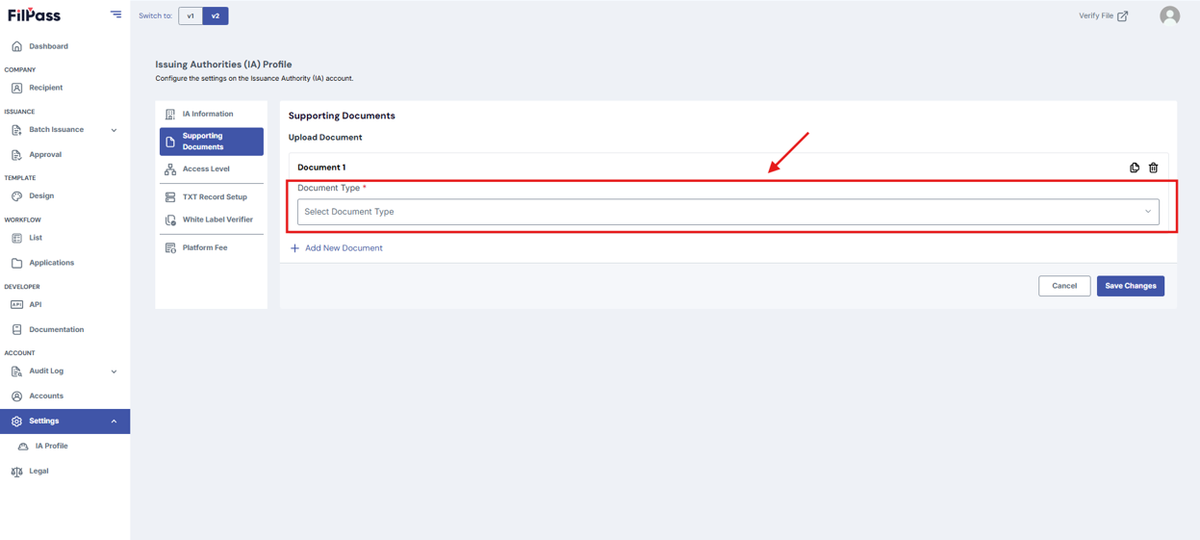
5. Under “Type of Document” choose the necessary document type.
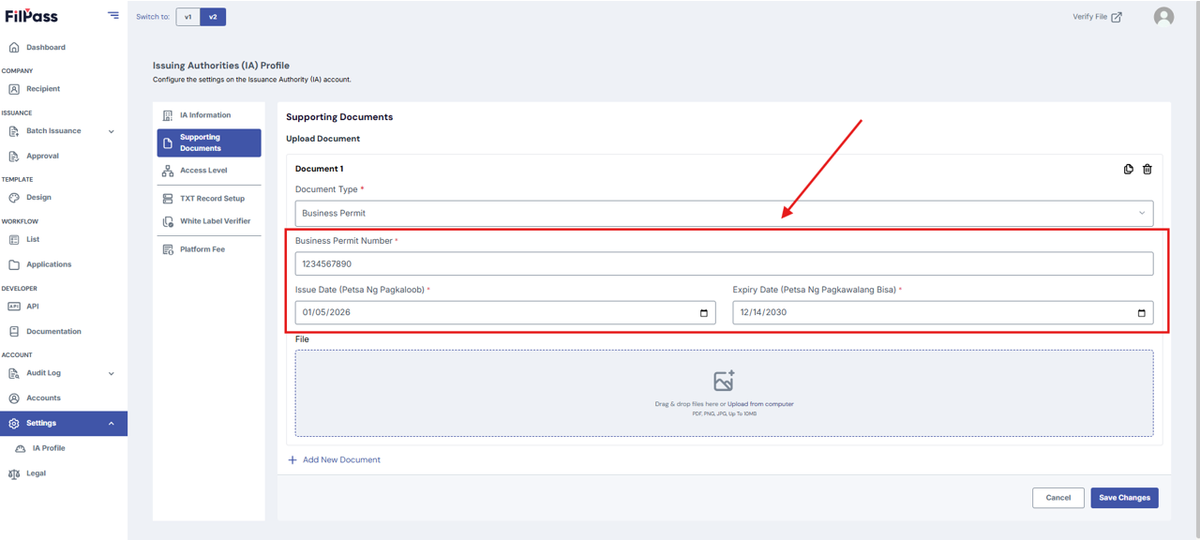
- Add the Necessary details for your supporting documents
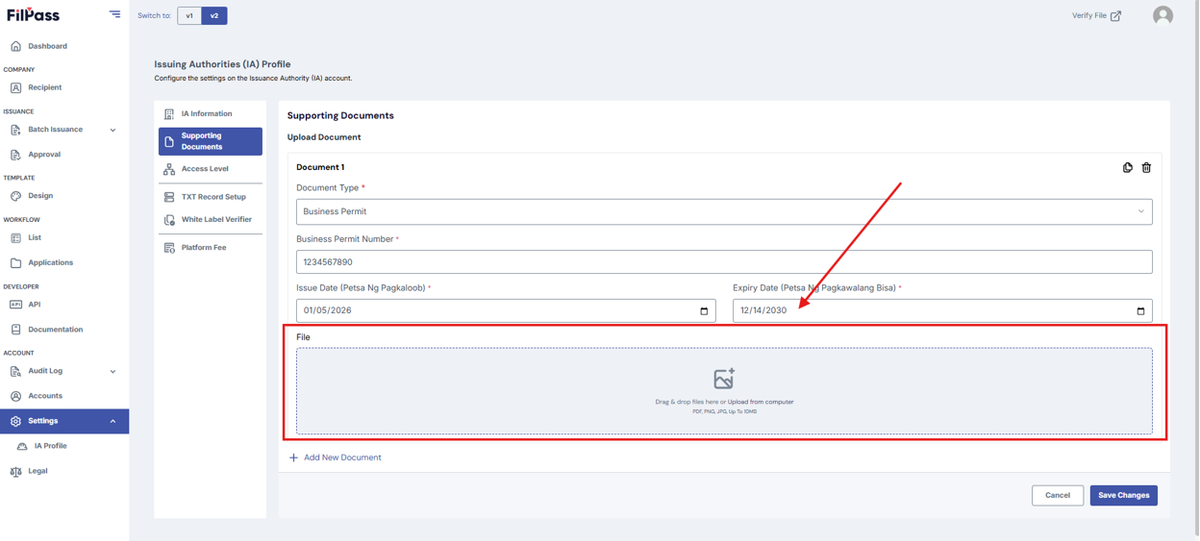
- Then, you can Drag and Drop the file or upload the file from computer
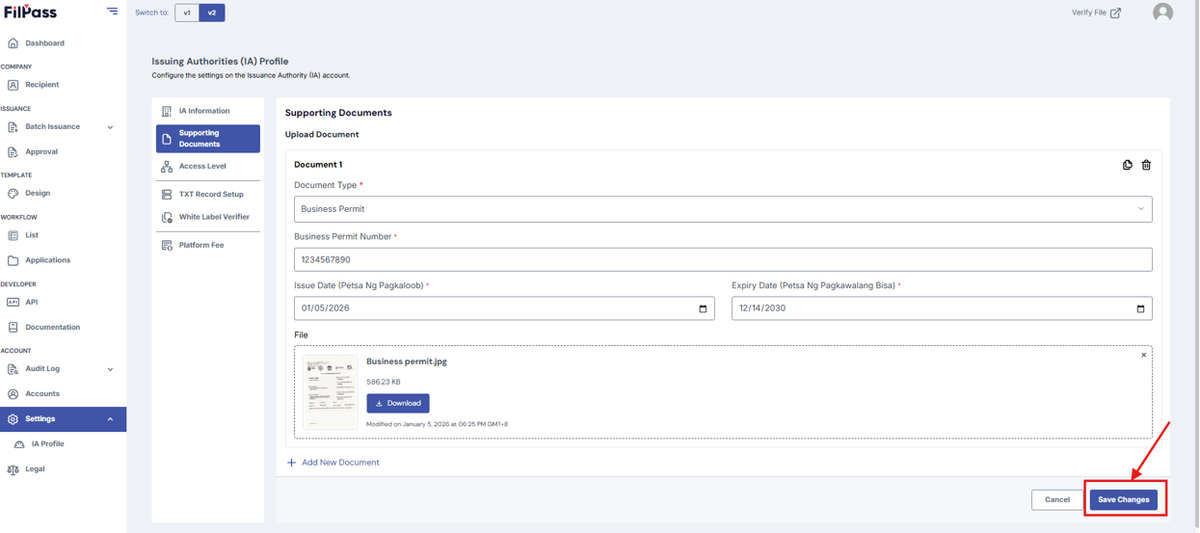
6. Once uploaded, Click the “Save Changes” button
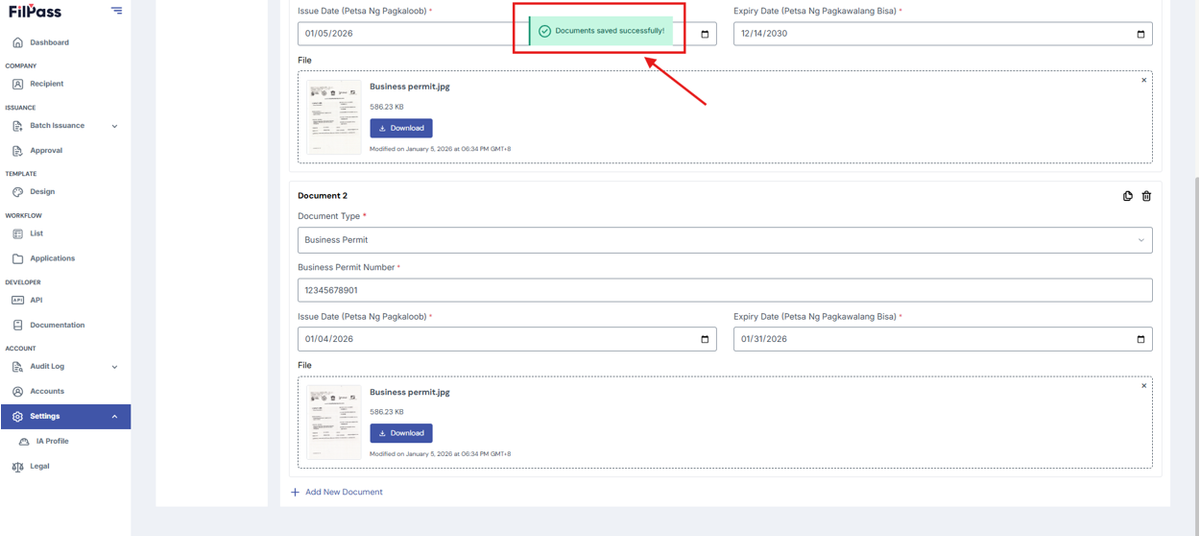
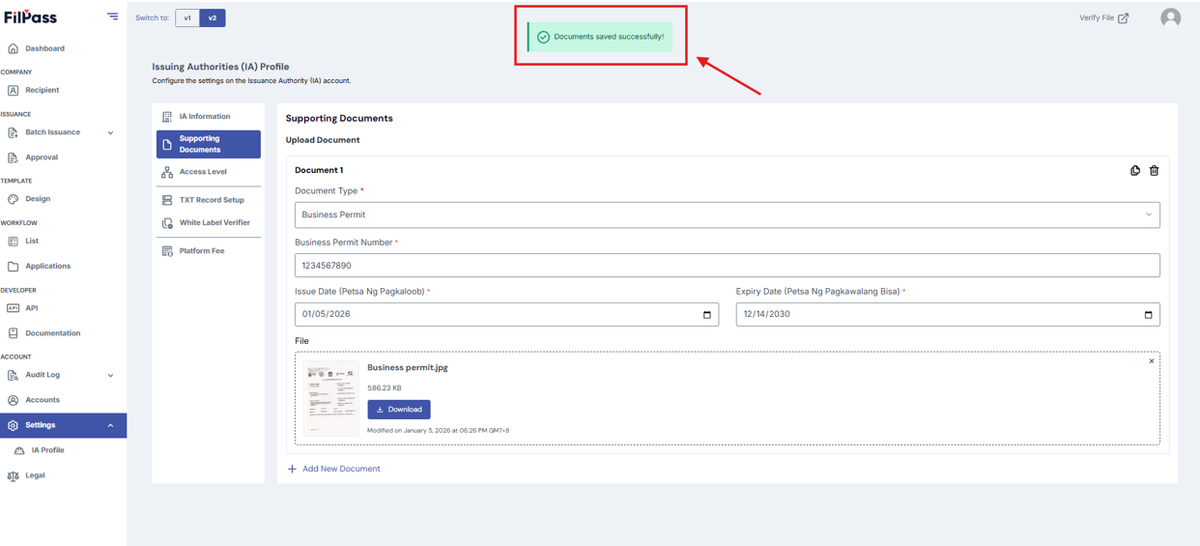
7. If the upload is successful, you will receive a pop-up message stating such.
How to Upload another Supporting Document?
This section shows how to upload another supporting document.
1. Login to your Account
2. Go to the Navigation tab then press the Settings tab.
3. Press IA Profile once it appears.
4. Click “Supporting Documents”
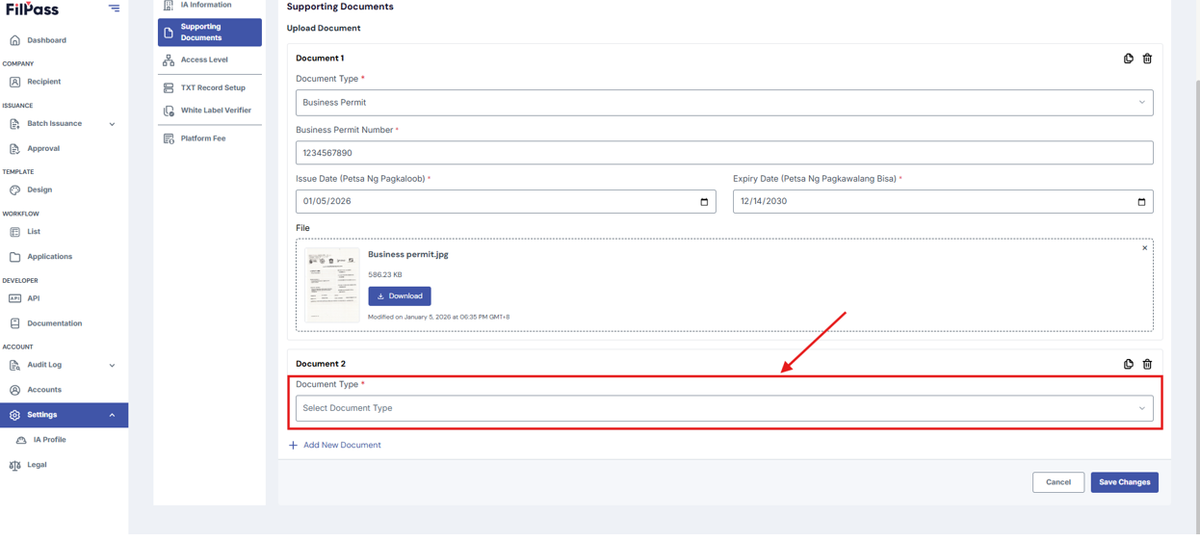
5. Click “Add Another Document” button
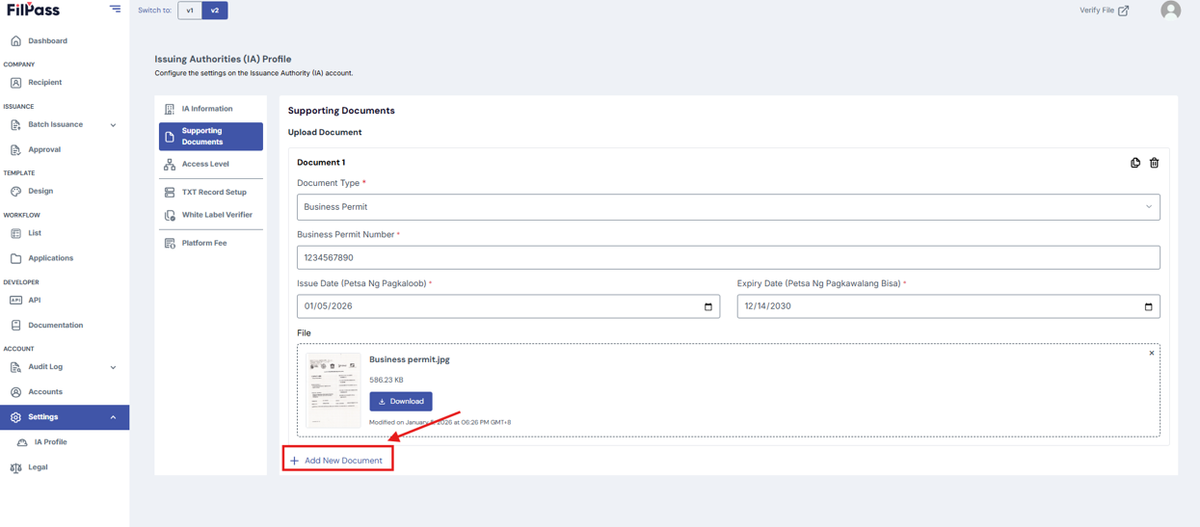
6. Under “Type of Document” choose the necessary document type.
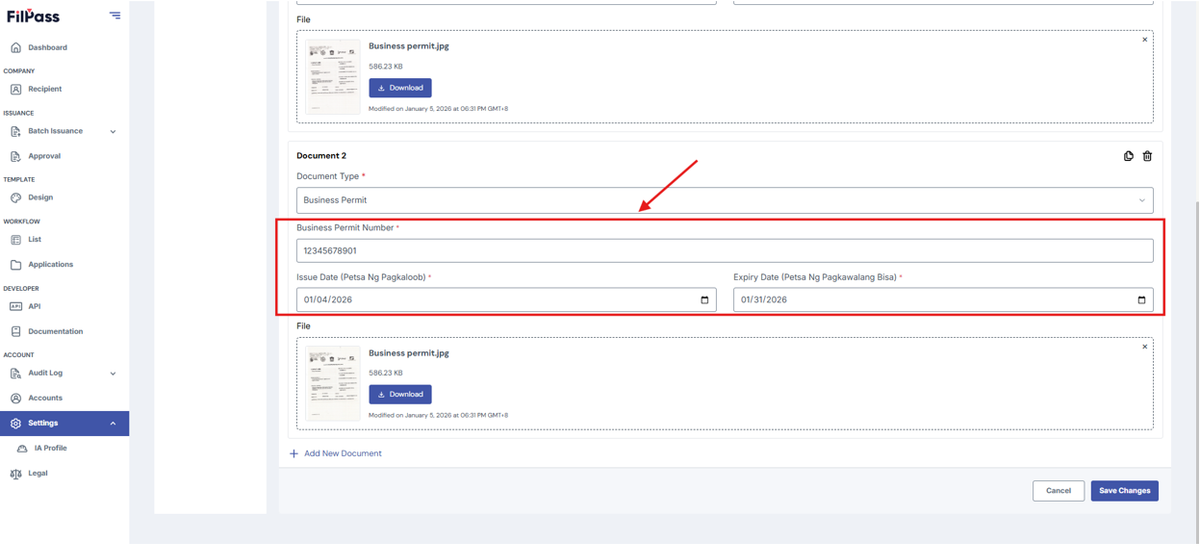
- Add the Necessary details for your supporting documents
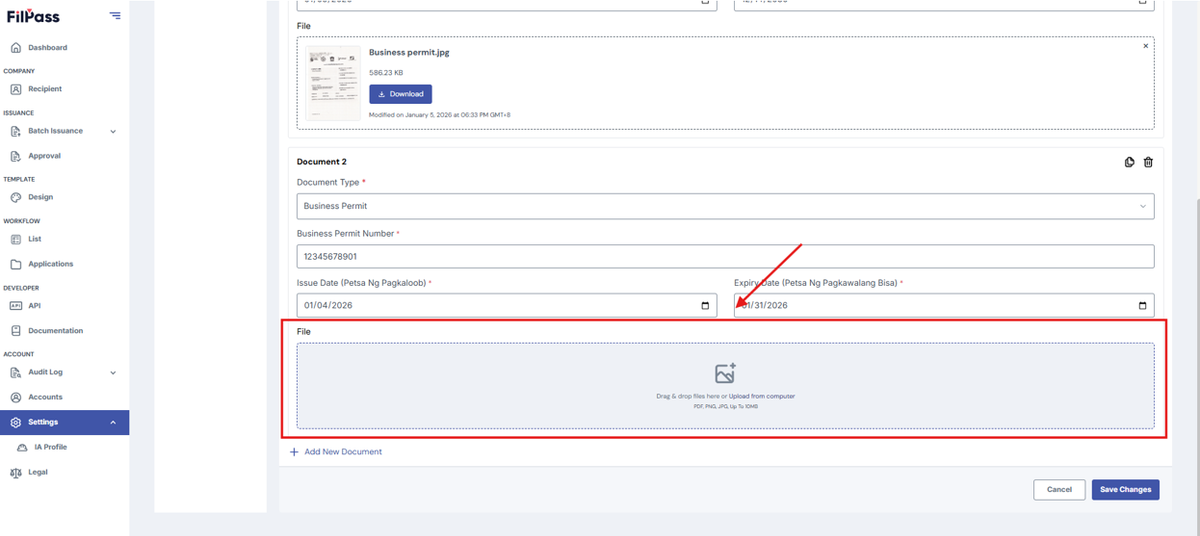
- Then, you can Drag and Drop the file or upload the file from computer
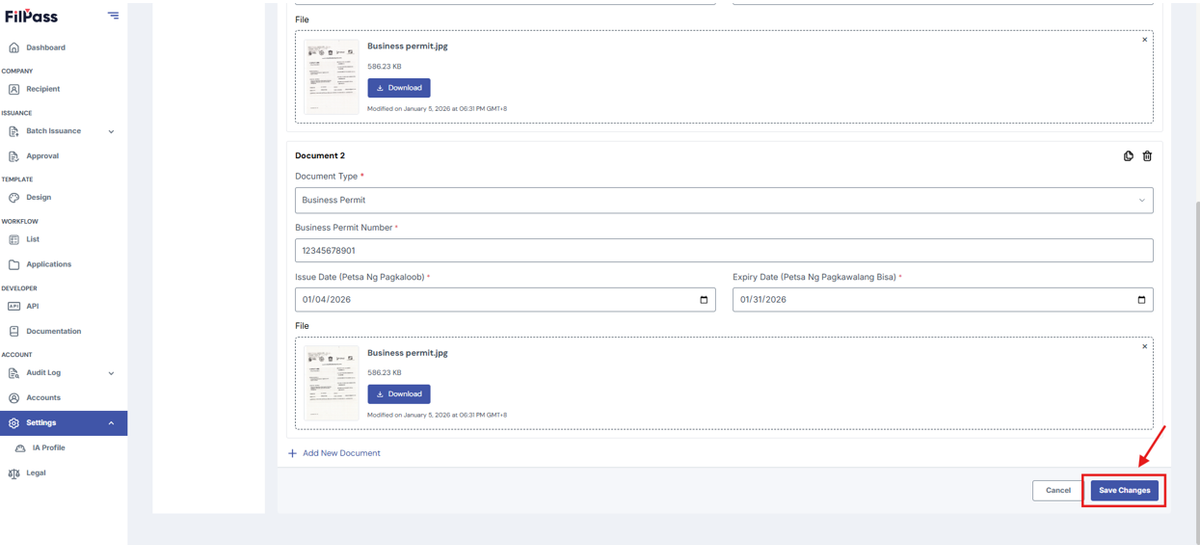
7. Once uploaded, Click the “Save Changes” button
8. If the upload is successful, you will receive a pop-up message stating such.