

Access Level

  1. Access Level is located in the Setting Tab in the navigation bar then pressing the IA Profile.
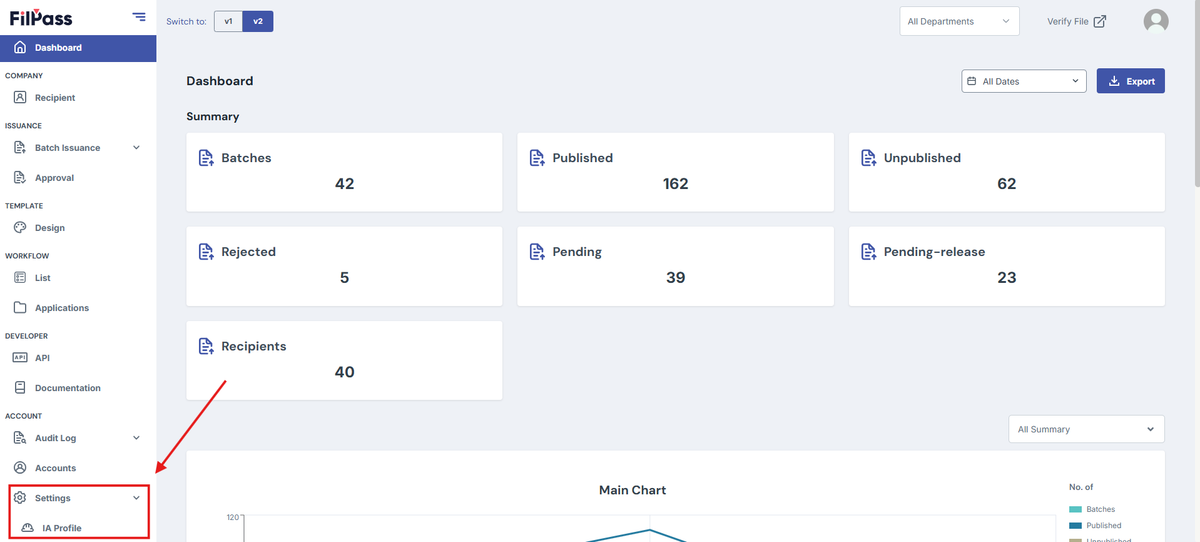
Image of the IA Profile tab on the navigation bar being highlighted.

2. Once you are on the landing page, you will see the tab called Access Level.
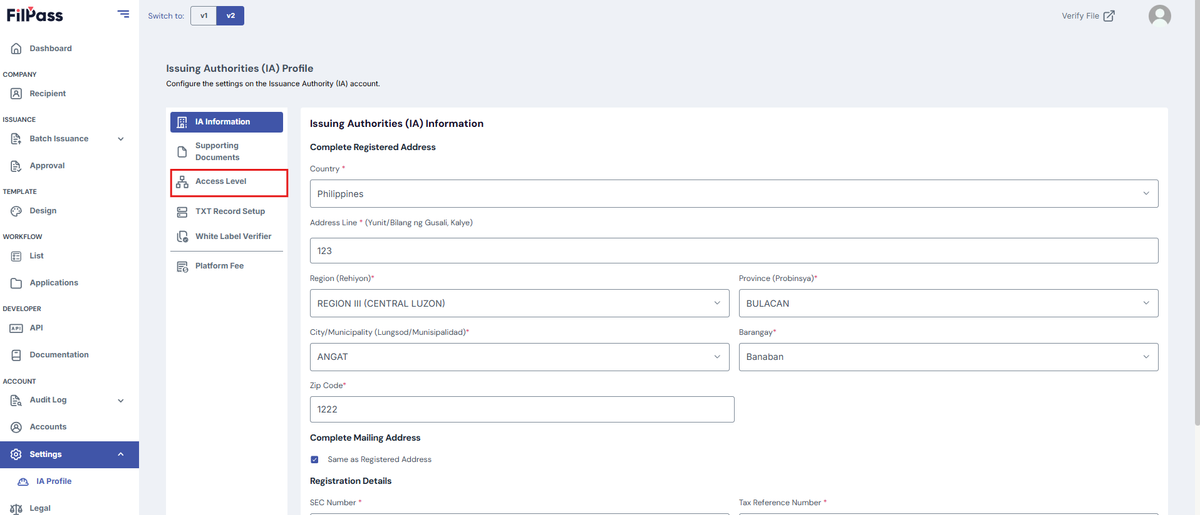
Image of the IA Profile page with a highlighted Access Level tab.

3. Access Level allows you to see what department each role has
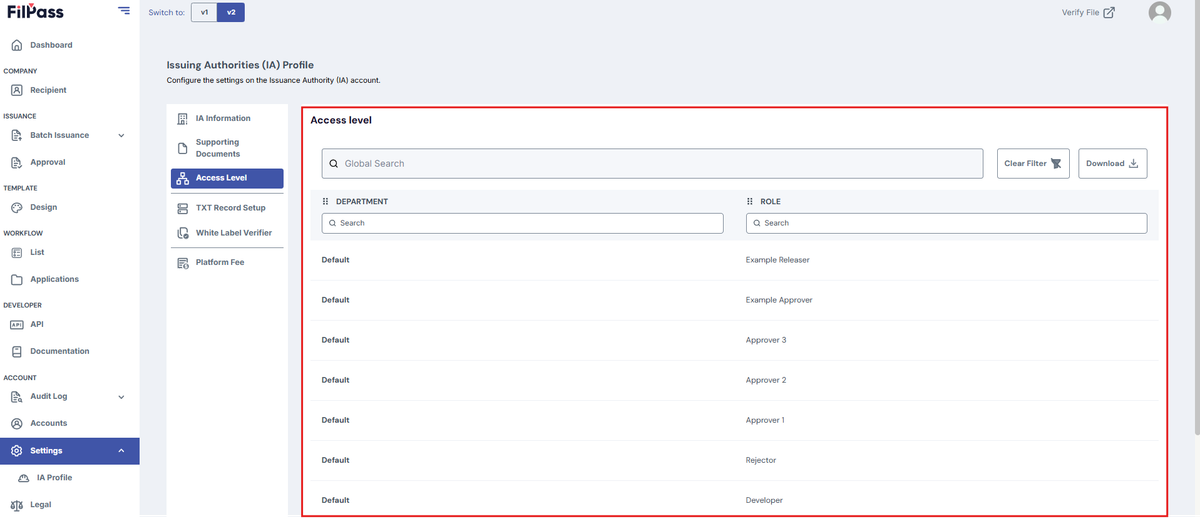
Image of the Access Level page with the highlighted access level table.

Related Articles

Issuing AuthorityWorkflow

Add Field Section

This section explains how to add fields in a Custom Tab of a Workflow.

workflow
26 Jan 202614 views
Issuing AuthorityAccount Settings

Admin Role

This section explains how you can add and remove an Admin role in the Accounts Section.

27 Jan 202633 views
Issuing AuthorityWorkflow

Approval Tab

This section explains the Approval Tab of a Workflow.

workflow
26 Jan 202617 views
Issuing AuthoritySuper Admin

Batch Issuance Domain

This section explains how to set up your Batch Issuance Domain.

settings
28 Jan 202615 views