

Setting Up Event Attendee Details
Use the Collect Attendee Information feature to gather attendee information for each ticket purchased during event registration.
Steps to Configure Attendee Details
- Create a new event or edit an existing event.
- Navigate to the Cart section.
- Locate the ticket you want to configure.
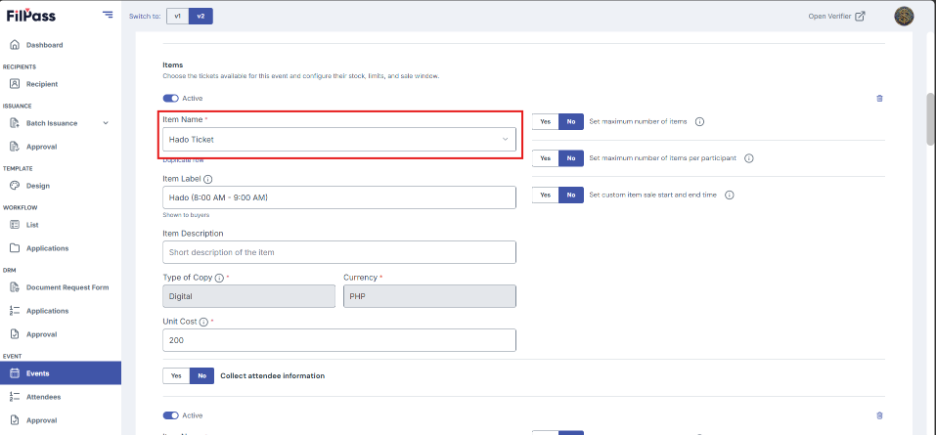
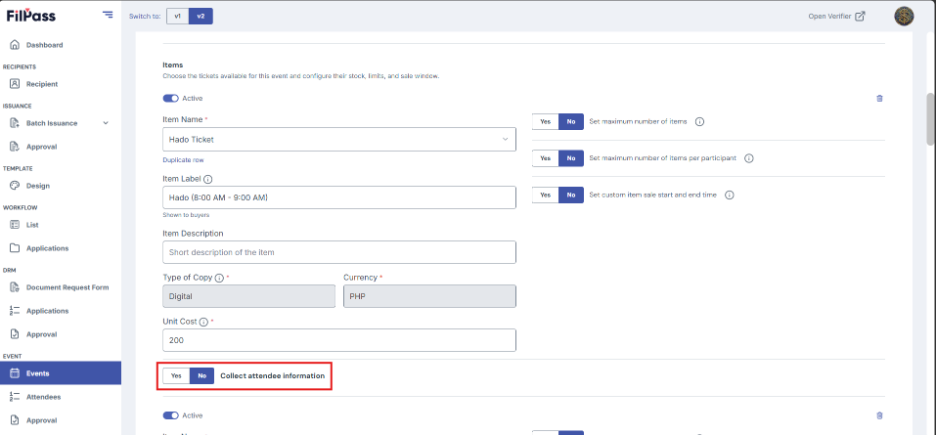
4. Enable the Collect Attendee Information toggle for the selected ticket.
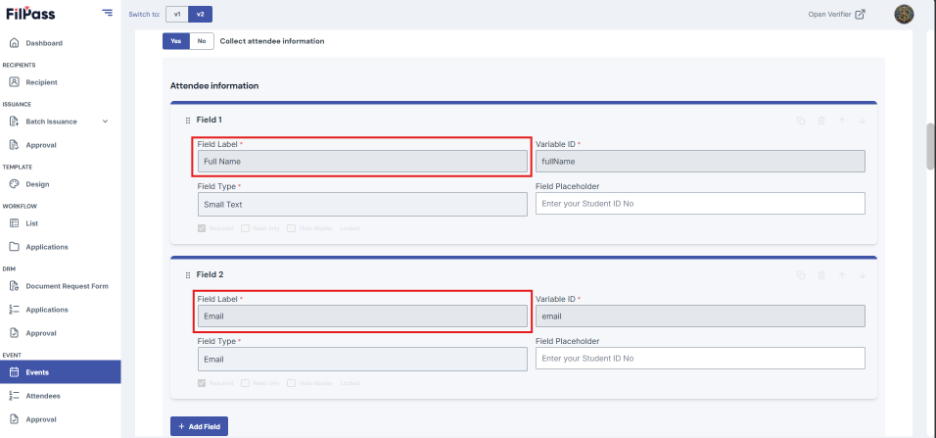
5. Review the default required fields:
- Full Name
- Email Address
6. Click Add Field to include additional attendee fields if needed.
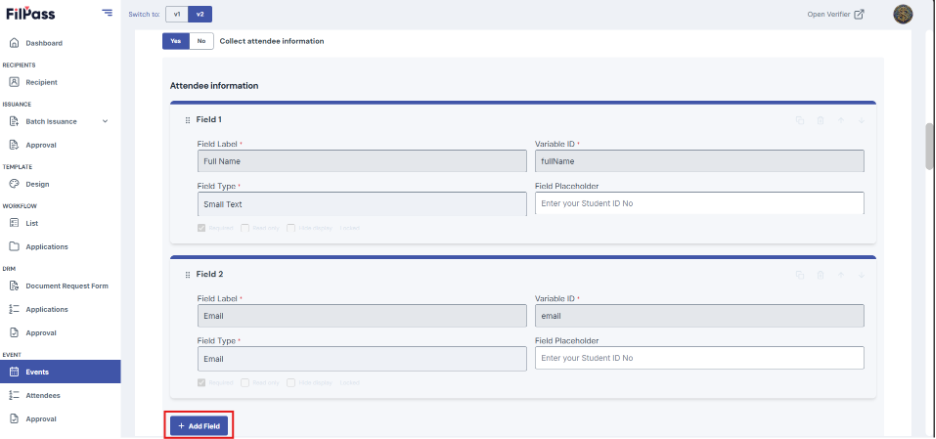
7. Configure each custom field according to your event requirements.
8. Select the desired field type (such as Short Text, Long Text, Phone Number, Date, Dropdown, Radio Button, Checkbox, or Number).
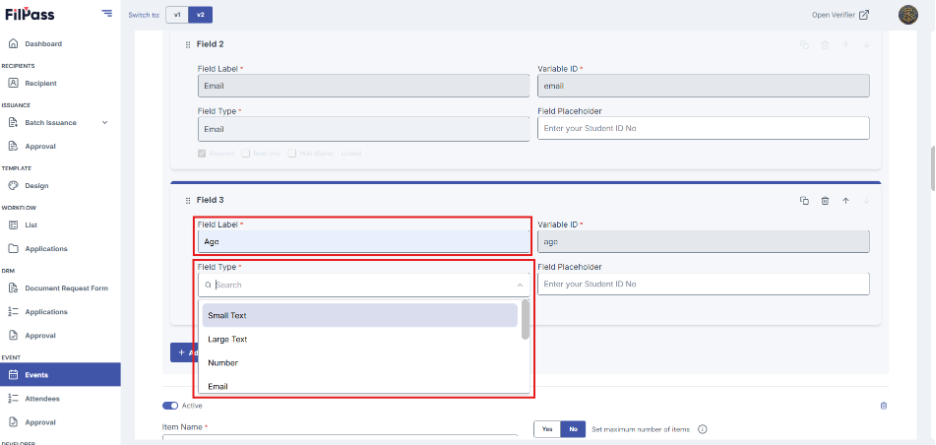
9. Repeat the process until all required attendee fields have been added.
10. Save your changes.
11. Publish the event or update the existing event.
Notes
- Full Name and Email Address are always required and cannot be removed.
- You can add up to 30 custom attendee fields for each attendee form.
- Attendee details can be edited until an application has collected attendee information. After that, the attendee configuration becomes locked and can no longer be modified.
Was this helpful?