

I forgot my password
This section explains how to reset your password in case you forgot your password.
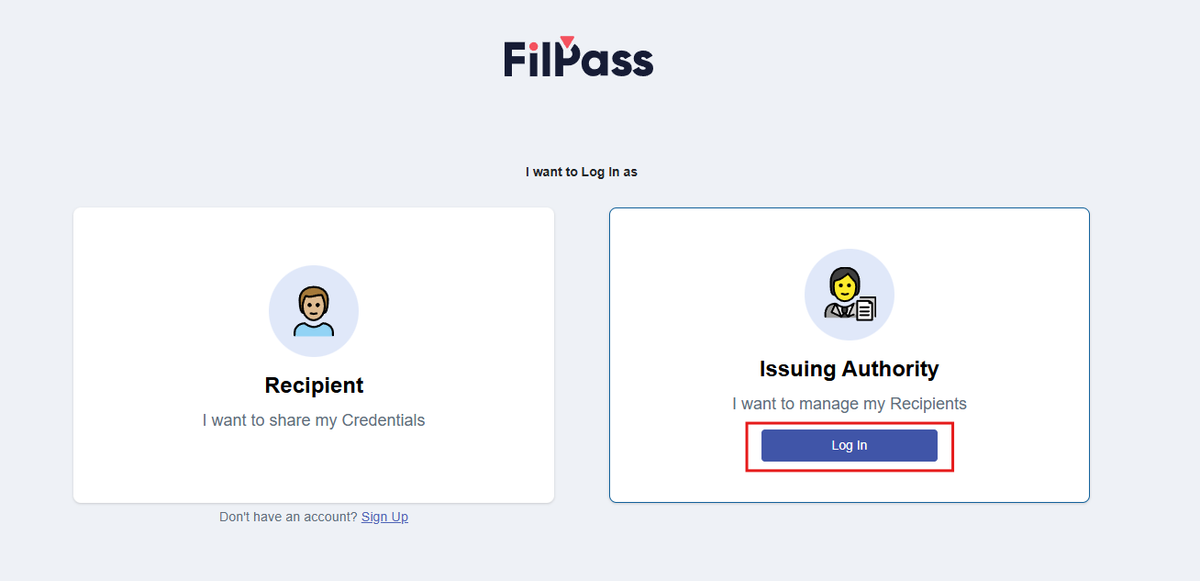
1. Go to the Login page and press “Login” button
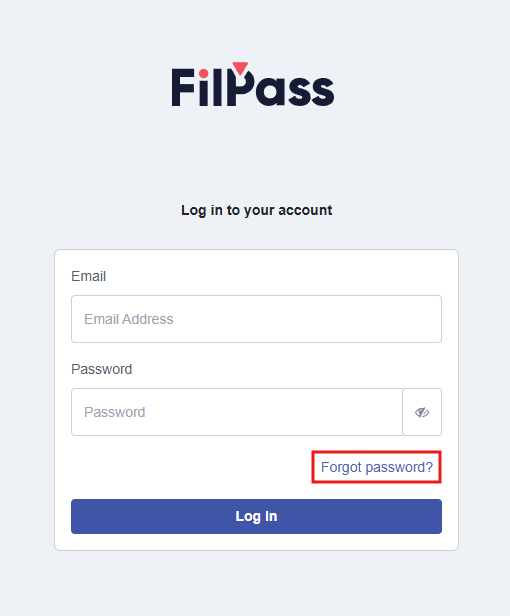
2. Click “Forgot password?” button
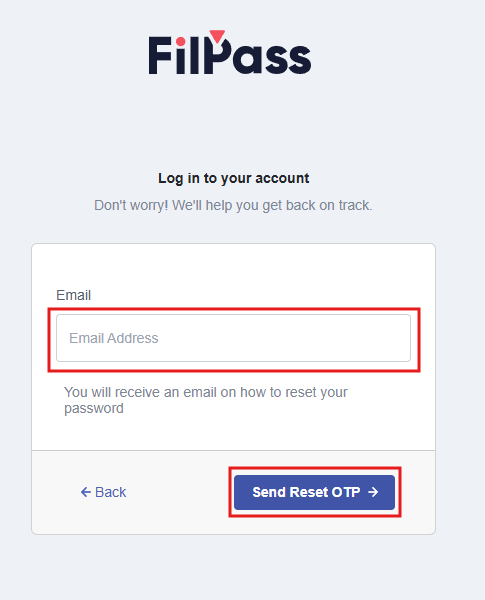
3. Enter your registered Email Address
4. Click “Send Reset OTP” button
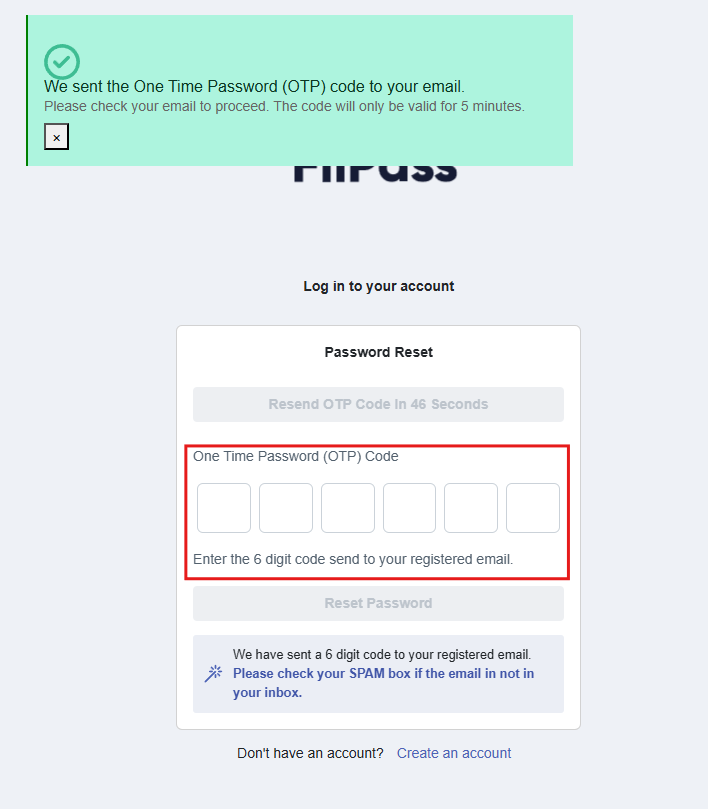
5. Go to your mailbox and copy the OTP Code
6. Then paste the OTP Code
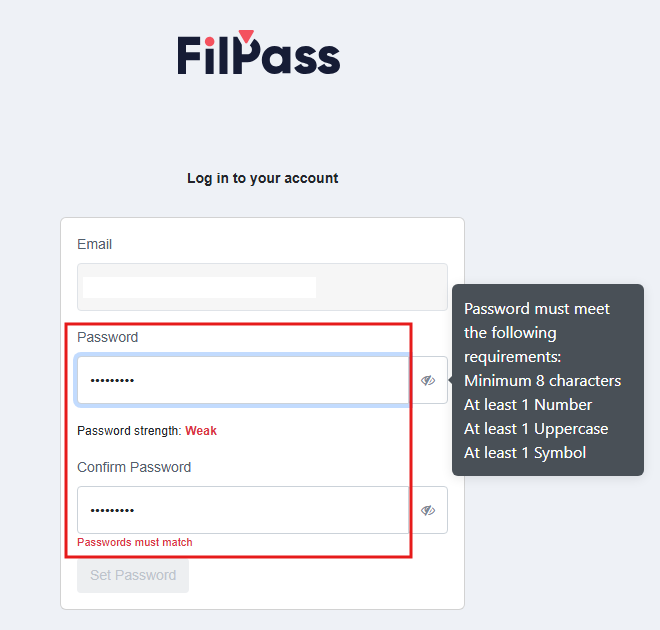
7. Once verified, you can now type in your new password. Password requirements must be met before the password is accepted.
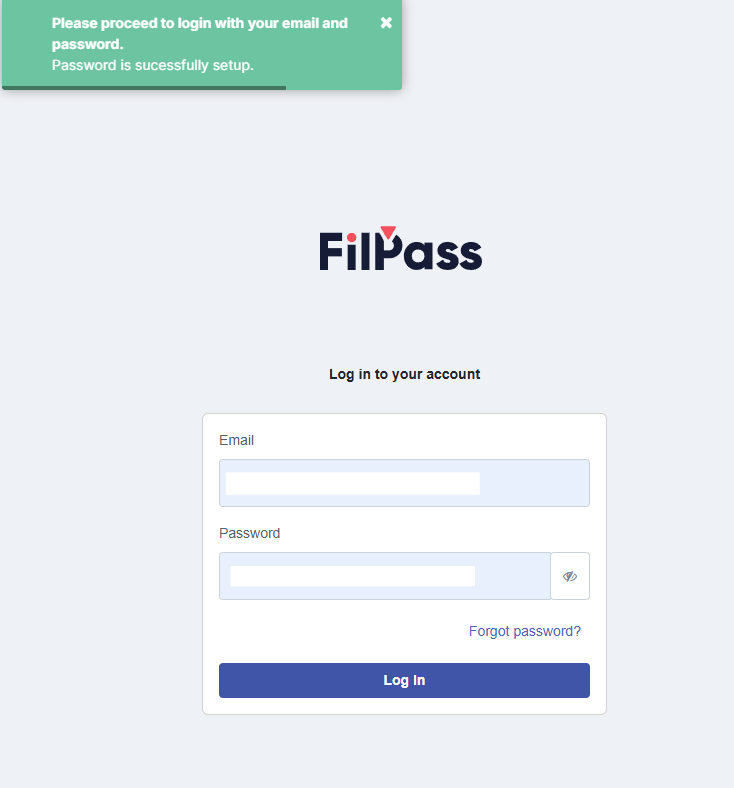
8. Once confirmed, you may now login your account using the new password
Was this helpful?