

How to Use a Template
1. Once the template has been mapped, open the FilPass System
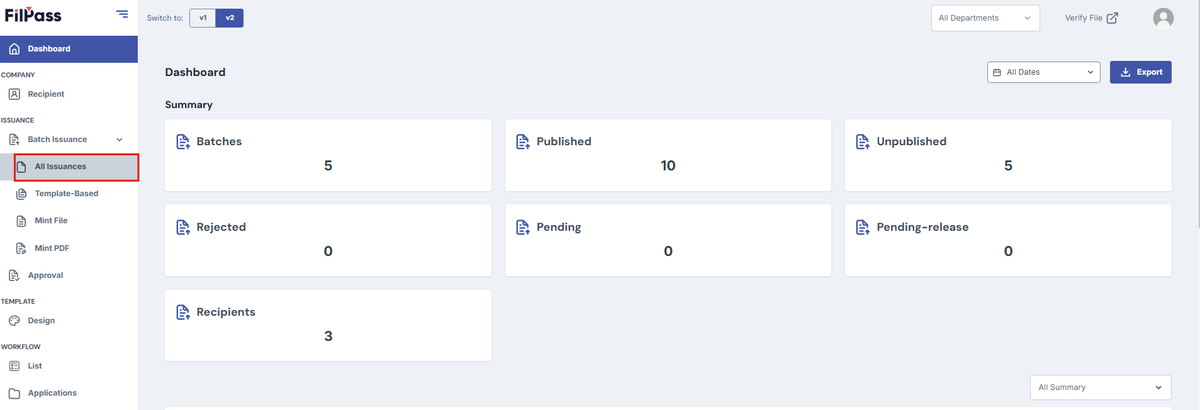
2. Click Batch Issuance > All Issuances
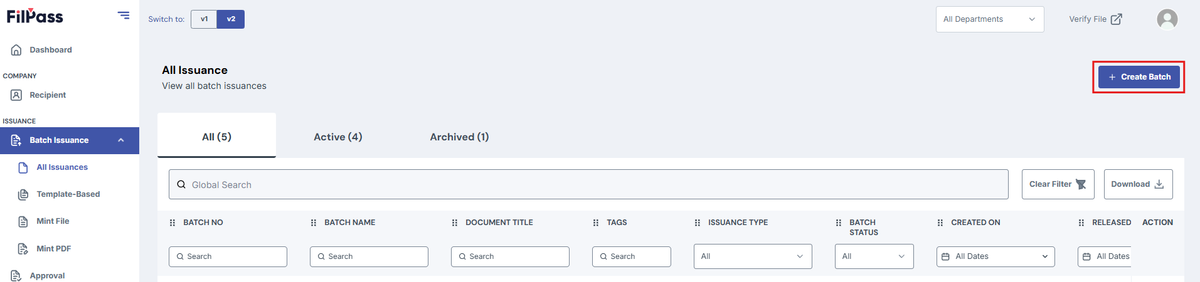
3. Create Batch
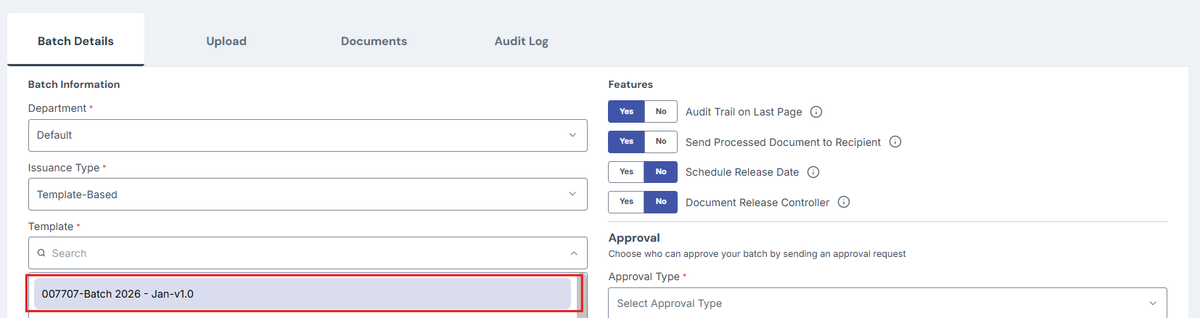
4. Under Template Selection, you will now be able to see your mapped template
Was this helpful?
Fetching content...
1. Once the template has been mapped, open the FilPass System
2. Click Batch Issuance > All Issuances
3. Create Batch
4. Under Template Selection, you will now be able to see your mapped template