

How to Create a Badge Template
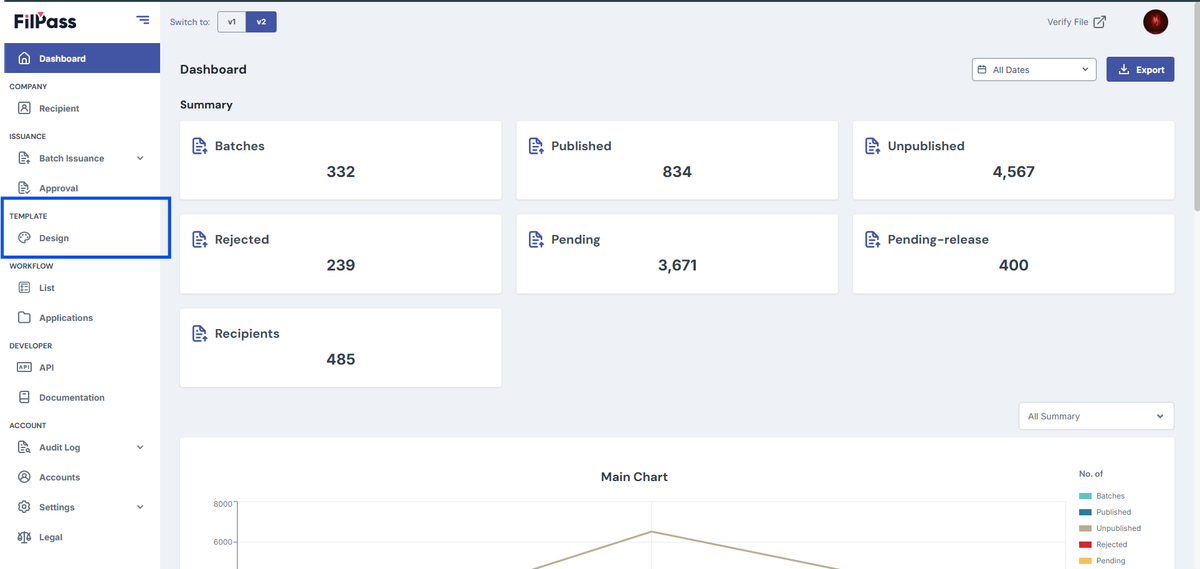
- Log in to the FilPass System using your Issuing Authority (IA) account.
- From the left sidebar, click Design under the Template section.
- Note: The Template Design module will open in a new browser tab.
3. Click + Create New Template.
4. In the New Template modal:
- Enter the Template Label
- Select the desired Size
- Select a Department
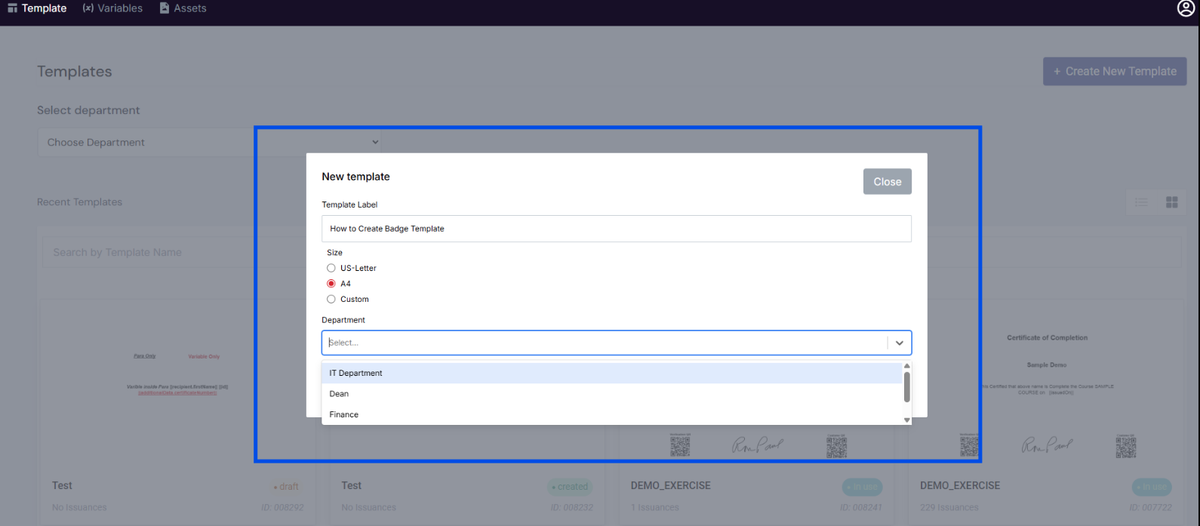
5. Click Create to proceed to the Template Editor.
6. In the Template Editor, go to the Settings panel on the left side.
7. Enable the Badge toggle.
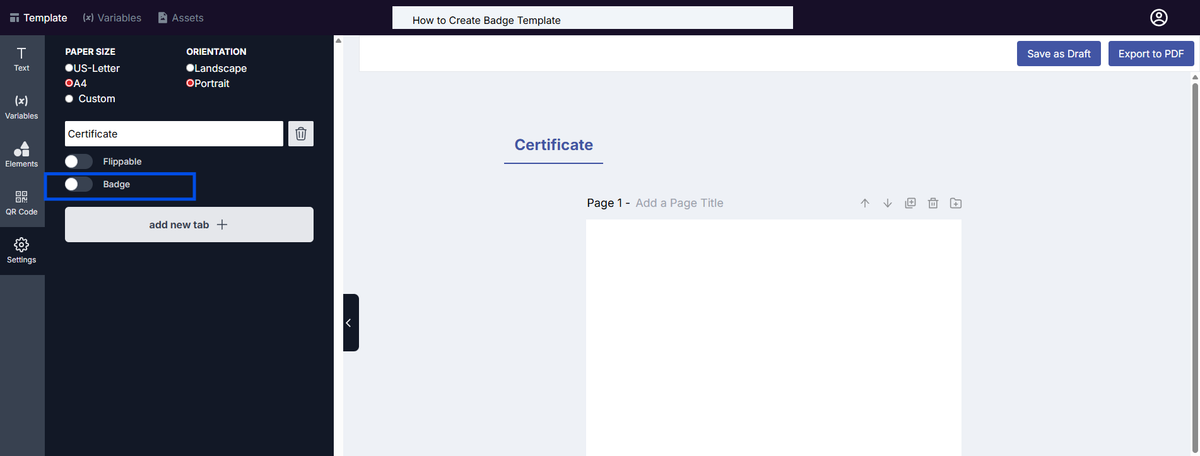
8. The template will automatically be set to badge format.
9. Continue designing your badge template as needed.
10. Click Save as Draft to save your template.
Notes:
Badge templates use a fixed canvas size and cannot be resized.
- Width: 500px
- Height: 500px
The badge size cannot be modified.
All elements (text, variables, QR codes, and images) must fit within this fixed dimension.
Was this helpful?