

How to Add QR Code in Template Design?
- Log in to the FilPass System using your Issuing Authority (IA) account.
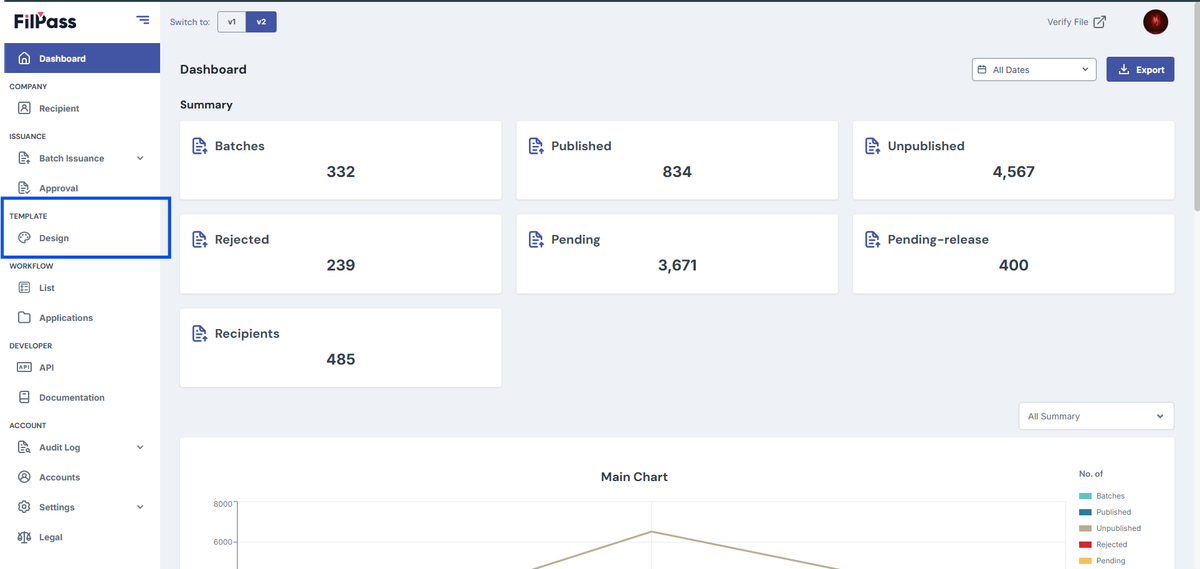
- From the left sidebar, click Design under the Template section.
- Note: The Template Design module will open in a new browser tab.
3. Open or create a template in the Template Editor.
4. From the left panel, click QR Code.
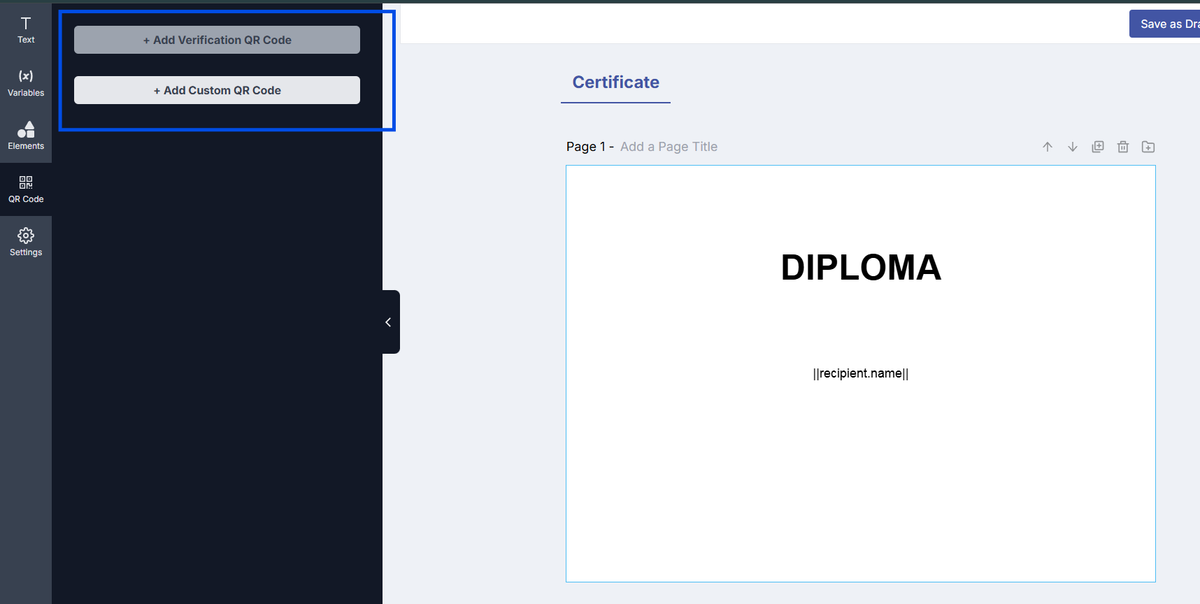
5. Choose one of the following options:
- + Add Verification QR Code or
- + Add Custom QR Code
6. The selected QR code will be added to the template canvas.
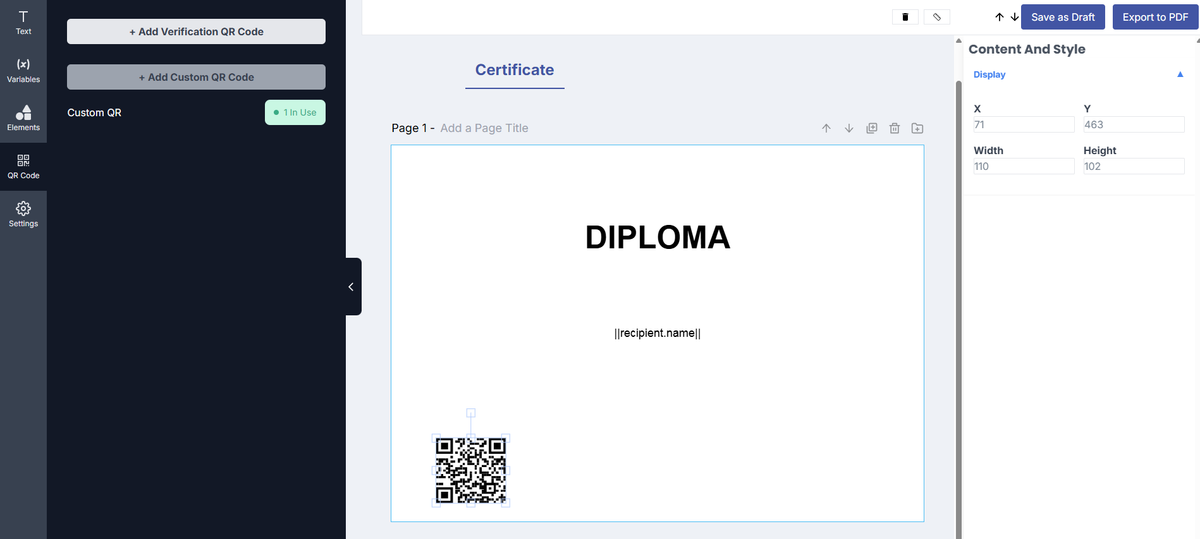
7. Drag and position the QR code as needed.
8. Adjust the size and placement using the available controls.
9. Continue designing your template.
10. Click Save as Draft to save your changes.
Notes:
- The Verification QR Code is used to verify the authenticity of documents when scanned.
- Custom QR Code is used for custom verifiers or external verification systems.
- QR codes can be resized and positioned freely within the template.
- Ensure that the QR code is clearly visible and scannable in the final output.
Was this helpful?