

How to Create Variables in Template Design
- Log in to the FilPass System using your Issuing Authority (IA) account.
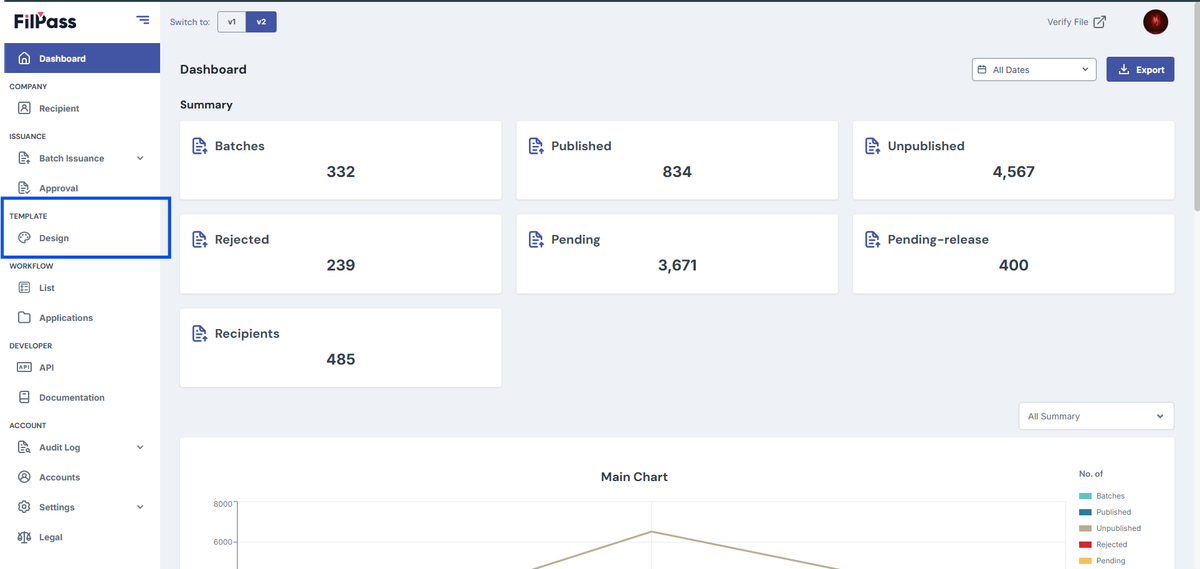
- From the left sidebar, click Design under the Template section.
- Note: The Template Design module will open in a new browser tab.
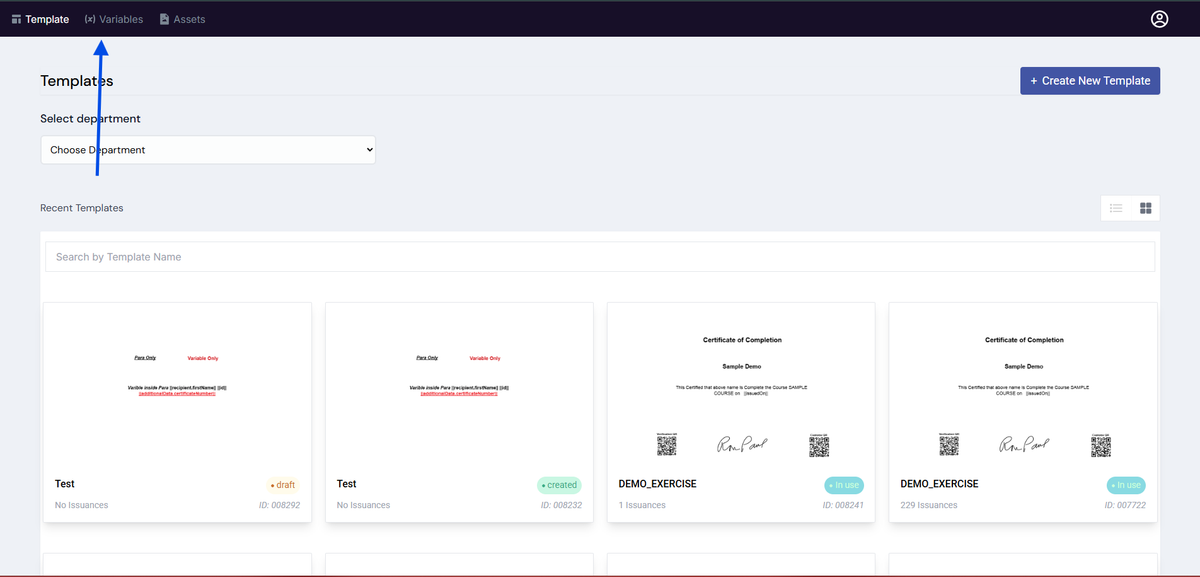
3. On the Template Design page, click the Variables tab located at the top of the page.
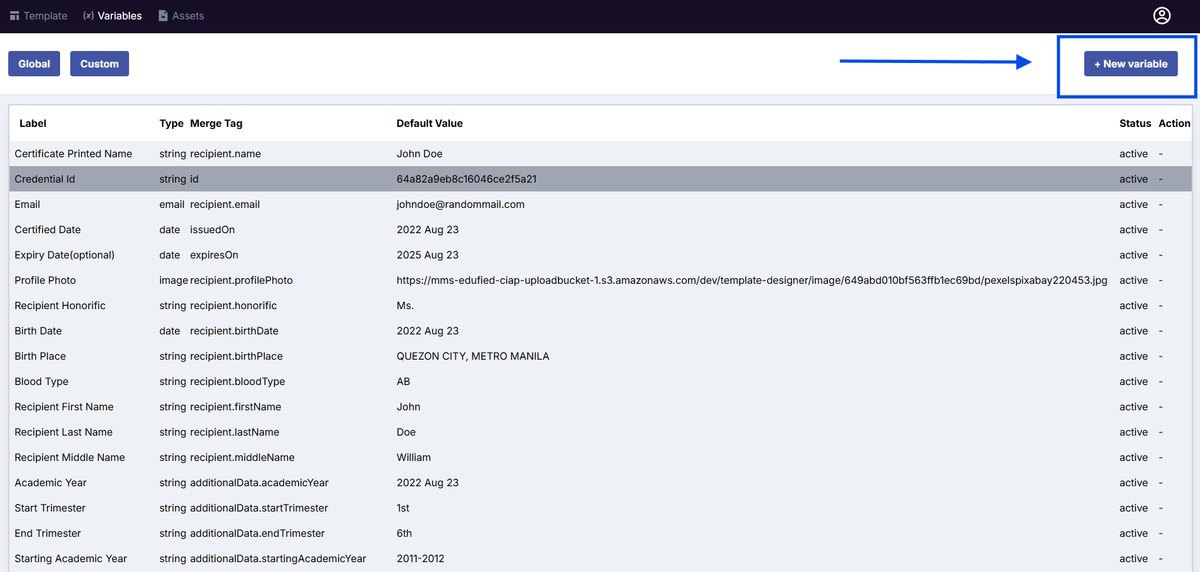
4. Click + New Variable.
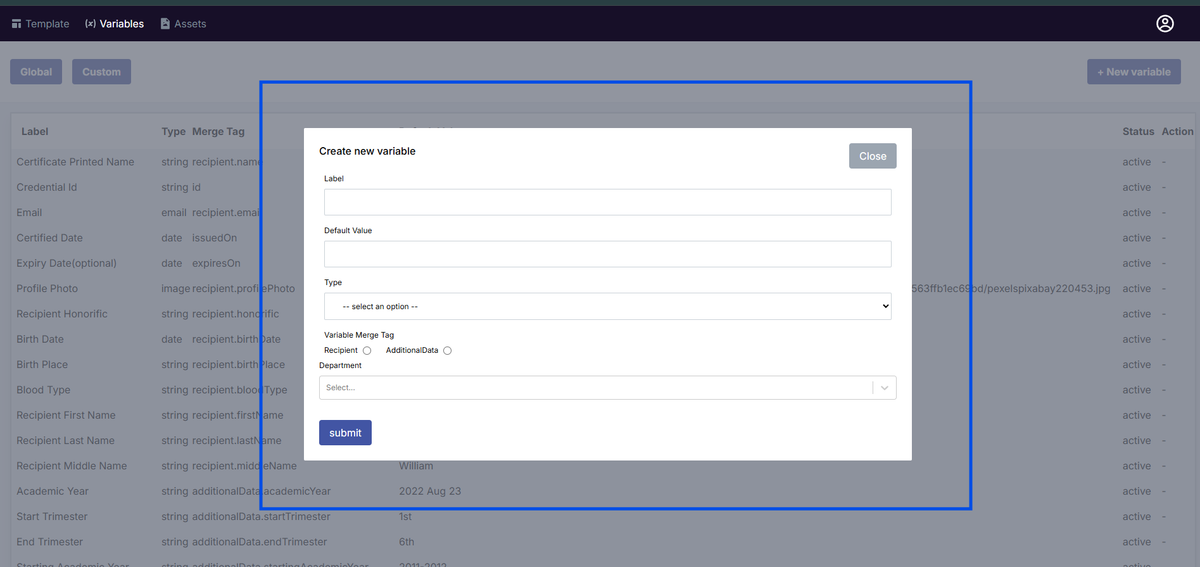
5. In the Create New Variable modal, enter the required details:
- Label – Name of the variable
- Default Value – Sample or fallback value
- Type – Select the appropriate data type (e.g., string, date, email, image)
- Variable Merge Tag – Select whether it belongs to:
- Recipient
- Additional Data
- Department (if applicable)
6. Click Submit to create the variable.
Notes:
- Variables created here can be used when designing templates.
- Newly created variables will appear in the Variables list.
- Ensure that all required fields are completed before submitting.
Was this helpful?