

How to Share Your dBizCard
On this page
Prerequisites: Your card must be published and enabled.
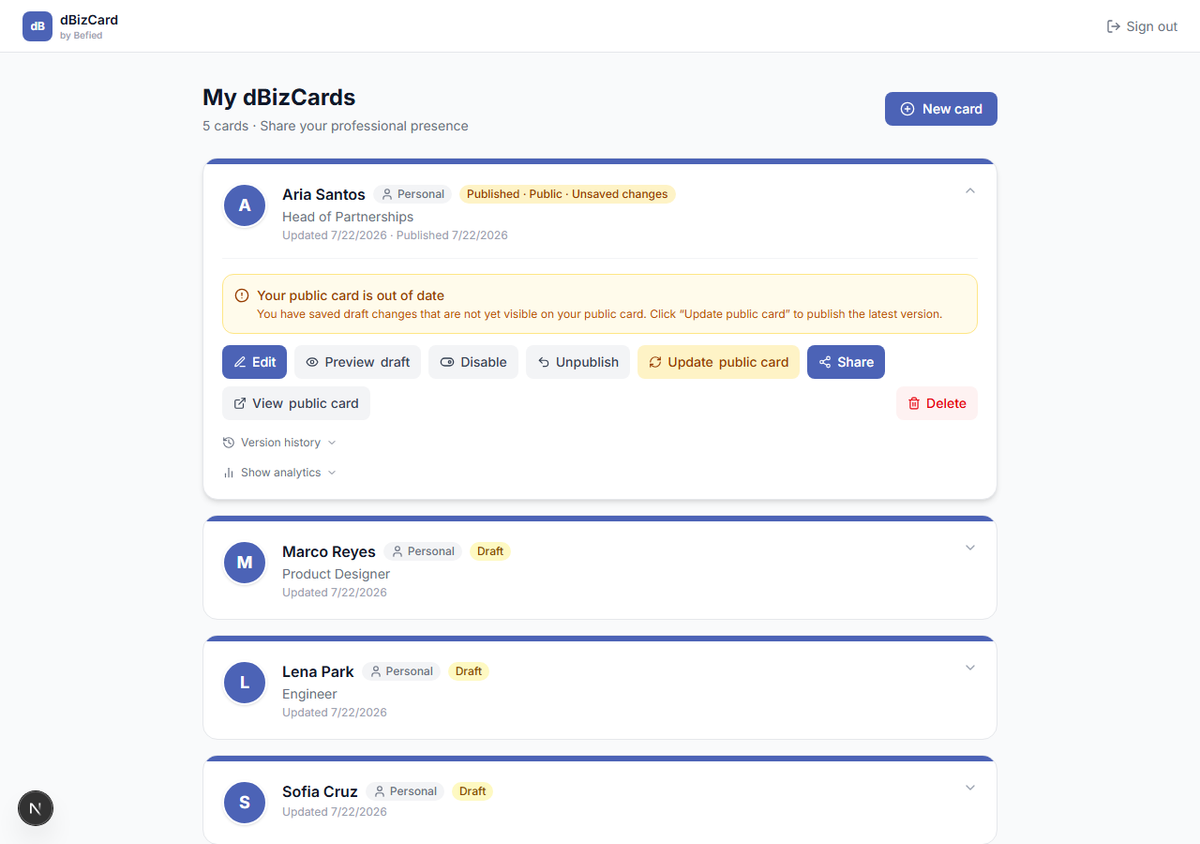
Step 1: Open Share
On the dashboard, expand your card and click Share.
Step 2: Copy the link or show the QR code
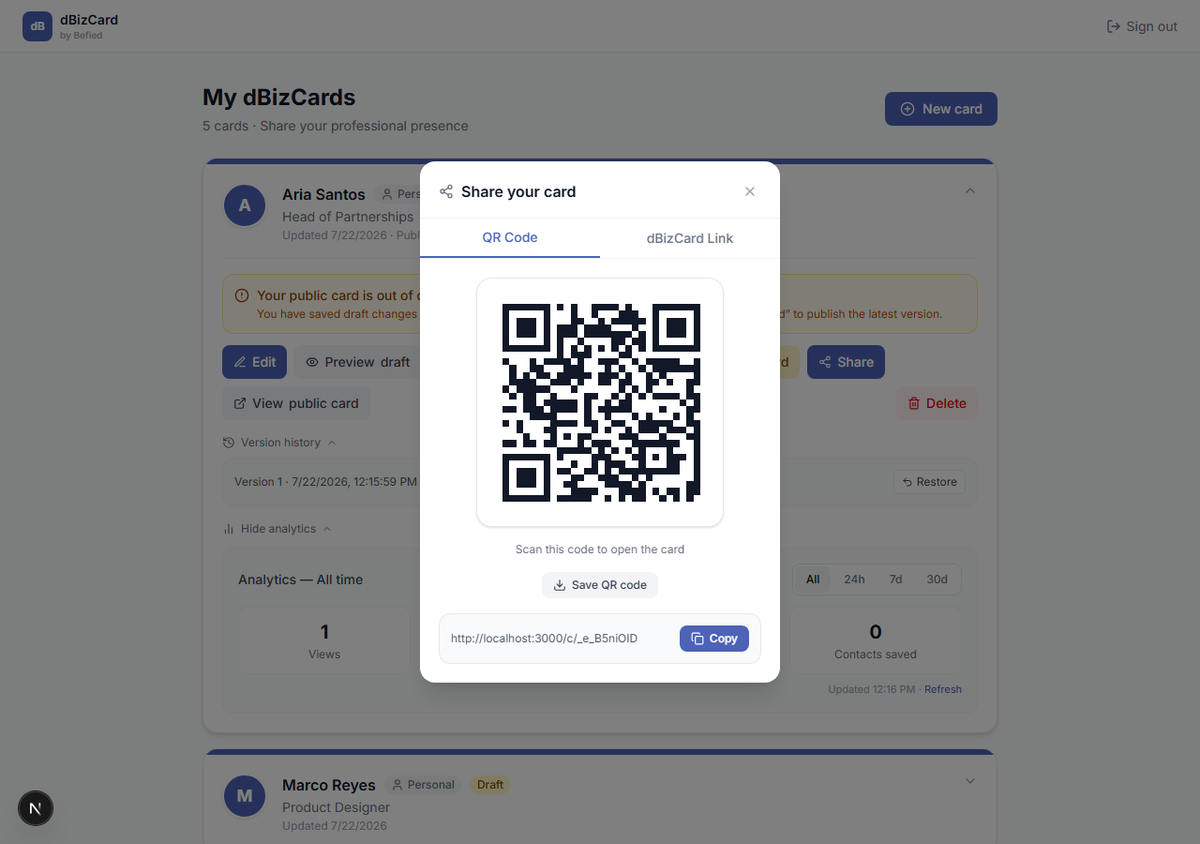
In the Share window:
- Click Copy to copy your public card link to the clipboard.
- Open the QR Code tab to display or Save the QR (great for print or in-person).
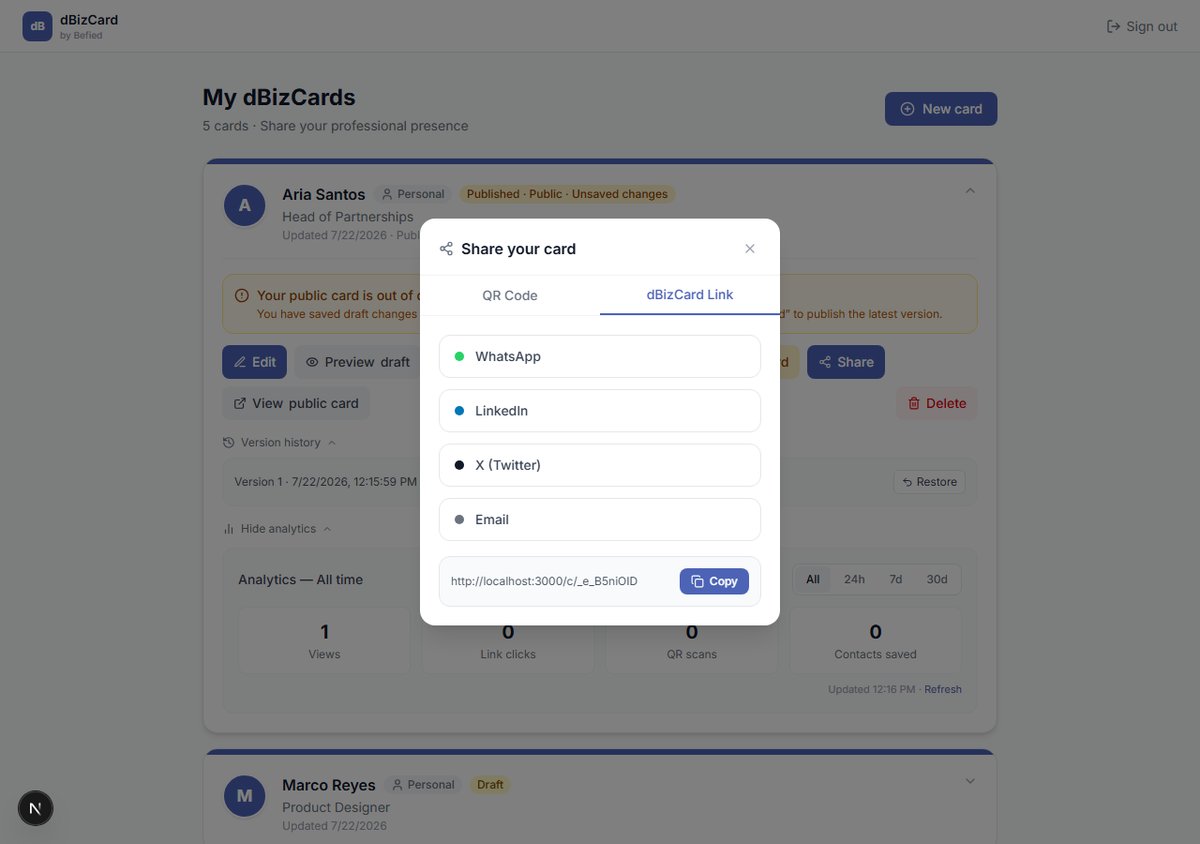
Step 3: Share to social
Open the dBizCard Link tab and choose WhatsApp, LinkedIn, X (Twitter), or Email.
Tip: You can also open View public card to see the live page and copy its address from the browser bar.
Result: Your card link is ready to share by copy, QR, or social.
Was this helpful?