

How to Share Documents with Recipients via Social Media
This section explains how to share your documents to Social Media.
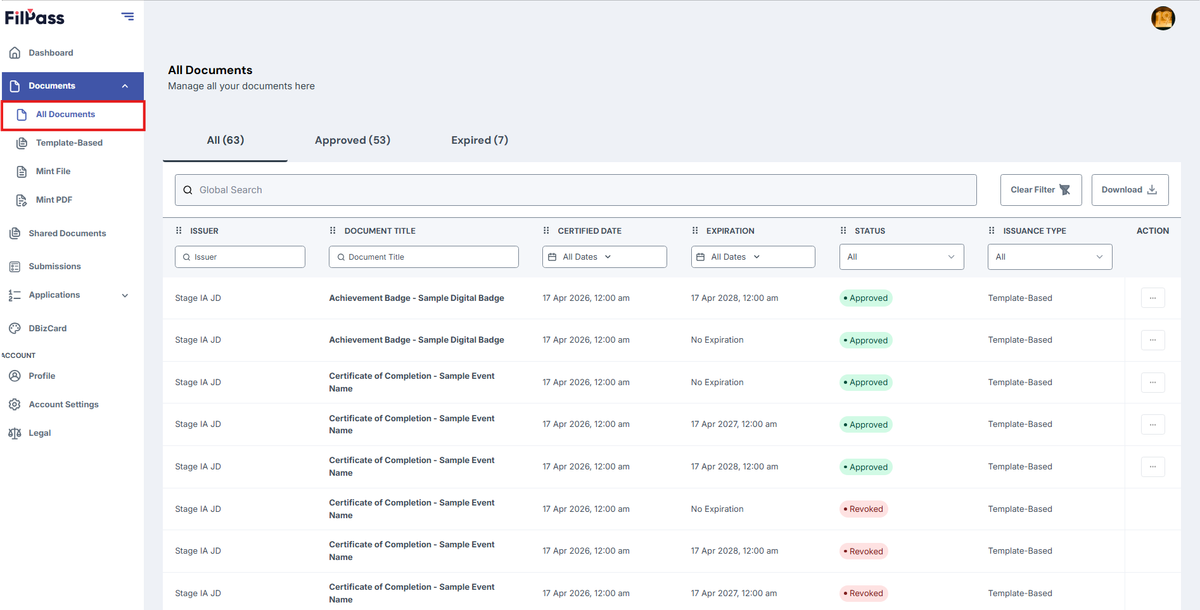
1. Go to “Document” tab.
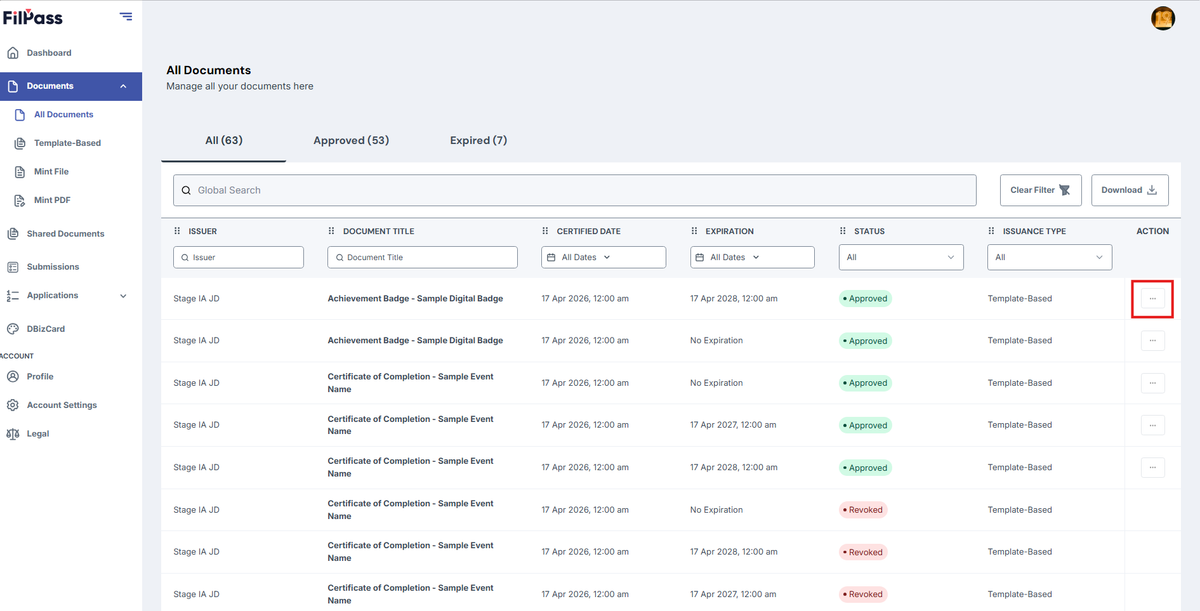
2. And then Click the “(:)” three dots to open the Action button options.
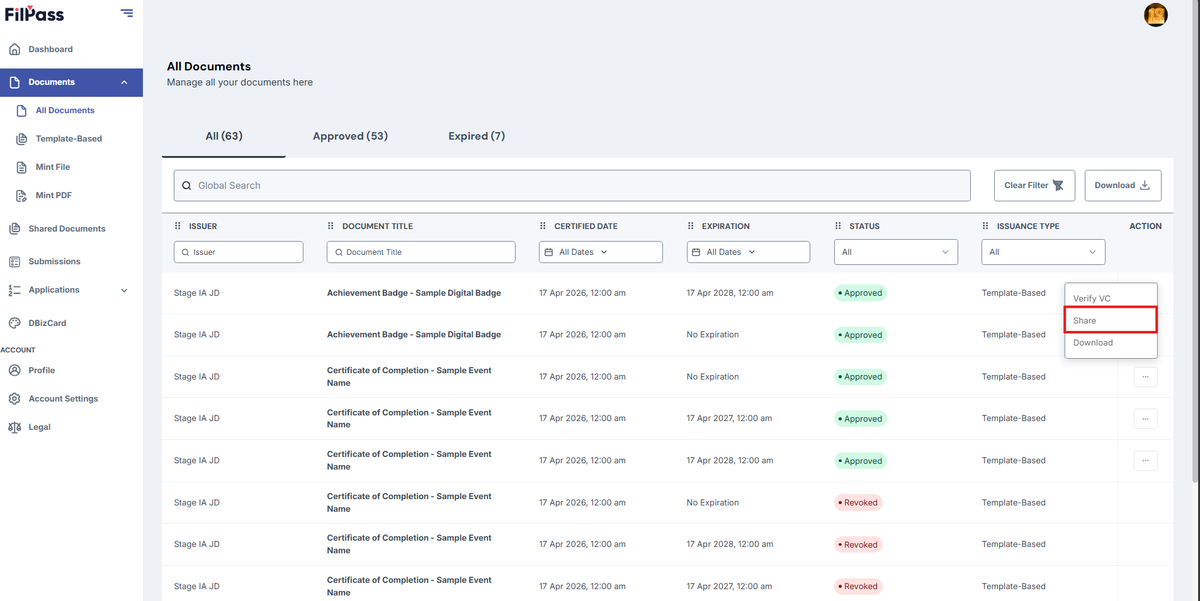
3. Click the “Share” button.
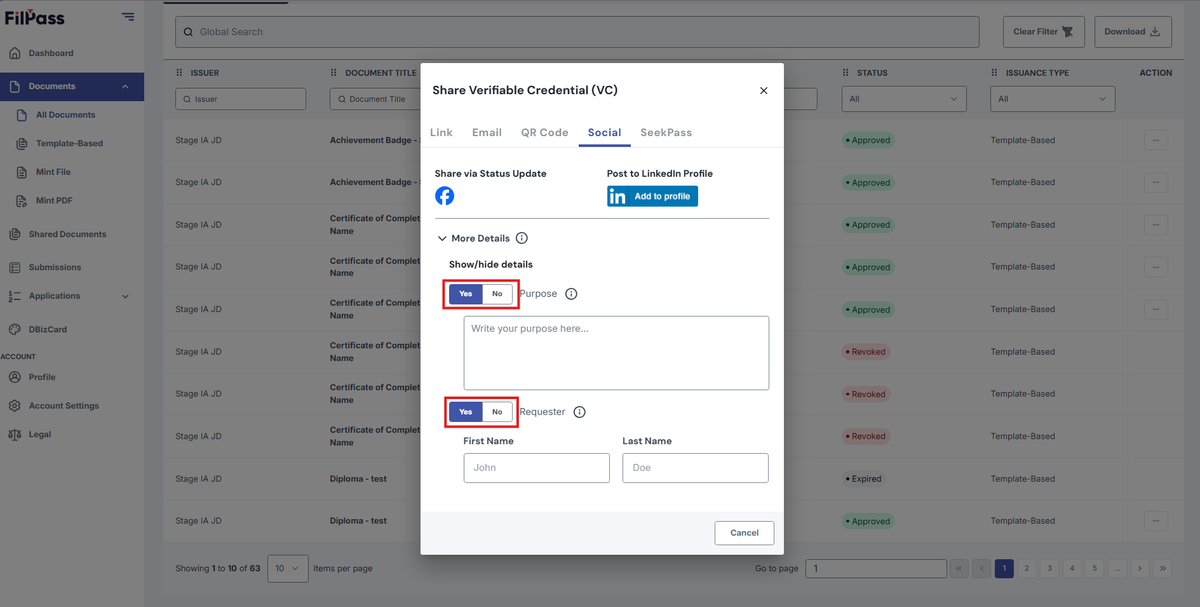
4. On the “Share Verifiable Credential (VC)” modal that popped up, click on the Social tab.
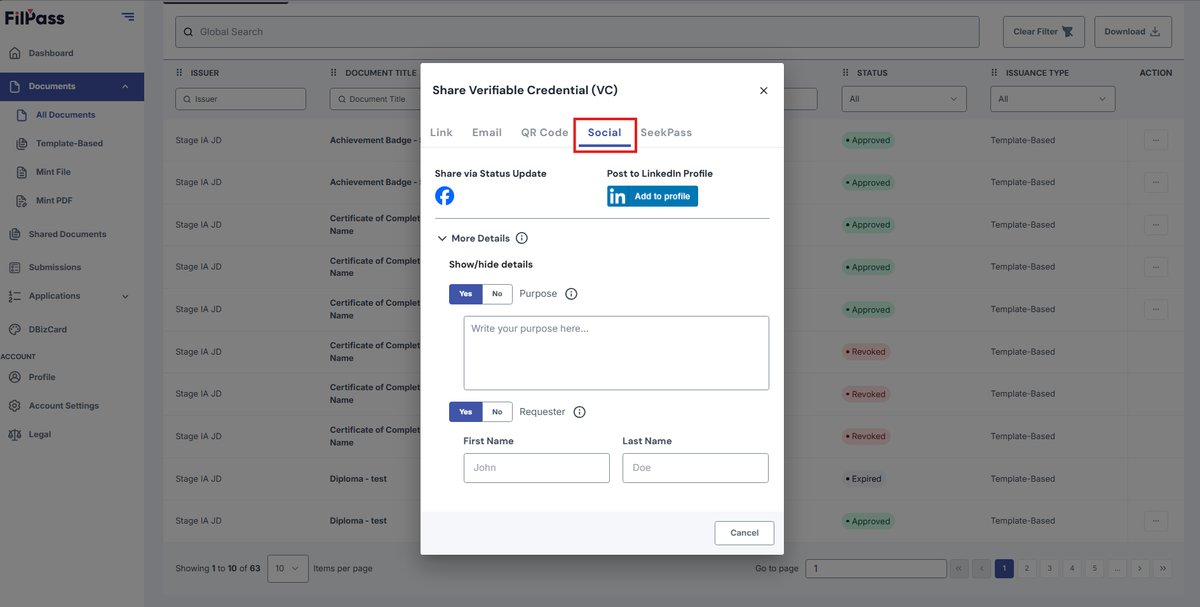
5. You can toggle the settings on the window if you’d like to configure your settings on what to share.
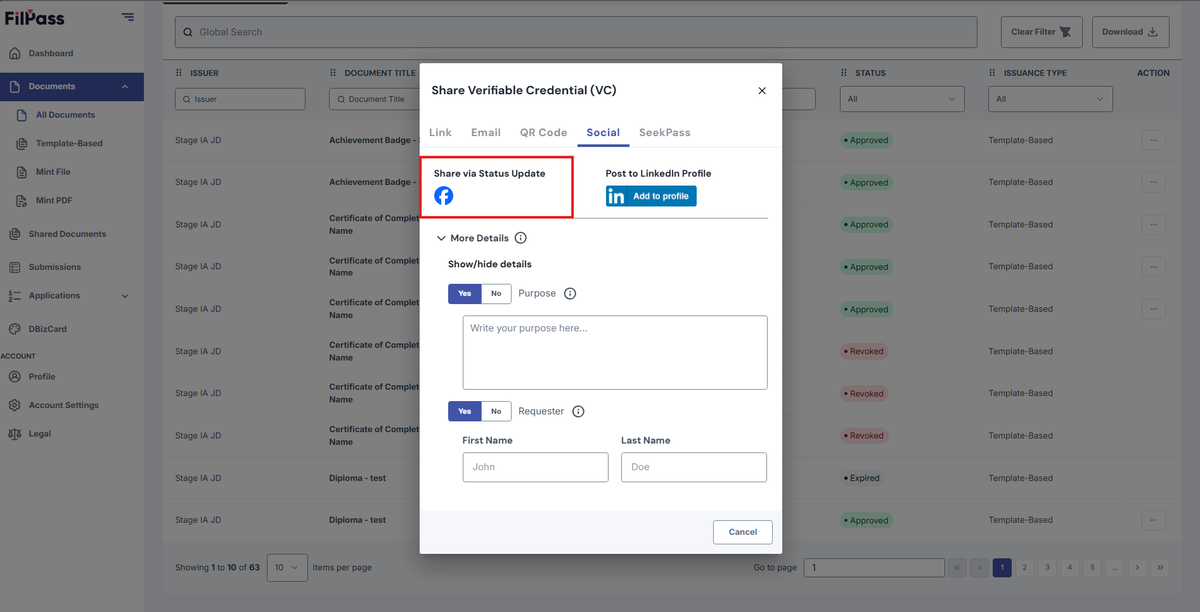
6. When done, you can click on the Share icon to share it to your Social Media.
Was this helpful?