

How to Share Documents with Recipients via Linkedin
This section explains how to share your document to LinkedIn.
1. Go to ”Documents” tab
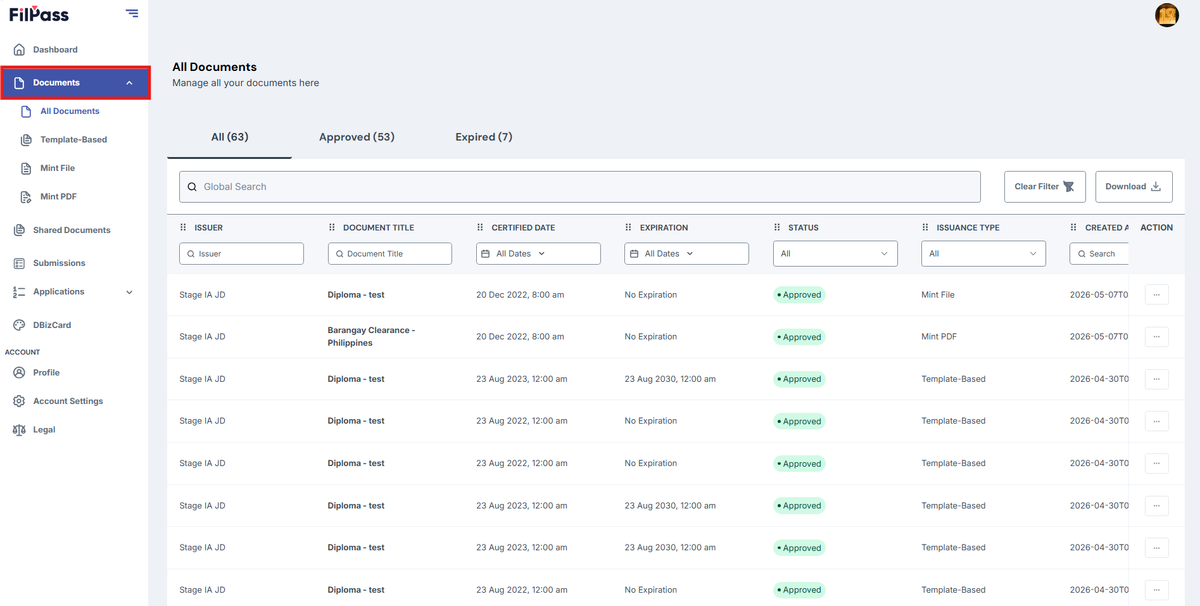
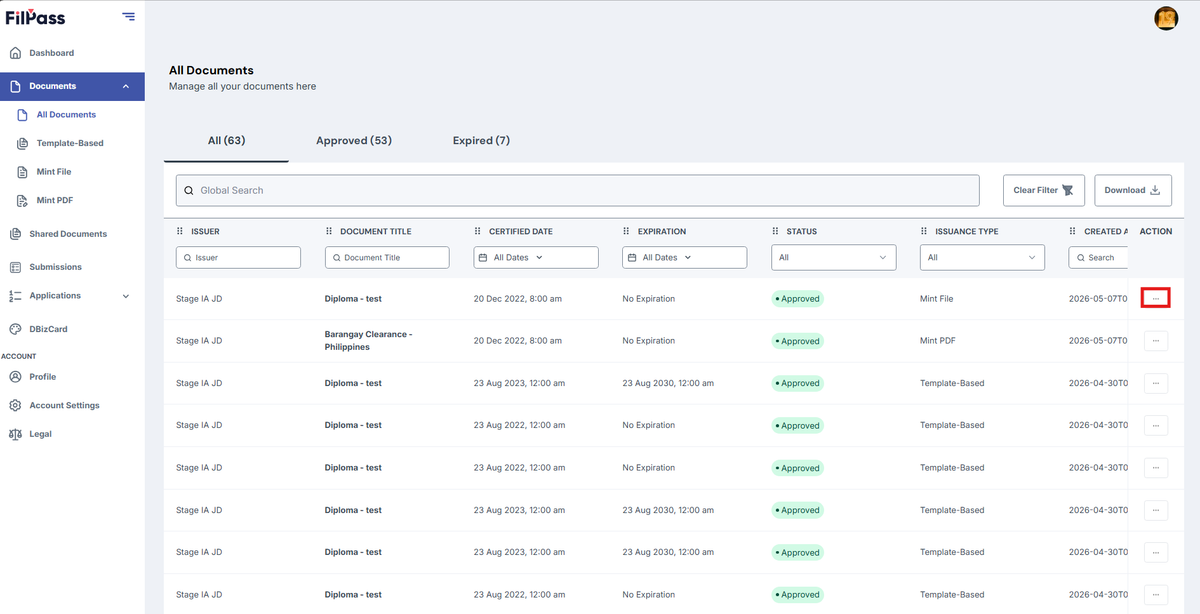
2. Next, Click ”(⋮)” three dots to open the Action button options.
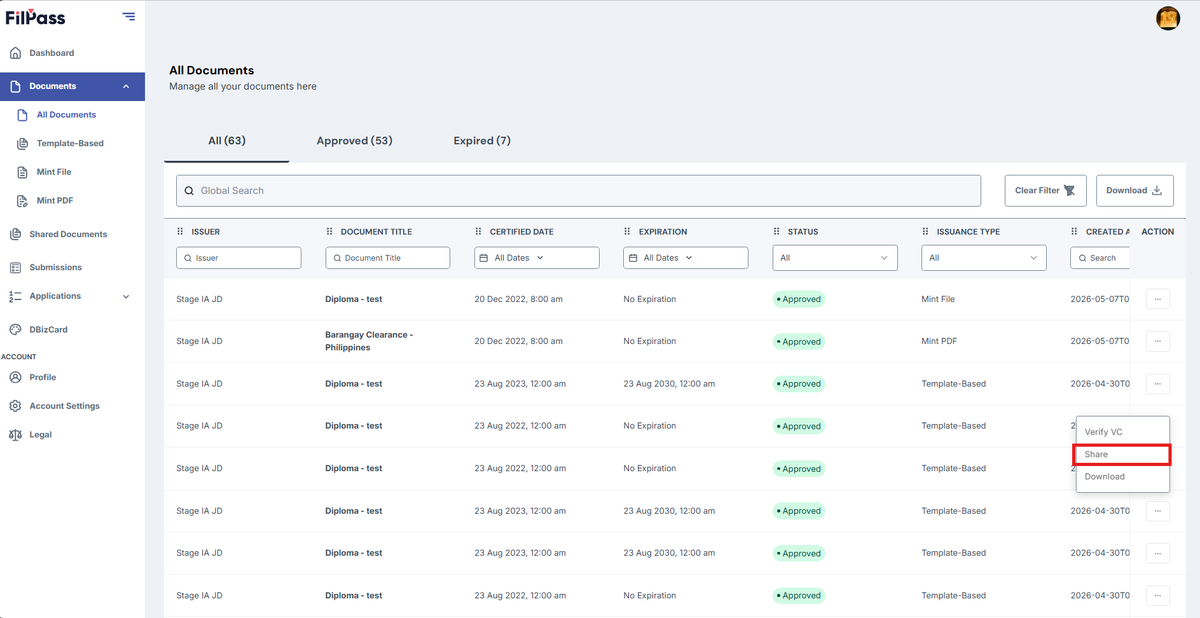
3. Click the “Share” button.
4. On the Social tab, This feature allows you to share a Verifiable Credential (VC) directly via LinkedIn.
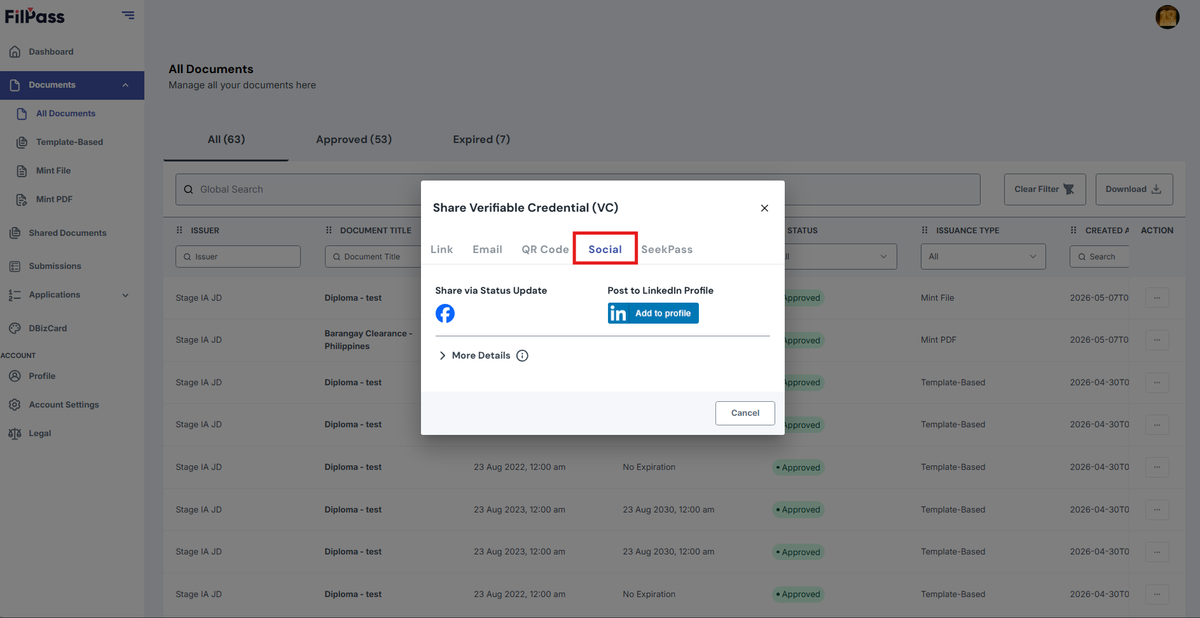
The Verifiable Credential is shared publicly based on the selected privacy settings, and if LinkedIn is chosen, it will be added to the user’s LinkedIn profile as a verified achievement.
5. Click on Add to LinkedIn button.
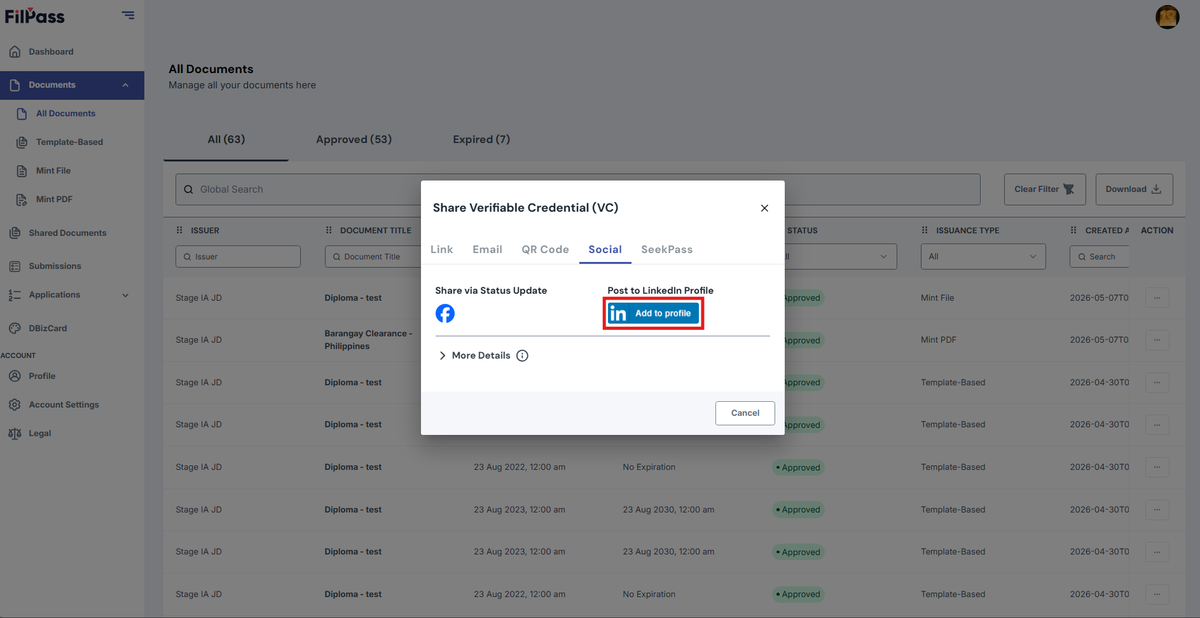
6. Select the option to Add this certification to your LinkedIn Profile. This will open a new tab that will redirect you to LinkedIn.
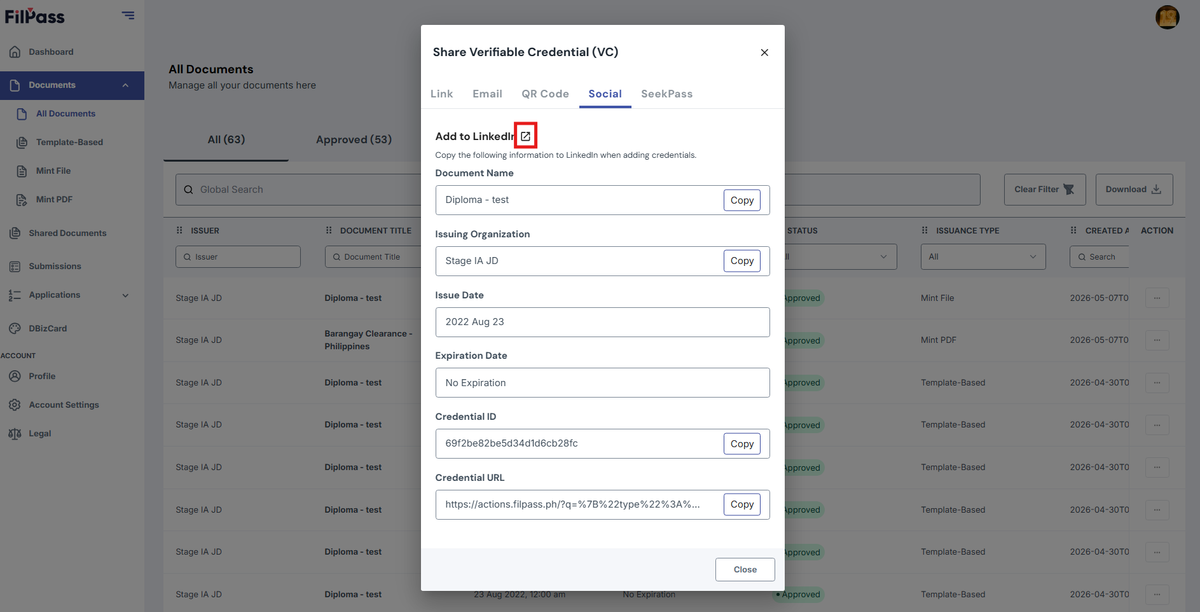
7. Login or Open your LinkedIn Profile and follow the steps in LinkedIn to add your document.
- Go to Licenses & Certifications.
- Click Add Certification.
- Paste each copied value into the corresponding LinkedIn fields.
- Save the changes.
Was this helpful?