

How to Resend Document Email to Recipients?
1. Go to the Batch Issuance Tab.
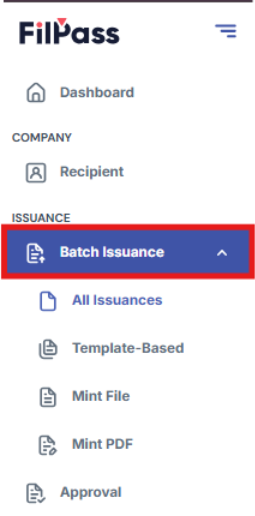
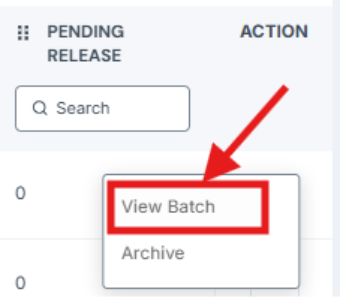
2. Click “Action” button on a certain batch then click the “View Batch” option
3. Go to Documents Tab

4. Click “Action” button on a certain batch then click “Resend Email” button
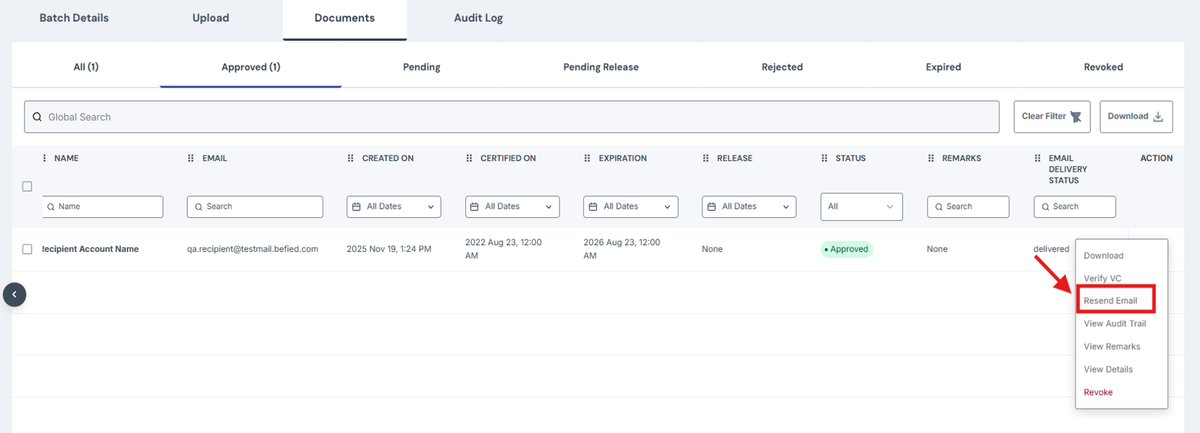
5. A pop-up message should appear saying “Email resent successfully”

Was this helpful?