

How to Hide or Show Pie Chart?
1. Locate the Pie Chart Toggle
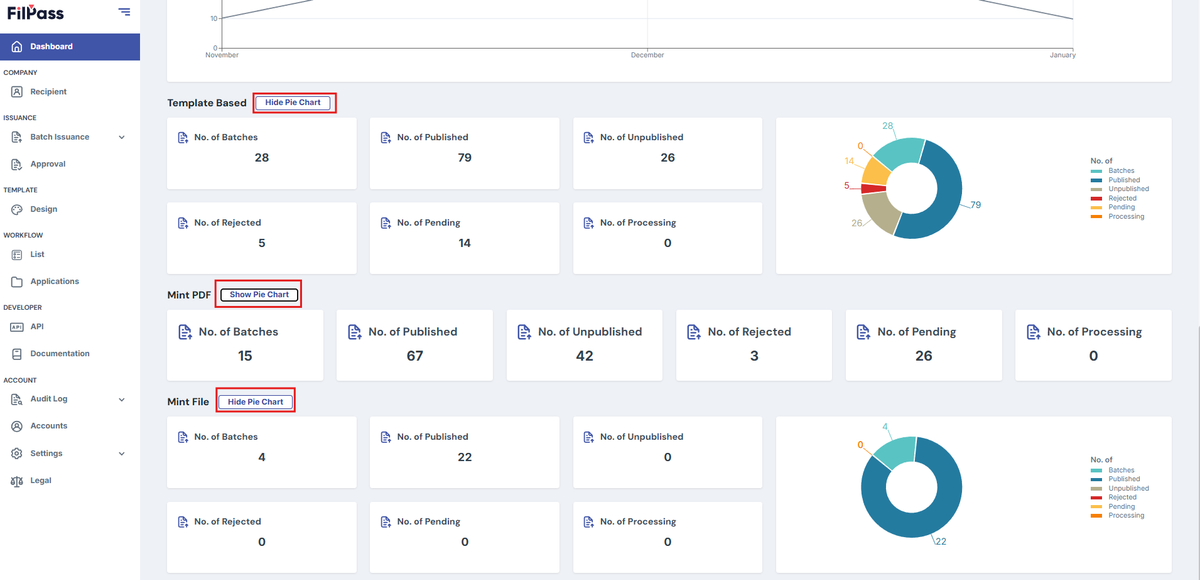
- At the top of the "Template Based" section, find the button labeled Hide Pie Chart (as shown in the red box above).
2 Hide the Pie Chart
- Click Hide Pie Chart to remove the pie chart from view.
3. Unhide the Pie Chart
- When the chart is hidden, the button will change to Show Pie Chart.
- Click Show Pie Chart to display the chart again.
Was this helpful?