

How to Export Dashboard?
- Select a Date Range
- Click the dropdown menu at the top-right corner of the dashboard.
- Choose from the available options:
- All Dates
- Today
- Last 7 Days
- Last 30 Days
- Last Year
- Custom Date Range (to set a specific period).
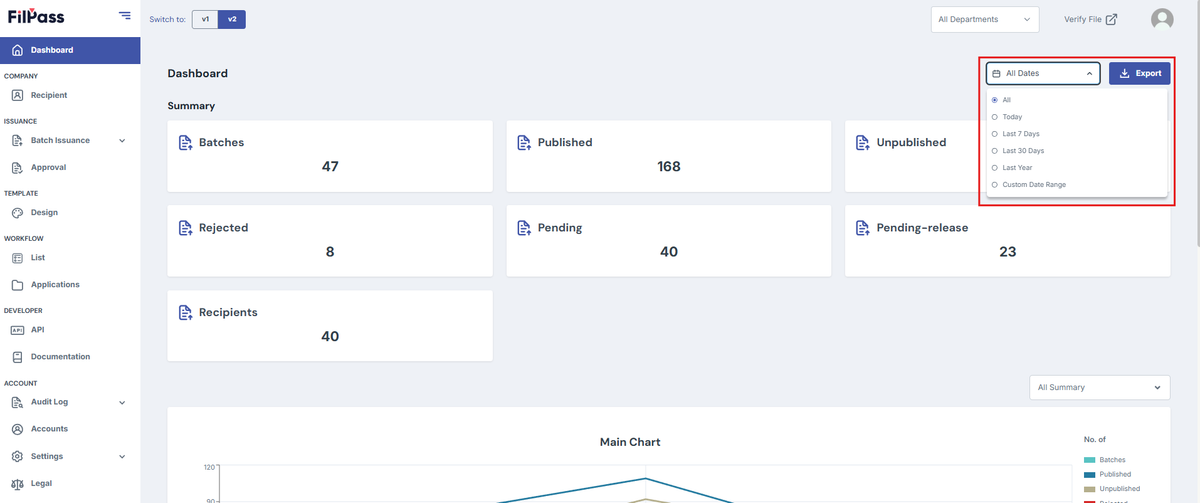
- Click the Export Button
- After selecting your desired date range, click the Export button to download the report.
Note: If no data is available for the selected date range, a "No data found" message will appear.
Was this helpful?