

How to Download Proof of Payment
This section shows how to view and Proof of Payment for your previous transactions through your answered Workflow.
1. Go to Applications page.
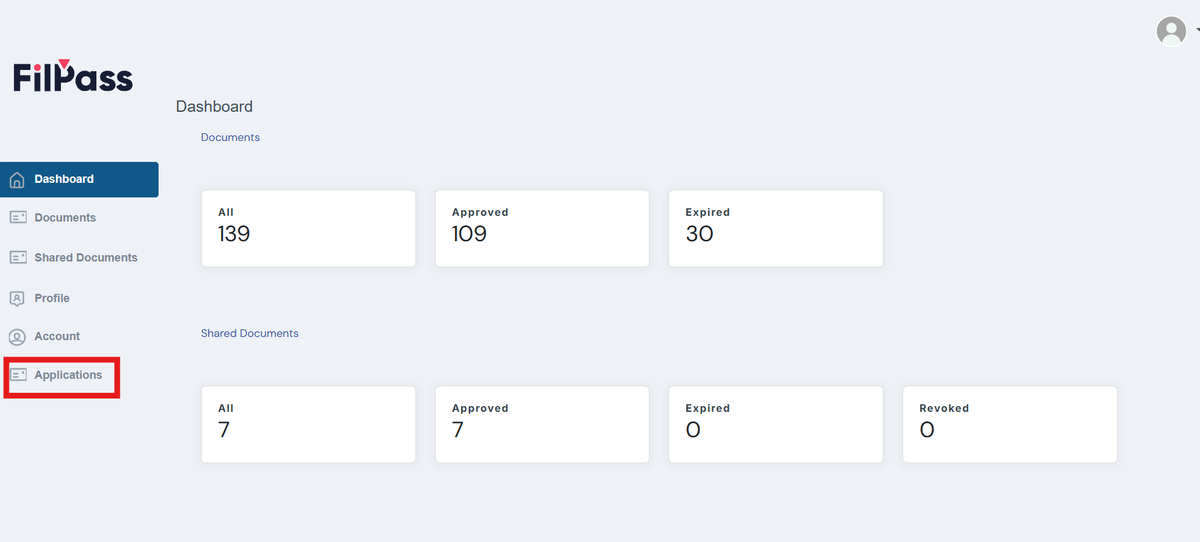
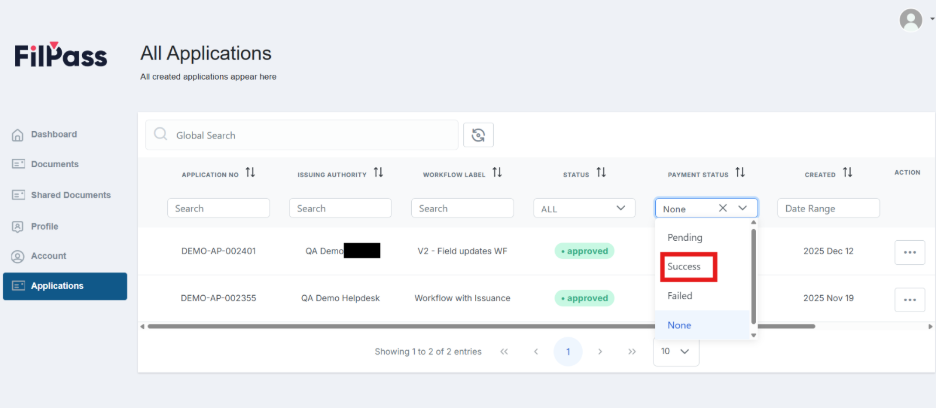
2. Find the Workflow that you’ve answered that included payment. To view this easily, you can filter the data through Payment Status.
If the Workflow has “none” as payment status, there was no purchase processed through that Workflow.
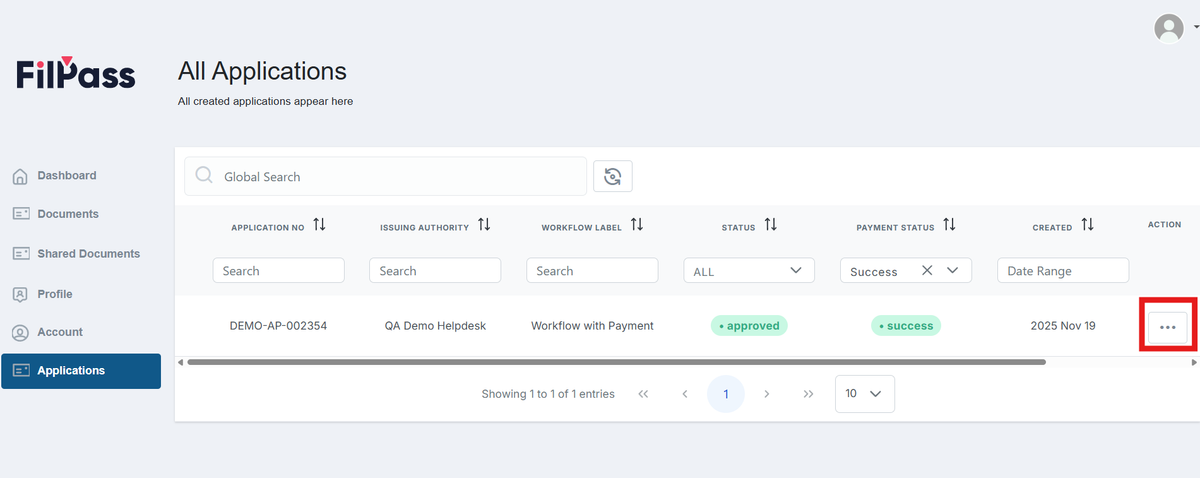
3. Click on the Action button with the Workflow Application that you want to download the proof of payment.
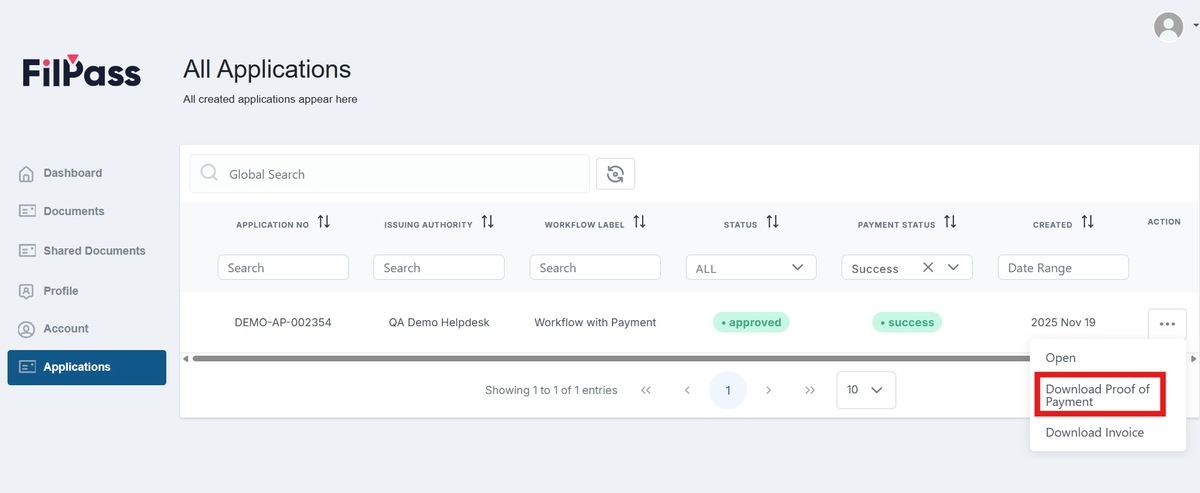
4. Click the “Download Proof of Payment” button.
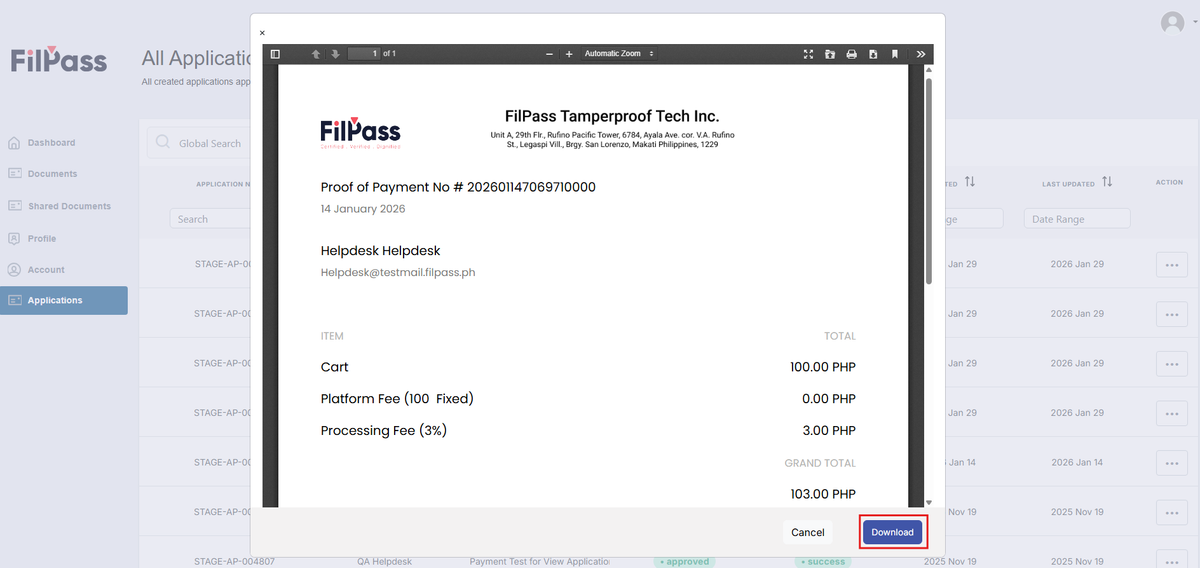
5. In the Invoice preview, you can click on Download button to get a downloaded copy of your Proof of Payment.
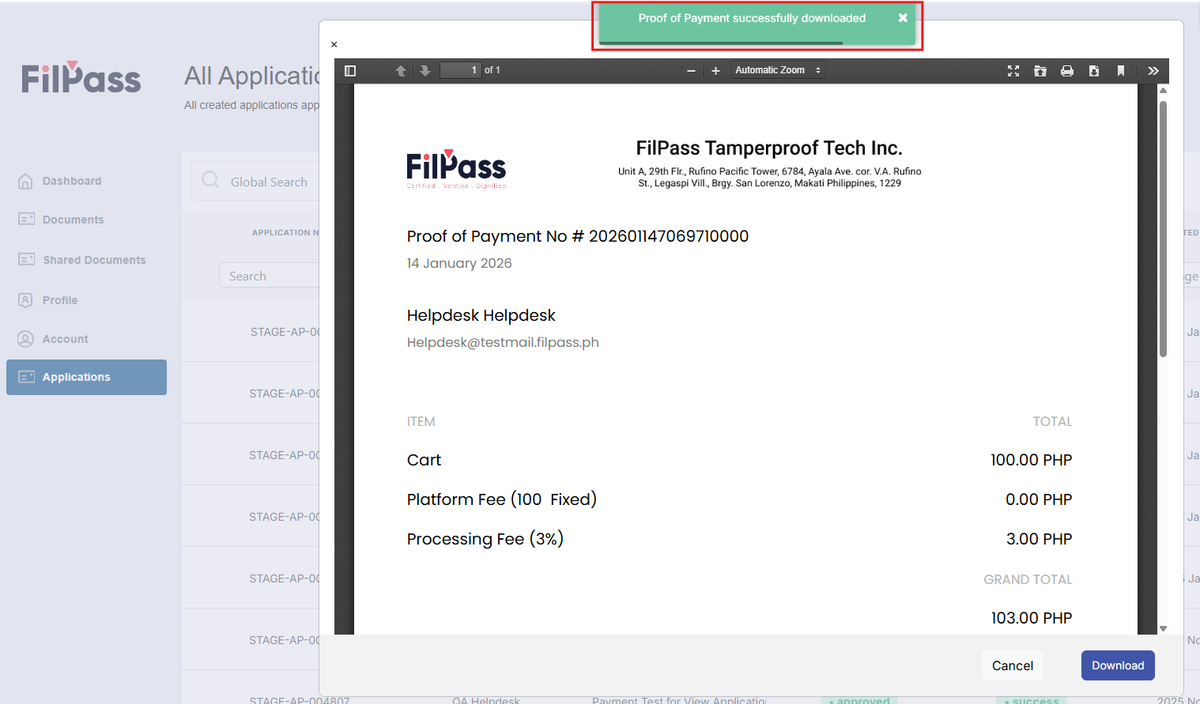
- A Success message will pop up to confirm that your Proof of Message is now downloaded.
Was this helpful?