

Event External Remarks Tab
This section explains how the External Remarks Tab.
- Go to Attendees
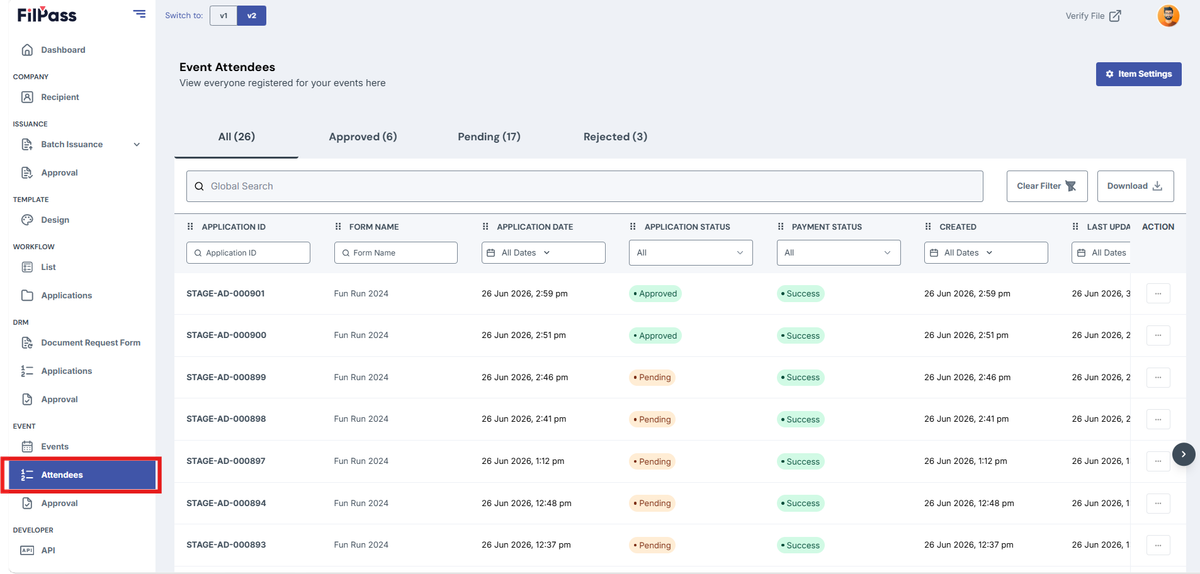
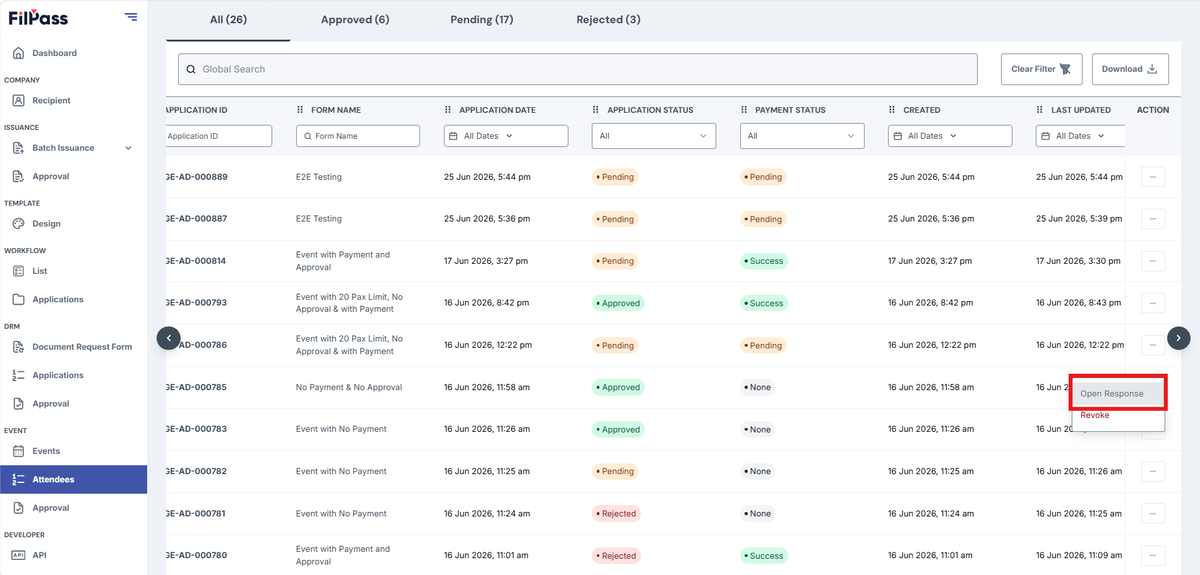
2. In Actions, locate the specific application and click Open Response
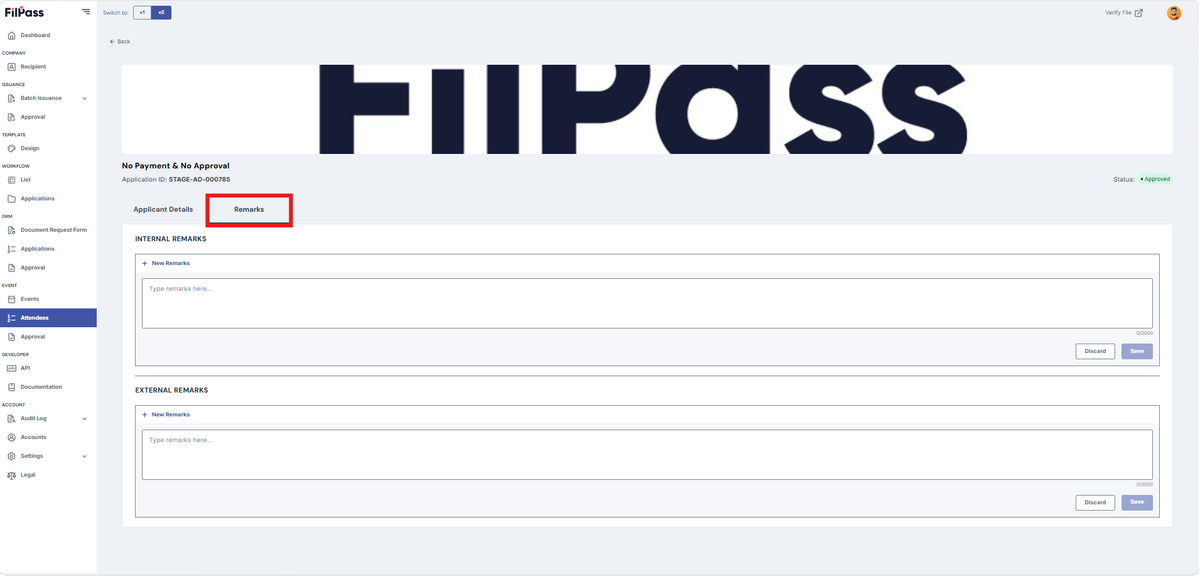
3. Locate the Remarks Tab
4. Input Internal or External Remarks
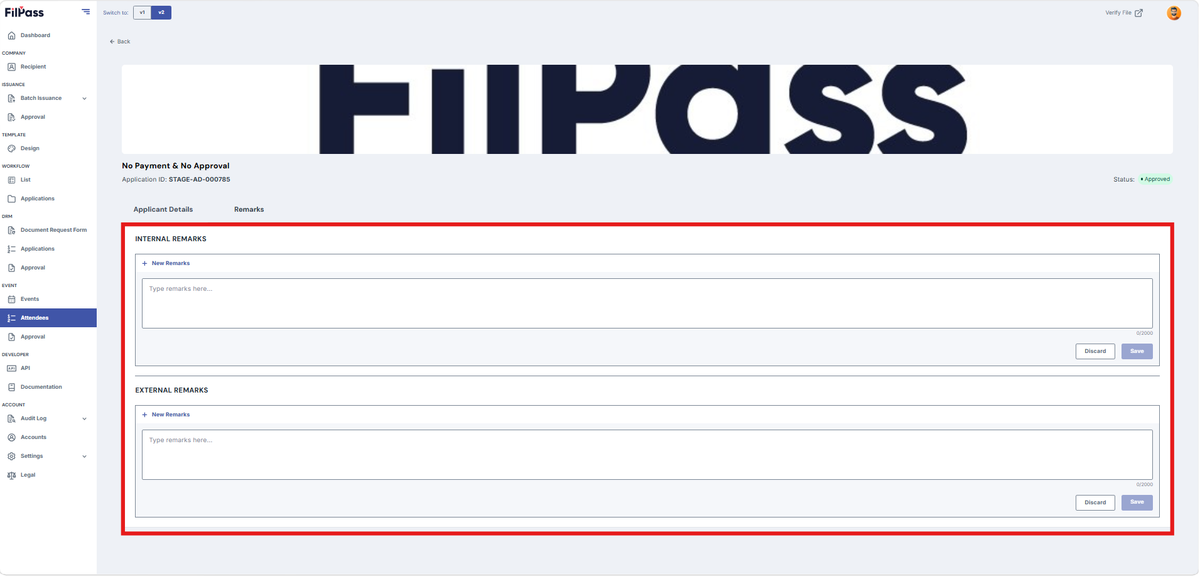
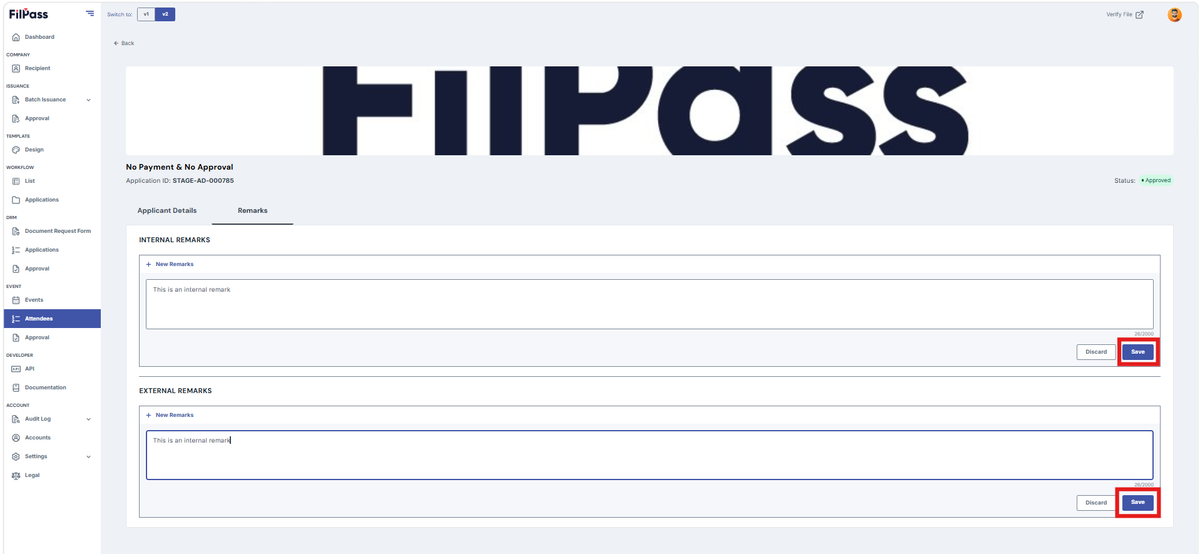
5. Click Save to save the remarks
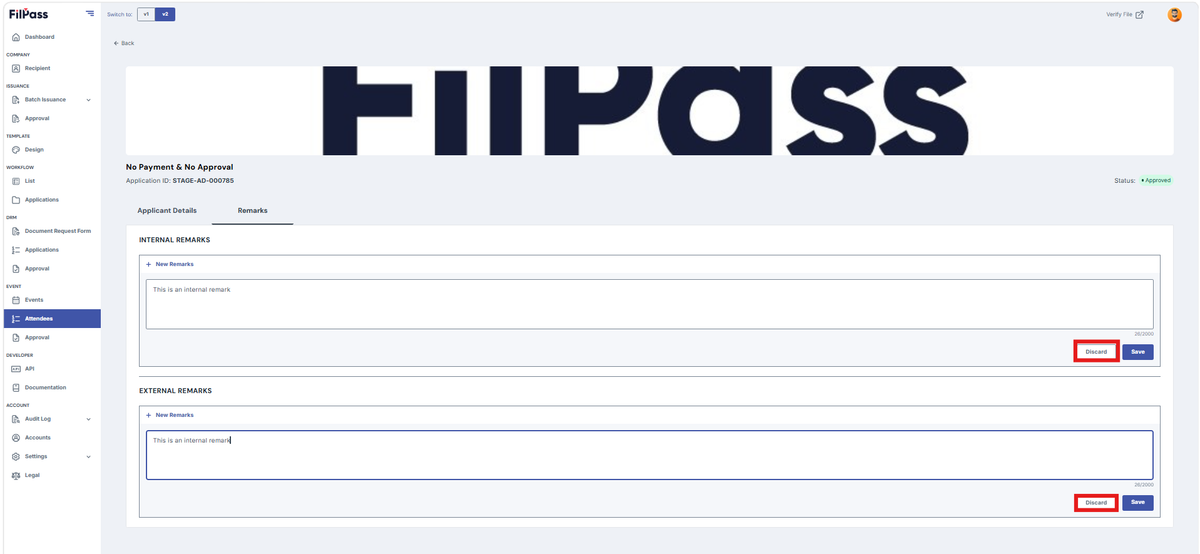
6. Click Discard to cancel the remarks
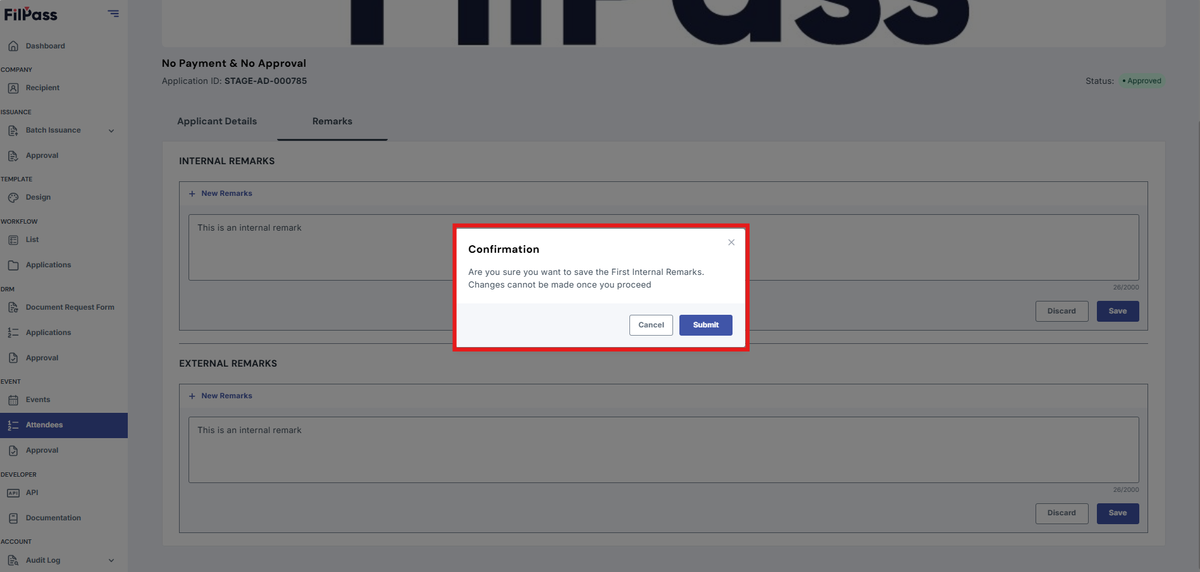
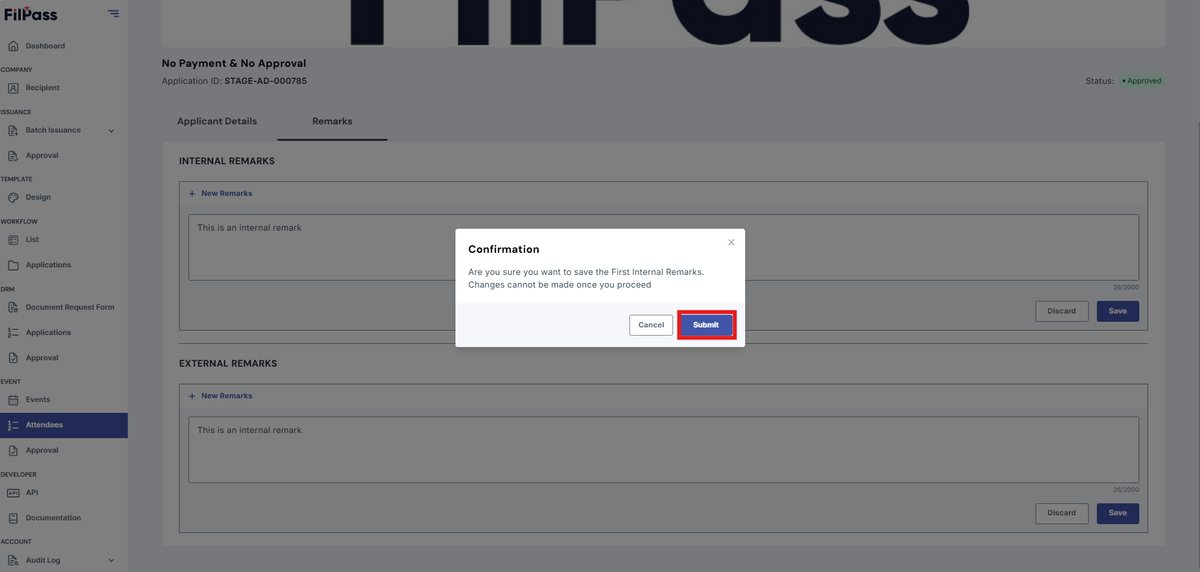
7. After clicking save, a confirmation modal will pop up
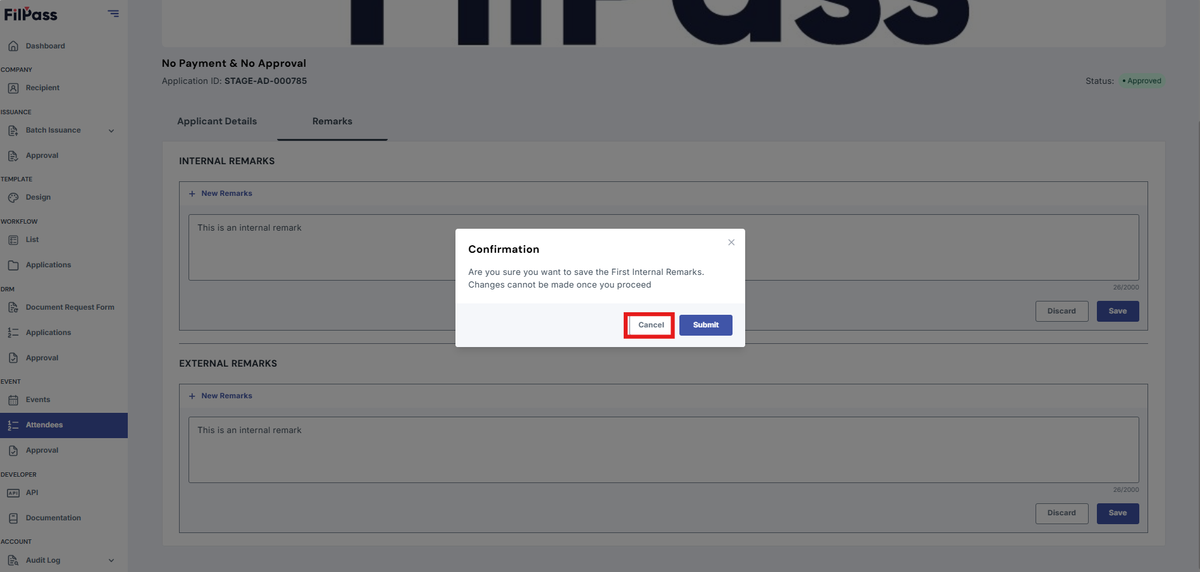
8. Click Cancel if will change something
9. Click Save to save the remarks
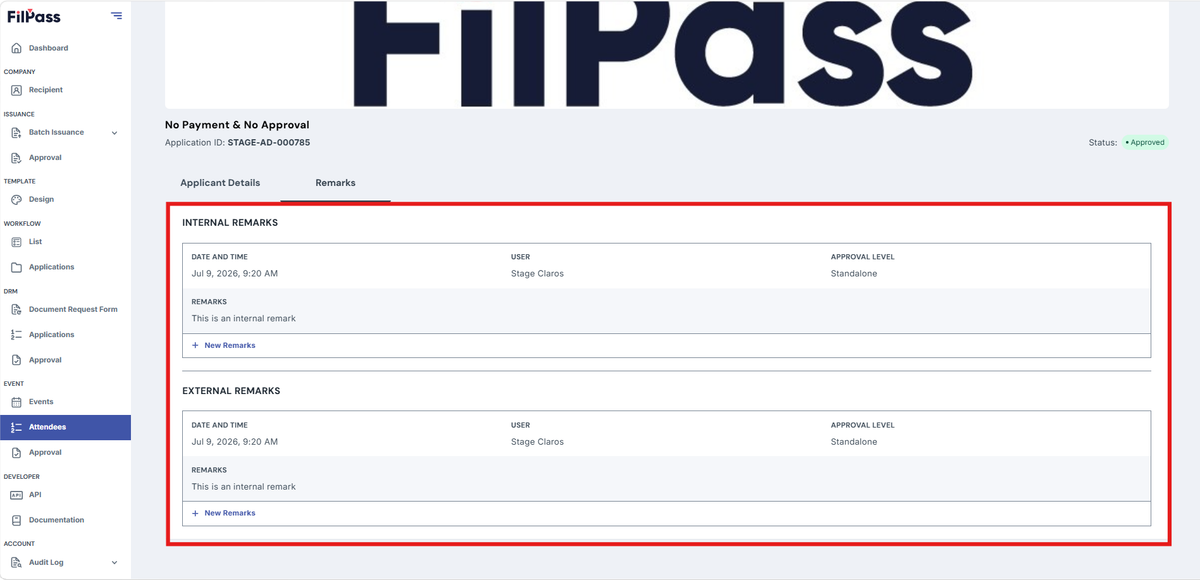
10. After clicking save, you will see the remarks information
- Time & Date
- Remarks
- User
- Approval Level
Was this helpful?