

Delete Event Custom Tab
This section explains the Deletion of Custom tab in an Event.
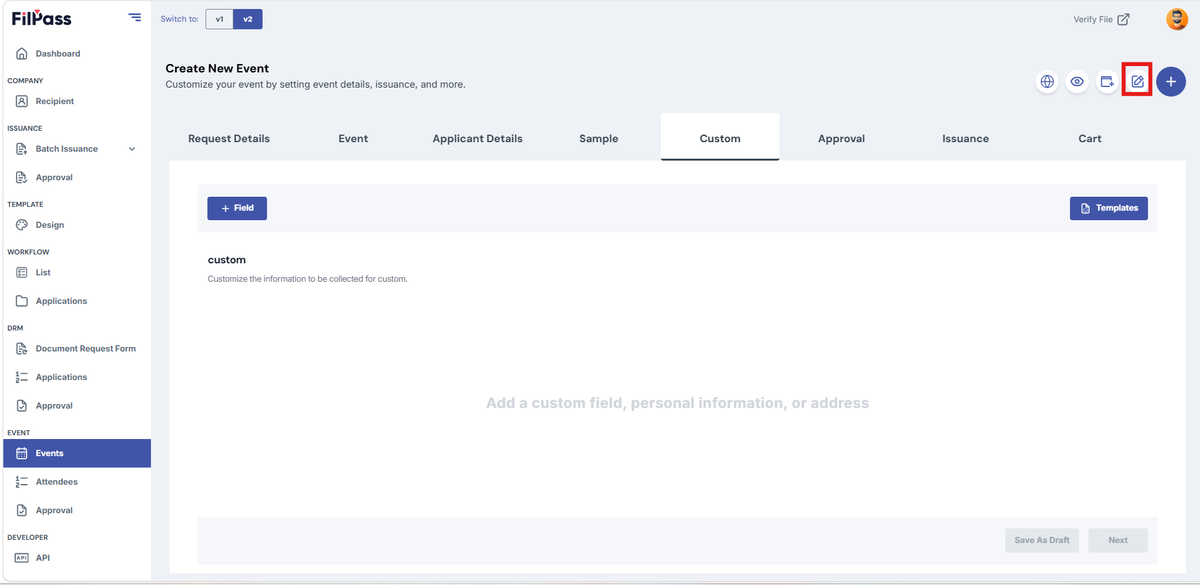
- In the upper right of the screen, click the Edit Tab icon
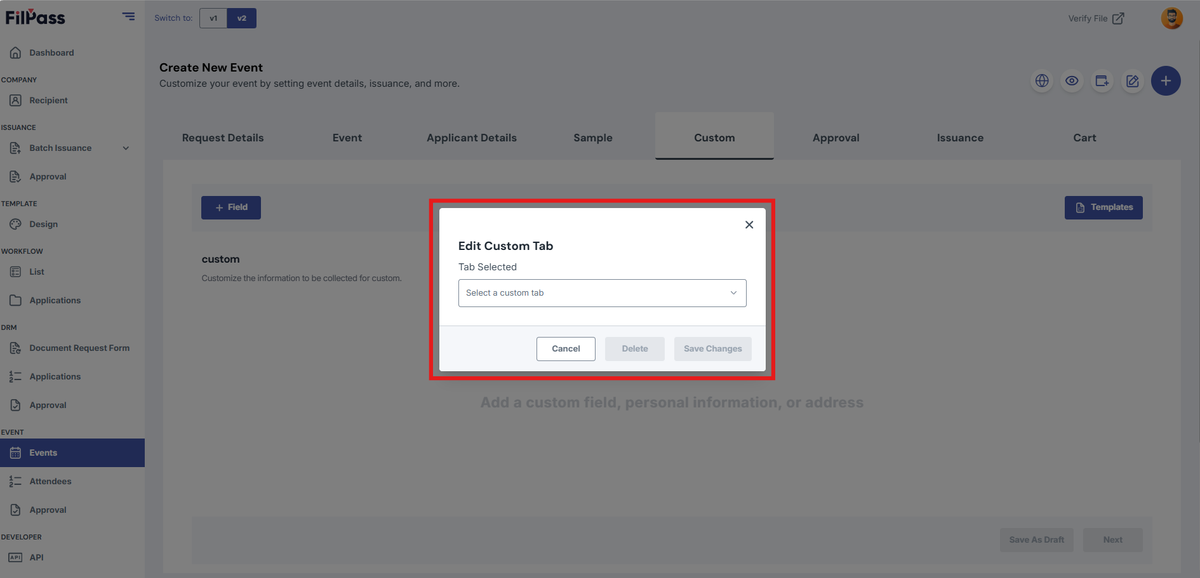
2. The Edit Custom Tab modal will appear
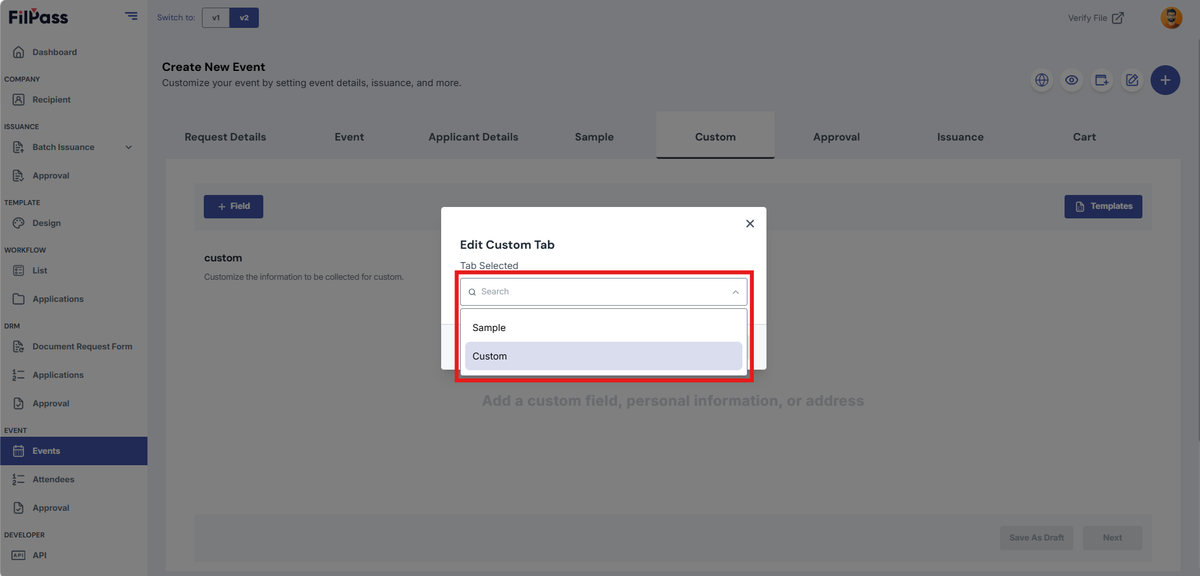
3. From the dropdown, select the custom tab that you want to delete.
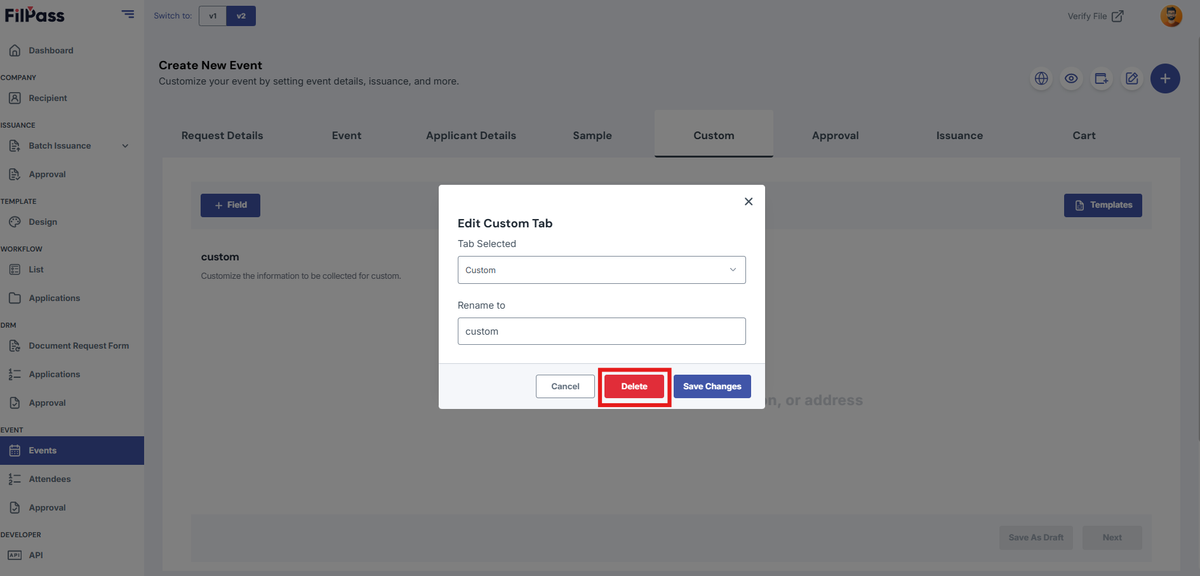
4. Click the Delete button
5. The Confirm Deletion modal will appear
6. Click Delete Tab button
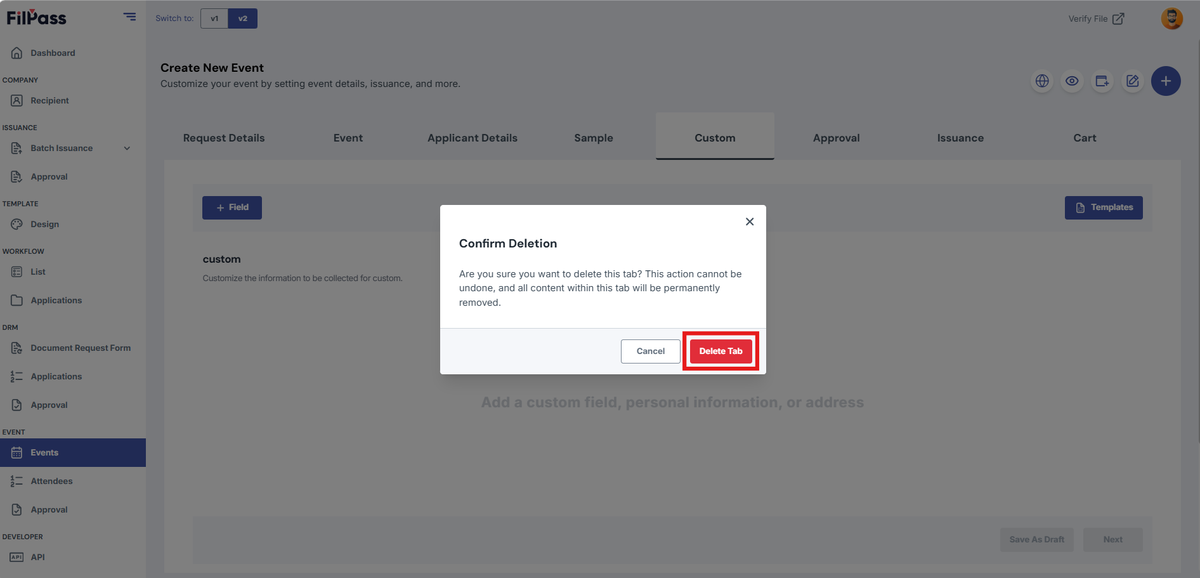
7. You have now successfully deleted your tab
Was this helpful?