

Adding Contact Details
Step 1: Open Contact details
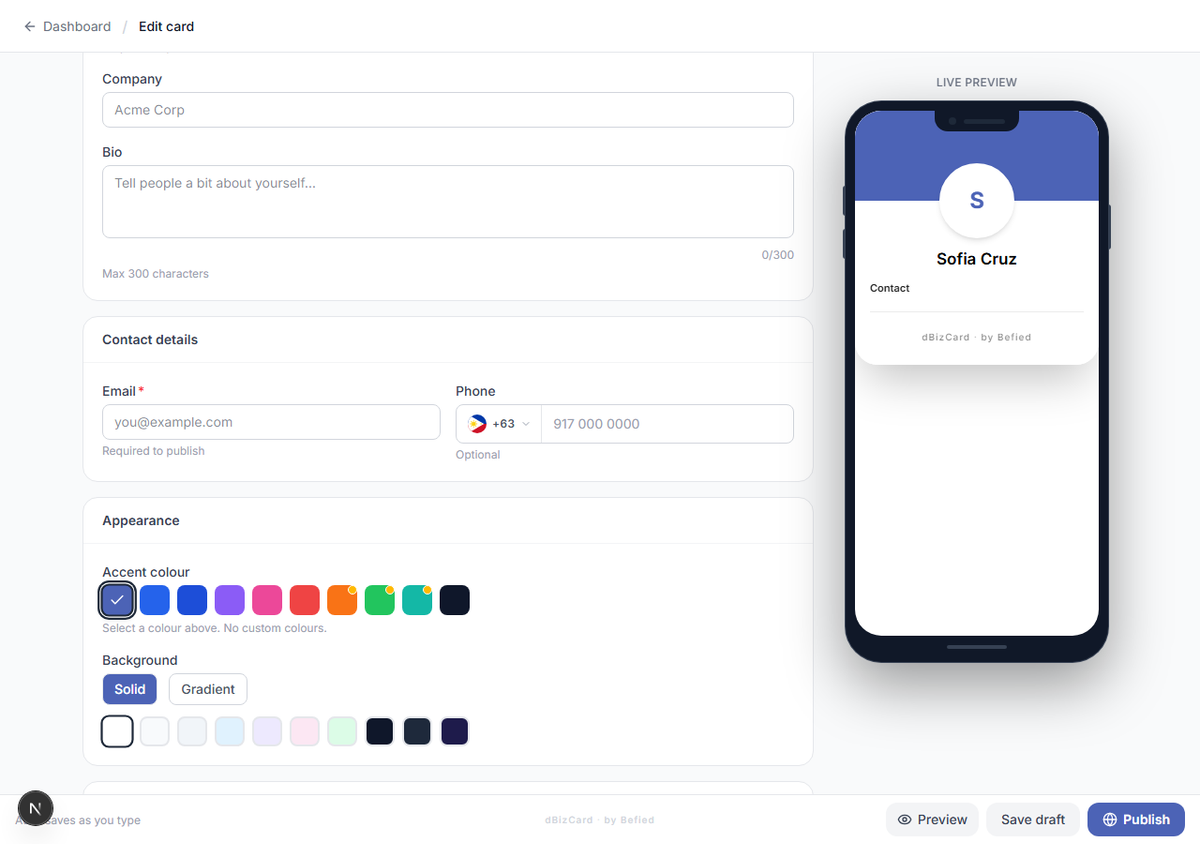
In the editor, go to the Contact details section.
Step 2: Add email and phone
- Email (required to publish)
- Phone (optional) — pick the country code and enter the number.
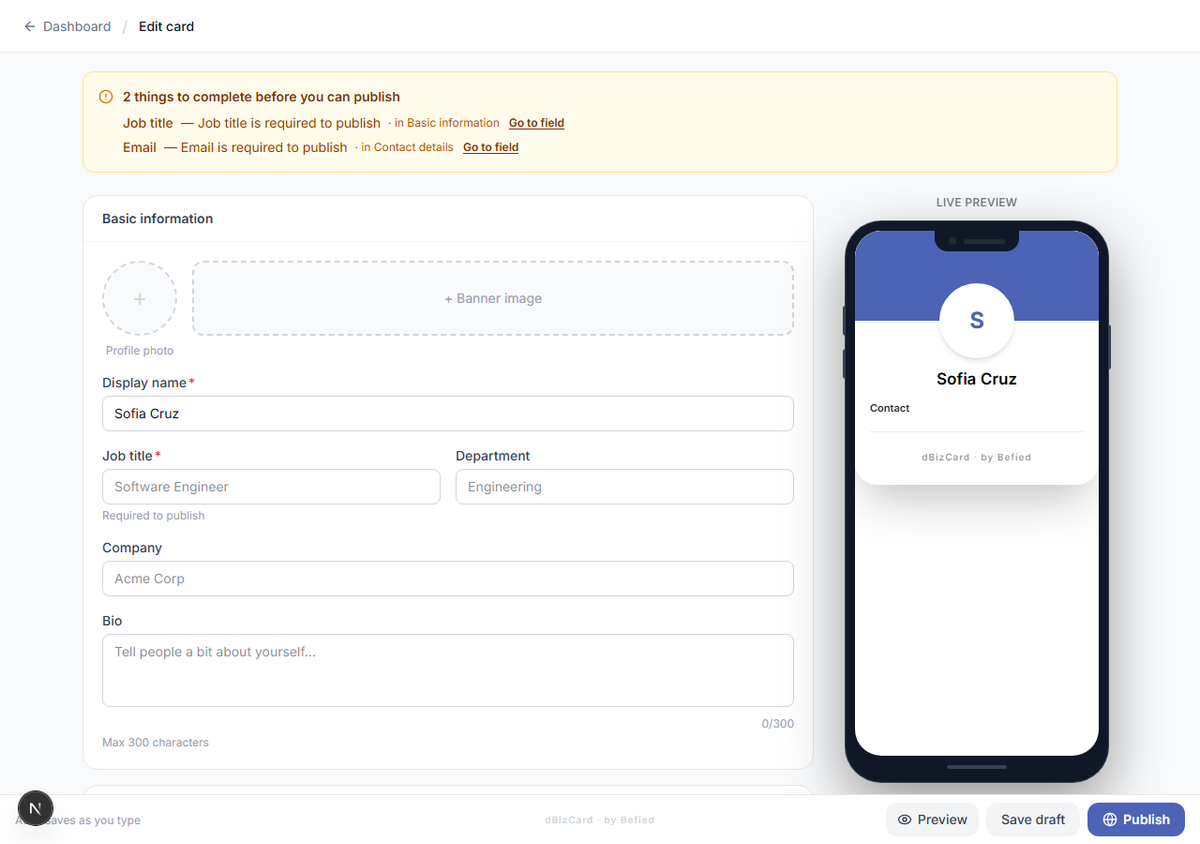
Note: Display name, job title, and email are all required before you can publish. If any is missing, a banner at the top of the editor tells you exactly which field and where — click Go to field to jump to it.
Result: Your contact details are saved and the card is closer to publish-ready.
Was this helpful?