Add Event Custom Tab

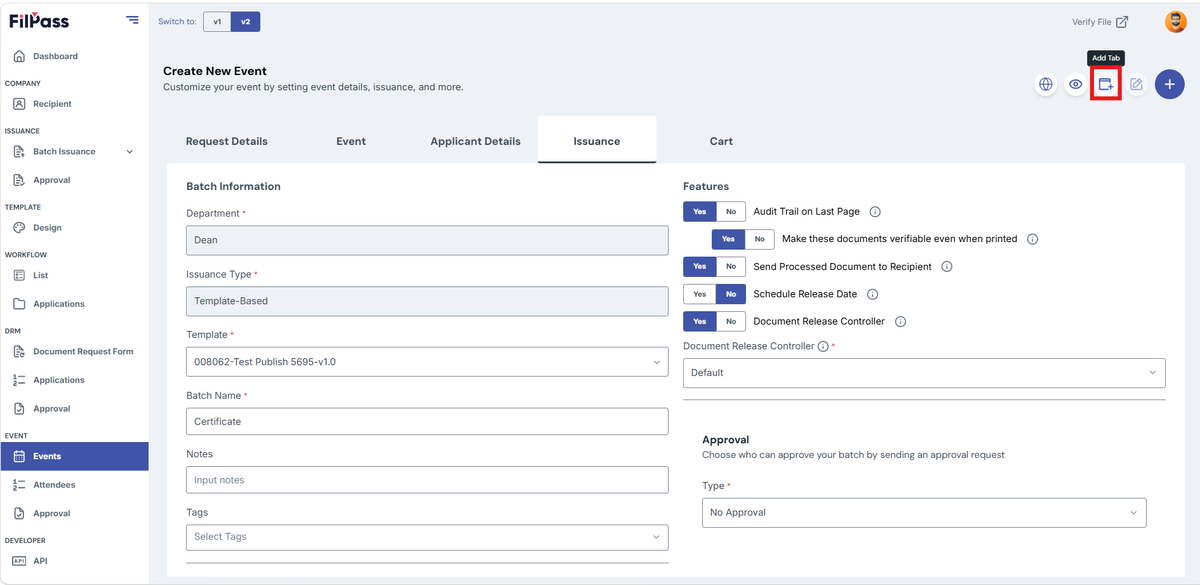
  1. In the upper right of the screen, click the Add Tab icon
Pasted image - update alt text

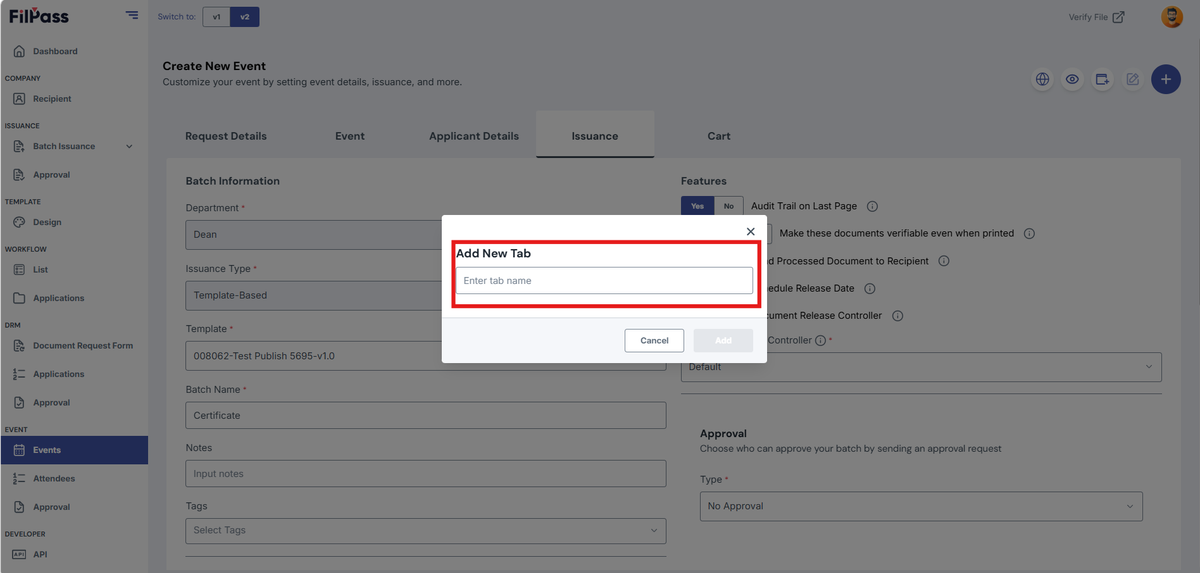
2. Enter the name of the new tab

Pasted image - update alt text

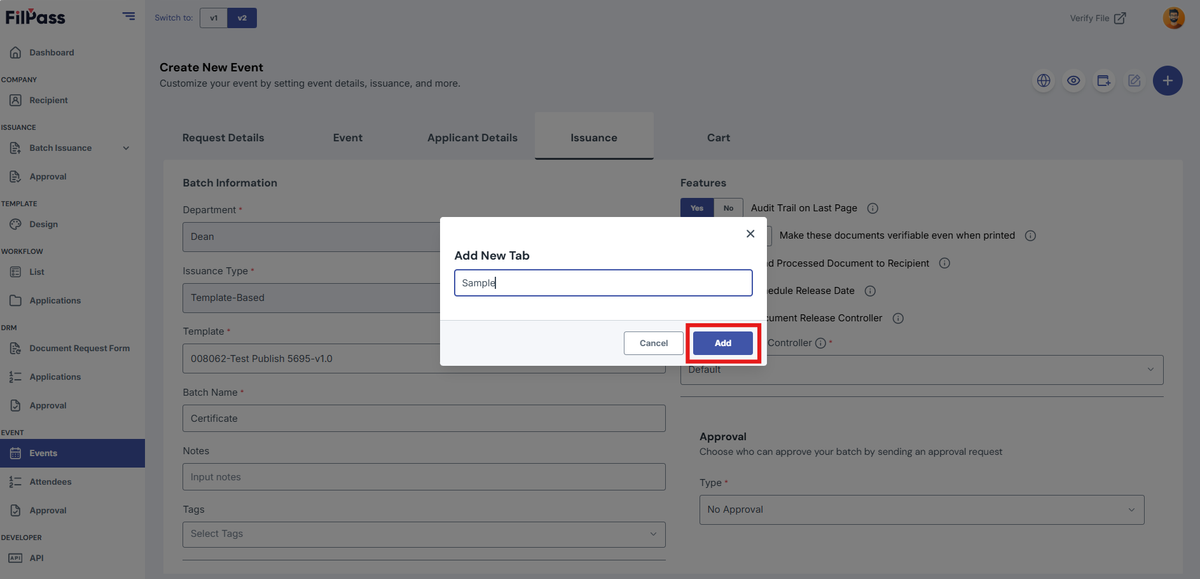
3. Click the Add button

Pasted image - update alt text

4. You have now successfully added your new tab

Related Articles

Issuing AuthorityAPI

API Keys Management User Guide

The API Keys Management module allows administrators to generate, manage, and revoke API keys used to integrate external applications with the platform.

24 Feb 202653 views
Issuing AuthorityProfile Settings

Access Level

This section explains the Access Level of your IA.

settings
28 Jan 202688 views
Issuing AuthorityWorkflow

Add Field Section

This section explains how to add fields in a Custom Tab of a Workflow.

workflow
20 Feb 202673 views
Issuing AuthorityAccount Settings

Admin Role

This section explains how you can add and remove an Admin role in the Accounts Section.

27 Jan 202655 views