

How to Upload Static Images in Assets
- Log in to the FilPass System using your Issuing Authority (IA) account.
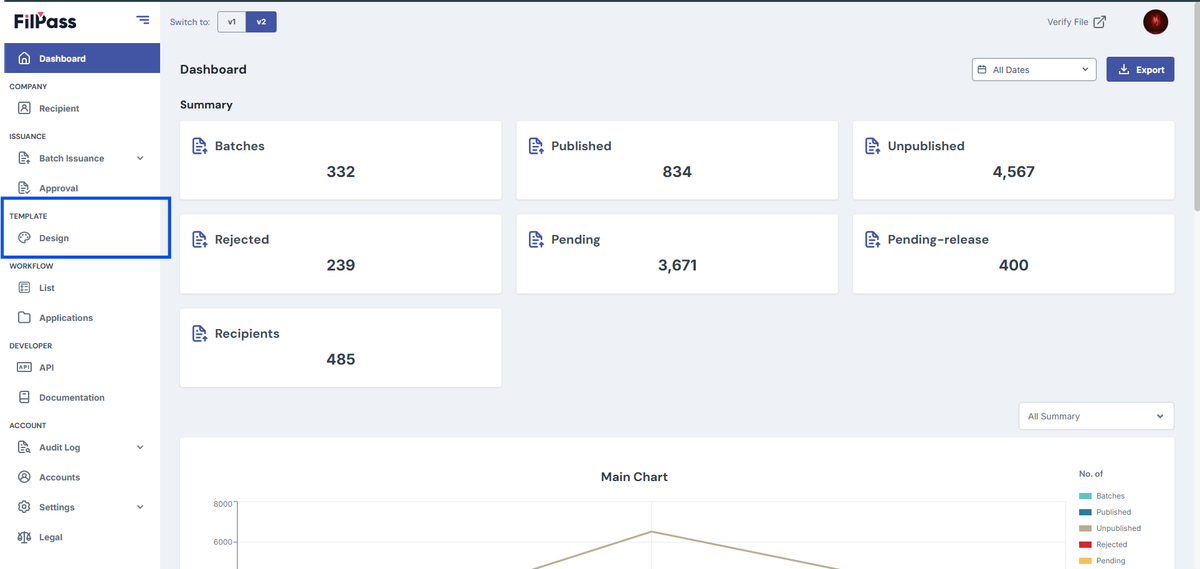
- From the left sidebar, click Design under the Template section.
- Note: The Template Design module will open in a new browser tab.
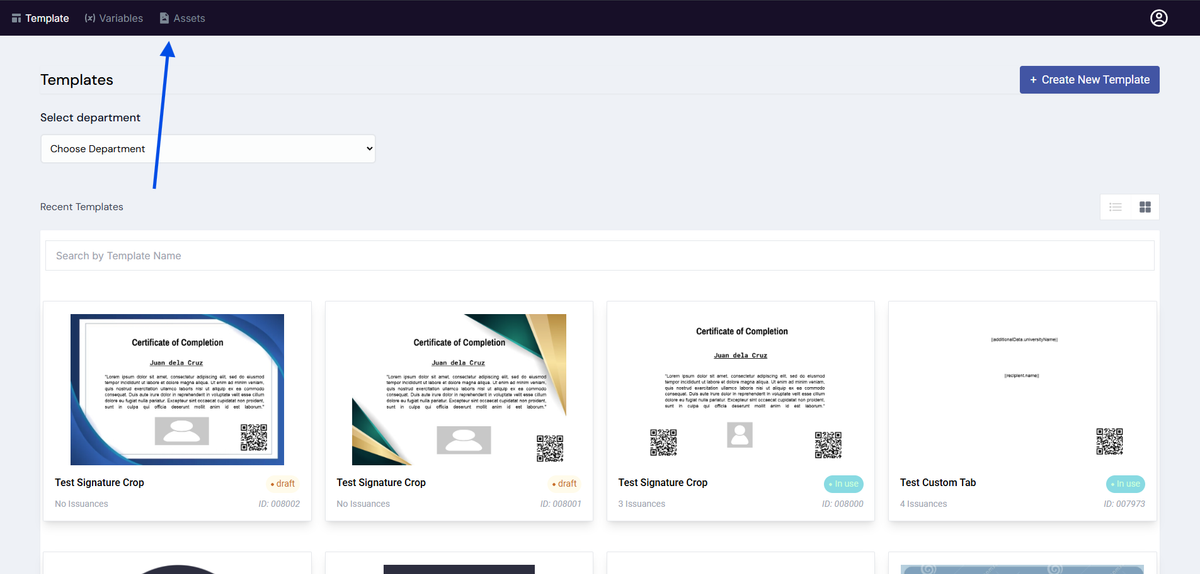
3. On the Template Design page, click the Assets tab located at the top of the page.
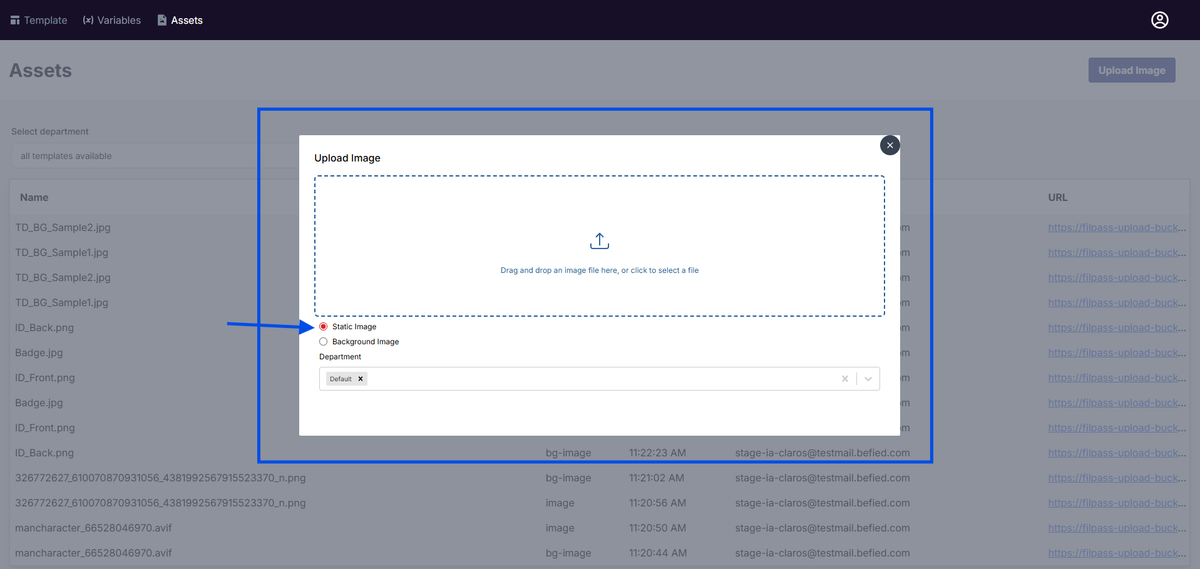
4. Select Upload Image located at the top right

5. Select the Static Image and Upload your file
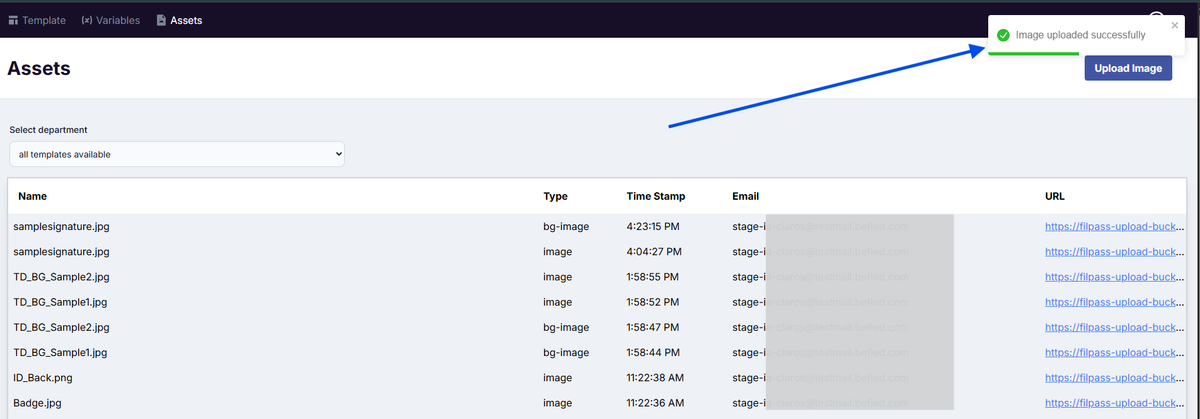
6. A notification will appear in the upper-right corner indicating whether the action was successful or not. The static image type is image
Notes:
- Static images are typically used for logos, icons, or official signatures that occupy a specific area of the template.
- Ensure the image has a transparent background (e.g., .png) for better integration into the layout.
Was this helpful?