

How to Submit your Bank Payment
- From the available payment methods, select Bank Transfer, then choose the appropriate bank from the provided options.
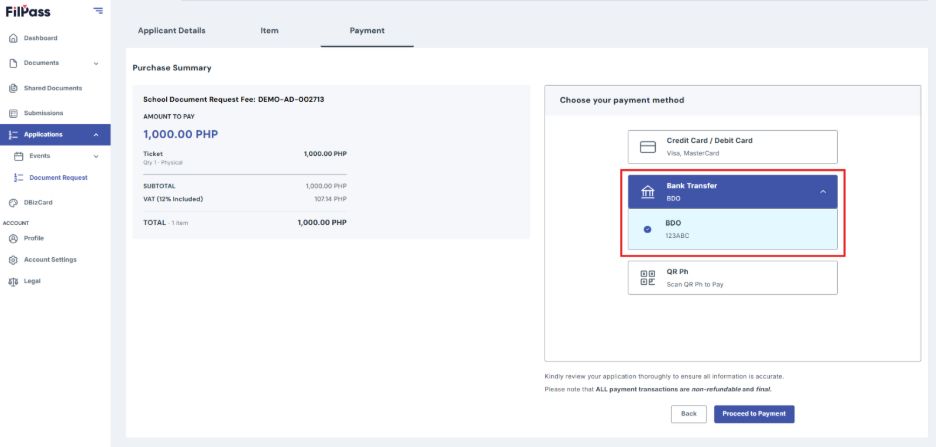
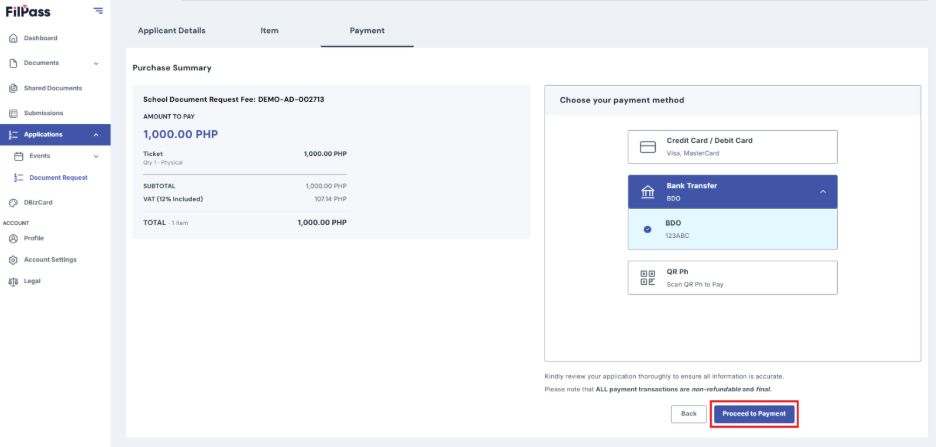
2. Click Proceed to Payment
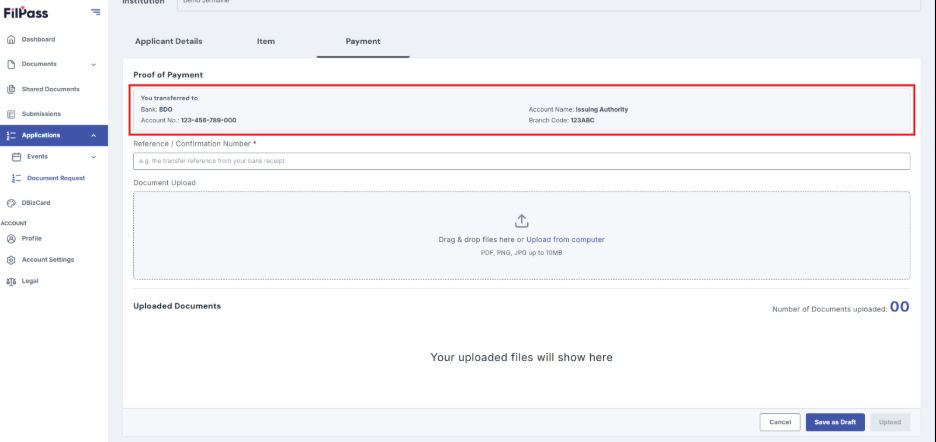
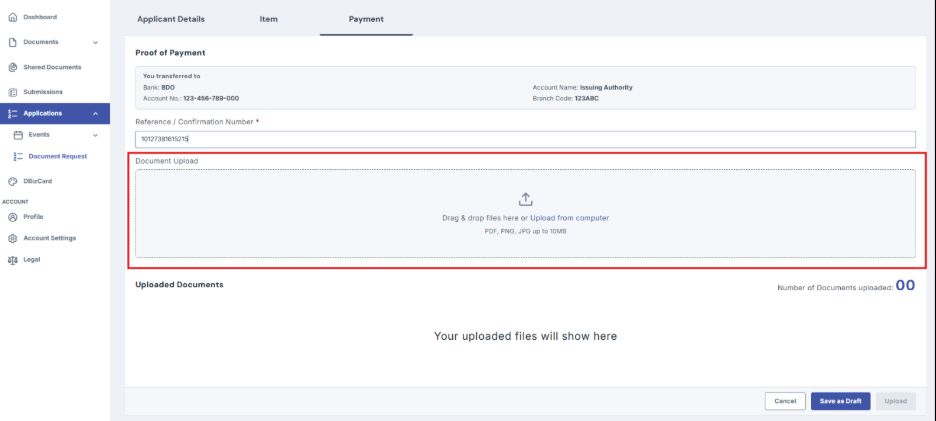
3. Wire the payment to the bank account details provided in the payment screen.
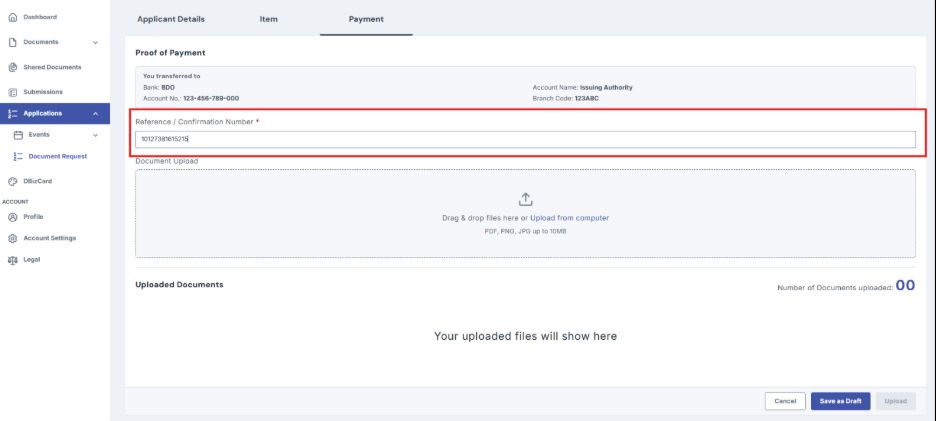
4. Enter the Reference Number or Confirmation Number provided by your bank. You can find this information on your transaction receipt.
5. Attach the transaction receipt. Accepted formats: PDF, PNG, or JPG, up to 10 MB.
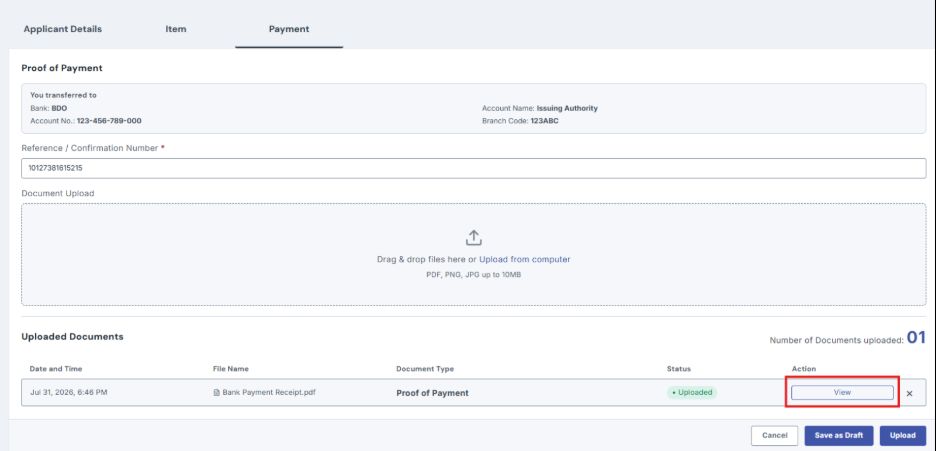
6. Click View to confirm that the attached file is correct and readable.
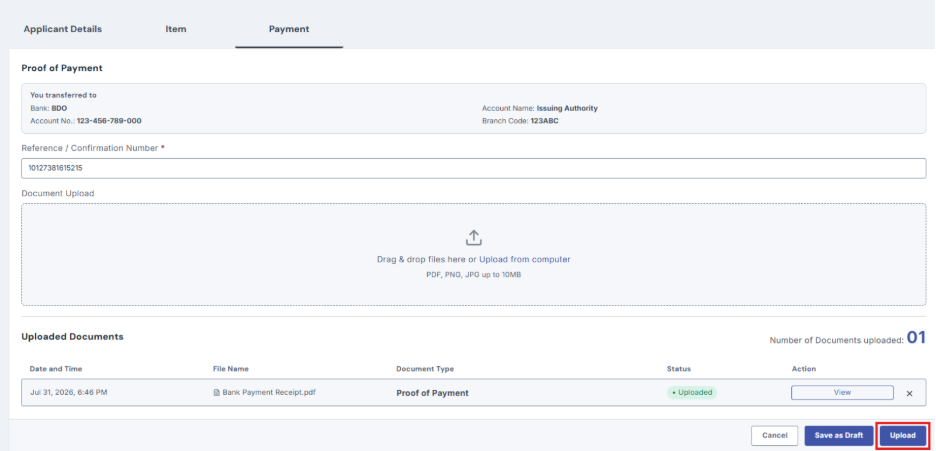
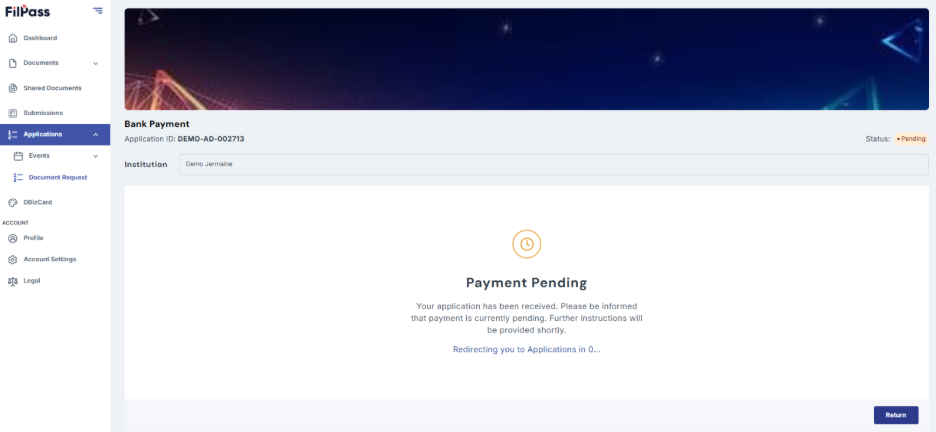
7. Click Upload to submit, then wait for the confirmation message.
8. Once your payment has been submitted, you will receive email notifications about the status of your request.
Was this helpful?