

How to Search Templates in Template Design Dashboard
- Log in to the FilPass System using your Issuing Authority (IA) account.
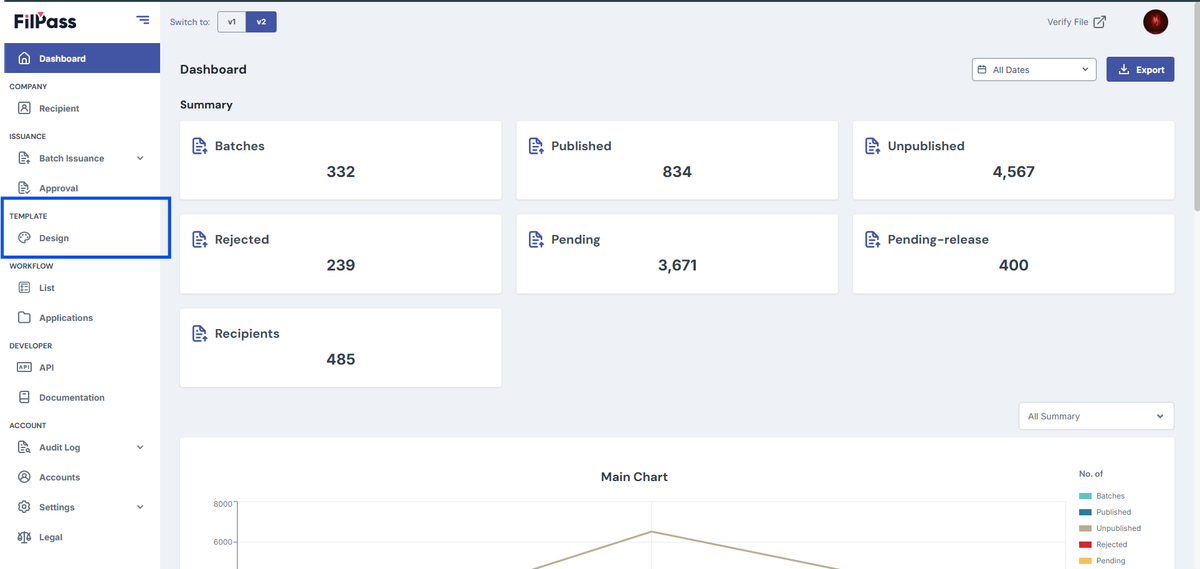
- From the left sidebar, click Design under the Template section.
- Note: The Template Design module will open in a new browser tab.
3. On the Template Design page, locate the Search by Template Name field.
4. Enter the template name or template ID in the search field.
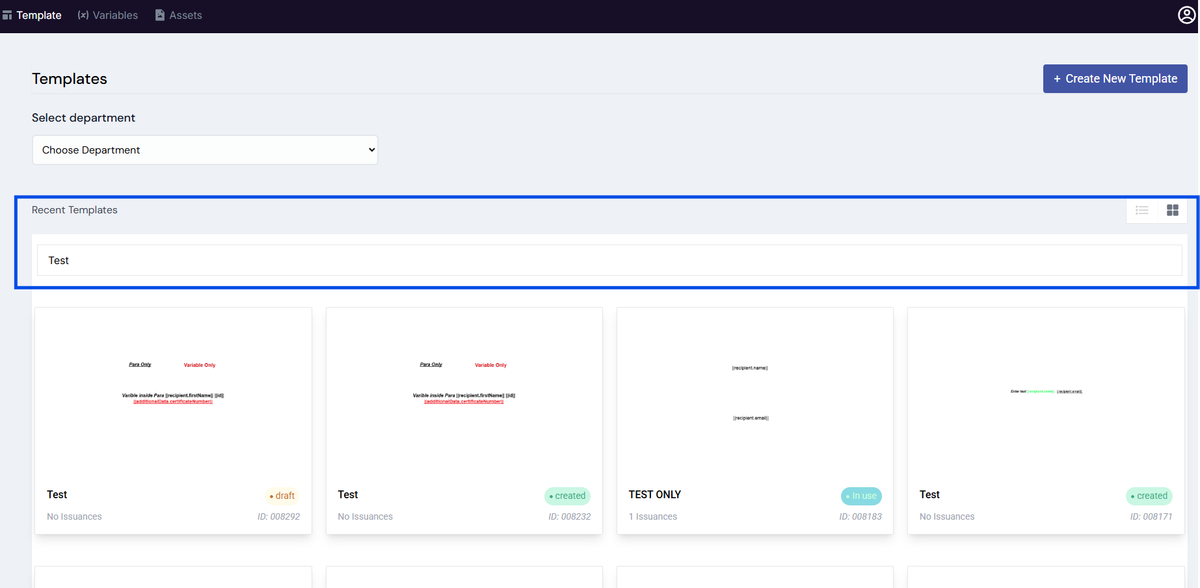
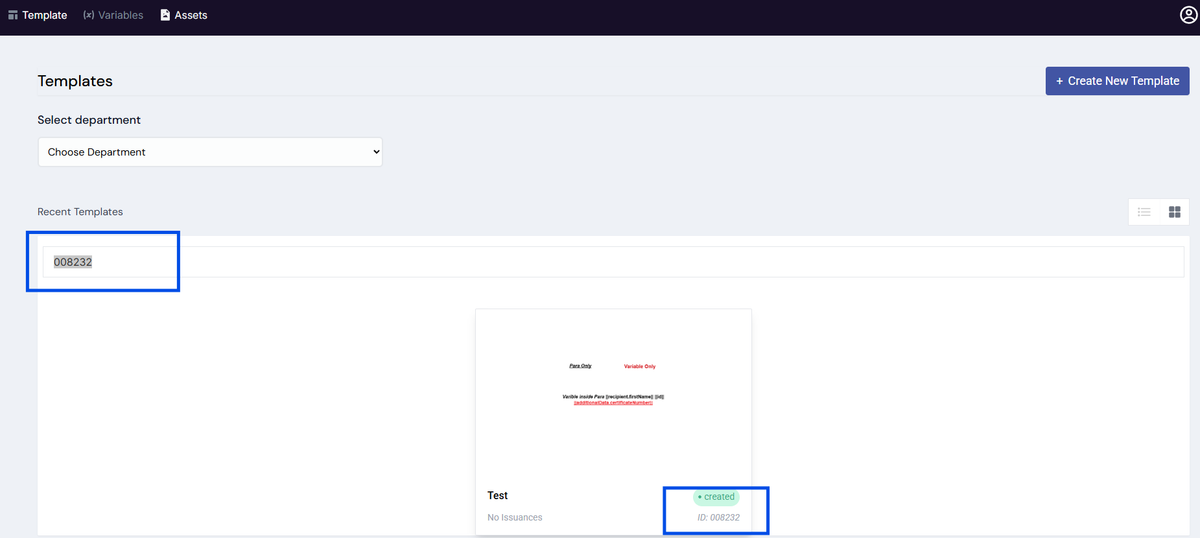
5. The template list will automatically update to display matching results.
Notes:
- You can search using either the template name or template ID.
- The results will update automatically as you type.
- Ensure the correct keyword or ID is entered for accurate results.
Was this helpful?